| |
 |
SEPTEMBER 2018
|
|
|
| |
| |
Your Monthly Developer Updates |
|
| |
|
| |
Oracle Developer Partner Community Newsletter
September 2018
|
|
|
 |
|
| |
| |
 |
Table of Contents |
|
Community Section |
| > |
PaaS Partner Community Reception at Oracle OpenWorld 2018 |
| > |
Innovate, Extend and Integrate SaaS Overview and Pricing - PaaS Partner Community Webcast – September 18th 2018 |
| > |
PaaS Partner YouTube Update September 2018 |
| > |
PaaS Summer Camp 2018 training material |
| > |
Chatbot Bootcamps in Milan, Riyadh, London and on-demand |
| > |
Innovate & Integrate and Extend SaaS Bootcamps |
| > |
Oracle Developer Meetups in Utrecht, Brussels, London, Lisbon, Madrid, Cologne and Oslo |
| > |
TransSys Solutions build with JET, Chatbot, PaaS4SaaS |
|
Application Development Section |
| > |
Developing FaaS with Oracle fn Project |
| > |
Even wider language support in Fn with init-images |
| > |
Kotlin and the Java FDK |
| > |
Creating a Function from a Docker Image |
| > |
WEBLOGIC 12C: SOLVING INVALID TEMPLATE ERROR |
| > |
Java programs as native executables: GraalVM is the answer |
|
Developer Tool Section |
| > |
Oracle Developer Cloud Service - Demo Overview |
| > |
Chatbots: What time is it? |
| > |
TechExchange Quick-Tip: Dynamically and Conditionally Reduce the Number of Items Displayed in a List |
| > |
JET 5.1: How to integrate a chatbot in your JET application |
| > |
TechExchange: How-to Embed Remote Websites in Instant Apps and How to Handle Callbacks |
| > |
ADD A CCA COMPONENT TO YOUR VBCS APPLICATION |
| > |
Edit Form in a Popup with Oracle Visual Builder |
| > |
Flow Navigation Menu Control in Oracle VBCS |
| > |
Creating Editable Tables in Oracle Visual Builder Cloud Service |
| > |
Tips and Tricks for List of Values in Visual Builder Cloud Service |
| > |
Oracle JET 6.0: Webpack, TypeScript, and Tips! Virtual Meetup October 1st 2018 |
| > |
Workshop: Web Component Development with Oracle JET |
| > |
Oracle Offline Persistence Toolkit - Controlling Online Replay |
| > |
ADF BC REST Query and SQL Nesting Control Solution |
|
Additional new material WebLogic & Developer Community |
| > |
Top tweets WebLogic & Developer Partner Community – September 2018 |
| > |
Training Calendar Developer Partner Community |
| > |
My private Corner a week full of hands-on training and networking |
|
|
|
| |

| |
|
|
| |

You are invited to join our traditional PaaS Partner Community Reception at OpenWorld. The Reception will be held on Monday October 22nd 2018 in San Francisco! Don't miss this unique opportunity to:
- Network and exchange information with fellow Oracle Middleware & PaaS Partners
- Meet with members of the Global Oracle Middleware & PaaS Product Management team and Oracle EMEA Alliances and Solutions Partner Programs team
- Learn more about Oracle OpenWorld activities
Schedule: Monday October 22nd 2018 18:30 (California time)
For details please visit the registration page here.
Back to top |
|
|
|
| |
| |

Attend our September edition of the PaaS Partner Community Webcast live on September 18th 2018 at 16:30 CET.
Innovate, Extend and Integrate SaaS pricing
You are working on Oracle SaaS implementations and want to integrate and extend them? In this webcast you will get an update on the latest PaaS pricing for SaaS customers.
Presenter:
Jon Huang
Senior Director Product Management
Visit the registration page here.
Call ID: 5566478 and Passcode: 258495
UK: +44 (0) 208 118 1001 &
United States: 140 877 440 73
More Local Numbers |
 |
Schedule:
Tuesday September 18th 16:30 - 17:30 CET
Visit the registration page here.
Missed our PaaS Partner Community Webcast? – watch the on-demand versions:
For the latest information please visit Community Updates Wiki page (SOA Community membership required).
Back to top |
|
|
|
| |
| |
|
|
| |
| |
|
|
| |
| |
|
|
| |
| |
|
|
| |
| |
Want to learn more about developing Enterprise-grade Cloud Native applications on the Oracle Cloud Platform, covering topics like Microservices Architecture, developing in Node, Python and PHP, using Low Code development tools to build Mobile apps, and much more? Join the Oracle Developer Meetup groups if you want to follow Oracle’s solutions in this area, or participate in the events and hands-on labs we organize:

Please let us know in case you want to run an event at one of this location or you want to start your local meetup. We are looking forward to support you and sponsor the event with pizza and beer!
Back to top |
|
|
|
| |
| |
|
|
| |
About TransSys Solutions
TransSys Solutions is a global consulting and technology services company focused on helping customers maximize value in their IT investments, by delivering unparalleled solutions and services.
Recognized as a Cloud Select Platinum Partner, CX Hero and CX Cloud Excellence Implementer of Oracle, TransSys focus is on providing value through a range of Oracle Product portfolio that includes end to end implementation of Oracle E-Business Suite, Oracle Fusion apps, and BI Solutions (Hyperion & BI Apps). TransSys is known for its functional and technical expertise across industries and business functions viz. for Human Capital Management, Financials, Projects, Manufacturing, Supply Chain, and Customer Relationship Management. With its proven ability to execute, TransSys has consistently helped its customers achieve their goals.
We believe that innovation and transformation are at the core of any successful business. We design future ready solutions aimed at empowering companies to achieve greater heights in today’s challenging business landscape.
How TransSys Solutions uses Oracle JET
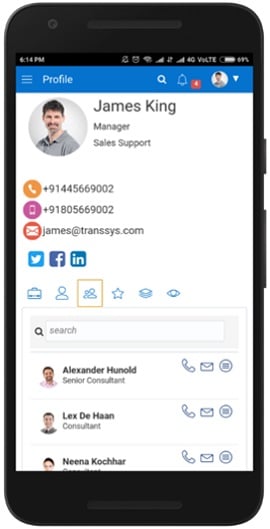
At TransSys, we believe in simplifying and accelerating implementations of applications. Our customers want applications which are modern and responsive. TransSys leverage Oracle JET to develop user friendly web and mobile applications.
JET caters to most of the modern enterprise development especially the data visualization components in making Interactive Dashboard. We at TransSys can create dynamic and amazing enterprise web and mobile apps using Oracle JET. Read the complete article here.
Back to top |
|
|
|
| |
| |
Application Development Section |
|
|
|
|
| |

In my last post I wrote about general concepts behind Function as a Service (FaaS) and my view on this application development style. As an example I used the basic pipes and filters concept implemented by Unix Shells and many shell commands. Within this post I will use the same example and implement it using a Function as a Service platform. To recap the scenario, we had a simple JSON file containing booking records. From this file we identified certain records based on purchased products. Afterwards we extracted customer emails which could be used as a list for targeted marketing.
The FaaS platform I will be using is Oracle fn Project. It is an Open Source project which aims to develop an open and standard based FaaS Platform as alternative to mostly proprietary solutions existing in the market today. According to Oracle a managed service will be released in near future. Let us start and develop FaaS with Oracle fn Project!
Developing FaaS with Oracle fn Project
To begin with, the beauty of fn Project is that one is able to develop FaaS applications on any machine. This includes local development machines. From the decision to use fn to the first deployed function one needs less than nine shell commands. The mandatory „Hello World“ example can be found on fn Project’s GitHub repository. Just follow the instructions and come back to this post with a running fn server.
Now let us start to implement our FaaS example using fn Project. The first function should extract all booking records containing a specific product. Let us call this function searchProduct. Read the complete article here.
Back to top |
|
|
|
| |
| |
One of the neat features of Fn is that you define your functions as container images. Fn isn’t prescriptive about what goes into the container as long as you can read requests and write responses — anything you package in a container that can read from STDIN and write to STDOUT can be a function. This flexibility sets Fn apart from other FaaS platforms which typically only offer a small set of supported languages.
Fn encourages you to use whichever language you are most productive in, and to help get you started, the Fn CLI can generate a function template — usually a HelloWorld — for a few different languages. Try it at home: Read the complete article here.
Back to top |
|
|
|
| |
| |
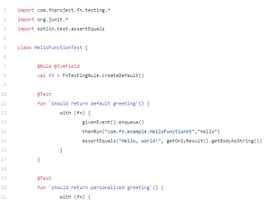
As we saw in this post, it is really simple to write and deploy Serverless Kotlin functions using Fn. The Kotlin support is, in Fn, largely based on the Java support and more specifically on the Java FDK.
The initial Fn Kotlin support was a bit different than it is today as it was using the kotlinc compiler in a Docker (build) image. That approach has been recently replaced (from CLI 0.4.129) in favor of Maven using the regular Java FDK images. The only real difference between Java and Kotlin is now how the runnable artifacts (JARs) are being built (obviously!) but in both cases, those artifacts are built using Maven.
The fact that the Koltin support is based on the Java FDK offers some nice benefits to Fn users developing functions in Kotlin.
JUnit support
Both Java and Kotlin are using JUnit for unit testing. Kotlin does it via the standard kotlin.test.junit library, it enables to write testing rules in Kotlin. To get you started, a sample Kotlin based rule is automatically created when you initialize a new Kotlin function via fn init --runtime kotlin myfunc. You can then use Maven to unit test this Kotlin function, i.e. mvn test. Read the complete article here.
Back to top |
|
|
|
| |
| |
This tutorial walks through how to use a custom Docker image to define an Fn function. Although Fn functions are packaged as Docker images, when developing functions using the Fn CLI developers are not directly exposed to the underlying Docker platform. Docker isn’t hidden (you can see Docker build output and image names and tags in routes), but you aren’t required to be very Docker-savvy to develop functions with Fn. However, sometimes you need to handle advanced use cases and must take complete control of the creation of the function image. Fortunately the design and implementation of Fn enables you to do exactly that. Let’s build a simple custom function image to walk through the process.
As you make your way through this tutorial, look out for this icon.  Whenever you see it, it’s time for you to perform an action. Whenever you see it, it’s time for you to perform an action.
Prequisites
This tutorial requires you to have both Docker and Fn installed. If you need help with Fn installation you can find instructions in the Install and Start Fn Tutorial.
Getting Started
Before we can get starting there are a couple of configuration steps to take care of.
Login to Docker Hub
To make it possible to push images you need to authenticate yourself with your Docker repository (default is Docker Hub).
docker login
NOTE: Depending on how you’ve installed Docker you may need to prefix docker commands with sudo.
Start Fn Server
Next, if it isn’t already running, you’ll need to start the Fn server. We’ll run it in the foreground to let us see the server log messages so let’s open a new terminal for this.
- Define the FN_REGISTRY environment variable to point the Fn server to where it should pull function images from. If using the default Docker Hub registry you just need to specify your docker user id: Read the complete article here.
Back to top |
|
|
|
| |
| |
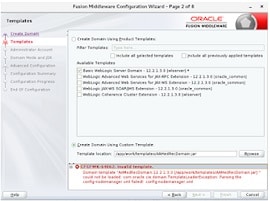
One of the labs in our Weblogic Advanced Administration 12c course is about using domain templates. When revising the particular lab, we created a domain in Weblogic 12c and then created a template based on the domain. On recreation of the domain based on the template we get an exception:
This we get regardless of if we provide nodemanager details at the initial creation of the domain. We did some investigation and found for instance this forum, that gave a hint, but not a solution or workaround.
One important hint is the message 'config-nodemanager.xml: failed to parse the template!(/home/rcma/rcma_domain_template.jar): Parsing the config-nodemanager.xml failed!'. So it relates to the nodemanager configuration and the contents of the config-nodemanager.xml file in the template.
By the way, my colleague found that the same issue can also be experienced during pack and unpack, as desribed in Oracle support note 2311027.1. Here you can find that the problem in the config-nodemanager.xml is about the password. If you have a nodemanager password set in the domain's config.xml, it is encrypted with the domain's seed/salt. It can't be decrypted and read by the domain configurator or unpack tools, because they don't have the salt of the source domain.
So, what is the work-around or solution? I see two: Read the complete article here.
Back to top |
|
|
|
| |
| |
TL;DR:
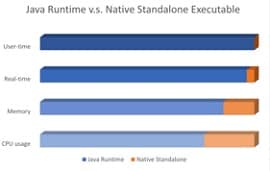
- Using GraalVM Java applications can be compiled into native standalone executables (will be demonstrated).
- Native executables of small Java programs startup blazingly fast, use considerably less resources compared to running on JVM and do not even require the JRE or any other kind of runtime apart from the OS.
- Running Java applications as native standalone executables provides opportunities for lean usage of Java in serverless functions, cloud deployment and microservices.
GraalVM, Please Explain
GraalVM started over decade ago as a Sun Microsystems research project. It was subsequently adopted by Oracle Labs and has now reached a stage where it can go out into the wild. GraalVM is a polyglot VM, meaning it can run programs in many different languages at faster paces, usually, than the original specialized runtimes. It allows for interoperability between diverse components in distinct languages as well. For more information see their website.
GraalVM is stated to be(come) the one VM to rule them all. Sounds promising, right? Well, it is! And it’s in active development, so if it’s not perfect yet, you can wait for it to shortly provide what you need!
Java Moving in a Forward Direction
Java is a considered a heavy language – meaning that it is resource intensive. Applications are large – on disk and in memory – and startup time is drawn-out. Already improvements have been made in the newer versions of Java, such as the modular Java runtime (Java 9) and the currently experimental ahead-of-time compiler (jaotc, using Graal) tool in Java 9 (based on JEP 295). Now with GraalVM it’s possible to convert a Java application into a standalone native executable that does not need a Java runtime at all. Read the complete article here.
Back to top |
|
|
|
| |
|
|
|
A demo showing some of the key capabilities of Developer Cloud Service in the areas of issue tracking, agile methodology, code management and continuous integration and delivery.
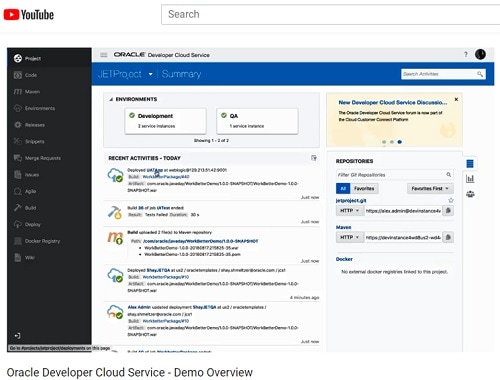
Watch the video here.
Back to top |
|
|
|
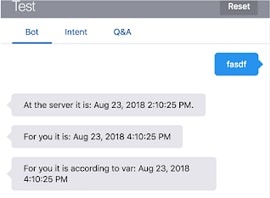
Just a short blogpost describing a solution that I needed for the bot that I'm currently developing. This bot has a typical requirement doing different things during office hours and after closing time. As such I need to know when the user is invoking the bot. Here's how I ended up doing this.
What time is it?
The developer guide has a section on how to use Built-In FreeMarker Date Operations (see resources below). That is a very resource. I started with using the 'now' variable, combined with date time. That should return me exactly what I want.
So in oBotML that looks like:
Unfortunately when I use 'now' to get access to the date-time, it will return the date-time of the server that hosts the actual Bot. This means I cannot use that date-time because it is not the correct date/time of the user's location. After doing a bit of research, I found that the profile property enables your bot to recognise a user’s name, local, and local time.
Read the complete article here.
Back to top |
|
|
|
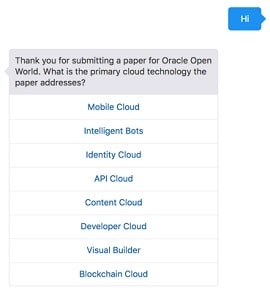
If you ever submitted a paper for a conference, then you probably know the type of registration question in which a list of categories is displayed for you to first choose the primary topic of your talk, then the secondary and finally the third. By selecting a topic from the list, the items on the list are reduced by the one selected for the next display.
The same UI can be achieved for a bot conversation in Oracle Intelligent Bots. Below screen shots shows a conversation in a fictitious bot to submit papers for Oracle Open World.
The first list shows all the options to select from The second list then shows the same choice minus the previously selected one. Read the complete article here.
Back to top |
|
|
|
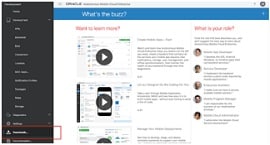
Recently I have been working on a customer chatbot project. Although it was not a direct requirement, I decided to look into embedding the chatbot in a web application too. You will never know what the future brings. It struck me that is I could not find any blogposts related to this topic. The only thing is a youtube video by Oracle PM (see resources below) describing how to do this.
There can be several reasons as why this has not been blogged about:
Nobody is doing chatbot integration in a Javascript UI yet.
Oracle Documentation is clear enough.
It is very simple so why bother blogging.
Anyway, despite of any of these reasons, I decide to write a post on this topic, so that at least I can refer to this myself whenever I need it. So here it is: How to integrate a chatbot in your JET application. This post does not go into the details of creating a chatbot, it just explains how to integrate one in you JET application (or any other Javascript application fo that matter).
What do you need?
For this solution to work, you need to have an instance to Oracle Mobile Cloud Enterprise (OMCe), or Autonomous Mobile Cloud Enterprise (AMCe) in order to use the chatbot functionality. I have access to AMCe and can use the sample CrCPizzaBot. This bot is an example that ships with AMCe (and OMCe ?) Note that the solution described below works with any Oracle Cloud Chatbot.
Step one: Download the SDK's
To download the SDK's you need to click the downloads link in your Cloud Environment. This will take you to the page that contains all the downloads for Oracle Autonomous Mobile Cloud Enterprise (AMCe). Read the complete article here.
Back to top |
|
|
|
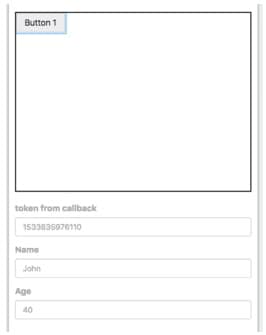
Oracle Intelligent Bots allows you to build micro apps that can be integrated into chatbot conversations while executing in a web view. Instant Apps, to name the product feature, allow users to provide structured data input easily instead of going back-and-forth in a bot conversation, just to get multi-line information in.
A feature of Instant Apps is the ability to embed remote websites, for the website to receive information from and to write information back to an Instant App. This article explains how developers setup the remote web application to call back into and Instant App and what they need to do to receive and handle information sent from the embedded website.
Read the complete article here.
Back to top |
|
|
|
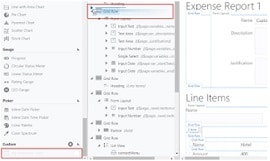
Today at the #PaaSSummercamp, VBCS is on the agenda. We did a few labs from the VBCS learning path. Nice thing is that you can do it yourself as well.
One of the main goals of the OracleJET labs yesterday was to introduce you to CCA components. Since VBCS is mostly based on OracleJET (For the UI that is) it should not be too hard to add a CCA component from our OracleJET application into our VBCS application. So actually, I wanted to try just that.
If you go to your OracleJET application project, the CCA components are in the ${OJETProjectFolder}\src\js\jet-composites\: First create a zipfile out of the component, just zip the folder:
(I like TotalCommander for this).
Then in the VBCS Designer tab, browse to the very bottom to find the Custom Heading: Read the complete article here.
Back to top |
|
|
|
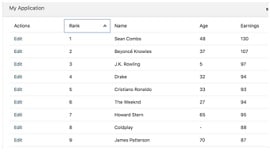
In Visual Builder Cloud Service (VBCS) it is very easy to create a CRUD application where one page shows you a list of records, and then clicking on one of them you are directed to another page where you edit the record. But what if instead you want to edit the record on the same page - or in a popup window when you click the record in the table?
This is what this blog is all about - the results looks like this:
The video combines several techniques and tips, some of which I covered in details in other blog entires. Since the video is a bit on the long side (14 min) - here is a break down of what it shows and a way for you to skip to the parts that interest you:
Read the complete article here.
Back to top |
|
|
|
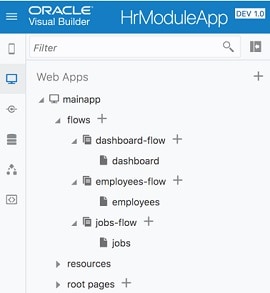
Oracle VBCS allows us to build multiple flows within the application. This is great — this helps to split application logic into different smaller modules. Although VBCS doesn’t offer (in the current version) declarative support to build menu structure to navigate between the flows. Luckily this requirement can be achieved in few simple steps, please read John Ceccarelli post — Adding a Navigation Bar to a VBCS Application. I thought to go through instructions listed by John and test it out, today post is based on this. In my next posts I will take a look how to replace navigation bar menu structure with something more advanced, for example — menu slider on the left.
I think VBCS have great potential as JavaScript declarative development IDE. I see many concepts are similar to other Oracle declarative development tools, e.g. Forms, Oracle ADF. VBCS runs Oracle JET, all you build in VBCS is Oracle JET. Oracle takes care upgrading Oracle JET version in VBCS, I have applied recent patch (by click of the button) and latest JET version is available within our VBCS environment:
Read the complete article here.
Back to top |
|
|
|
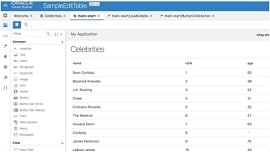
A common request I've been getting from customers of Visual Builder is to be able to edit multiple records that are shown in a table. Oracle JET has an editable table sample that shows how to do this in their cookbook, but the translation from the JET approach to the VBCS way of doing things was a bit tricky for some. I recorded a video and included basic instructions showing you how to implement the JET sample in your VBCS application below.
Beyond just implementing the UI aspect of the editable table, you also need to define a strategy of when and how you want to save the data from the table back to the data source. In the video below I'm using an approach that is easy to implement, but is probably not the best way to implement this. I loop through all the records and update them back to the data source one-by-one. A better approach will be to keep a list of rows that were changed and only send them to be updated.
Read the complete article here.
Back to top |
|
|
|
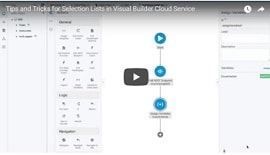
While working on some customers' applications, I ran into a few performance and functionality tips related to list of values in Visual Builder Cloud Service (VBCS). While it is very tempting to use the built in quick start that binds a list to results from a service, in some cases you might want to take a different approach.
One reason is performance - some lists don't change very often - and it makes more sense to fetch them only once instead of at every entry into a page. VBCS offers additional scopes for variables - and in the demo below I show how to use an application scope to only fetch a list of countries once (starting at 1:15). I also show how to define an array that will store the values of the list in a way that will allow you to access them from other locations in your app, and not just the specific UI component.
The other scenario that the demo shows relates to situations where you need to get additional information on the record you selected in the list. For example, your list might have the code and label but might contain additional meaningful fields. What if you need access to those values for the selected record?
Read the complete article here.
Back to top |
|
|
|
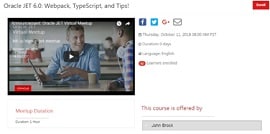
The first of what we hope will become a regular event, will be an overview of the Oracle JET roadmap with a sneak peak at some of the new features coming as part of the Oracle JET 6.0 release in October.
Listen to what customers and Oracle Partners are saying about their use of JET for commercial applications today. Learn about some of the sessions that will be presented at this years Oracle OpenWorld and CodeOne conferences from the speakers themselves.
Enroll today! Details about how to attend the meetup will be provided closer to the event.
Guest speakers will include:
- “Offline Support with Oracle JET” — Andrejus Baranovskis (Red Samurai Consulting)
- “From Forms to Oracle JET” — Mark Simpson (Griffiths Waite)
- "API-led Oracle JET Applications” — Luis Weir (Capgemini UK)
- “Oracle JET Web Components” — Lucas Jellema (AMIS)
- “Oracle JET Command Line Interface” — Soham Dasgupta (Capgemini Netherlands)
- “Mobile Architecture and Oracle JET” — Simon Haslam (eProseed)
For details please visit the registration page here.
Back to top |
|
|
|
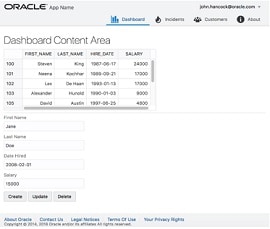
The purpose of this script is to show how to put together a CRUD scenario in an Oracle JET application by means of Web Components. You'll start by setting up JSON Server, which is a fake REST server, next you'll set up an Oracle JET application that connects to it and displays its payload, and finally you'll use the Composite Component Architecture (CCA) to create a reusable Web Component for displaying the payload in different modules, interacting with CRUD functionality defined in the application.
Tip: Go here to follow a free three week MOOC about Oracle JET: oracle.com/goto/jet.
Troubleshooting: If you run into problems, go here for the completed source files: bit.ly/learn-jet-result
The application you'll create in this workshop will look as follows:
Get the workshop material here.
Back to top |
|
|
|
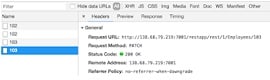
Few months ago I had a post about Oracle Offline Persistence toolkit, which integrates well with Oracle JET (JavaScript toolkit from Oracle) - Oracle JET Offline Persistence Toolkit - Offline Update Handling. I'm back to this topic with sample application upgraded to JET 5.1 and offline toolkit upgraded to 1.1.5. In this post I will describe how to control online replay by filtering out some of the requests, to be excluded from replay.
Source code is available on GitHub. Below I describe changes and functionality in the latest commit.
To test online replay, go offline and execute some actions in the sample app - change few records and try to search by first name, also try to use page navigation buttons. You will be able to save changes in offline mode, but if this is your first time loading app and data from other pages wasn't fetch yet, then page navigation would not bring any new results in offline mode (make sure to load more records while online and then go offline): Read the complete article here.
Back to top |
|
|
|
In my previous post I showed the steps you have to take to create your first ADF REST resource. You can find it here: First steps with REST services on ADF Business Components. I will continue my exploration in the world of ADF REST.
We are now going to configure the URL and test the new service.
After you run your application, you will see the endpoint in your JDeveloper log:
The first thing you will probably notice is the structure of the URL and there is little chance you will like it. Let’s change that first. There are two parts of the URL that can be configured, the Context Root (EMP-RESTWebService-context-root) and the URL pattern (/rest/).
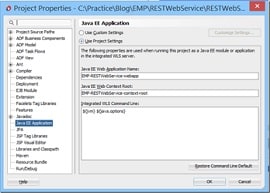
The Context Root can be set in the Project Properties of the RESTWebService project. Open the properties and go to the Java EE Application tab. It shows an input field for the Java EE Web Context Root and you will recognize the name from your service URL. Choose a relevant and general name. It will be used for all your services.
The URL pattern is configurable in your web.xml file. This file is part of the RESTWebService project. Open it and go to the Servlets tab. Select the only Servlet in the list and open the sub tab Servlet Mappings. Here you can choose your own URL pattern. If you don’t want any pattern, you can enter: ‘/*’.
Read the complete article here.
Back to top |
|
|
|
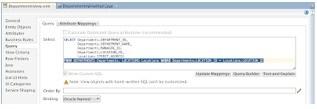
I will talk about expert mode View Object (with hand written SQL), this View Object is created based on SQL join. So, thats my use case for today example. I will describe issue related to generated SQL statement and give a hint how to solve it. This is in particular useful, if you want to expose complex VO (SQL with joins and calculating totals) over ADF BC REST service and then run queries against this REST resource.
Code is available on my GitHub repository. Here is SQL join and expert mode VO (the one where you can modify SQL by hand):
Read the complete article here.
Back to top |
|
|
|
Additional new material Developer Community |
- Four AI Use Cases That Don’t Require a Data Scientist Business and tech leaders worry that their company is missing out on the coming AI revolution because they don’t have the deep tech skills to put it to use. “I tell them that getting real value from AI, and from its related discipline of machine learning, doesn’t have to be that hard,” writes Oracle Cloud Platform’s Siddhartha Agarwal. Learn about AI-driven analytics and three other important use cases that don’t require PhD-level data science.
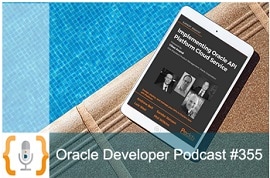
- Vibrant and Growing: The Current State of API Management. The authors of "Implementing Oracle API Platform Cloud Service” discuss the current state of API management, including architectural implications, API design, and how working in SOA may have left you with some bad habits. Hear the podcast
- Maximizing the Value of Municipal Open Data APIs with Low Code Development Tools. Get a look at a few of the over 750 public data sets provided by the City of New York and learn how anyone can use Cloud-based Low Code tools to easily build powerful data analysis tools. Watch the video
- Podcast: Developer Evolution: What's rockin’ roles in IT? The number of software developer jobs will grow 24% through 2026, the US Bureau of Labor Statistics predicts. What’s driving this growth? Innovation. “More than ever,” says Oracle Developer Champion Rolando Carrasco, “institutions, organizations, and governments are keen to generate a new crop of developers that can help them create something new.”
- Introducing Oracle Java SE Subscriptions
- Oracle VM release 3.4.5 is Now Available
- Test-Drive Oracle Cloud Platform: Up to 3,500 Free Hours: Could cloud tools solve your current headaches? Here’s a no-risk way to find out: Free trials of cloud services including database, compute, blockchain, IoT, big data, API management, integration, chatbots, and more. They’re online and ready for your production-scale workloads.
Back to top |
|
|
|
|
|
|
|

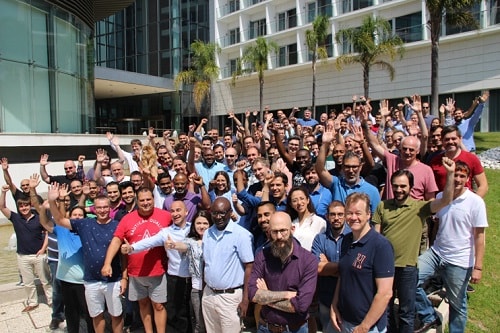
The PaaS Summer Camp took place the 8th time in Lisbon Portugal from August 27th to 31st 2018. It was a busy week full of hands-on training. I participated myself in the Innovation track. Thanks to Chris and Jens we can build now Blockchain solutions, robotic process automation and a full process application with integrates data from several sources based on Oracle integration cloud service. It was great to see many familiar faces as well as new attendees. The week was busy to catchup and support our partner attendees. A highlight was the social networking event to share and celebrate with the community – thanks for spending the week with us in Lisbon! In case you could not attend training material is available via the community workspace (membership required)
Back to top |
|
|
|
|