The default WebLogic Server installation uses a demo certificate to support SSL. Oracle recommends installing a certificate from a well-known third party to strengthen the security of the environment.
Below are the steps to configure SSL in WebLogic
- Create Java KeyStore (JKS) and generate key
- Generate a Certificate Signing Request (CSR)
- Send the CSR file to CA to issue the certificate
- Import Certificates (Root, Intermediate(if any) & Server)
- Configure SSL in WebLogic Server
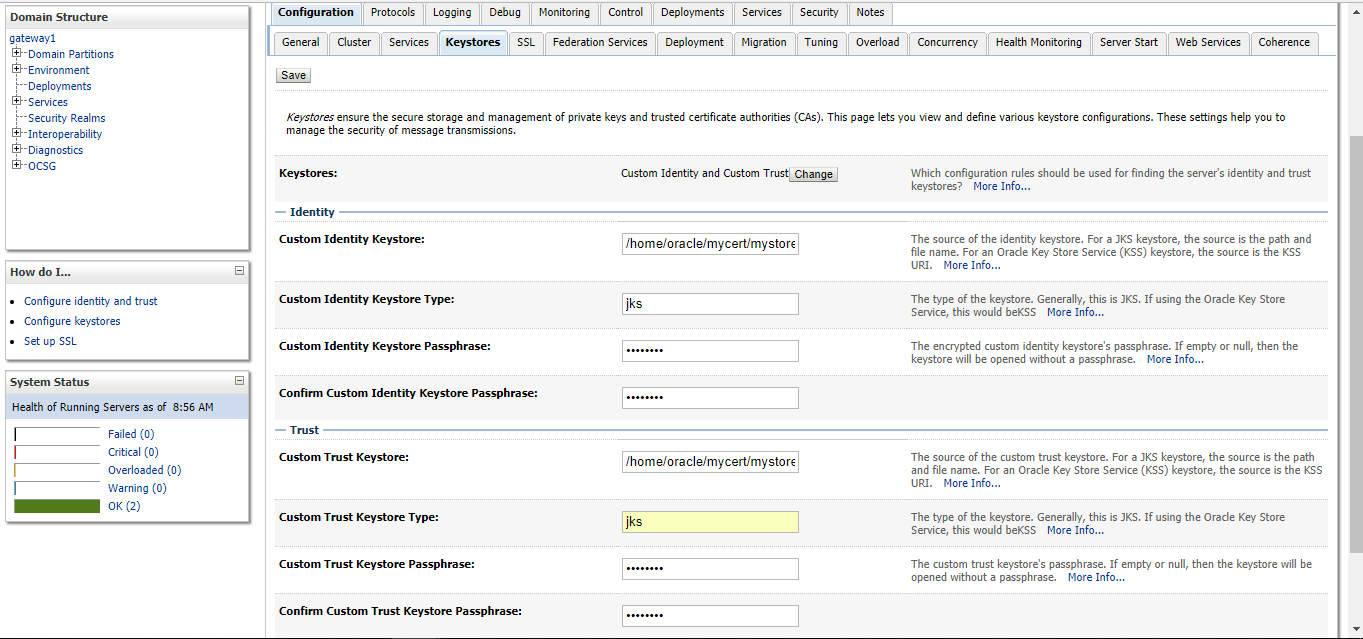
- Change KeyStore type in WebLogic Server
- Specify path of Identity KeyStore and Trust KeyStore
- Specify Private Key Alias in WebLogic Server
- Enable SSL in WebLogic Server
- Test SSL
Create Java KeyStore (JKS) and generate key
Keytool utility is a Key and Certificate Management Tool and is available in $JAVA_HOME/bin. Before we start, set JAVA_HOME and PATH variables. For this blog, we are using Linux so use below two command to set JAVA_HOME and PATH variables
In this step, we'll create Key Store and private key. Use below command to generate Key Store. Read the complete article here.
Back to top |