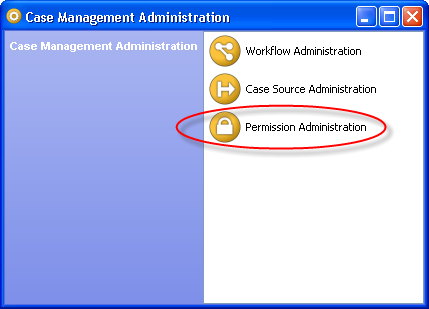
Permissions are defined and managed in the 'Permissions' section of Case Management Administration. To open the Permission Administration dialog, click on the Permission Administration option in the main screen of Case Management Administration:
The Permission Administration dialog provides a list of the defined Permissions:
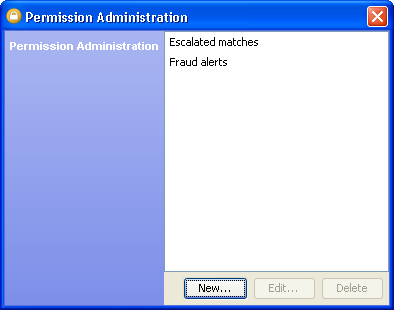
From this screen, you can:
|
Note: Permissions are not exported or imported in the same way as case sources and workflows. Instead, permissions associatied with case sources and workflows are exported and imported with them. |
To create a permission, press the "New..." button.
The Add Permission dialog needs you to enter a key and a name for your new permission. Optionally, you can also add a more verbose description for the permission:
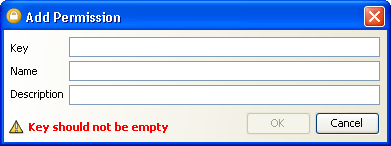
Once you have supplied the necessary information, press "OK".
To edit a permission, press the "Edit..." button. The permissions dialog will appear, populated with the current information for the permission you have chosen to edit:
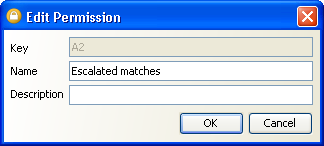
You can edit the name and/or the description of the permission in this dialog.
|
Note: It is not possible to edit the key after a permission has been created. |
Press "OK" when you have entered the correct details for your permission.
To delete a permission, click on the name of the permission and press the "Delete" button. You will be asked to confirm the operation before the permission is deleted.
|
Note: It is possible to delete a permission that is in use. |
Oracle ® Enterprise Data Quality Help version 9.0
Copyright ©
2006,2011 Oracle and/or its affiliates. All rights reserved.