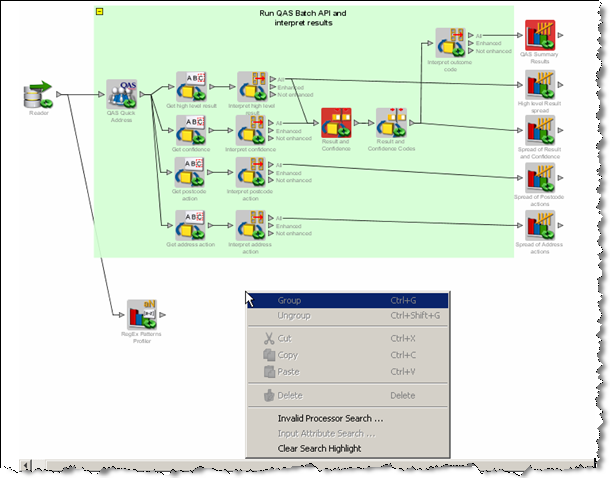
During the creation of complex processes or when revisiting existing processes, it is often desirable to investigate how the process was set up and investigate errors if they exist.
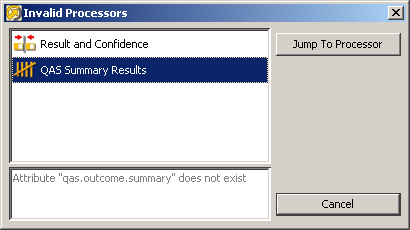
Where many processors exist on the canvas, you can be assisted in discovering problems by using the Invalid Processor Search (right click on the canvas). This option is only available where one or more processors have errors on that canvas.
This brings up a dialog showing all the invalid processors connected on the canvas. Details of the errors are listed for each processor, as they are selected. The Jump To Processor option takes the user to the selected invalid processor on the canvas, so the problem can be investigated and corrected from the processor configuration.
You may list the attributes which are used as inputs to a processor by right clicking on that processor, and selecting Input Attribute Search.
The icons used indicate whether the attribute is the latest version of an attribute or a defined attribute.
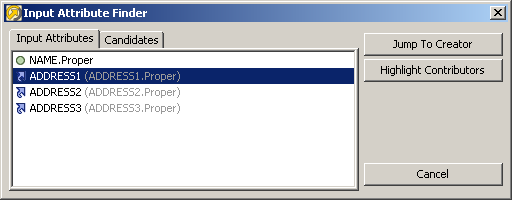
There are 2 options available:
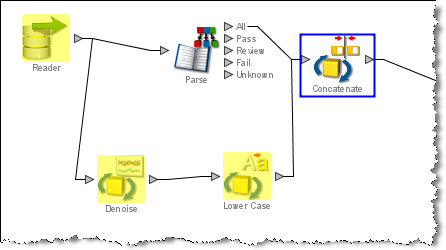
The candidates tab in the Input Attributes Search enables the same functionality to take place on any of the attributes which exist in the processor configuration. The attributes do not necessarily have to be used as inputs in the processor configuration.
This action will clear all the highlights made by the Highlight Contributors option.
Oracle ® Enterprise Data Quality Help version 9.0
Copyright ©
2006,2011 Oracle and/or its affiliates. All rights reserved.