You are here: Getting Started > Adding Reference Data

Adding Reference Data

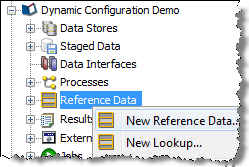
To add a set of Reference Data to use in processors for the validation or transformation of data:
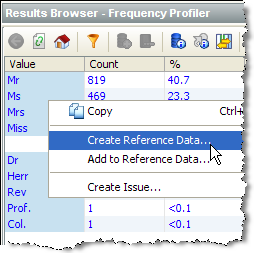
Note: You can use the normal windows Shift-select, and Control-select options to select data. Take care not to drill down when attempting to select the desired values. Alternatively, to select all the loaded data in the results browser for a given column, Control-select the column at the top (for example, the Value column in the screenshot above). Press Escape to de-select all selected data.

The Reference Data set now appears under your project in the Project Browser, and is ready for use in processors - for example in a List Check.

Oracle ® Enterprise Data Quality Help version 9.0
Copyright © 2006,2011 Oracle and/or its affiliates. All rights reserved.