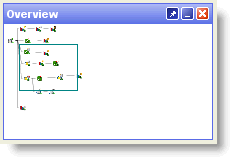
The overview pane is used to aid navigation around large processes, which cannot be viewed in their entirety on the Canvas.
The overview pane displays a thumbnail view of the whole process, with a rectangular overlay that shows the area currently visible on the canvas:
You can move around the process rapidly by dragging the rectangle to the area you wish to examine. The Canvas will automatically move to the framed area.
Oracle ® Enterprise Data Quality Help version 9.0
Copyright ©
2006,2011 Oracle and/or its affiliates. All rights reserved.