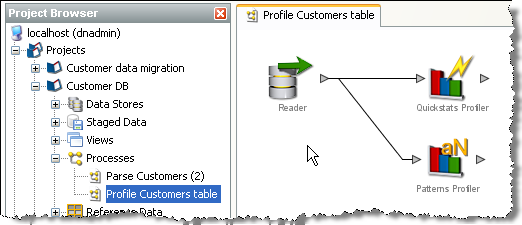
OEDQ comes with a library of processors for processing your data.
To add a processor to your process:
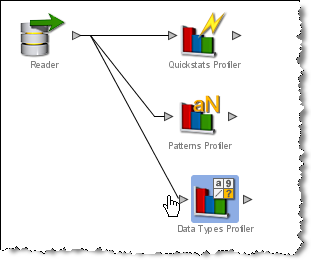
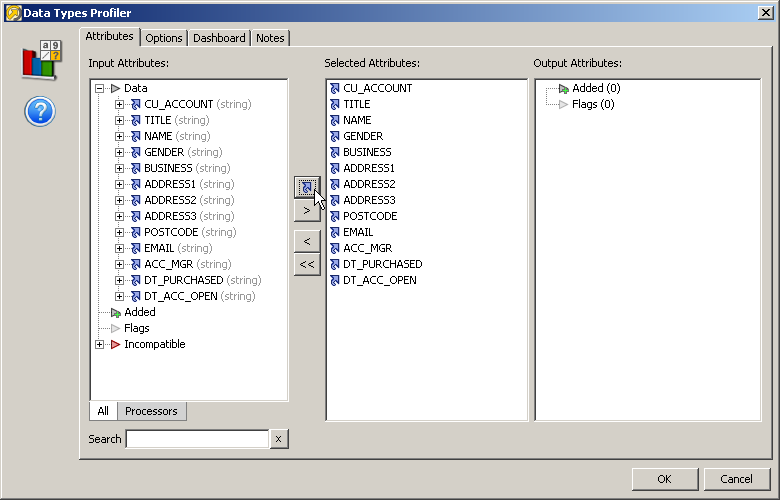
 The
blue arrow icons indicate that the latest version of the attribute will
be used as the input. This
is especially important when transformation processors have been used.
See About
Transformation Processors for further information.
The
blue arrow icons indicate that the latest version of the attribute will
be used as the input. This
is especially important when transformation processors have been used.
See About
Transformation Processors for further information.
|
Note:For Profiling processors, it is common to analyze the data in all attributes to discover issues of interest about the data. |
|
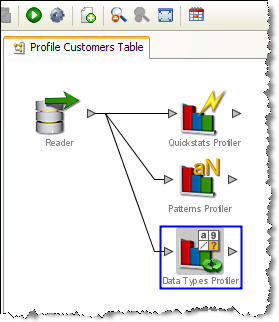
Note: Once a processor is correctly configured, it no longer appears with a blue background. |
|
Note:The process is locked and cannot be edited while it is running. |
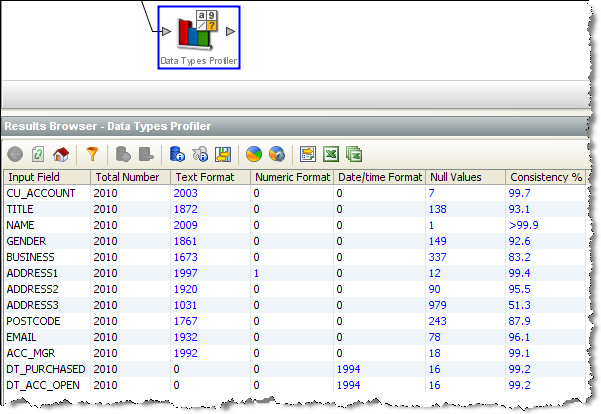
Having successfully created a process, you can now begin to create Reference Data for the validation and transformation of your data.
When selecting the input attributes for a processor, it is possible that some attributes may have an ambiguous latest version. This happens whenever an attribute exists on two different paths, and has been transformed on either or both of these paths. Where this happens, the top level attribute (or latest version) will be greyed out, and will not be selectable. In this case, you need to select the specific version of the attribute that you wish to use by expanding on the attribute and viewing all its possible versions.
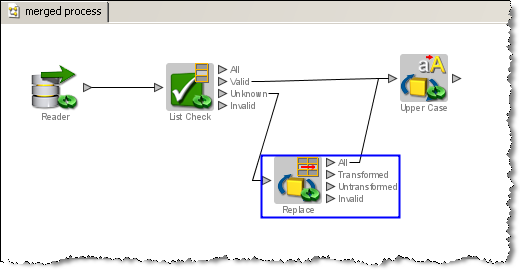
For example, the Upper Case processor below has been configured with 2 input paths, from 2 different processors. The Replace processor transforms a 'title' attribute:
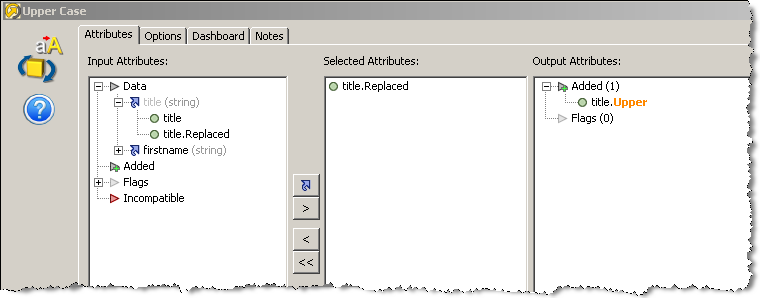
The Upper Case Processor configuration would appear as follows, with the latest version of the title attribute greyed out to indicate that it is ambiguous and therefore not available for use. In this case, you need to select one of the specific attributes listed under the title attribute.
This scenario will commonly occur while configuring the Merge Attributes processor, as this is often used to unite separate processing paths.
Oracle ® Enterprise Data Quality Help version 9.0
Copyright ©
2006,2011 Oracle and/or its affiliates. All rights reserved.