Oracle BI Publisher Tipp

Getting dynamic Excel-Sheets with RTF-Templates

Autor

Rainer Willems

Version

10.1.3.4

Datum

15.01.2009

Goal

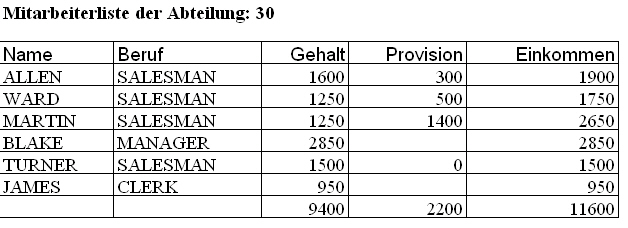
In this Tipp following Report should be created:

We want a list of the employees for one department with salary & commission and the addition of both. In the last line we want the summary for all columns. Based on the query

 select ename, job, sal, comm, deptno 
from emp
where deptno = :p_deptno

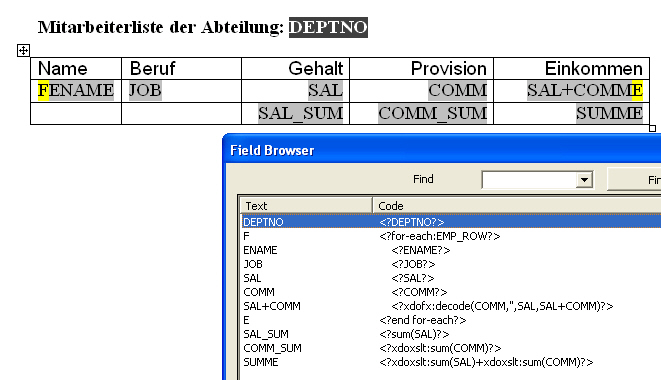
this requirement is quite easy to implement (Download Template here):

For the addition of salary and commission we choose <?xdofx:decode(COMM,'',SAL+COMM)?> , because COMM could be NULL.

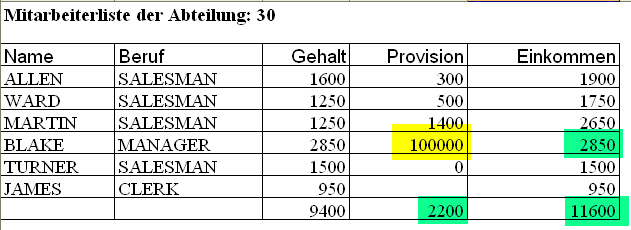
Using this Template for Excel-Output works, but changing a cell in the resulting sheet wouldn't change the addition or the summaries:

All Cell-Values are hard and thers' no Excel-Logic in the sheet.

Creating a  Template for a dynamic Excel-Sheet

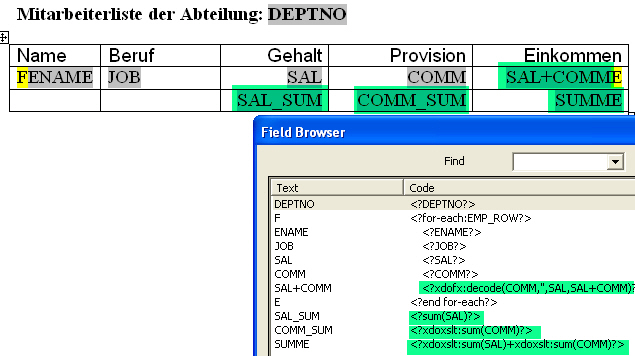
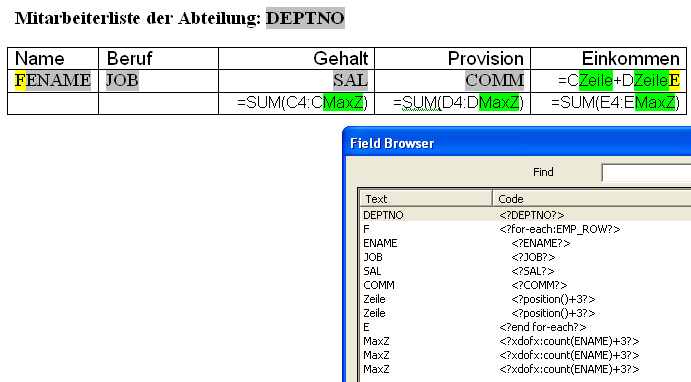
The green marked fields had to be changed to get a dynamic sheet.


It is possible to write Excel-Formulas directly into the RTF-Template.
For the addition we need to add the Column C & D of the same row. For this we need to know, in which row of the sheet the first data row appears. In the example here it's line 4, so we had to add the calue 3 to the current row and could use the following formula directly in the RTF-Template
 =CROW+DROW
where ROW is a form-field with 
 <?position()+3?>
as content. For the summary of the salaries we use
 =SUM(C4:CMaxR)
where MaxR is a form-field with
 <?xdofx:count(ENAME)+3?>
as content. Like in the additions the 3 is available here, because the output of data starts in the fourth row. Therefore the hardcoded C4 in the formulae. Both could be implemented dynamic with variables, which helps in maintainance situations (for example a new hard-coded line at the top). The same we do for Column D (commission) and Column E (Income).

With this template (Download here)


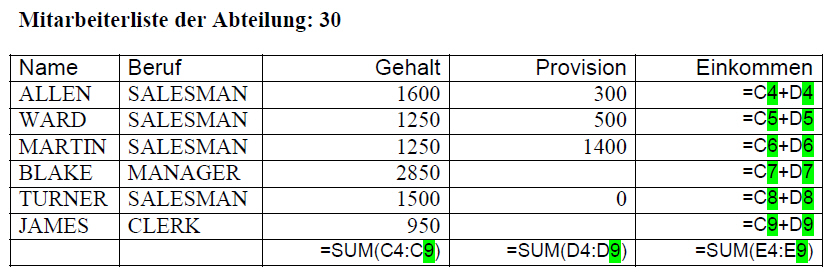
we get a Excel Sheet which reacts when values are changed. With this way it's possible to add much more Excel-Logic (like =IF.. and others) into a Bi Publisher created document. But keep in mind, that such a template is useless for other output-formats, because there the formulas are not interpreted, like in the following PDF-Example