
 Getting Your Completion Award
 Before You Begin
This 5-minute tutorial walks you through the process of obtaining your Completion Award.
Background
Congratulations! You've completed an Oracle Massive Open Online Course (MOOC) and are ready to request and accept your Completion Award.
What Do You Need?
- Completion of the MOOC quizzes with a passing grade
- Access to the MOOC Progress page
 Select Your MOOC
- Access the Oracle Learning Library at http://www.oracle.com/goto/oll and click Log In.
- In the left menu, click Event Calendar
 .
. - Select the MOOC that you completed.
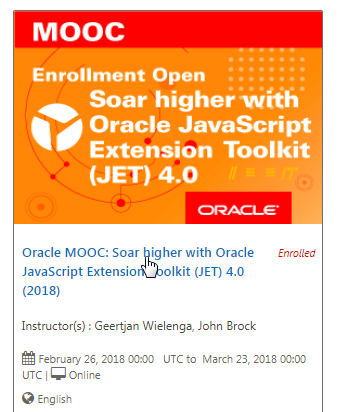
Description of the illustration mooc.3.png
 Claim Your Award
- Click the Progress tab and verify that your status is 100%.
- Click Get Award
 .
. - In the Get Certificate dialog box, click Submit.
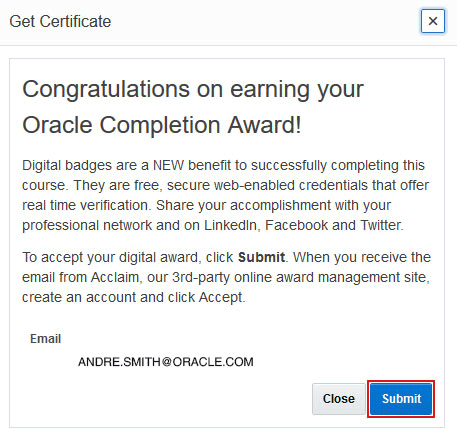
Description of the illustration award3.png - An email was sent to Acclaim with your request. Click Close in the Get Certificate dialog box.
- When you receive an email from Acclaim, perform one of the following actions:
- If you have an account, click Accept your badge.
- If you have never used the Acclaim system, then create an account, verify your email address, and click Accept your badge.
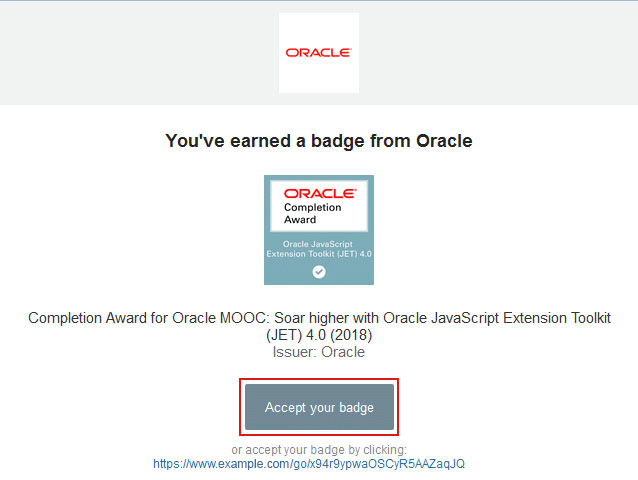
Description of the illustration award5.png - Click Accept to accept your badge.
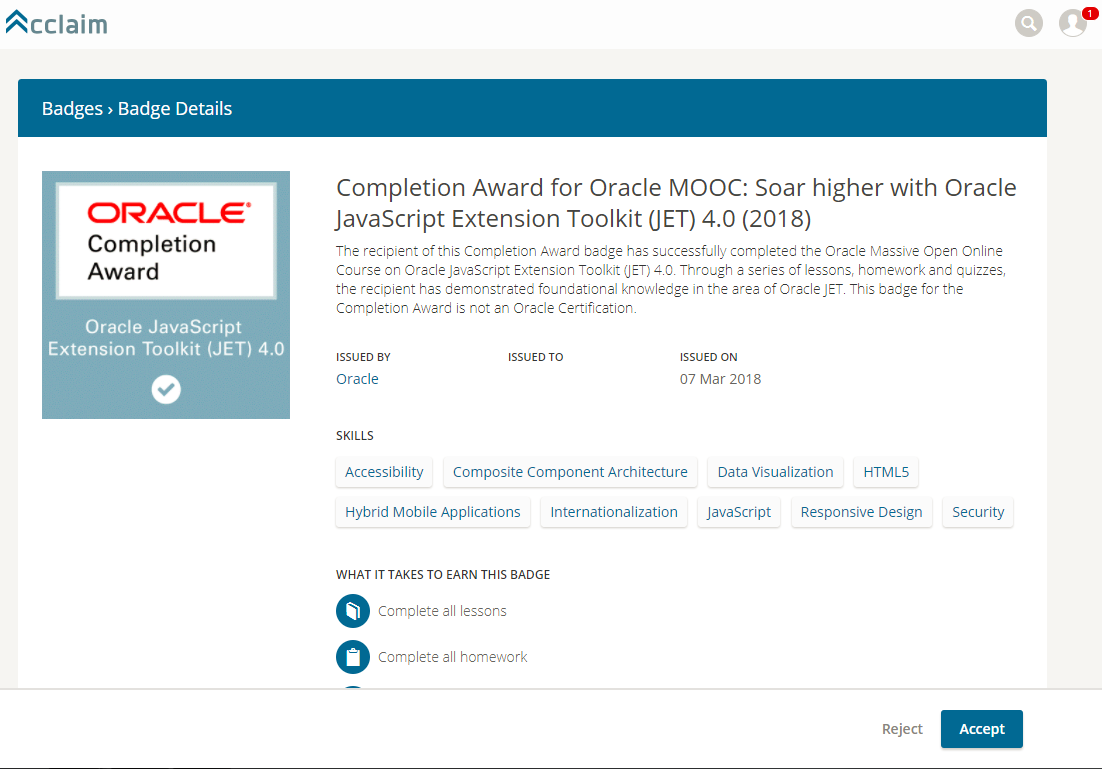
Description of the illustration award.5a.png