
 Integrating Slack with Oracle Developer Cloud Service
 Before You Begin
This 15-minute tutorial shows you how to integrate Oracle Developer Cloud Service with a Slack channel.
Background
Slack is a Cloud based team collaboration software. For more information about Slack, see https://slack.com/.
In this tutorial, you create a Slack webhook in the Oracle Developer Cloud Service project and configure it to send notifications about events and activities of the project. Note that only project Owners can create a webhook.
What Do You Need?
- A web browser
- Your Oracle Cloud account credentials
- An Oracle Cloud account with active Oracle Developer Cloud Service
- An Oracle Developer Cloud Service project with the project Owner role
This tutorial assumes that you are using a Demo project. - An active Slack workspace
This tutorial assumes that you have created a Demo workspace in Slack and want to receive notifications in the default general channel. To create a workspace in Slack, see the Slack documentation.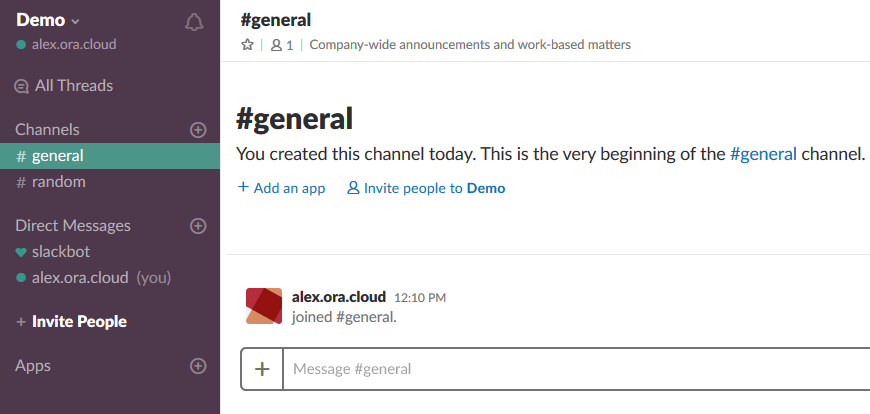
Description of the illustration slack_general.png
 Configuring the Slack Channel to Receive Notifications
In this section, you install the Incoming Webhook app in Slack and configure the general channel to receive notifications. If you have already installed the app, you can ignore this section.
- Open the Slack workspace in a web browser.
Description of the illustration slack_general.png - In the left navigation bar, click Apps.

Description of the illustration slack_navbar_apps.png - In the Browse Apps page, in the search box, enter
incoming webhook. In the From the App Directory list, select Incoming Webhooks.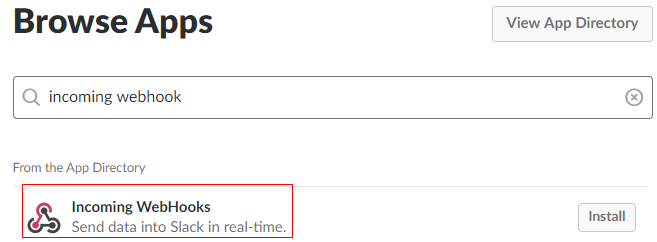
Description of the illustration slack_browse_apps.png - In the Incoming WebHooks page, click Add Configuration.
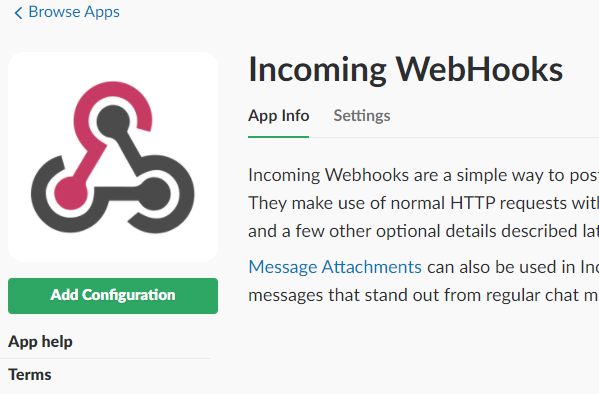
Description of the illustration slack_incoming_webhooks.png - In the Post to Channel list, select #general, and click Add Incoming Webhooks Integration.

Description of the illustration slack_add_incoming_webhook.png - In the Setup Instructions section, select the value of the Webhook URL field and copy it to the clipboard.
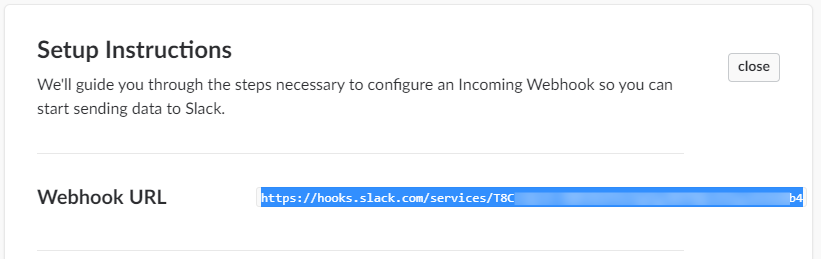
Description of the illustration slack_webhook_url.png
 Configuring the Oracle Developer Cloud Service Project to Send Notifications
In this section, you configure the Slack webhook of Oracle Developer Cloud Service to send event notifications to the Slack channel.
- In Oracle Developer Cloud Service web user interface, open the project.
- In the left navigation bar, click Administration > Webhooks.
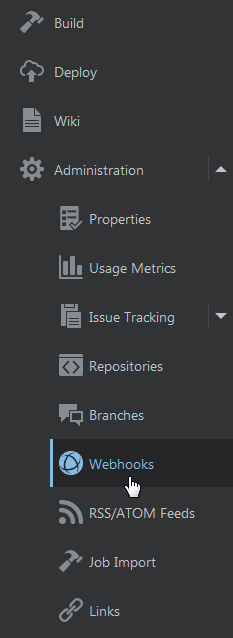
Description of the illustration devcs_navbar.png - In the Webhooks page, click + New Webhook.
- In the Create Webhook page, select or enter the following details:
- Type: Slack
- Name:
devcs_slack_demo_webhook - URL: Webhook URL of the general Slack channel
Remember you copied the URL in the clipboard. See Step 6 of the above section.
- Subscribe: All events
Leave other fields with default values.
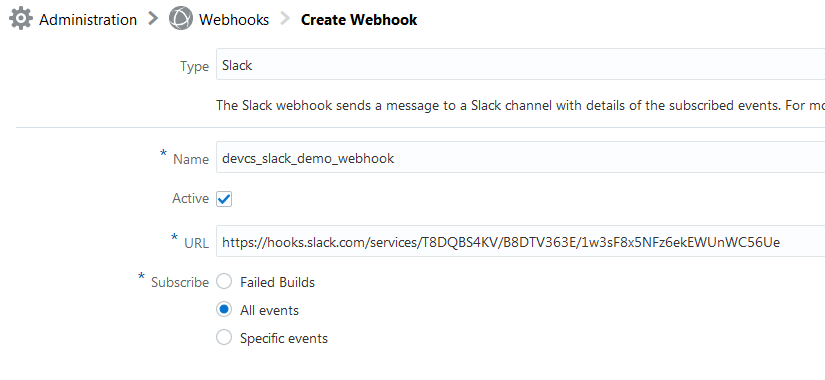
Description of the illustration devcs_create_webhook.png - Click Done.
- In the Webhooks page, click the Test button.
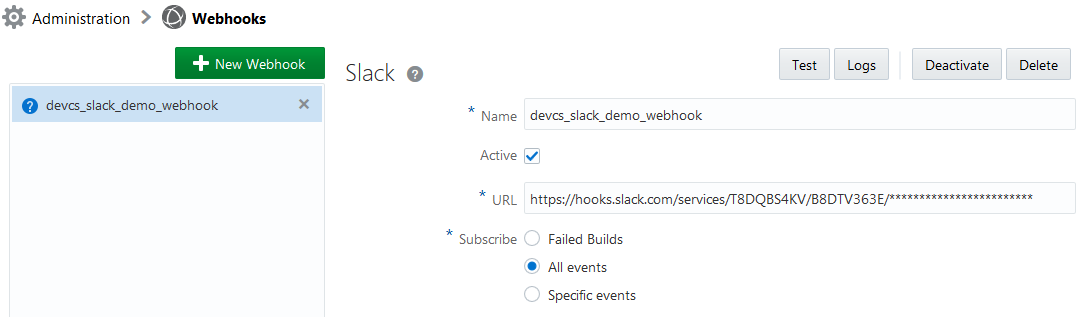
Description of the illustration devcs_webhook.png - Open the Slack channel page to view the test notification sent from the Oracle Developer Cloud Service project.

Description of the illustration slack_test_devcs_event.png - Trigger more events, such as run a build or update an issue in the Oracle Developer Cloud Service project to view their notifications in the Slack channel.

Description of the illustration slack_more_devcs_events.png
 Want to Learn More?
- Configuring Webhooks in Oracle Developer Cloud Service in Using Oracle Developer Cloud Service
- Oracle Developer Cloud Service product page
- Oracle Developer Cloud Service documentation page in the Oracle Help Center