Before you begin
This 15-minute hands-on tutorial shows you how to set target values for accounts to help you achieve specific goals in Strategic Modeling, a solution provided by Oracle EPM Enterprise Planning. You start by reviewing the forecast method for accounts to see how they are calculated. Then you use Goal Seek to set target values and determine what changes are needed to related accounts to achieve those targets. The sections build on each other and should be completed sequentially.
Background
Strategic Modeling provides on-the-fly scenario analysis and modeling with financial forecast modeling so that your operational plans, long range plans and financial strategy align.
The Strategic Modeling business process is comprised of one or more models. You perform long-term strategic planning within those models. Models contain predefined reporting and modeling standards, and are populated with a hierarchical chart of accounts, a time structure, reports, dataviews, account groups, and all the metadata from the template or the model from which it was created.
Every account uses a unique forecast method to project account values in future (forecast) time periods. Use Account Forecast to review or define the forecast method for accounts.
With goal seek, you specify a target value for an account, and you determine the changes to a related account needed for you to achieve that target. For example, you can identify a sales target for a product and use goal seek to determine the change needed in the price per unit to achieve that sales target. When you use goal seek, you determine the account value you want to change, an associated account to drive the change, and a time range over which to make the changes.
What do you need?
An EPM Cloud Service instance allows you to deploy and use one of the supported business processes. To deploy another business process, you must request another EPM Enterprise Cloud Service instance or remove the current business process.
- Have Service Administrator access to EPM Enterprise Cloud Service. The instance should not have a business process created.
- If you haven't already, register for a free Oracle Cloud Customer Connect account so you can access the required files. Upload and import this snapshot into your Planning instance.
For more information on uploading and importing migration snapshots, refer to the Administering Migration for Oracle Enterprise Performance Management Cloud documentation.
Reviewing data
Opening a model and setting the POV
You open a model to perform long-term strategic planning within that model.
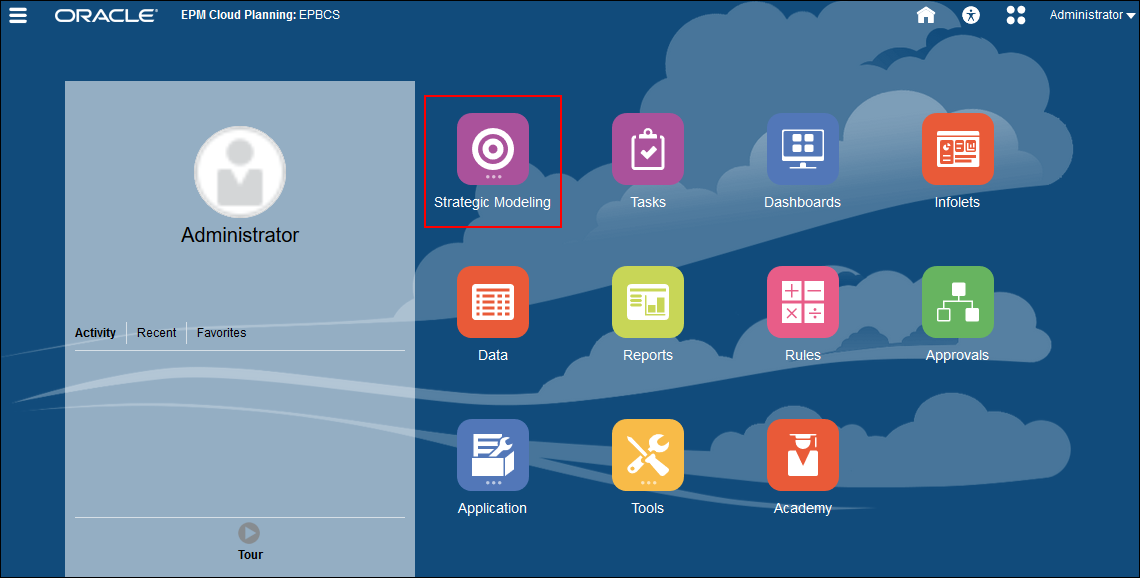
- On the Planning home page, click Strategic Modeling.
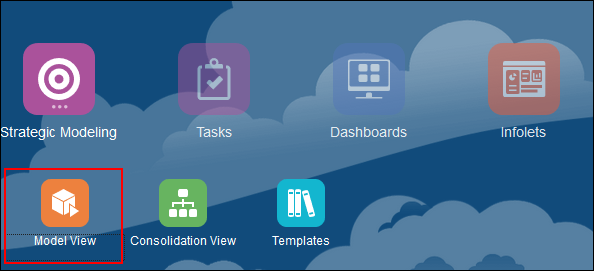
- Click Model View.
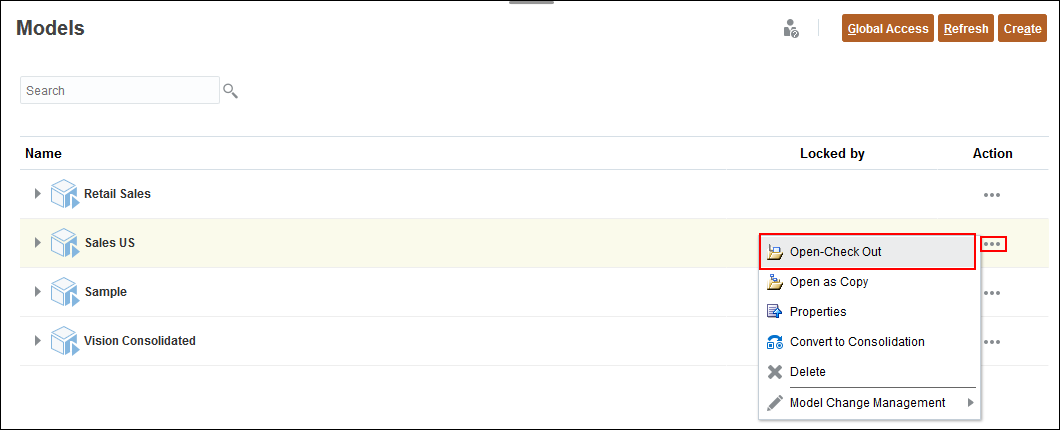
- For Sales US, click (...) Action, and select Open-Check Out.
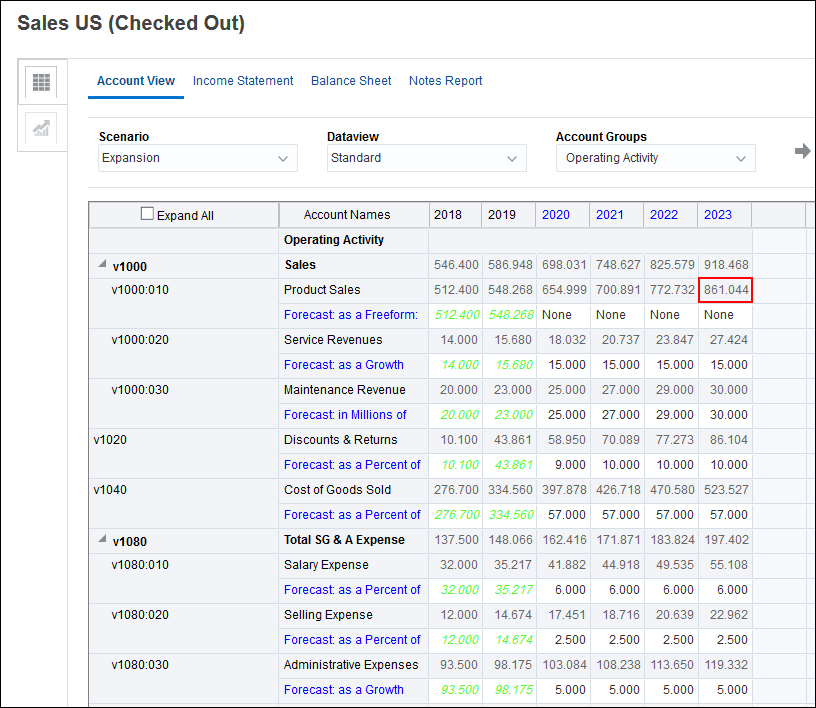
- In the Account View, for Scenario, select Expansion, for Dataview accept Standard and for Account Groups accept Operating Activity and click
 (Refresh).
 - Notice the forecast for Product Sales. For 2023, forecasted product sales are a little over 861 million.

Reviewing how the product sales account is calculated
Before we set a goal for product sales, review how the product sales account is calculated.
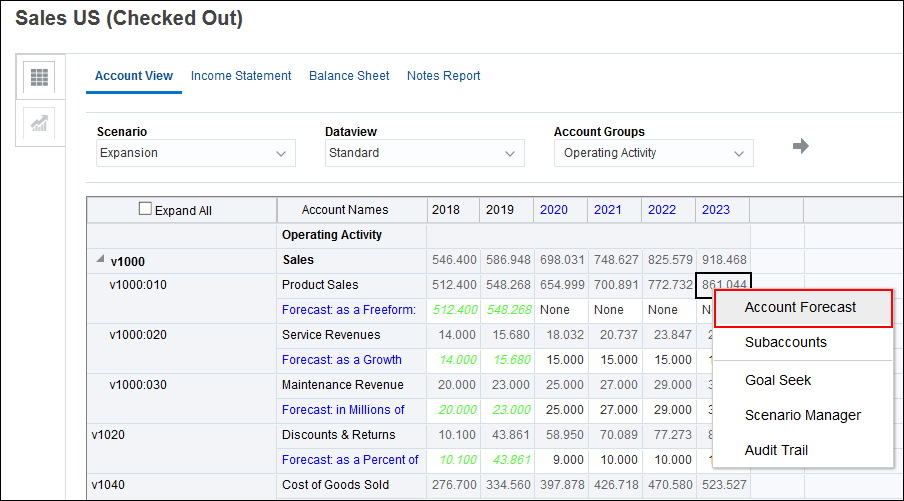
- Right-click Product Sales for 2023 (861.044) and select Account Forecast.
- In the Formula section, click Edit.
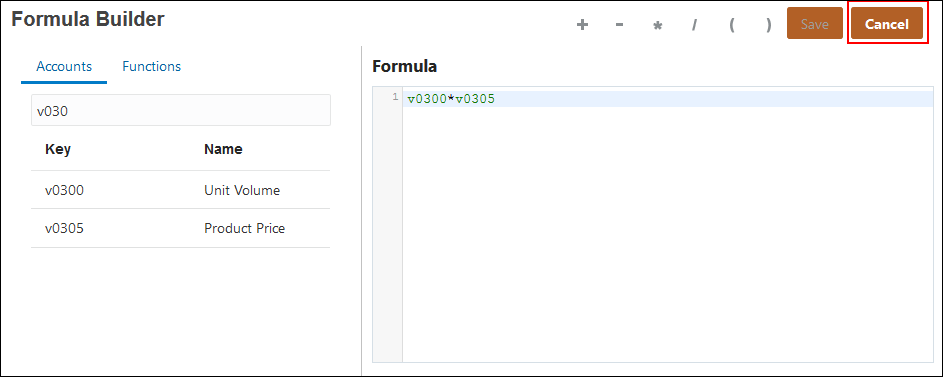
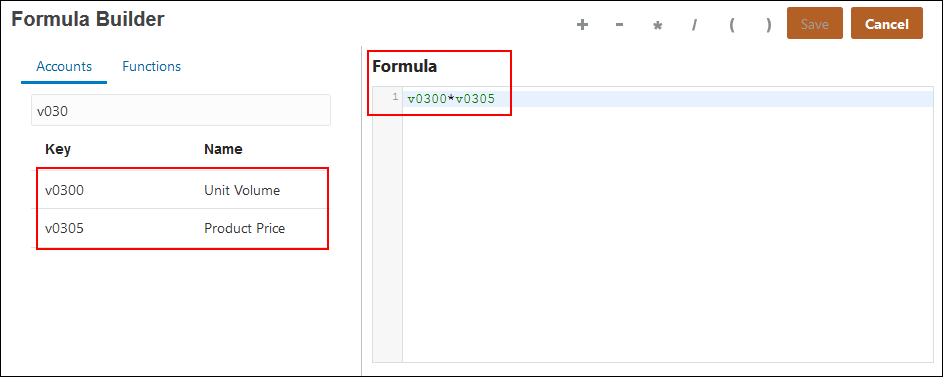
- Notice the formula in the editor. To find the accounts used in the formula, enter v030 in the Search field.
- Click Cancel.
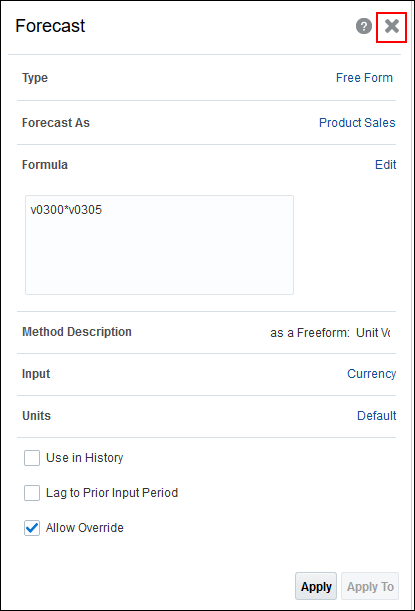
- Click X to close the Forecast panel.
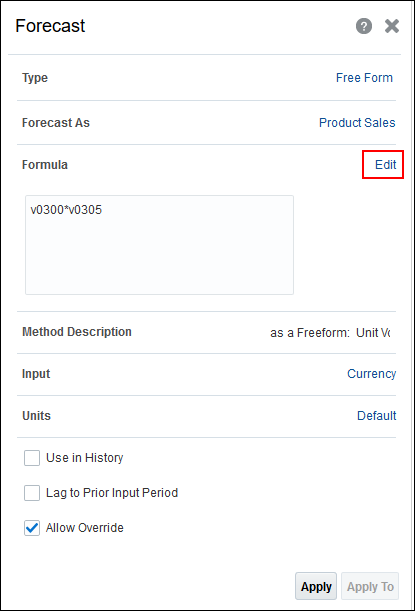
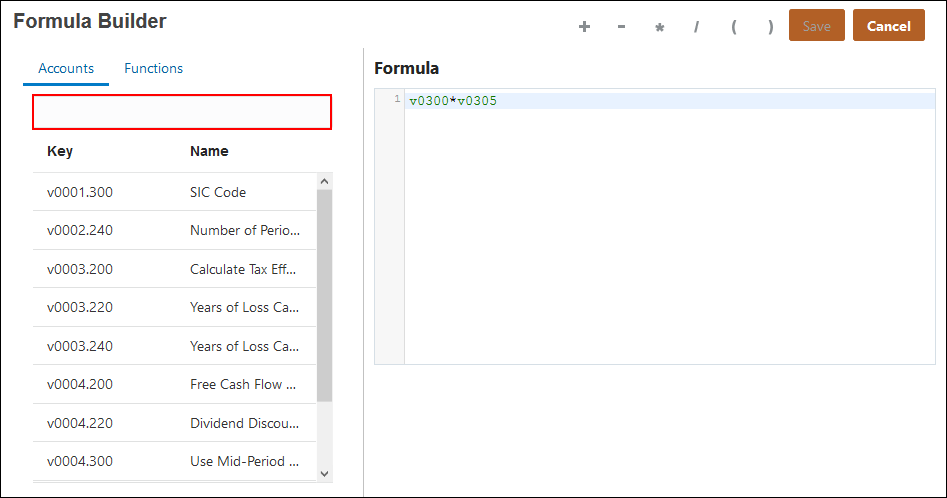
Product sales are calculated with a free form formula that multiplies unit volume by product price.
Setting Goals
In this section, you set a target for an account.
Reviewing driver data
In this section, you review driver accounts to see their values.
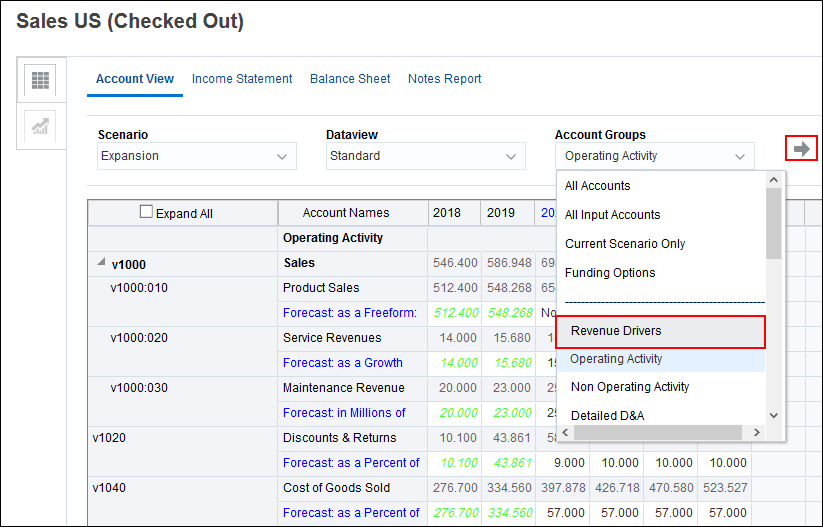
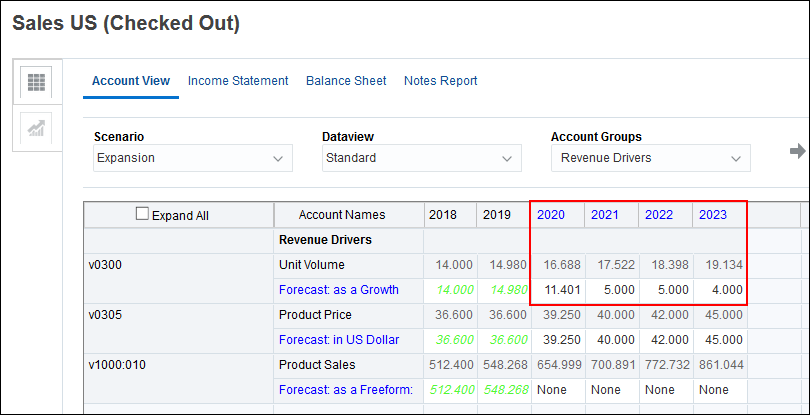
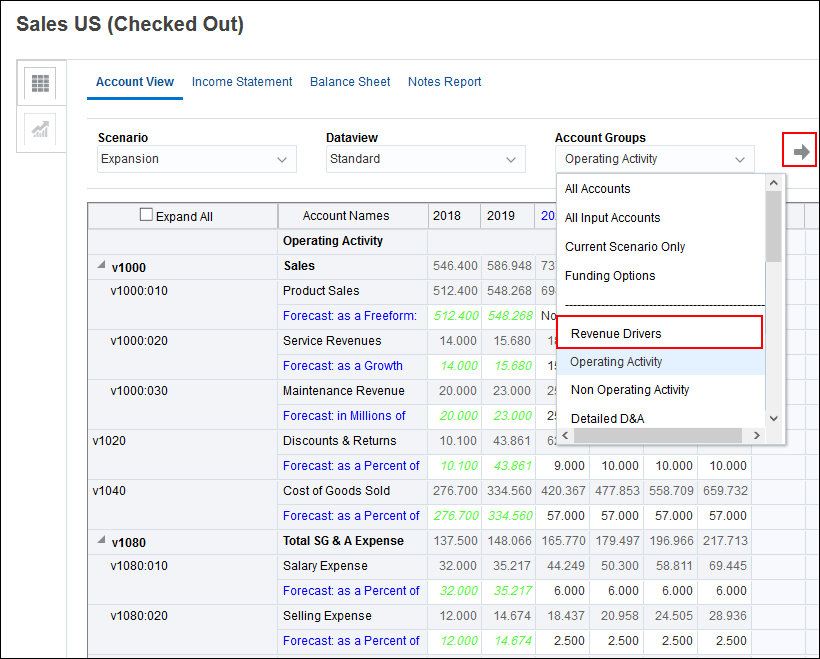
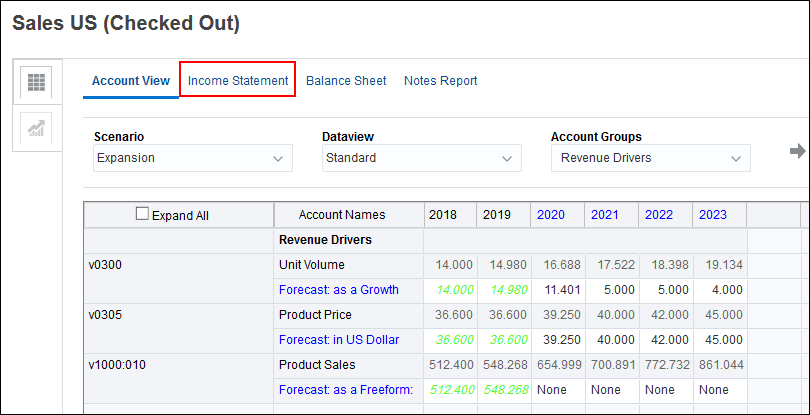
- On the Account View tab, for Account Groups, select Revenue Drivers and click (Refresh).
- Notice the current unit volume for the years 2020 through 2023. Volume is forecasted as a percentage rate over the previous year. So the unit volume for 2023, is 4% higher than the unit volume for 2022.
Setting a goal for product sales
In this section, you specify a target value for product sales, and you determine the changes to unit volume necessary to reach that goal.
- In Account Groups, select Operating Activity and click (Refresh).
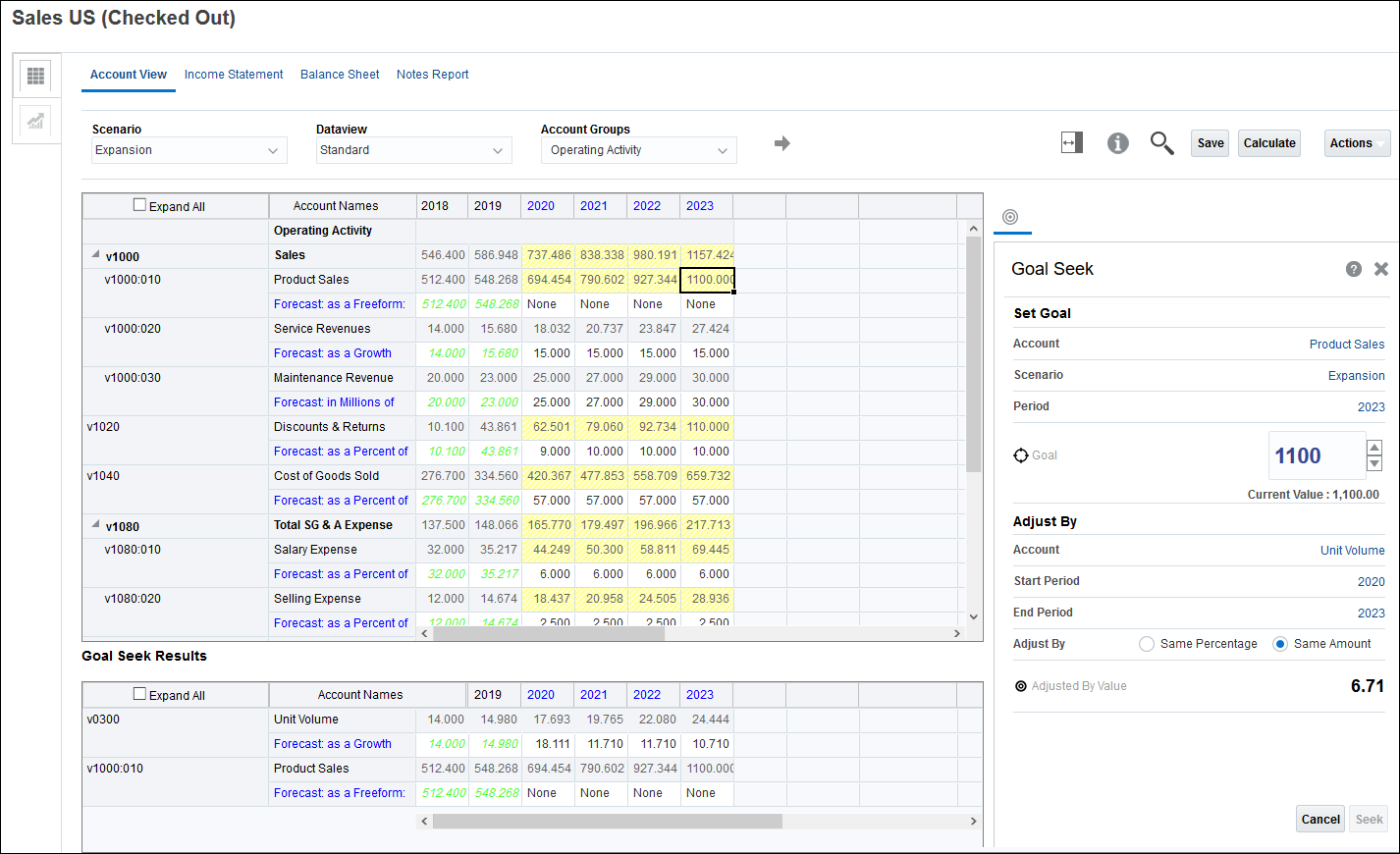
- Right-click Product Sales for 2023 (861.044) and select Goal Seek.
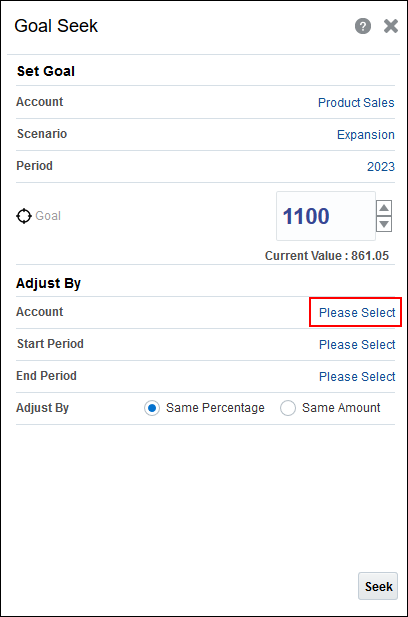
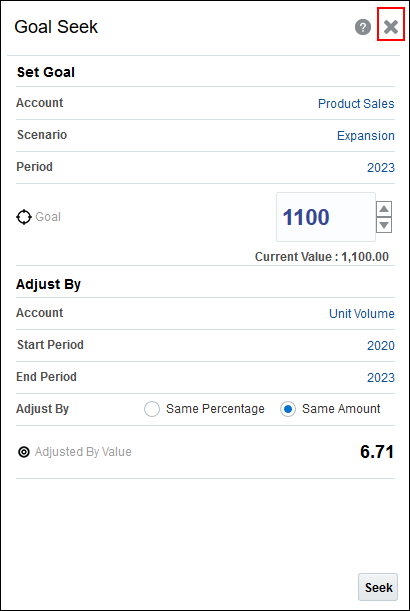
- To set a goal for product sales, in Goal, enter 1100.
- In Adjust By, for Account, click Please Select.
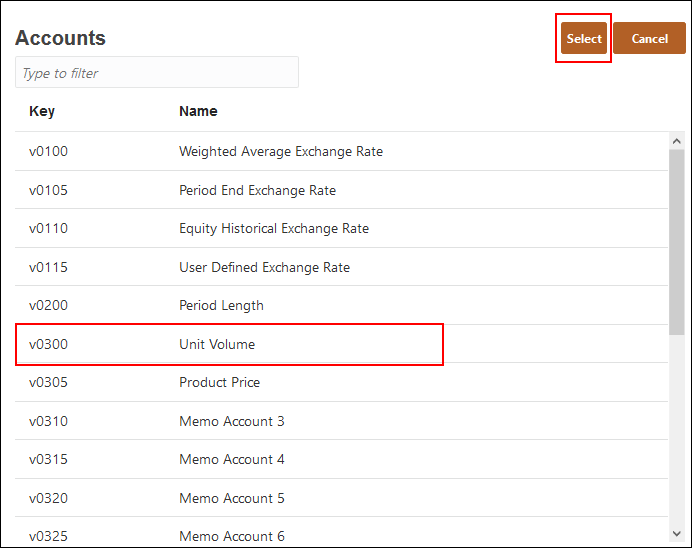
- Select v0300 (Unit Volume), and click Select.
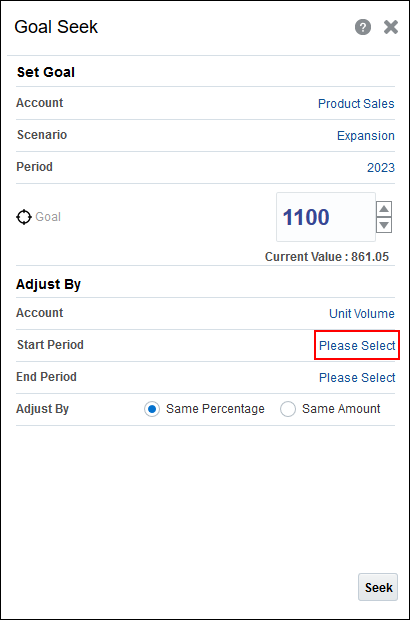
- In Adjust By, for Start Period, click Please Select.
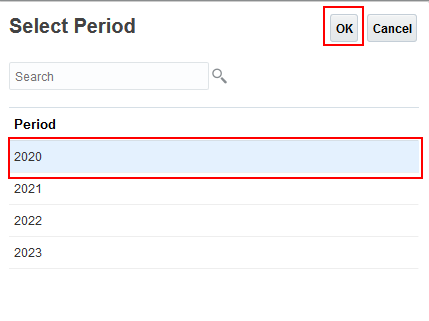
- Select 2020, and click OK.
- In Adjust By, for End Period, click Please Select.
- Select 2023, and click OK.
- In Adjust By, select Same Amount.
- Click Seek.
- Notice that in order to increase product sales from 861 million to 1100 million by increasing unit volume, you would need to increase the forecasted rate for unit volume by 6.71 in each period.
- Click Save to accept the results.
- Click Close to close the Goal Seek dialog box.
- On the Account View tab, change Account Groups to Revenue Drivers, and click (Refresh).
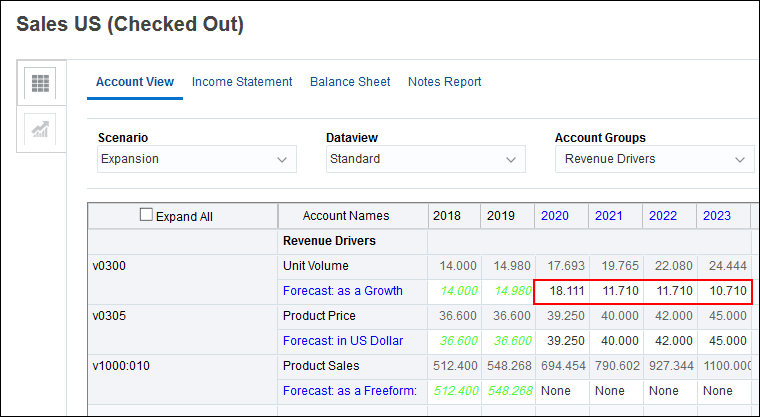
- Notice the values for Unit Volume.
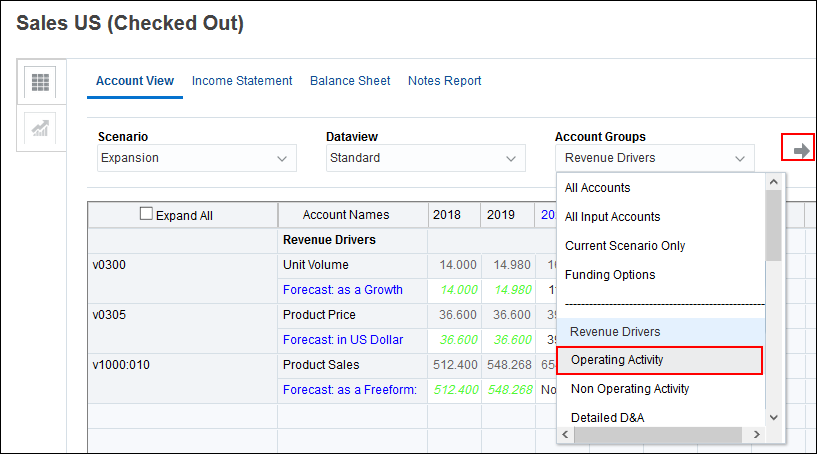
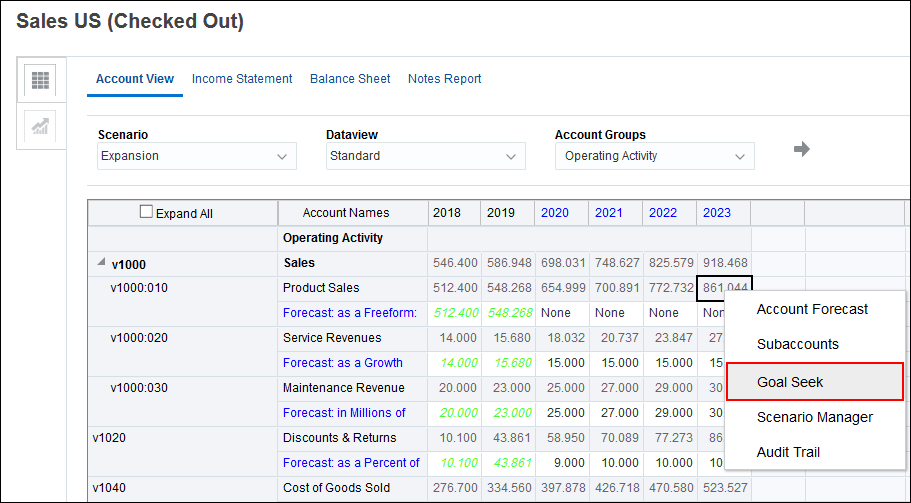
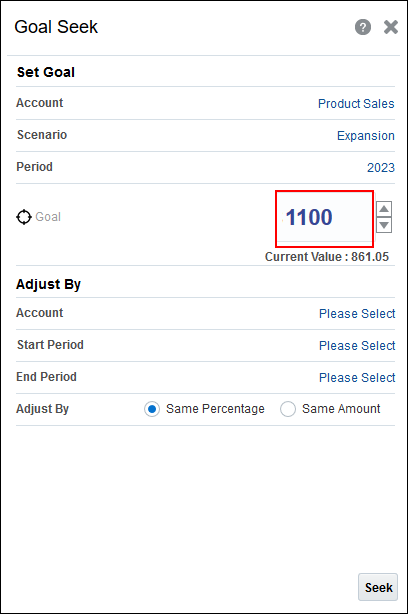
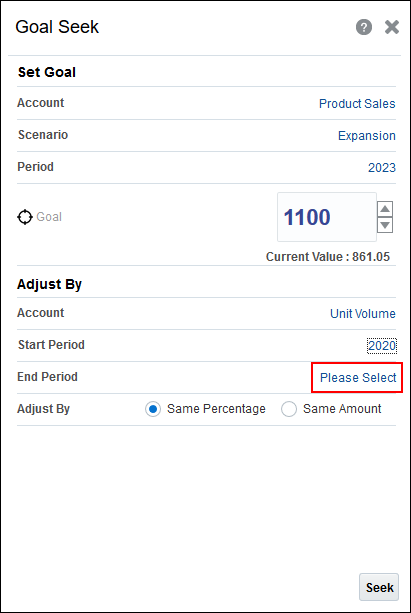
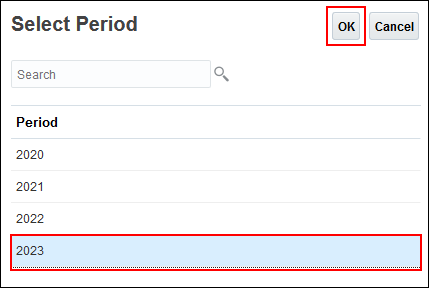
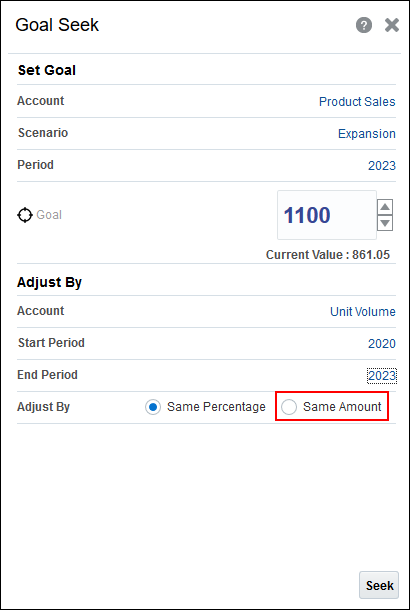
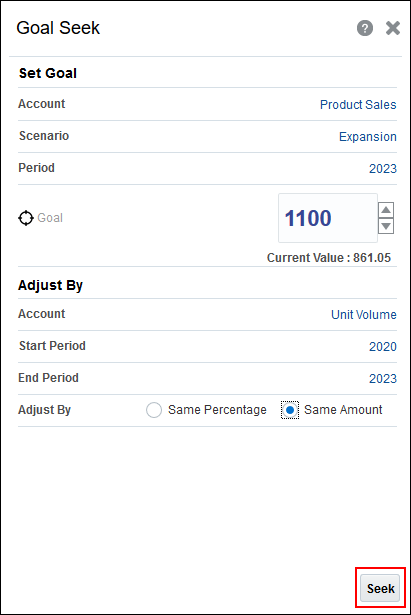
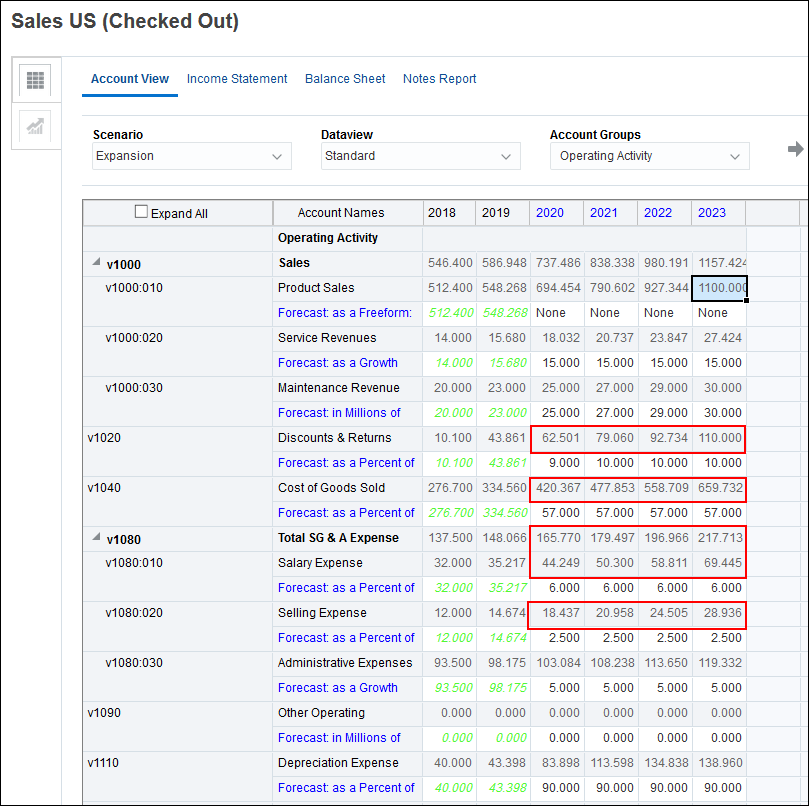
After clicking Seek, the model is updated and calculated with the new values, and you can see the results across the chart of accounts. All impacted cells change to yellow indicating the values that will change if you accept the results.
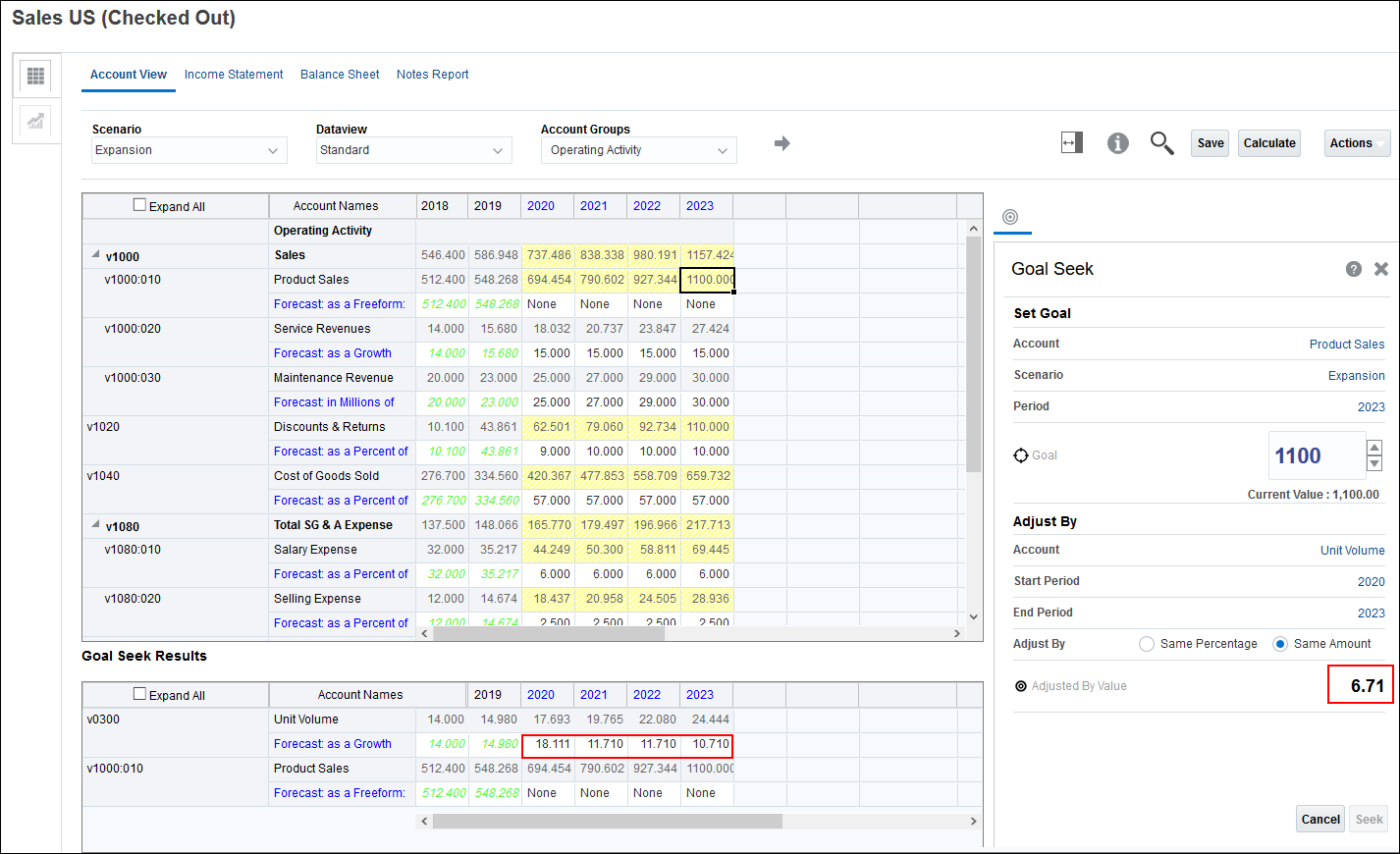
Unit volume is calculated as a percentage increase over the previous year. So in 2023 for example, you originally forecasted a 4% increase from the previous year. If you want to achieve product sales of 1100 million by 2023, you need to increase the forecasted rate for unit volume by 6.71 from 4 to 10.71.
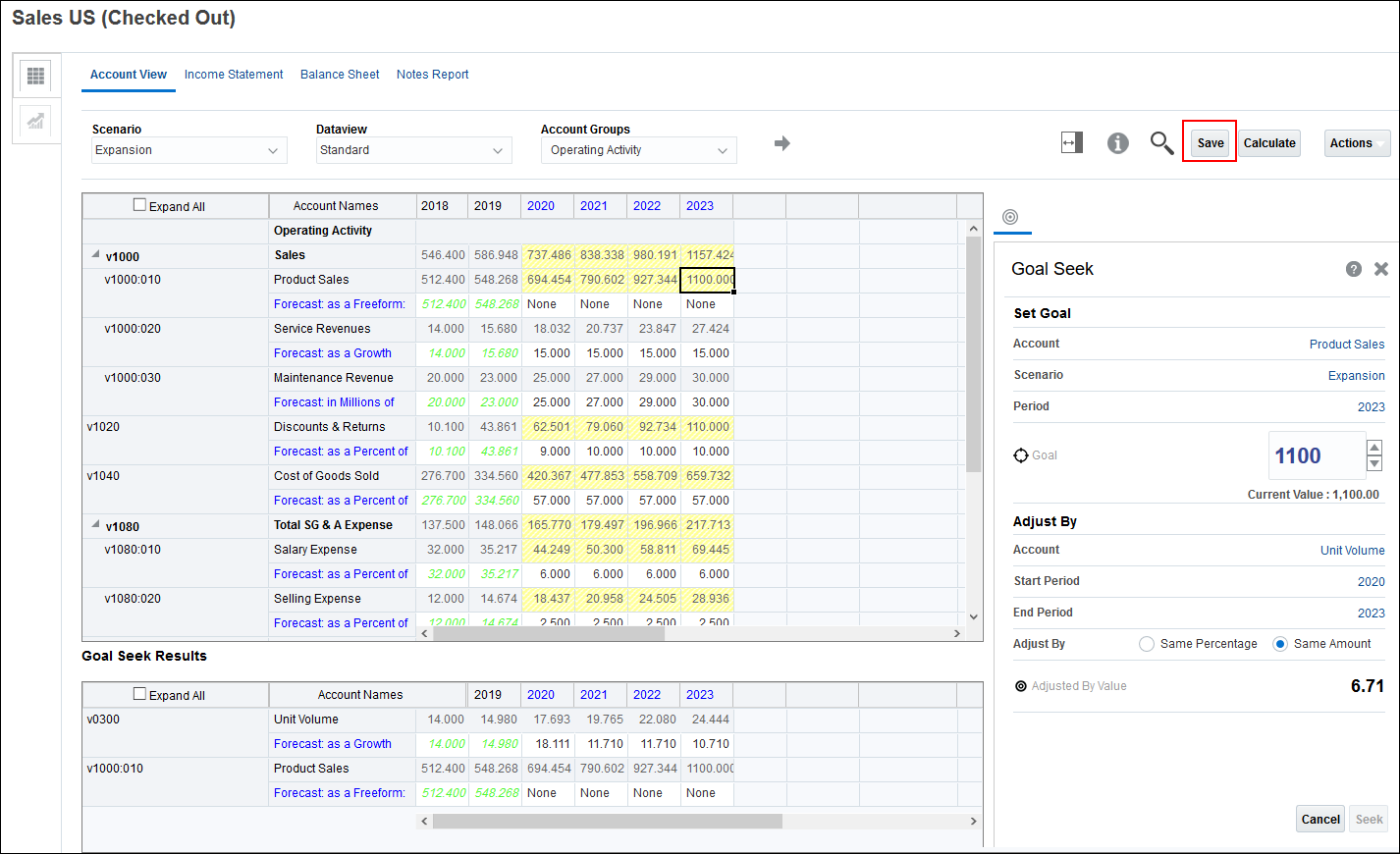
The forecast will have the built-in change for unit volume. All other impacted accounts are also updated.
Setting a goal from a report
In this section, you set a goal from a report similarly to how you set a goal from the Account View.
- Notice the values for Product Price.
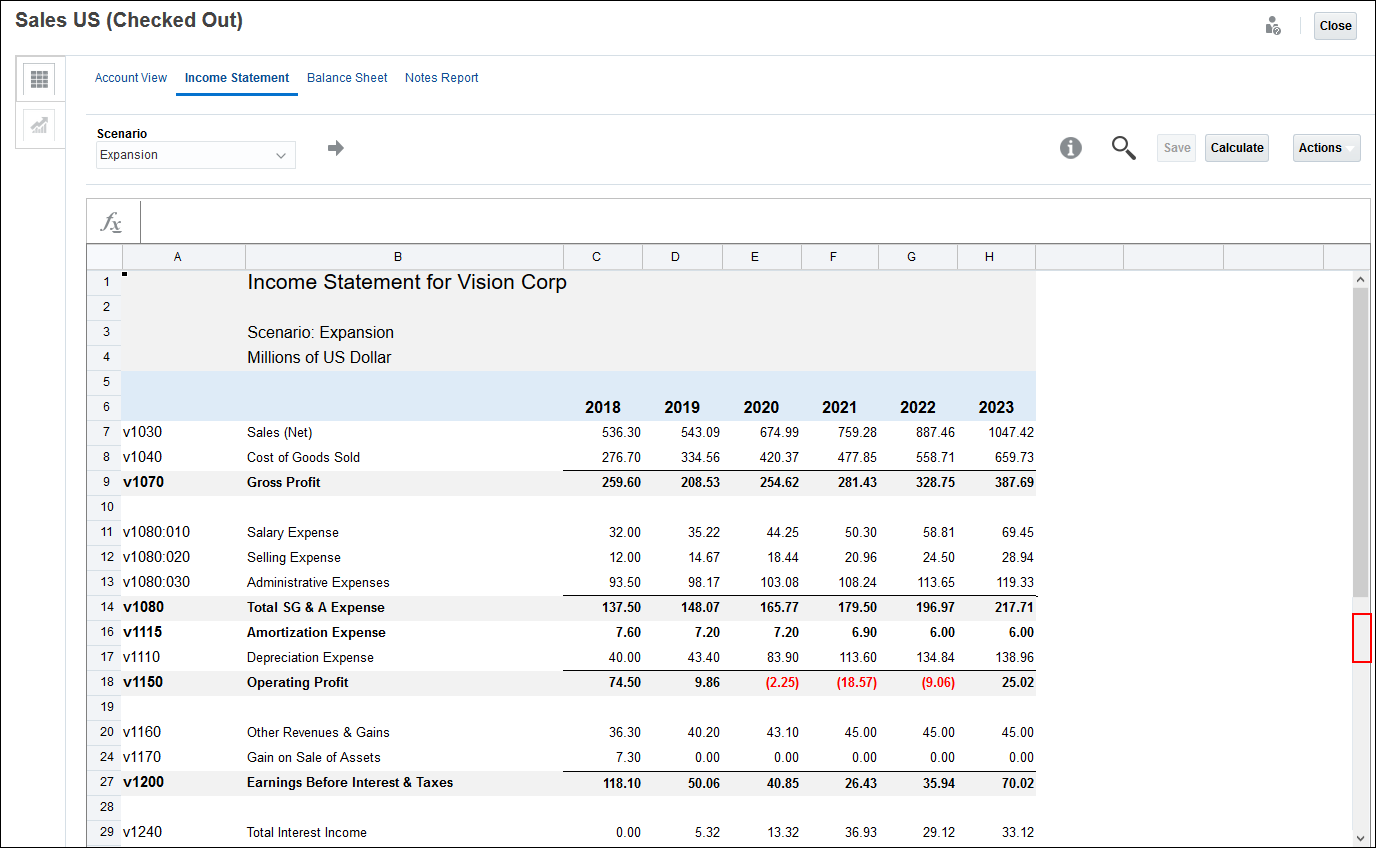
- On the horizontal tabs, click Income Statement.
- Scroll down so that Earnings Before Interest & Taxes (row 27) is in the middle of the page.
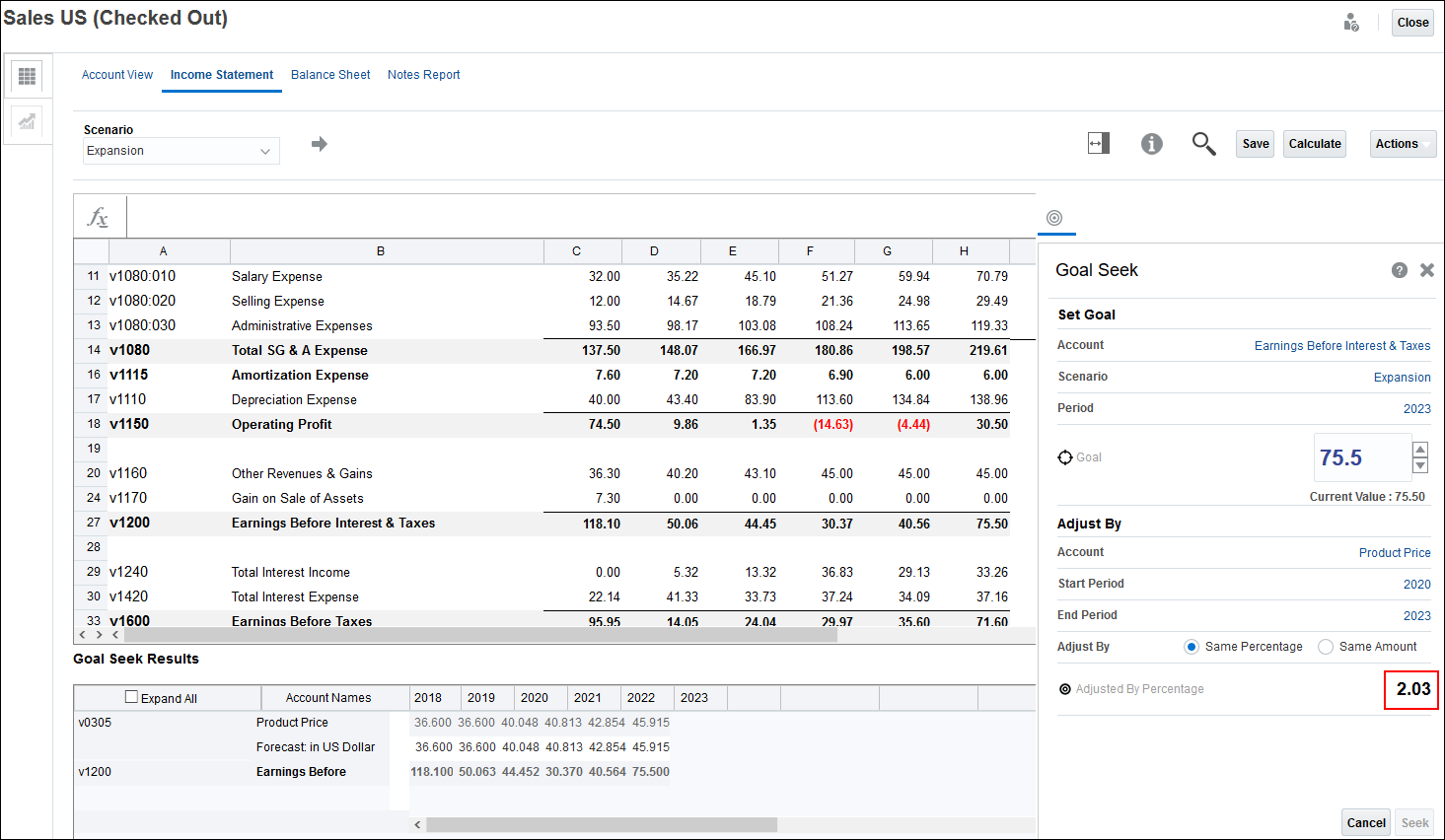
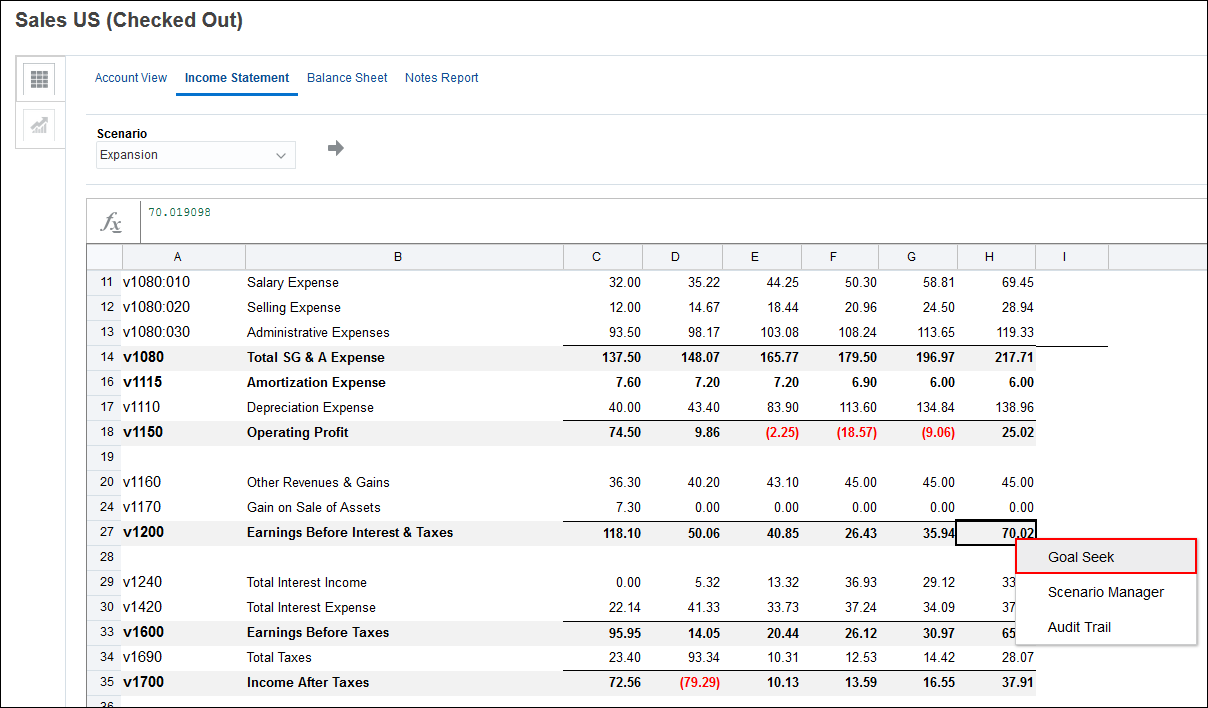
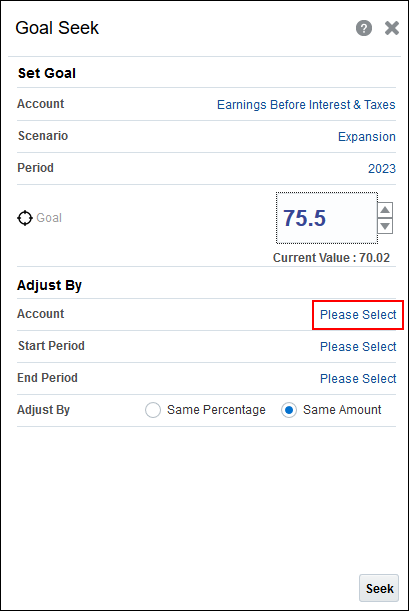
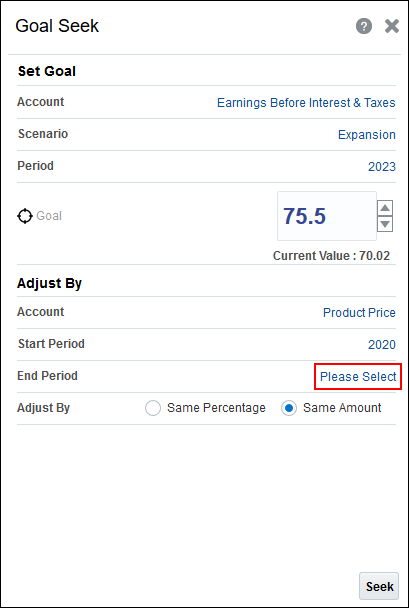
- Right-click 70.02 in column H for Earnings Before Interest and Taxes, and select Goal Seek.
- In Goal, enter 75.5.
- In Adjust By, for Account, click Please Select.
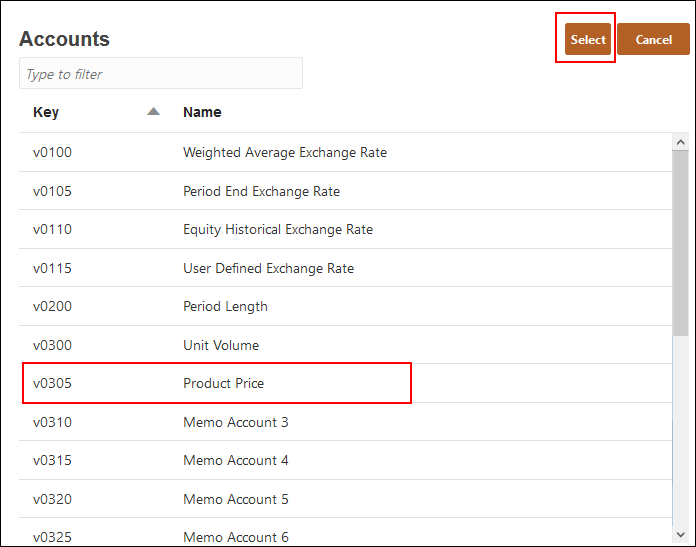
- Select v0305 (Product Price), and click Select.
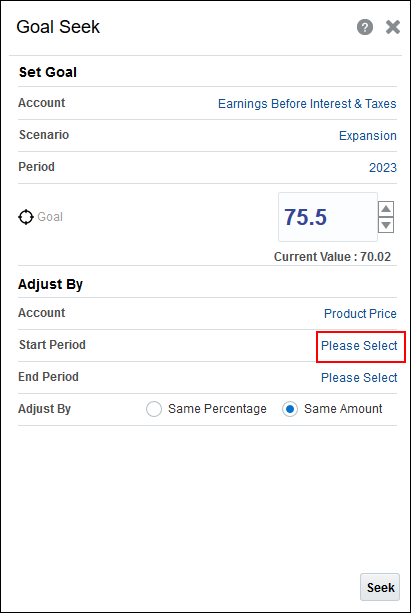
- In Adjust By, for Start Period, click Please Select.
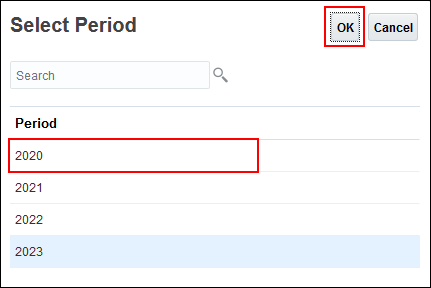
- Select 2020, and click OK.
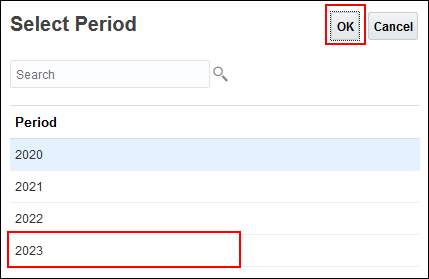
- In Adjust By, for End Period, click Please Select.
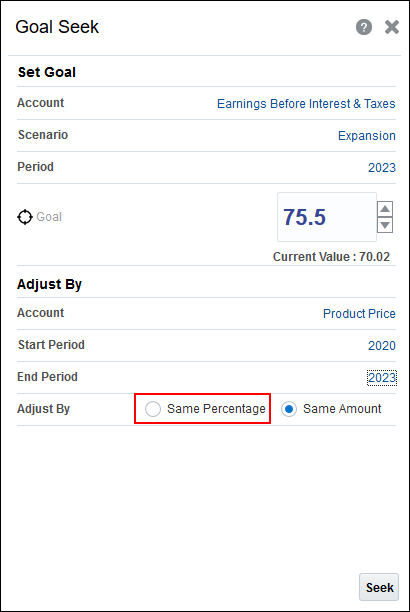
- Select 2023, and click OK.
- In Adjust By, select Same Percentage.
- Click Seek.
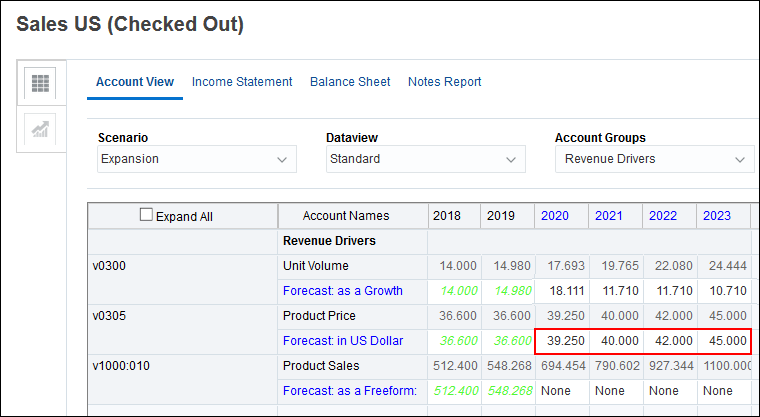
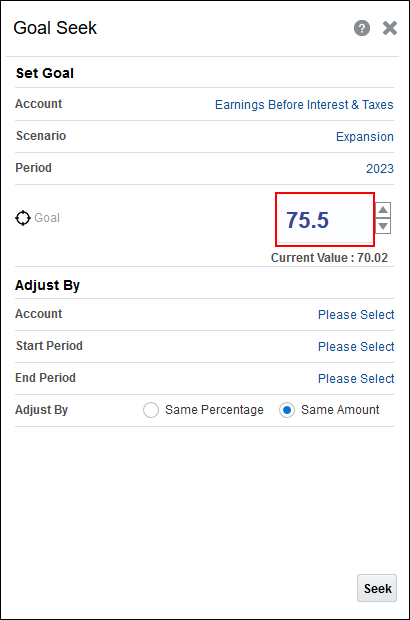
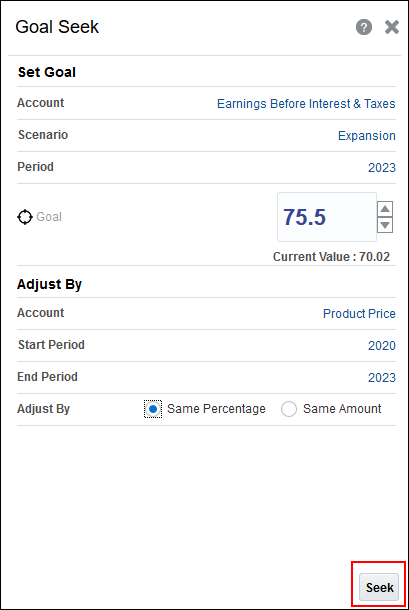
In order to achieve Earnings before Interest and Taxes of 75.5 Million, Product Price will increase by 2.03 percent each year from 2020 through 2023.