Installing cURL Command Line Tool on Windows
This tutorial shows how to access Oracle Messaging Cloud
Service via the REST interface, using the cURL command
line tool. cURL is free, open software that runs under a wide
variety of operating systems.
This tutorial demonstrates cURL on a Windows 64bit SSL-enabled
operating system. The authentication aspects of the Messaging
Cloud Service requires an SSL-enabled environment.
Your first task is to install the appropriate version of cURL
for your SSL-enabled environment.
There is an ordered series of steps to follow to install cURL on Windows. There are two (2) libraries to install and they must be installed before cURL will work with SSL. Also, they must be installed in this order to work. Do not skip the final step of installing a recent certificate.
Perform the following steps:
Install Visual C++ 2008
Redistributable Package
For 64bit systems: Visual C++ 2008 Redistributables
(x64) from http://www.microsoft.com/en-us/download/details.aspx?id=15336
For 32bit systems: Visual C++ 2008 Redistributables
(x32)

Install Visual C++ 2010
Redistributable Package
For 64bit systems: Visual C++ 2010 Redistributables
(x64) from http://www.microsoft.com/en-us/download/details.aspx?id=14632
For 32bit systems: Visual C++ 2010 Redistributables
(x32)

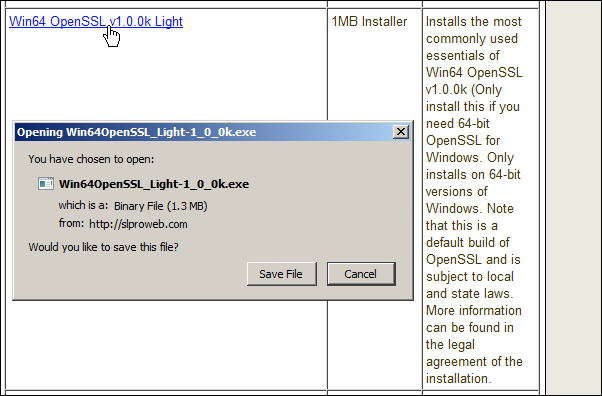
Install Win(32/64) OpenSSL v1.0.0k Light from http://www.shininglightpro.com/products/Win32OpenSSL.html
For 64bit systems: Win64 OpenSSL v1.0.0k Light
For 32bit systems: Win32 OpenSSL v1.0.0k Light
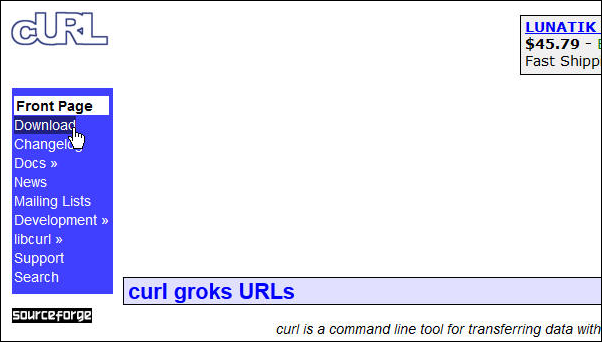
Navigate your browser to the curl welcome page at http://curl.haxx.se, and click Download.
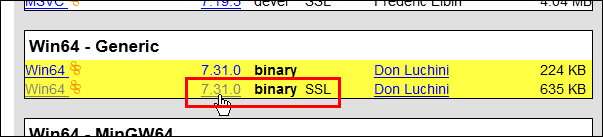
On the curl Releases and Downloads page, scroll down and
select the SSL-enabled version for your computer's operating
system. (This cURL website offers a wizard to find the
appropriate version to install for your computer's operating
system.) Click the link, download the zipfile, and install
it to a new folder on your computer. For this tutorial, the
64-bit generic, SSL-enabled version for Windows is chosen.
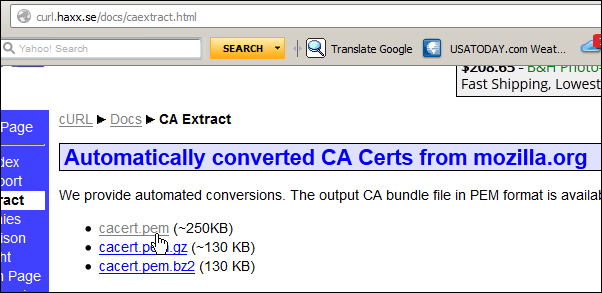
Install recent CA Certificates.
Do not skip this step.
Download cacert.pem,
a recent copy of valid CERT files, from http://curl.haxx.se/docs/caextract.html
Copy it to the same folder as you placed curl.exe
and rename it curl-ca-bundle.crt
Invoke curl.exe
from a command window
(in Windows, use Start -> Run -> "cmd").

You can type curl
--help to see a list of curl commands.

To navigate this Oracle by Example tutorial, note the following:
- Hide Header Buttons:
- Click the title to hide the buttons in the header. To show the buttons again, click the title again.
- Topic List:
- Click a topic to navigate to that section.
- Expand All Topics:
- Click the button to show or hide the details for the sections. By default, all topics are collapsed.
- Hide All Images:
- Click the button to show or hide the screenshots. By default, all images are displayed.
- Print:
- Click the button to print the content. The content that is currently displayed or hidden is printed.
To navigate to a particular section in this tutorial, select the topic from the list.