
 Oracle® Cloud Running SQL Statements in Oracle Machine Learning
 Before You Begin
This tutorial shows you how to run SQL statements in Oracle Machine Learning. This is the fifth and final tutorial in the series Working with Oracle Machine Learning. Read the tutorials in sequence.
- Creating Projects and Workspaces in Oracle Machine Learning
- Creating and Running Notebooks in Oracle Machine Learning
- Collaborating in Oracle Machine Learning
- Creating SQL Scripts in Oracle Machine Learning
- Running SQL Statements in Oracle Machine Learning
This tutorial takes approximately
Background
SQL or Structured Query
Language is the standard language for relational
database management systems. You can use SQL statements to
perform tasks such as retrieving data from a database,
updating data on a database, and so on. Some examples of SQL
statements are SELECT, INSERT, UPDATE, DELETE, CREATE,
and DROP. This OBE shows how to run a SQL
statement, and uses the SELECT statement as an
example.
What Do You Need?
- Access to your Oracle Machine Learning account
- A connection to a database interpreter
 Run a
SQL Statement
Run a
SQL Statement
To run a SQL statement in Oracle Machine Learning:
- Log in to Oracle Machine Learning using the credentials provided by your Oracle Machine Learning administrator.
- In the Oracle Machine Learning homepage, click Run SQL
Statements. The SQL Query Scratchpad opens.

Description of the illustration oml_homepage_run_sql.png - In the SQL Query
Scratchpad, type
%sqland press enter.
- In
the next line, enter the SQL statement that you want to run.
If you want to fetch data about cars, then type
SELECT
                    * FROM tablename;
For example, to fetch all of the data about product sales from the table SALES, type the following:
SELECT * FROM SH.SALES;whereSHis the schema name, andSALESis the table name.
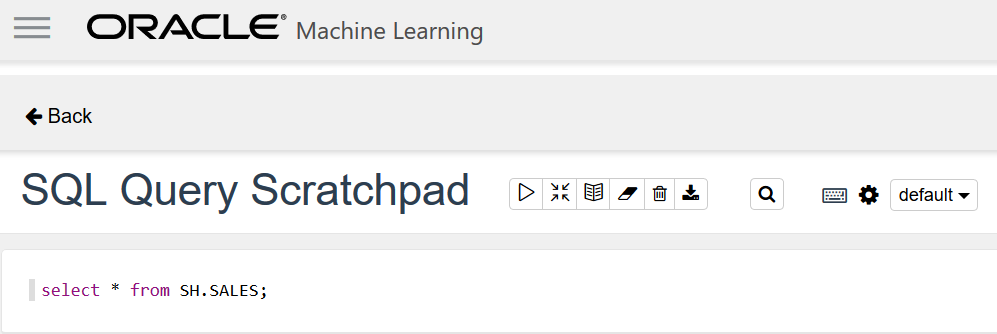
Description of the illustration sql_squery_scratchpad.png - To run the SQL statement, click
 or press Shift+Enter. After the statement runs
successfully, Oracle
Machine Learning fetches the relevant data from the
database and displays it in a tabular format.
or press Shift+Enter. After the statement runs
successfully, Oracle
Machine Learning fetches the relevant data from the
database and displays it in a tabular format.

Description of the illustration sql_query_scratchpad_with_data.png - If you want to visualize the data in different graphical
output, then click the icons for corresponding graphical
representation.

Description of the illustration graphic_rep_data.png