Auditing with Unified Auditing
Overview
- Simplicity
- Grouping audit options into a simple audit policy
- Allowing simpler action-based audit configurations
- Setting condition-based audit configurations
- Exempting users from being audited
- Consolidation
- Merging all audit trails into a single unified audit trail table
- Security
- Relying on a read-only audit trail table
- Auditing any operation related to audit configuration
- Auditing any SYS user auditable action
- Separating audit administration duties with audit
administration roles, AUDIT_ADMIN and AUDIT_VIEWER
- Performance
- Negligible overhead using System Global Area (SGA) queues for accumulating audit records
- Use the mixed auditing mode.
- Enable the unified auditing mode.
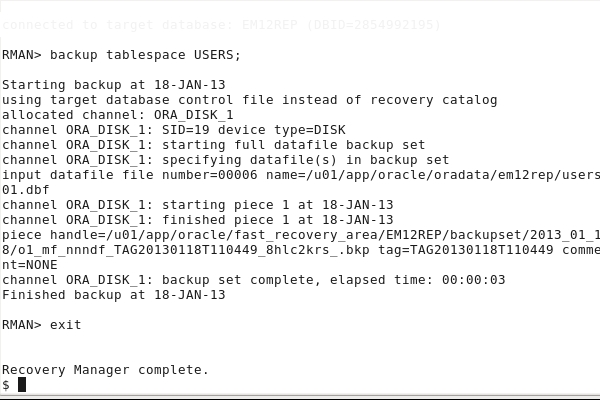
- Audit RMAN operations like backup, restore and recover.
- Audit Oracle Data Pump operations like export and import.
- Create audit policies to audit privileges, actions and roles under defined conditions.
- Use data dictionary views to display the audit policies and the audited data.
- Disable audit policies.
- Clean up audit data.
Purpose
This tutorial covers how to audit operations of all RDBMS and
other components like RMAN, Oracle Data Pump using the new 12c
Unified Auditing feature,
consolidating all audit trails into a single unified audit trail
table.
Time to Complete
Approximately 30 minutes
Introduction
The unified auditing facility addresses the following
challenges:
Scenario
In this tutorial, you perform the following:
Prerequisites
Before starting this tutorial, you should:
- Ensure that Oracle Database 12c is installed.
- A database is started.
Using Mixed Auditing Mode
- When a database is upgraded from a previous release, before you decide to switch to the unified auditing mode, you can use the mixed mode by creating a policy with CREATE AUDIT POLICY command and then enabling it with AUDIT command. If you do not wish to create a new policy, you can simply enable one of the predefined policies - ORA_SECURECONFIG or ORA_ACCOUNT_MGMT or ORA_DATABASE_PARAMETER. Either of this puts the database is mixed auditing mode. The old audit syntax continues to work and the old audit destinations continues to be written to.
- When a database is created, mixed auditing mode is used by
default through the predefined enabled policy ORA_SECURECONFIG.
But unified auditing mode is not yet enabled.
In this topic, you will use the mixed auditing
mode.
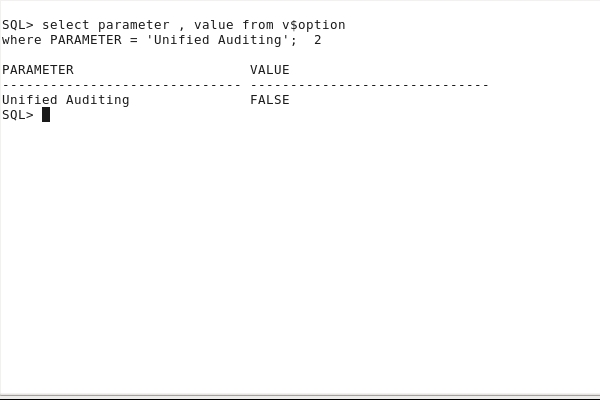
Verify that unified auditing is not enabled by default. A new database orcl has been recently created.
. oraenv
[enter orcl at the prompt]
sqlplus / as sysdba
select parameter , value from
v$option
where PARAMETER = 'Unified Auditing';
Check the existence of the predefined ORA_SECURECONFIG audit policy.
col POLICY_NAME format A20
col AUDIT_OPTION format A40
set PAGES 100
select POLICY_NAME, AUDIT_OPTION
from AUDIT_UNIFIED_POLICIES
where policy_name = 'ORA_SECURECONFIG'
order by 2 ;


Verify that the predefined ORA_SECURECONFIG audit policy is enabled by default.
select POLICY_NAME
from AUDIT_UNIFIED_ENABLED_POLICIES
where policy_name = 'ORA_SECURECONFIG';

Verify all AUDIT parameters at instance level.
show parameter AUDIT

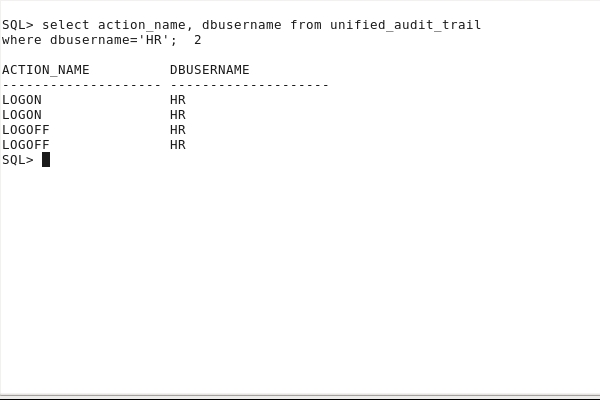
Is user connection still audited? Verify that audit data is recorded as it is in an 11g Oracle Database although the CREATE SESSION privilege is only audited for LBACSYS, DVSYS and DVF users.
connect hr/oracle_4U
connect hr/oracle_4U
connect / as sysdba
col dbusername format A20
col action_name format A20
select action_name, dbusername from unified_audit_trail
where dbusername='HR';
Enabling the Unified Auditing Mode
In this topic, you enable the
unified auditing mode.
Stop all Oracle processes: databases,
listener and Enterprise Manager.
exit
ps -ef | grep pmon
. oraenv
[enter cdb1 at the prompt]
sqlplus / as sysdba
shutdown immediate
exit
lsnrctl stop
cd
/u01/app/oracle/product/middleware/oms
export OMS_HOME=/u01/app/oracle/product/middleware/oms
$OMS_HOME/bin/emctl stop oms
[enter emrep at the prompt]
sqlplus / as sysdba
shutdown immediate
exit
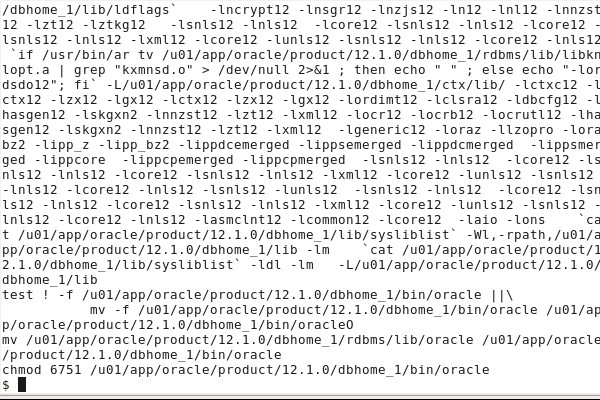
Relink Oracle with the uniaud_on
option.
cd
$ORACLE_HOME/rdbms/lib
make -f ins_rdbms.mk uniaud_on ioracle

Restart all Oracle processes: Enterprise
Manager, listener, databases.For the purpose
of the demonstration, only the orcl
database instance needs to be started and the
listener.
[enter orcl at the prompt]
sqlplus / as sysdba
startup
exit
lsnrctl start
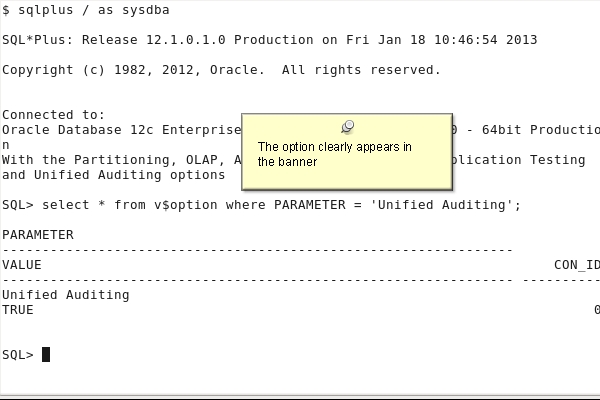
Verify that unified auditing is now enabled.
sqlplus / as sysdba
select * from v$option where PARAMETER = 'Unified Auditing';
Auditing RMAN and Oracle Data Pump Operations
In this topic, you audit Oracle Data Pump and Recovery Manager operations.
Oracle Data Pump Auditing
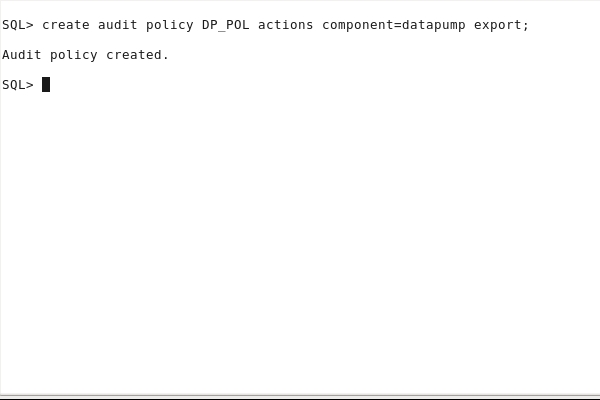
Create a DP_POL for the Oracle Data Pump component , and more specifically for export operations.
create audit policy DP_POL actions component=datapump export;
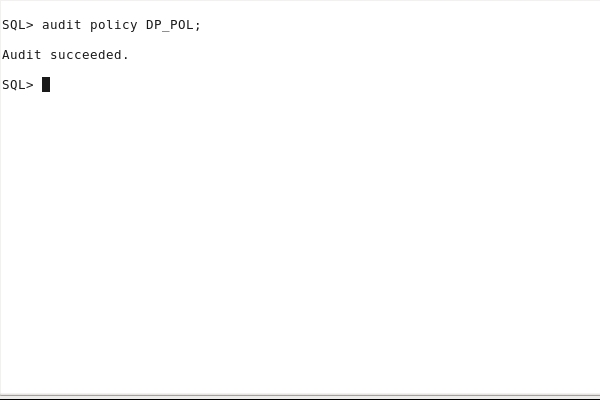
Enable the audit policy.
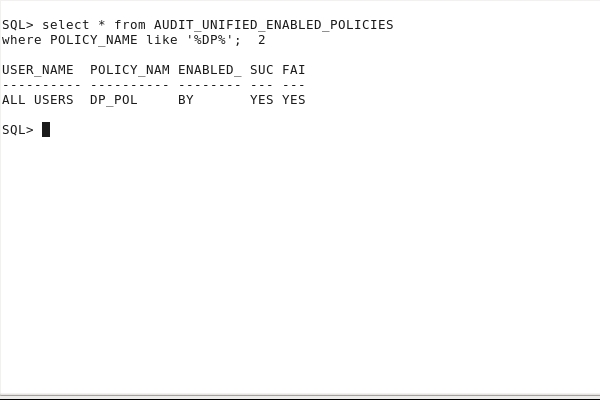
col policy_name format A10
select * from AUDIT_UNIFIED_ENABLED_POLICIES
where POLICY_NAME like '%DP%';
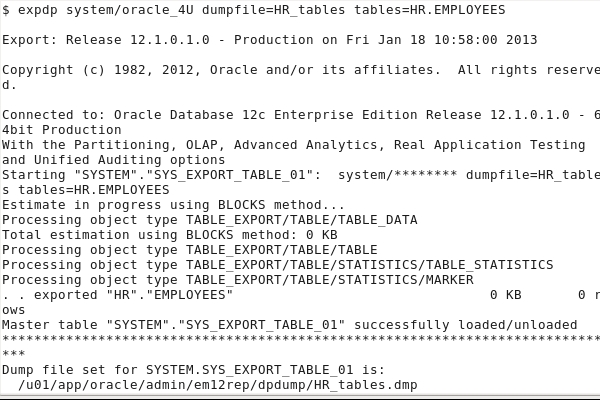
Perform an export operation.
rm
/u01/app/oracle/admin/orcl/dpdump/HR_tables.dmp
expdp system/oracle_4U dumpfile=HR_tables
tables=HR.EMPLOYEES
View the resulting audit data.
sqlplus system/oracle_4U
set pages 100
select DBUSERNAME, DP_TEXT_PARAMETERS1,
DP_BOOLEAN_PARAMETERS1
from UNIFIED_AUDIT_TRAIL
where DP_TEXT_PARAMETERS1 is not null;
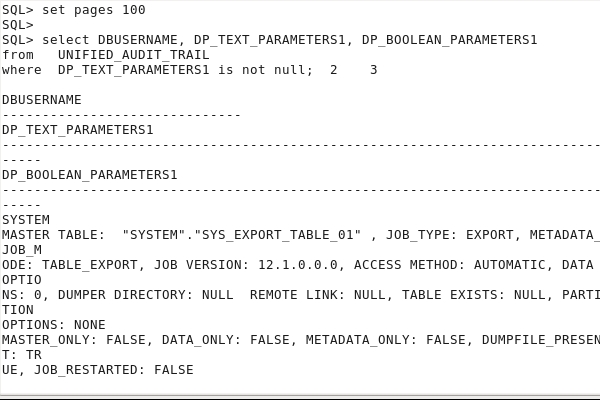
If the audited data is still in memory, you cannot see it. We do not want to wait until the background process flushes the data to disk.
EXEC SYS.DBMS_AUDIT_MGMT.FLUSH_UNIFIED_AUDIT_TRAIL
Now you can view the resulting audit data.
select DBUSERNAME,
DP_TEXT_PARAMETERS1, DP_BOOLEAN_PARAMETERS1
from UNIFIED_AUDIT_TRAIL
where DP_TEXT_PARAMETERS1 is not null;
exit
RMAN Auditing
You want to audit Recovery
Manager backup, restore and recover
operations.You do not have to create any audit
policy for RMAN operations. RMAN is audited by default.
Backup any of the tablespaces of the database.
rman target /
backup tablespace USERS;
exit;
Remove the USERS tablespace datafile.
select file_name from dba_data_files where tablespace_name='USERS';
!rm /u01/app/oracle/oradata/em12rep/users01.dbf
alter tablespace users offline immediate;
exit
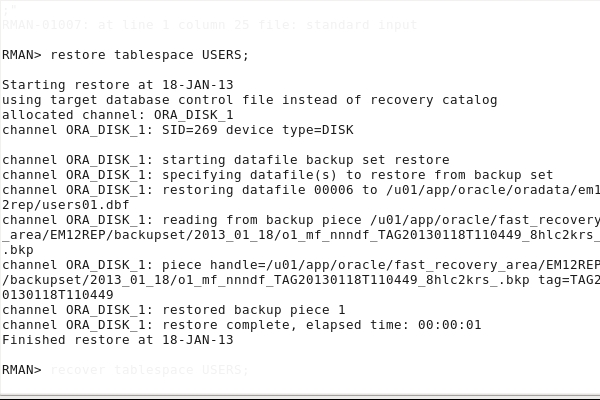
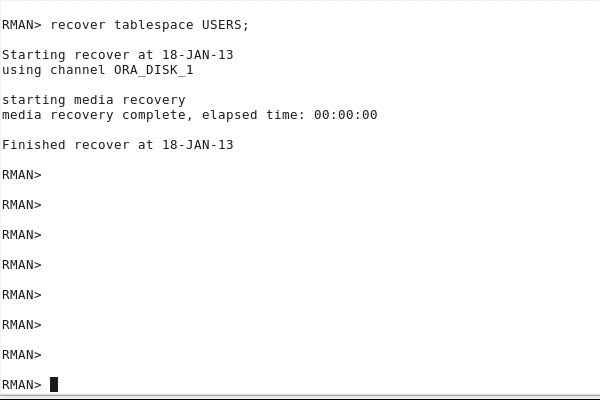
Restore and recover the USERS tablespace datafile.
rman target /restore tablespace USERS;
alter tablespace users online;
select DBUSERNAME, RMAN_OPERATION
from UNIFIED_AUDIT_TRAIL
where RMAN_OPERATION is not null;
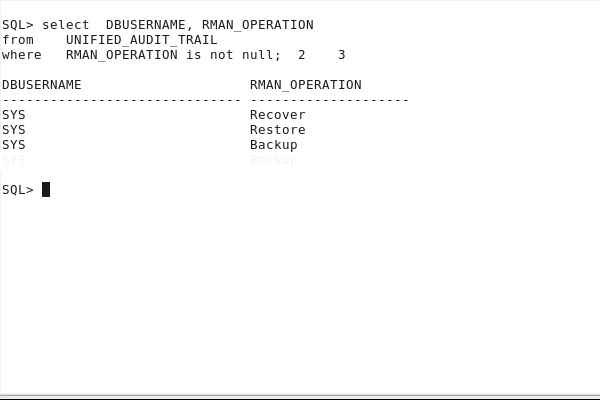
If the audited data is still in memory, you cannot see it. We do not want to wait until the background process flushes the data to disk.
exec SYS.DBMS_AUDIT_MGMT.FLUSH_UNIFIED_AUDIT_TRAIL
Now you can view the resulting audit data.
select DBUSERNAME,
RMAN_OPERATION
from UNIFIED_AUDIT_TRAIL
where RMAN_OPERATION is not null;
Creating Audit Policies to Audit Privileges, Actions and
Roles
-
In this topic, you create audit policies to audit operations that
use object and system privileges, roles and perform specific
actions.
Creating a
Privilege Audit Policy
Create an audit policy that will audit the user OE using the SELECT ANY TABLE or CREATE LIBRARY system privileges and this for each statement executed. Grant the SELECT ANY TABLE to the user OE.
create audit policy
aud_syspriv_pol
PRIVILEGES select any table, create library
WHEN
'SYS_CONTEXT(''USERENV'',''SESSION_USER'')=''OE'''
EVALUATE PER STATEMENT;
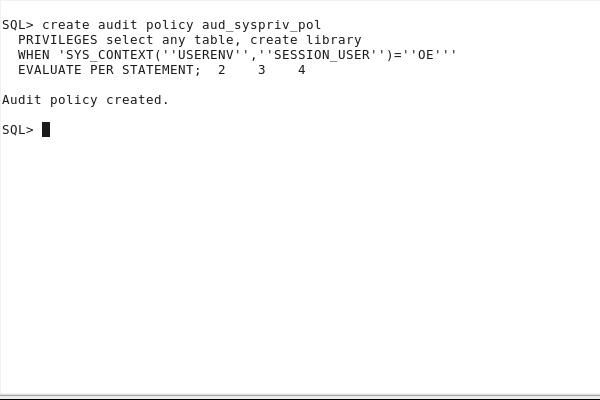
grant SELECT ANY TABLE to oe;
Enable the audit policy.
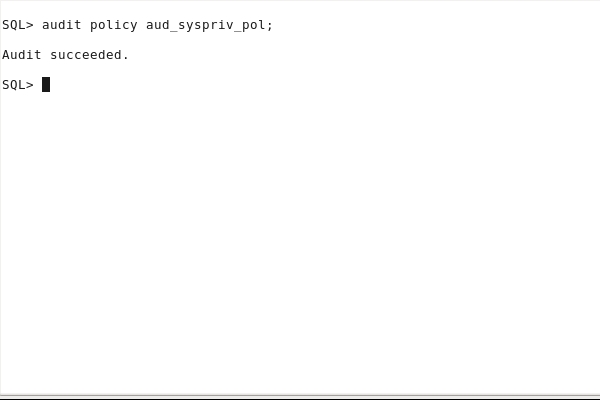
View the audit policy options.
col policy_name format A18
select POLICY_NAME, AUDIT_OPTION, CONDITION_EVAL_OPT
from AUDIT_UNIFIED_POLICIES
where POLICY_NAME ='AUD_SYSPRIV_POL';
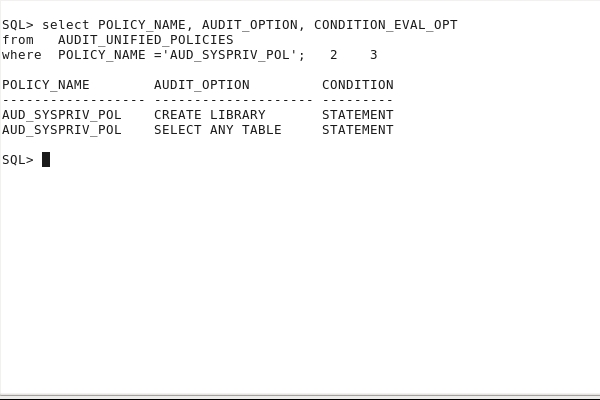
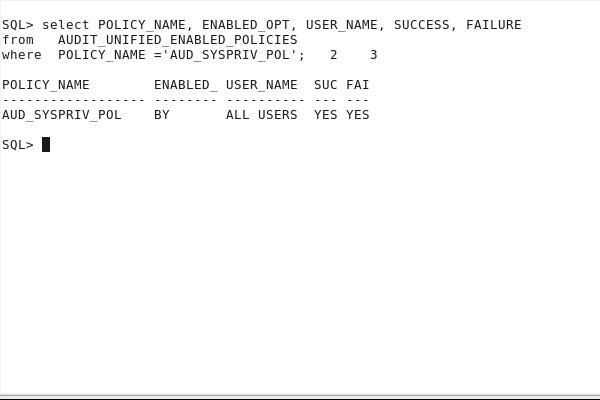
Verify that the audit policy is enabled.
col policy_name format A18
select POLICY_NAME, ENABLED_OPT, USER_NAME, SUCCESS, FAILURE
from AUDIT_UNIFIED_ENABLED_POLICIES
where POLICY_NAME ='AUD_SYSPRIV_POL';
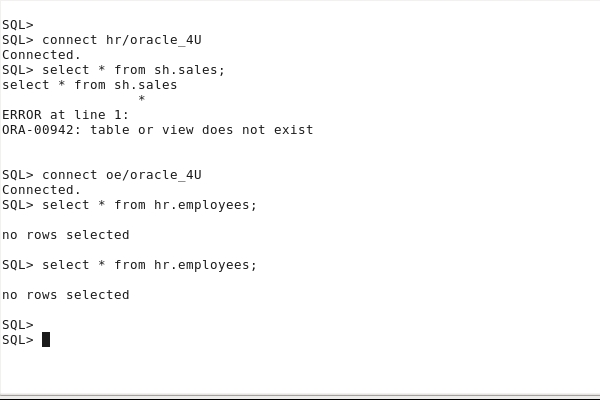
Perform an audited operation.
connect hr/oracle_4U
select * from sh.sales;
connect oe/oracle_4U
select * from hr.employees;
select * from hr.employees;
View the resulting audit data.
connect
system/oracle_4U
col action_name format A16
col policy_name format A18
col system_privilege_used format A20
select DBUSERNAME, ACTION_NAME, SYSTEM_PRIVILEGE_USED
from unified_audit_trail
where DBUSERNAME in ('HR','OE');

If the audited data is still in memory, you cannot see it. We do not want to wait until the background process flushes the data to disk.
exec SYS.DBMS_AUDIT_MGMT.FLUSH_UNIFIED_AUDIT_TRAIL
Now you can view the resulting audit data.
select
DBUSERNAME, ACTION_NAME, SYSTEM_PRIVILEGE_USED
from unified_audit_trail
where DBUSERNAME in ('HR','OE');
Creating an
Action Audit Policy
Create an audit policy that will audit any user
performing any select or update operation on any
object using an object or system privilege, or
deleting rows from the HR.EMPLOYEES
table.
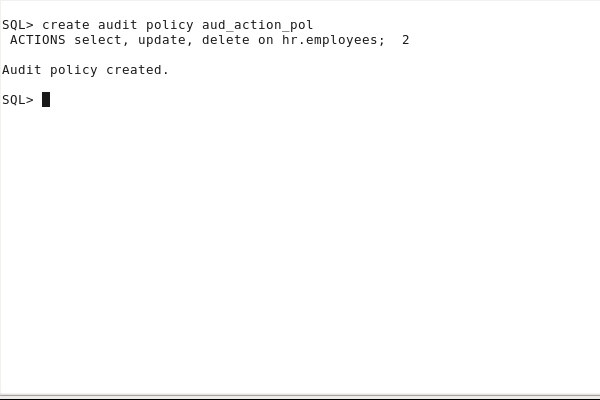
create audit policy
aud_action_pol
ACTIONS select, update, delete on hr.employees;
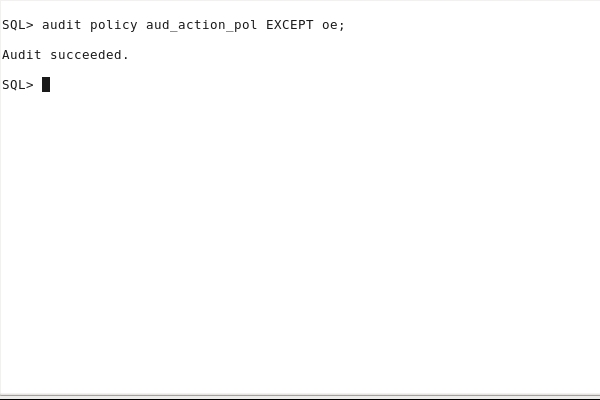
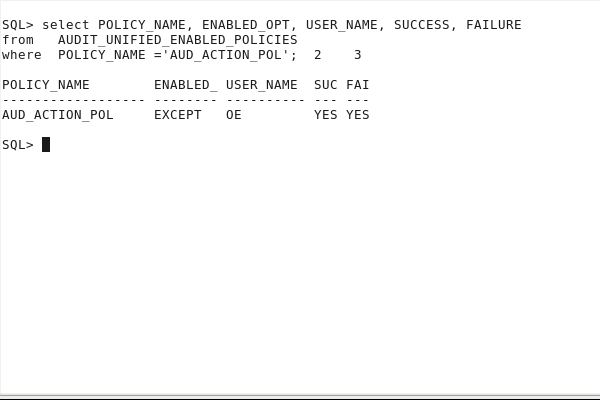
Enable the audit policy for all users except OE.
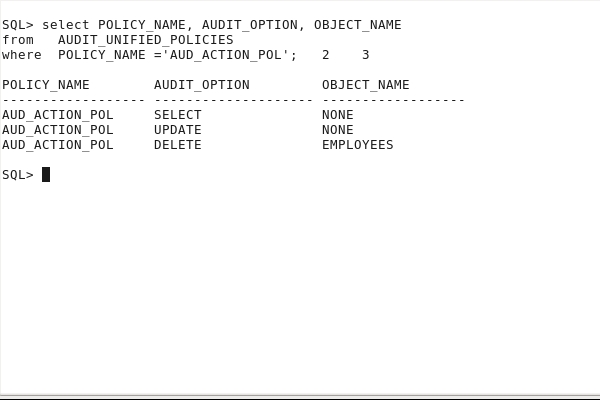
View the audit policy options.
col policy_name format A18
col object_name format A18
select POLICY_NAME, AUDIT_OPTION, OBJECT_NAME
from AUDIT_UNIFIED_POLICIES
where POLICY_NAME ='AUD_ACTION_POL';
Verify that the audit policy is enabled.
col policy_name format A18
select POLICY_NAME, ENABLED_OPT, USER_NAME, SUCCESS, FAILURE
from AUDIT_UNIFIED_ENABLED_POLICIES
where POLICY_NAME ='AUD_ACTION_POL';
Perform an audited operation.
First create a new user DEV
and grant appropriate privileges to DEV
to execute operations.
create user DEV identified by
oracle_4U;
grant create session to DEV;
connect hr/oracle_4U
grant
delete on hr.employees to DEV;
connect dev/oracle_4U
delete hr.employees;
connect oe/oracle_4U
select count(*) from hr.employees;

set pages 100
col dbusername format A8
col action_name format A8
col "DATE" format A20
col system_privilege_used format A18
col unified_audit_policies format a22
select UNIFIED_AUDIT_POLICIES, DBUSERNAME, ACTION_NAME,
SYSTEM_PRIVILEGE_USED,
to_char(EVENT_TIMESTAMP,'DD-MON-YY HH:MI') "DATE"
from unified_audit_trail
where DBUSERNAME in ('DEV','OE')
and ACTION_NAME not in ('LOGON', 'LOGOFF')
order by 4;

If the audited data is still in memory, you cannot see it. We do not want to wait until the background process flushes the data to disk.
exec SYS.DBMS_AUDIT_MGMT.FLUSH_UNIFIED_AUDIT_TRAIL
Now you can view the resulting audit data.
select
UNIFIED_AUDIT_POLICIES, DBUSERNAME, ACTION_NAME,
SYSTEM_PRIVILEGE_USED,
to_char(EVENT_TIMESTAMP,'DD-MON-YY HH:MI') "DATE"
from unified_audit_trail
where DBUSERNAME in ('DEV','OE')
and ACTION_NAME not in ('LOGON',
'LOGOFF')
order by 4;
Creating a Role
Audit Policy
Create an audit policy that will audit all users while using the MGR_ROLE role.
create user JIM identified
by oracle_4U;
create role MGR_ROLE;
grant create tablespace to MGR_ROLE;
grant MGR_ROLE, create session to JIM;
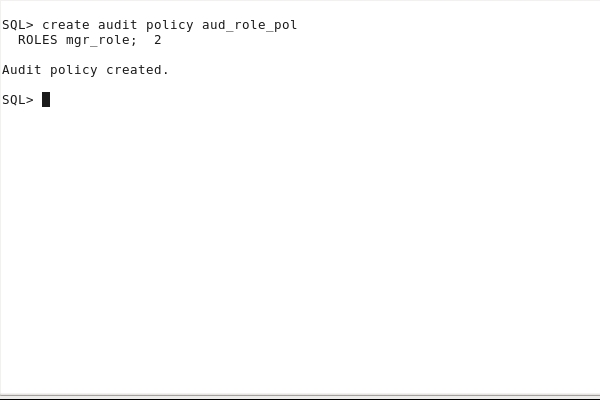
create audit policy
aud_role_pol
ROLES mgr_role;
Create an
audit policy that will audit all users as soon
as these users use the DBA
role.
Create a DBA_JUNIOR
user granted the DBA
role.
create user DBA_JUNIOR
identified by oracle_4U;
grant DBA to DBA_JUNIOR;
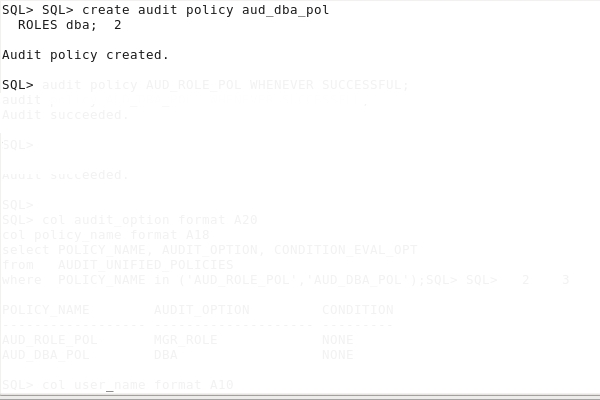
create audit policy aud_dba_pol
ROLES dba;
Enable the audit policies whenever the execution completed successfully only.
audit policy AUD_DBA_POL WHENEVER SUCCESSFUL;
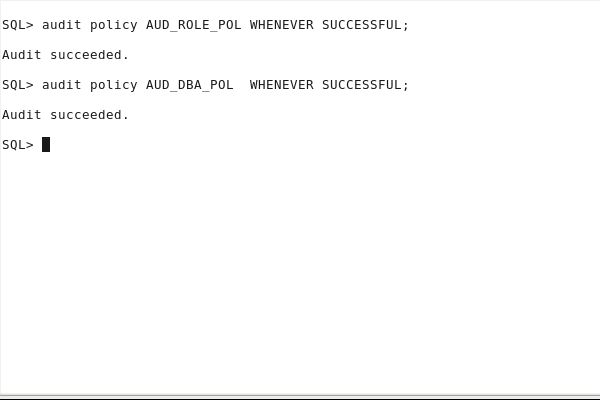
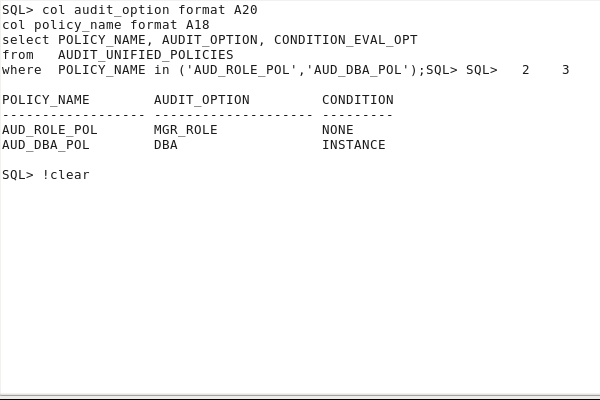
View the audit policy options.
col audit_option format A20
col policy_name format A18
select POLICY_NAME, AUDIT_OPTION, CONDITION_EVAL_OPT
from AUDIT_UNIFIED_POLICIES
where
POLICY_NAME in ('AUD_ROLE_POL','AUD_DBA_POL');
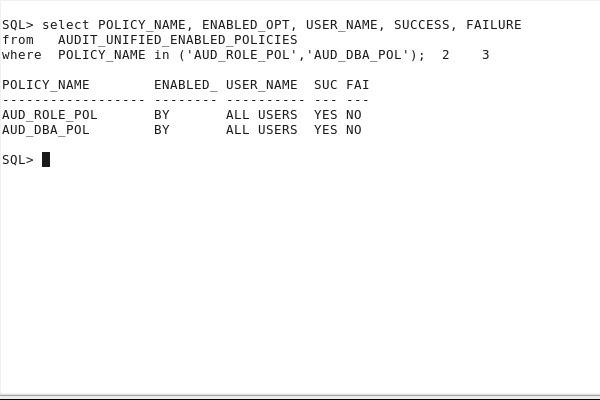
Verify that the audit policy is enabled.
col user_name format A10
col policy_name format A18
select POLICY_NAME, ENABLED_OPT, USER_NAME, SUCCESS,
FAILURE
from AUDIT_UNIFIED_ENABLED_POLICIES
where
POLICY_NAME in ('AUD_ROLE_POL','AUD_DBA_POL');
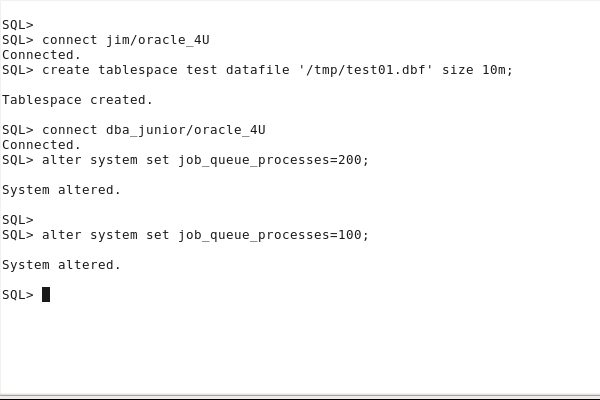
Perform an audited operation for both role type audited policies.
connect jim/oracle_4U
create tablespace test datafile '/tmp/test01.dbf' size
10m;
connect dba_junior/oracle_4U
alter system set job_queue_processes=200;
alter system set
job_queue_processes=100;
View the resulting audit data.
connect system/oracle_4U
set
pages 100
col dbusername format A10
col action_name format A17
col unified_audit_policies format A30
col system_privilege_used format A12
select UNIFIED_AUDIT_POLICIES, DBUSERNAME,
ACTION_NAME, SYSTEM_PRIVILEGE_USED,
from unified_audit_trail
where DBUSERNAME in ('JIM','DBA_JUNIOR')
and ACTION_NAME not in ('LOGON', 'LOGOFF')
and UNIFIED_AUDIT_POLICIES like '%AUD_ROLE_POL%'
or UNIFIED_AUDIT_POLICIES like '%AUD_DBA_POL%');

If the audited data is still in memory, flush the data to disk.
exec SYS.DBMS_AUDIT_MGMT.FLUSH_UNIFIED_AUDIT_TRAIL
Now you can view the resulting audit data.
select UNIFIED_AUDIT_POLICIES,
DBUSERNAME,
ACTION_NAME, SYSTEM_PRIVILEGE_USED
from unified_audit_trail
where
DBUSERNAME in ('JIM','DBA_JUNIOR')
and
ACTION_NAME not in ('LOGON', 'LOGOFF')
and (UNIFIED_AUDIT_POLICIES
like '%AUD_ROLE_POL%'
or UNIFIED_AUDIT_POLICIES
like '%AUD_DBA_POL%');
Creating a
Mixed Audit Policy
Create an audit policy that will audit all users while using the STORAGE_ROLE role or performing any action related to tables.
create role storage_role;
grant drop tablespace to storage_role;
grant storage_role to dev;
grant drop any table to jim;
create audit policy aud_mixed_pol
ACTIONS create table, drop
table,
truncate table
ROLES
storage_role;
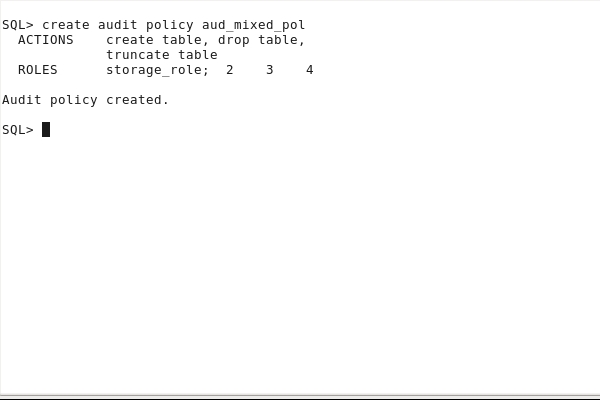
Enable the audit policy.
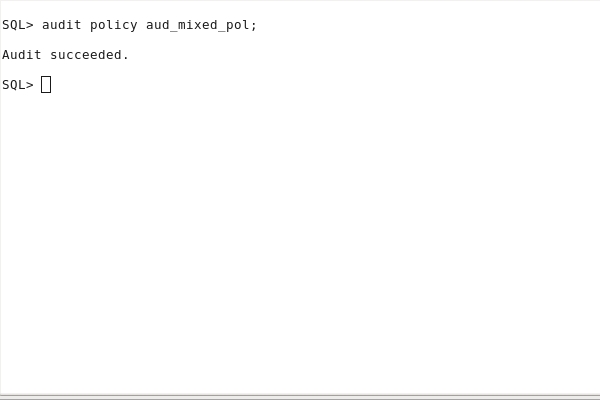
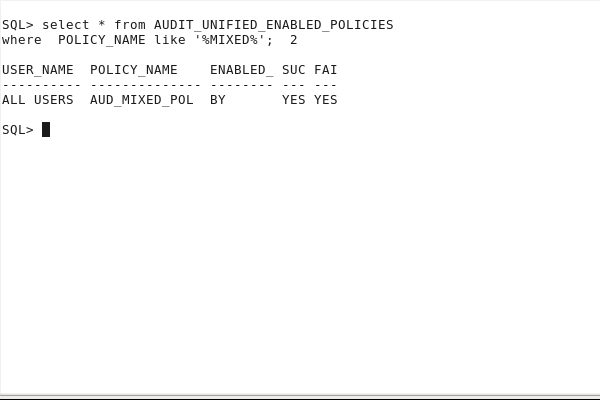
Verify that the audit policy is enabled.
col policy_name format A14
select * from AUDIT_UNIFIED_ENABLED_POLICIES
where POLICY_NAME like '%MIXED%';
Perform an operation.
connect dev/oracle_4U
drop tablespace test including contents and datafiles;
connect jim/oracle_4U
drop table hr.t1
purge;

View the resulting audit data.
connect system/oracle_4U
col
action_name format A16
col policy_name format A18
col
role format A10
col
system_privilege_used format A20
select
UNIFIED_AUDIT_POLICIES,
DBUSERNAME,
ACTION_NAME, SYSTEM_PRIVILEGE_USED
from unified_audit_trail
where
DBUSERNAME in ('JIM','DEV')
and
UNIFIED_AUDIT_POLICIES
like '%AUD_MIXED_POL%'
and
ACTION_NAME not in ('LOGON', 'LOGOFF');

If the audited data is still in memory, flush the data to disk.
exec SYS.DBMS_AUDIT_MGMT.FLUSH_UNIFIED_AUDIT_TRAIL
Now you can view the resulting audit data.
sqlplus system/oracle_4U
col action_name format A16
col policy_name format A18
col role format A10
col system_privilege_used format A20
select UNIFIED_AUDIT_POLICIES,
DBUSERNAME,
ACTION_NAME, SYSTEM_PRIVILEGE_USED
from unified_audit_trail
where
DBUSERNAME in ('JIM','DEV')
and
UNIFIED_AUDIT_POLICIES
like '%AUD_MIXED_POL%'
and
ACTION_NAME not in ('LOGON', 'LOGOFF');
Disabling and Deleting Audit Policies
In this topic, you disable audit policies without dropping them, and then you drop audit policies.
Display the list of enabled audit policies.
connect / as sysdba
col policy_name format A20
select * from AUDIT_UNIFIED_ENABLED_POLICIES;

Disable the AUD_MIXED_POL audit policy.
noaudit policy aud_mixed_pol;
select * from AUDIT_UNIFIED_ENABLED_POLICIES;

Drop the DP_POL
audit policy. You will see that an audit policy can only be
dropped after being disabled.
drop audit policy dp_pol;
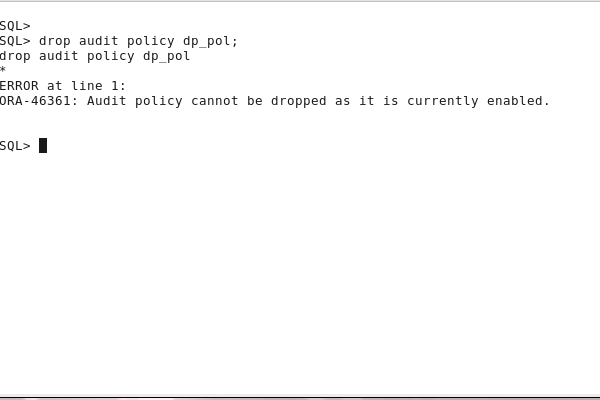
noaudit policy dp_pol;
drop audit policy dp_pol;
select * from AUDIT_UNIFIED_ENABLED_POLICIES;

Performing Audit Data Cleanup
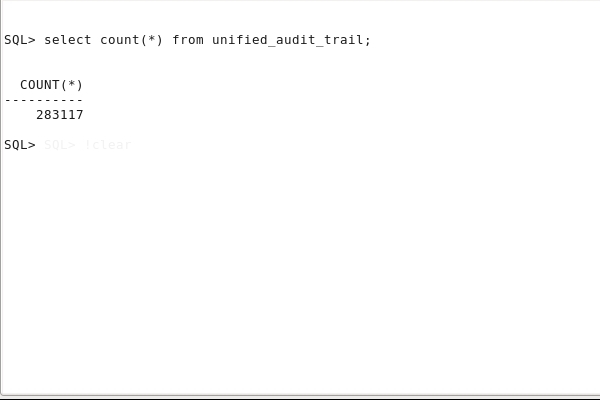
In this topic, you clean up all audited data from AUDSYS tables stored in SYSAUX tablespace.
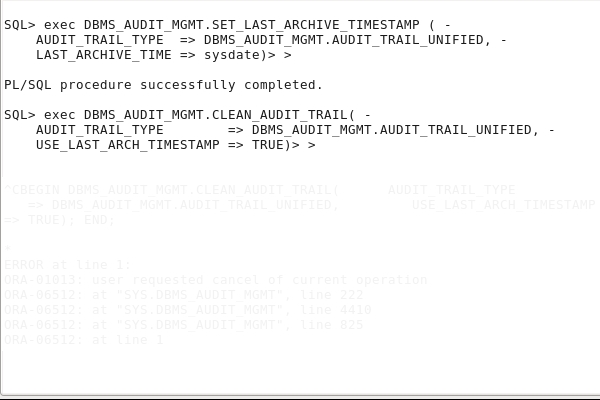
You can perform the cleanup manually.
select count(*) from unified_audit_trail;
exec
DBMS_AUDIT_MGMT.SET_LAST_ARCHIVE_TIMESTAMP ( -
AUDIT_TRAIL_TYPE =>
DBMS_AUDIT_MGMT.AUDIT_TRAIL_UNIFIED, -
LAST_ARCHIVE_TIME => sysdate)
exec
DBMS_AUDIT_MGMT.CLEAN_AUDIT_TRAIL( -
AUDIT_TRAIL_TYPE
=> DBMS_AUDIT_MGMT.AUDIT_TRAIL_UNIFIED,
-
USE_LAST_ARCH_TIMESTAMP => TRUE)
You can also schedule the cleanup.
exec
DBMS_AUDIT_MGMT.SET_LAST_ARCHIVE_TIMESTAMP ( -
AUDIT_TRAIL_TYPE =
DBMS_AUDIT_MGMT.AUDIT_TRAIL_UNIFIED, -
LAST_ARCHIVE_TIME = sysdate)
exec
DBMS_AUDIT_MGMT.CREATE_PURGE_JOB (-
AUDIT_TRAIL_TYPE =
DBMS_AUDIT_MGMT.AUDIT_TRAIL_UNIFIED, -
AUDIT_TRAIL_PURGE_INTERVAL = 1, -
AUDIT_TRAIL_PURGE_NAME =
'Audit_Trail_PJ', -
USE_LAST_ARCH_TIMESTAMP = TRUE)

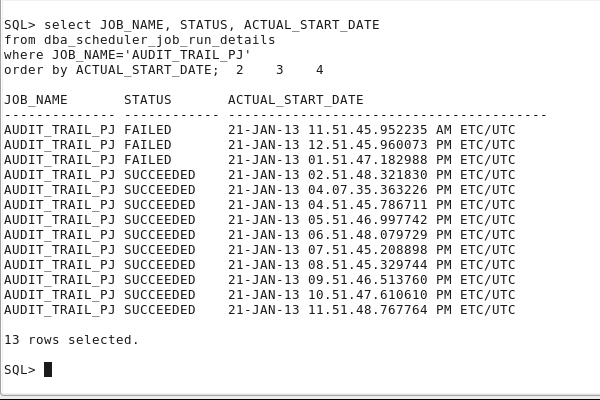
View the cleanup job executions.
col JOB_NAME format A14
col STATUS format A12
col ACTUAL_START_DATE format A40
select JOB_NAME, STATUS, ACTUAL_START_DATE
from dba_scheduler_job_run_details
where JOB_NAME='AUDIT_TRAIL_PJ'
order by ACTUAL_START_DATE;
Check if audit data has been purged.
select count(*) from unified_audit_trail;

Summary
- Use the mixed auditing mode
- Enable the unified auditing mode
- Audit RMAN operations like backup, restore and recover
- Audit Oracle Data Pump operations like export and import
- Create audit policies to audit privileges, actions and roles under defined conditions
- Use data dictionary views to display the audit policies and the audited data
- Disable audit policies
- Clean up audit data
- Oracle Security Guide
- Oracle Database 12c New Features for Administrators course
- Curriculum Developers: Dominique Jeunot, Jean-Francois Verrier
In this tutorial, you have learned how to:
Resources
Credits
To navigate this Oracle by Example tutorial, note the following:
- Hide Header Buttons:
- Click the title to hide the buttons in the header. To show the buttons again, click the title again.
- Topic List:
- Click a topic to navigate to that section.
- Expand All Topics:
- Click the button to show or hide the details for the sections. By default, all topics are collapsed.
- Hide All Images:
- Click the button to show or hide the screenshots. By default, all images are displayed.
- Print:
- Click the button to print the content. The content that is currently displayed or hidden is printed.
To navigate to a particular section in this tutorial, select the topic from the list.