Configuring Oracle Web Cache for Scalability and Failover
Purpose
This tutorial describes how to add an instance of Oracle Web Cache to a cluster and propagate changes.
Time to Complete
Approximately 10 minutes.
Overview
To increase the availability and scalability of your Web site, you can configure
multiple instances of Oracle Web Cache to run as members of a cache cluster.
The cluster members share common configuration characteristics and content
ownership. A significant benefit of this feature is that the cluster members
are capable of failure detection. A cache cluster can contain two or more
instances of Oracle Web Cache, and so you must have two or more instances
of Oracle Web Cache installed on a single machine or multiple machines before
you configure a cache cluster. For load balancing options, refer to the Oracle
Fusion Middleware Administrator's Guide for Oracle Web Cache 11g Release
1 (11.1).
Software and Hardware Requirements (Optional)
The following is a list of software requirements:
| Item | Specification |
| Processor Type | Intel Xeon or Pentium IV |
| Processor Speed | 2.4 GHz or higher |
| Number of Processors | 1 or more (if required) |
| Memory | 2 GB |
| Hard Disk Space | 20 GB (initial size) |
| Operating System | RedHat Enterprise Linux 4 Update 5 |
Prerequisites
Before starting this tutorial, you should:
|
. |
Have an instance of Oracle WebLogic Server 10.3 |
|---|---|
|
. |
Have configured a domain |
|
. |
Have completed the OBE titled "Configuring Oracle Web Cache for Caching a JavaEE Application" |
|
. |
Have completed the OBE titled "Configuring Oracle Web Cache for Session Binding and Load Balancing" |
Adding a Cluster Member
To add an instance of Oracle Web Cache to a cluster, perform the following
steps:
|
. |
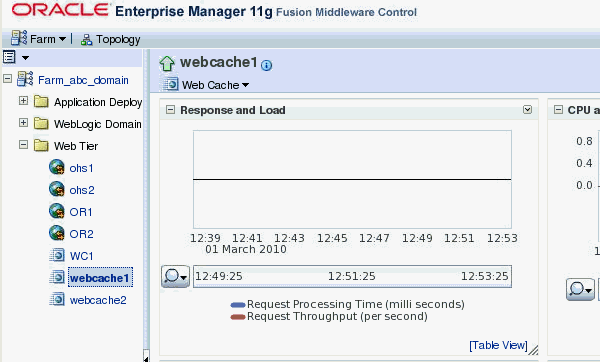
Navigate to the Web Cache Home page in Fusion Middleware Control for
an
|
||||||||||||||
|---|---|---|---|---|---|---|---|---|---|---|---|---|---|---|---|
|
. |
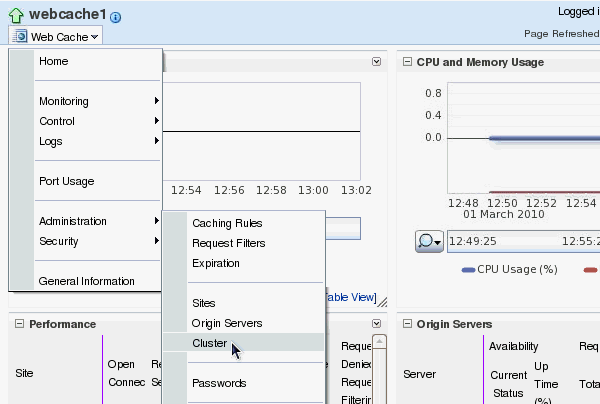
From the Web Cache menu, select Administration and then select
Cluster.
|
||||||||||||||
|
. |
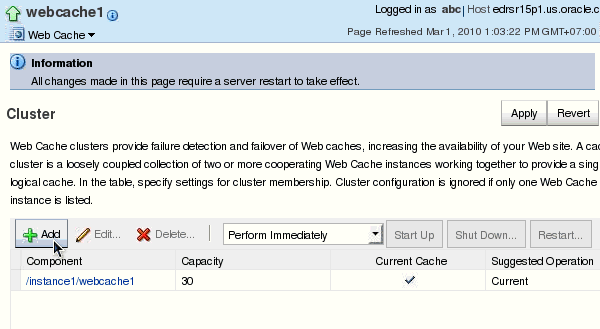
Click Add to add a cluster member.
|
||||||||||||||
|
. |
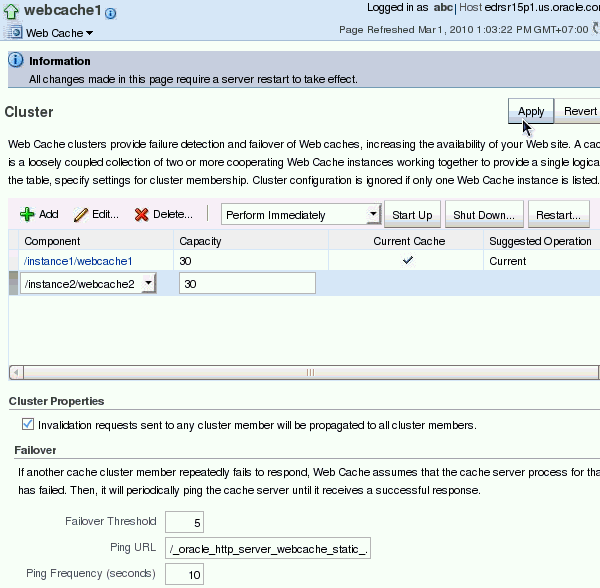
Verify the following values for the corresponding fields and then click Apply:
|
||||||||||||||
|
. |
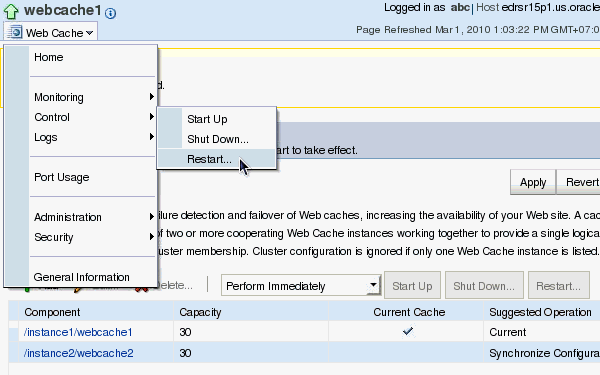
Click Web Cache > Control > Restart to restart Oracle Web Cache.
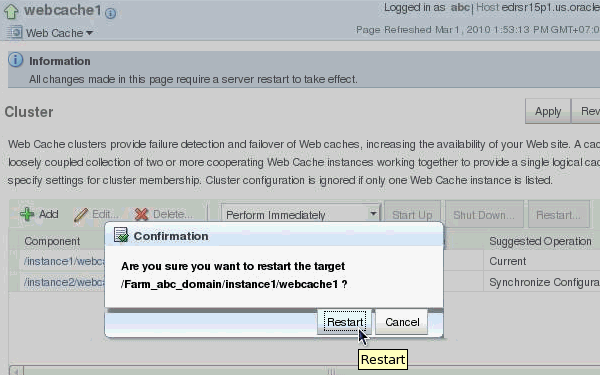
Click Restart to confirm.
Click Close when the restart operation completes successfully.
|

Propagating Configuration Changes
When you modify the cluster and apply changes, Oracle Web Cache adds the
cache-specific information from the new cache cluster members to the configuration.
For those changes to take effect in all cluster members, you must propagate
the configuration and restart the cache server process of the cluster members.
To propagate configuration changes, perform the following steps:
|
. |
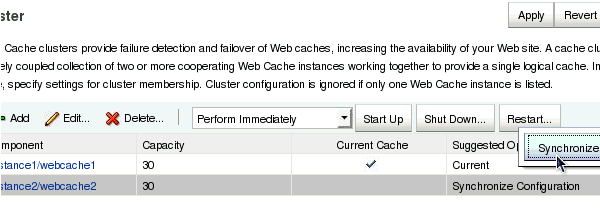
From Web Cache menu > Administration > Cluster page, select the other cache member in the cluster. Click Synchronize.
|
|---|---|
|
. |
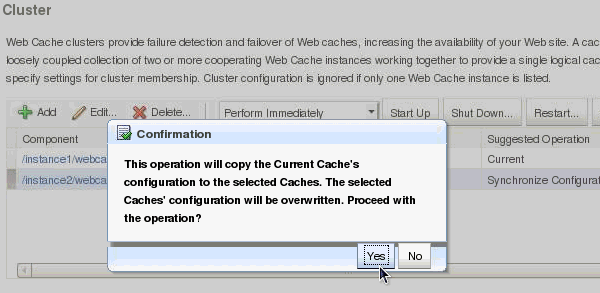
Click Yes to confirm the operation.
|
|
. |
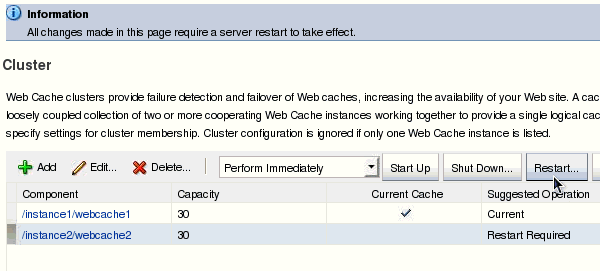
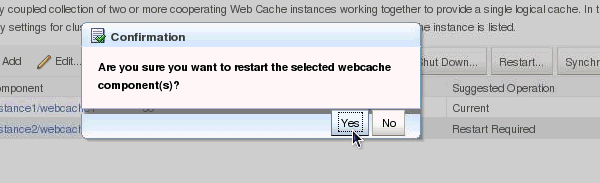
Select the second cache member and click Restart.
Click Yes to confirm.
|
|
. |
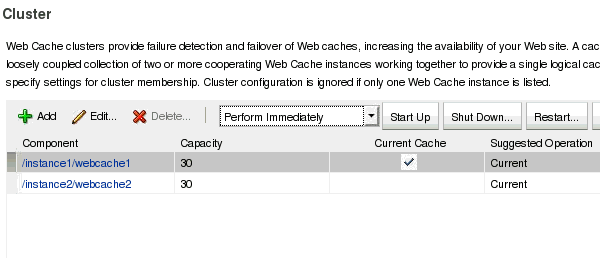
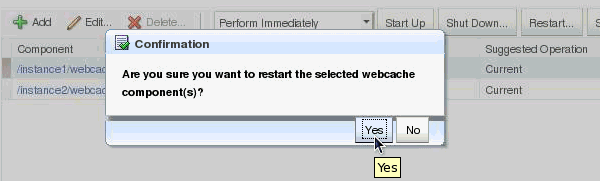
Select the first cache member and click Restart.
Click Yes to confirm.
The cache cluster is ready to use. |
Summary
In this tutorial, you have learned how to:
- Run Oracle Web Cache in Cluster mode.
Resources
- Oracle Fusion Middleware Guide Administrator's Guide for Oracle Web Cache 11g Release 1 (11.1.1)
- Configuring and Managing Oracle Web Cache eStudy
- To learn more about
, refer to additional OBEs on the OTN Web site (can link to a specific set of OBEs on the subject)
