Migrating Classic Financial Management 11.1.2 Applications to Performance Management Architect
Purpose
This tutorial covers migrating classic Financial Management 11.1.2 applications to Performance Management Architect and viewing the migrated applications in Performance Management Architect.
Time to Complete
Approximately 20 minutes
Overview
This tutorial covers migrating classic Financial Management 11.1.2 applications to Performance Management Architect and viewing the migrated applications in Performance Management Architect. You use Application Upgrade Wizard to migrate the application.
Scenario
Your company created a classic Financial Management 11.1.2 application named Training1 and asks you to migrate it to Performance Management Architect.
Prerequisites
Before starting this tutorial, you should:
. |
Have access to or have installed Oracle® Hyperion Financial Management, Fusion Edition 11.1.2 |
|---|---|
. |
Have access to or have created a classic application (Training1 is used for this tutorial.) |
Migrating Classic Financial Management Applications with Application Upgrade Wizard
In this topic, you use Application Upgrade Wizard to migrate classic Financial Management applications to Performance Management Architect.
. |
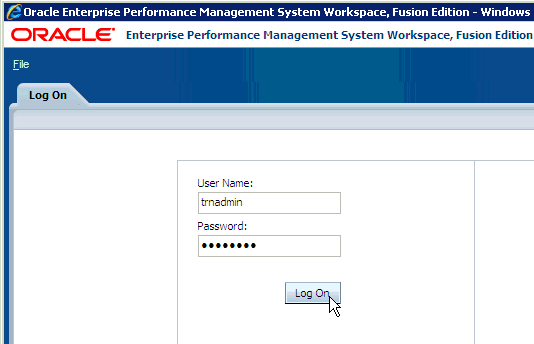
Launch Workspace, and log in with an account that has rights to create a Financial Management application.
|
|---|---|
. |
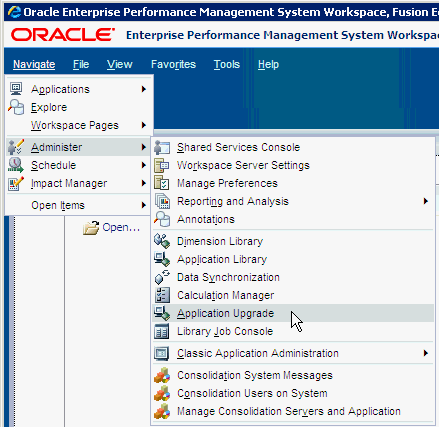
Select Navigate, then Administer, and then Application Upgrade.
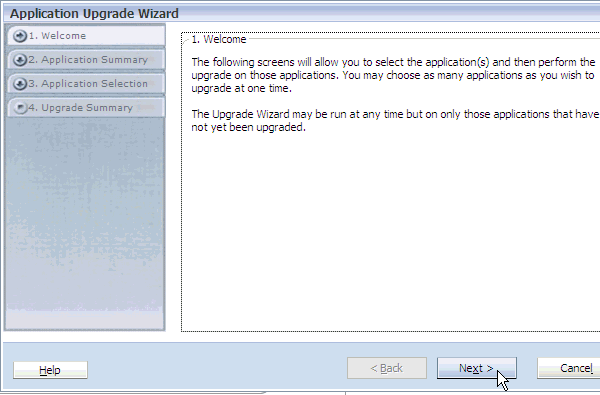
Application Upgrade Wizard is displayed.
|
. |
Review the Welcome page, and click Next.
|
. |
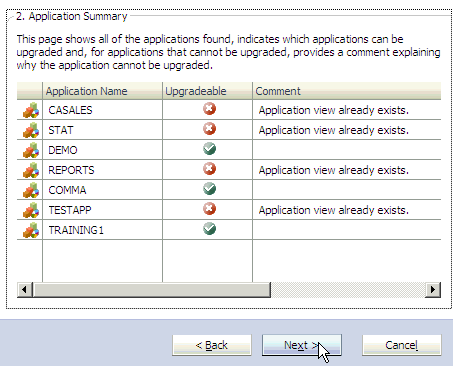
Review the applications on the Application Summary page, and click Next. The Application Summary page displays a list of all applications and indicates which applications can be upgraded.
|
. |
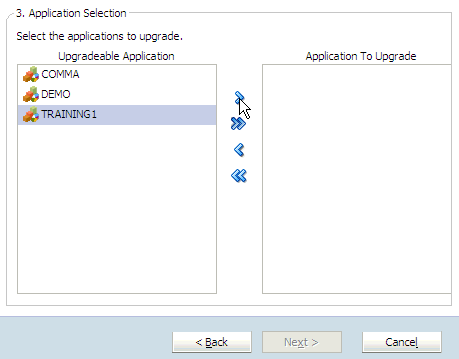
Under Upgradeable Application, select TRAINING1, click the right-arrow button, and then Next.
The Training1 application is selected to be upgraded.
|
. |
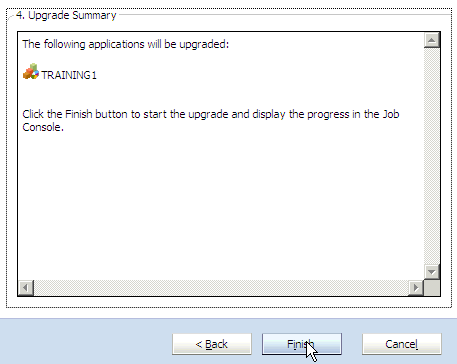
Review the Upgrade Summary page, and click Finish.
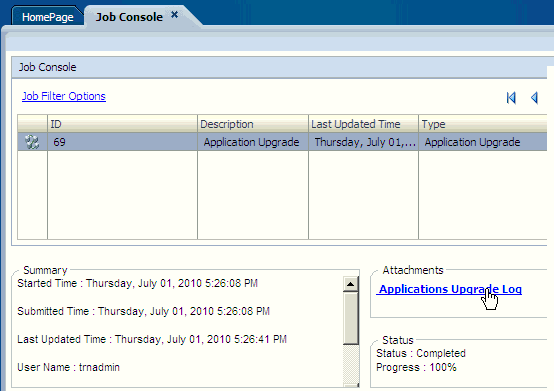
The upgrade progress is displayed in Job Console.
|
. |
Verify that the upgrade progress was completed successfully, and select Applications Upgrade Log.
|
. |
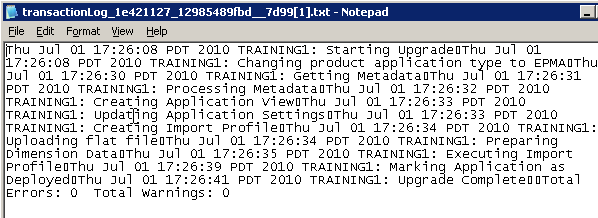
Review the upgrade log for errors.
You successfully upgraded the application.
|
Viewing Migrated Applications in Performance Management Architect
After upgrading the application, you view it in Performance Management Architect to confirm that the application was migrated successfully.
. |
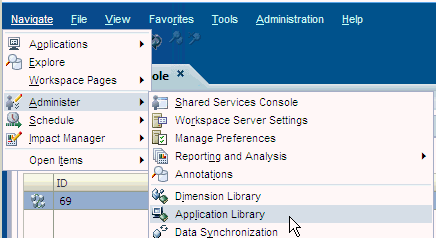
Select Navigate, then Administer, and then Application Library.
|
|---|---|
. |
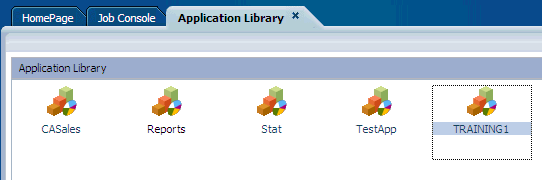
Verify that you can view the Training1 application in Application Library.
You successfully migrated a classic Financial Management application to Performance Management Architect. You can now deploy the rules. |
Summary
In this tutorial, you learned how to:
- Migrate classic Financial Management 11.1.2 applications to Performance Management Architect.
- View migrated Financial Management applications in Performance Management Architect.
Resources
- To learn more about Financial Management, refer to additional OBEs in the Oracle Learning Library

 |
About
Oracle |  | Careers | Contact
Us | Site Maps | Legal
Notices | Terms of Use | Your Privacy Rights | Careers | Contact
Us | Site Maps | Legal
Notices | Terms of Use | Your Privacy Rights
|