Selecting Detail Windows
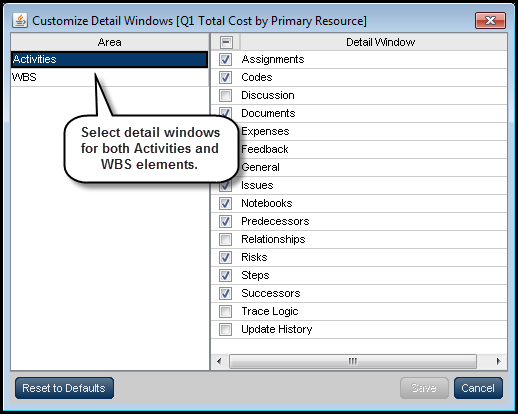
On the View menu, click Customize Detail Windows to choose the detail windows that are available in each activity view. In the Customize Detail Windows dialog box, select the check boxes corresponding to the windows that you want displayed in the current activity view. Select detail windows for both the Activities and WBS areas.
Alternatively, right-click on a detail window’s title bar and select the windows that you want to make available in the current view.
While using the View menu provides more functionality, the right-click list is faster and better suited to selecting or eliminating a single detail window.
It is important to note, however, that the right-click list only reveals detail windows for the selected type of item. For instance, when an activity is selected, right-clicking a detail window’s title bar reveals only the detail windows pertaining to activities. To use the right-click list for WBS detail windows, a WBS element must first be selected.