Custom Fields
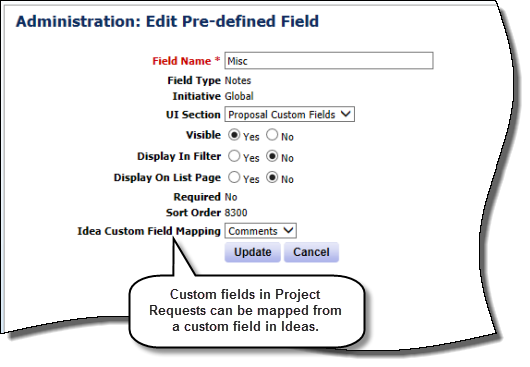
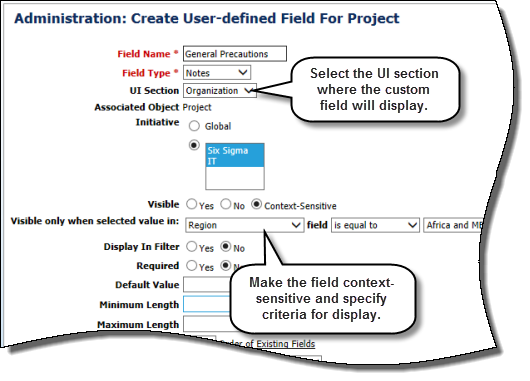
Custom field functionality is enhanced in EnterpriseTrack 8.7 to enable pre-defined and user-defined custom fields in the Ideas module to be mapped to the Project Requests/Proposals module when creating a proposal from an idea. In addition, administrators can specify the section in which a custom field displays when configuring custom fields for the Ideas, Proposals, or Projects modules. Administrators can also make new or existing custom fields in the Ideas or Projects modules context-sensitive by choosing to display a field only when the selected value in a related field meets certain conditions.
EnterpriseTrack 8.7 also provides a new custom field type, Notes, for entering multi-line, free-form text. The field is displayed as a text box in the user interface and accepts up to 4,000 English characters.
Benefits:
- Better user experience, information organization, and logical presentation with the configurable layout and placement for custom fields.
- Support business processes with context-sensitive custom fields, reduces potential for data entry errors.
Location: On the Go To menu on the Top Navigation bar, click Administration. On the Application Configuration tab, click Custom Fields.
Copyright © 2014 Oracle and/or its affiliates. All rights reserved.