IP Address Restriction
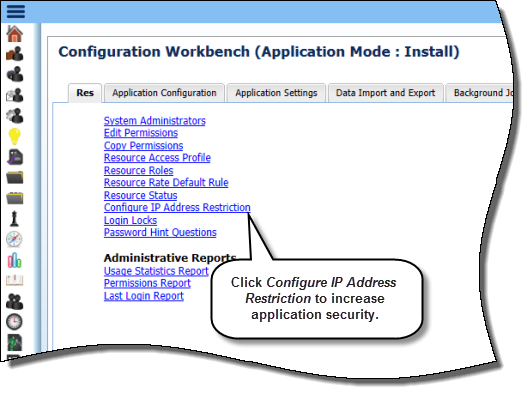
EnterpriseTrack 8.7 enables you to restrict access to the EnterpriseTrack Login and/or the Idea Portal page except from specified IP addresses. A new option, Configure IP Address Restriction, displays on the Configuration Workbench Resource and Security Admin tab when the application is in the Install or Reconfigure mode.
Benefits:
- Improved application security
- No need for customization
Location: With EnterpriseTrack in the Install or Reconfigure mode, click Configure IP Address Restriction on the Resource and Security Admin tab of the Configuration Workbench.
Copyright © 2014 Oracle and/or its affiliates. All rights reserved.