E-Mail Notifications
Primavera Gateway 1.1 offers the ability to receive e-mail notifications when synchronization jobs are complete, reducing the need to log into the application to view job status. When an e-mail is sent, it includes the name of the job, date, time, if the job completed successfully or with errors, and a link to view the job details in the application.
- E-mail configuration: E-mail server information is configured in the application using Settings. On the Mail Configuration tab, enter information regarding your e-mail server including SMTP Server and Port Number.
- E-mail notification setting: E ach business flow provides an option: Provide e-mail notification when job completes. When the option is selected, an e-mail is sent when a job is completed using the business flow.
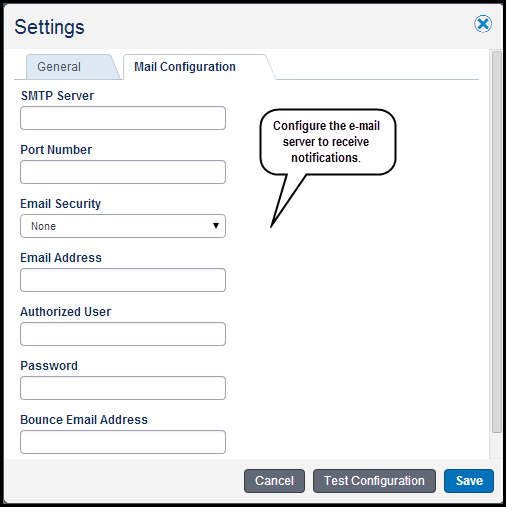
To access this feature:
- Navigate to Settings and select the Mail Configuration tab to configure the e-mail server.
- To enable e-mail notifications, create a business flow and select the option, Provide e-mail notifications when the job is complete.
Copyright © 2014, Oracle and/or its affiliates. All rights reserved.