Review Status Updates
In P6, project managers can use the Review Status Updates dialog box, accessible from a notification or from the Actions menu on the Activities page, to review team member status updates before the updates are committed to the schedule. The Review Status Updates dialog box displays all changes submitted from P6 Team Member applications (E-mail Statusing Service, P6 Team Member Web, and P6 Team Member for iPhone app) that a project manager is responsible for reviewing.
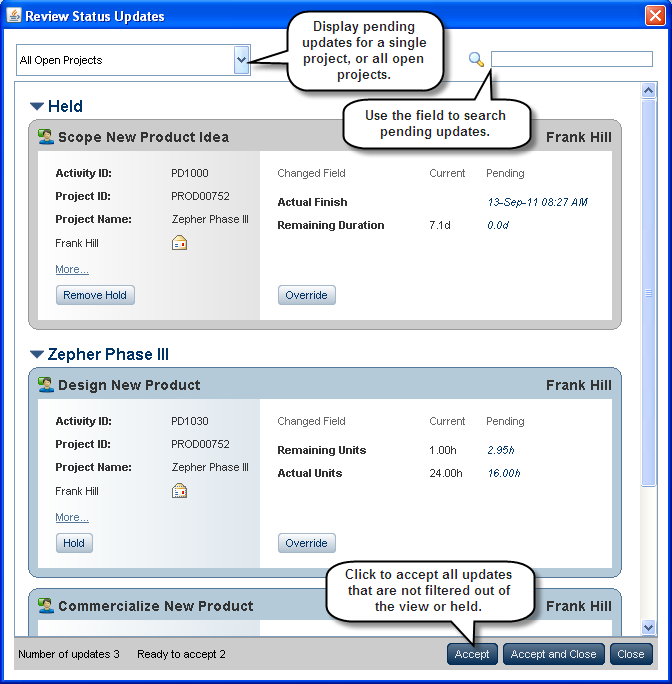
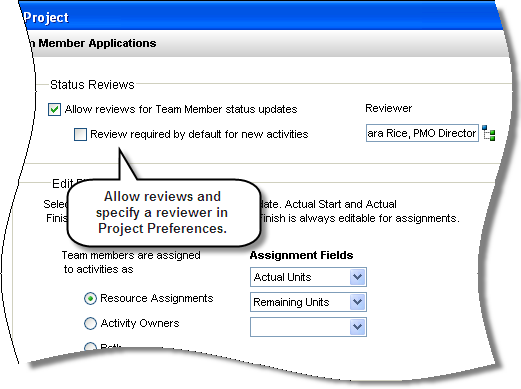
Updates are available for review in the Review Status Updates dialog box only when reviews are allowed in Project Preferences. Selecting a reviewer is optional; if a reviewer is not set, any project or admin superuser can review updates.
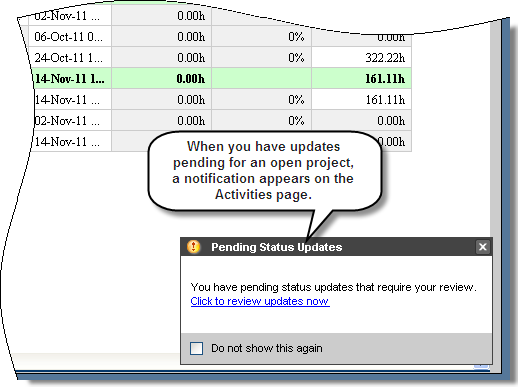
If project managers access the Review Status Updates dialog box via a notification, the dialog box shows changes for all projects they are responsible for approving. If project managers access the dialog box via the Actions menu on the Activities page, the dialog box shows changes for all open projects. The notification service associated with the Review Status Updates feature runs once daily.
The Update History detail window is available on the Activities page when you select an activity. It displays all status changes made to the activity from P6 Team Member applications; you can filter detail window contents by activity, assignments, or steps.

To access this feature:
On the Activities page Actions menu, click Review Status Updates. If updates are pending for a project you have open, click Click to review updates now in the notification box that appears on the Activities page.