Loading Resource Summary Data on Startup
The new Resource Summary data setting in the Startup Filters tab of User Preferences enables a user to choose whether this type of data will load at startup. If the Resource Summary data check box is selected, P6 Professional may take longer to start and some views may take longer to load.
Prior to 8.3, this setting was stored in the registry. It was moved to startup filters to enable easier access by users.
The setting also affects whether to use resource and role data during project summarization.
A user also can choose the data filters to run when starting P6 Professional. Startup filters are available for Oracle and SQL Server installations.
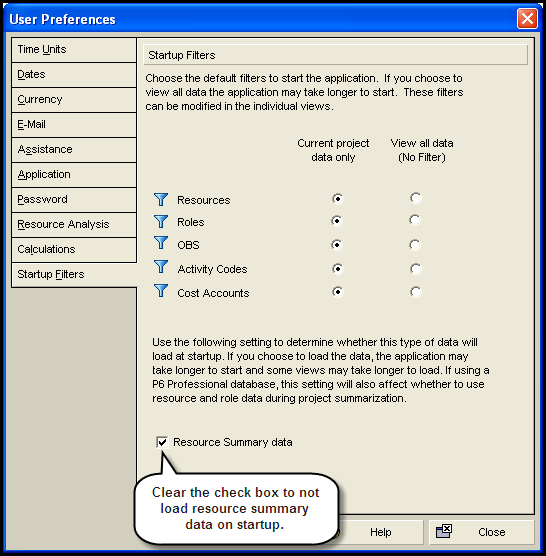
In this topic, you will view the startup filter setting.
To access this feature:
On the Edit Menu, click User Preferences. Click the Startup Filters tab.
Copyright © 2008, 2014, Oracle and/or its affiliates. All rights reserved.