Copy Activity Options
P6 now enables a user to select the data to include when copying and pasting activities on the Activities page. This feature can save significant time and effort by reducing the time to manually add or remove data when editing or building project schedules. The feature applies to single or multiple activities within a single project or across multiple projects.
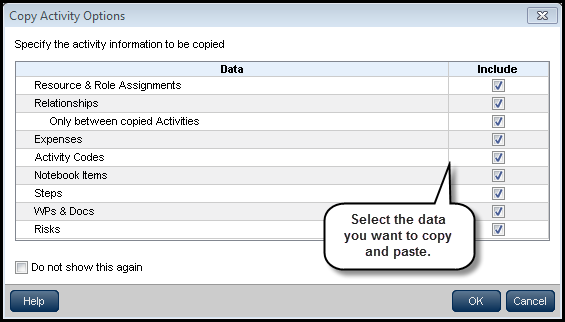
On the Activities page, copy/paste one or more activities. The Copy Activity Options dialog box displays when you paste the activities. Clear the check boxes for data you do not want to include, and then click OK.
To access this feature:
On the Activities page, the Copy Activity Options dialog box displays as part of the copy/paste operation.
Copyright © 2008, 2014, Oracle and/or its affiliates. All rights reserved.