Find and Replace Option
P6 8.3 enables a user to find and replace text in displayed columns on the EPS, Activities, and Resources Assignments pages, making it easier to change items in the project plan. A Find option was previously available; the Replace option is new. The new option is available via the Edit menu, the Edit toolbar, or the right-click menu.
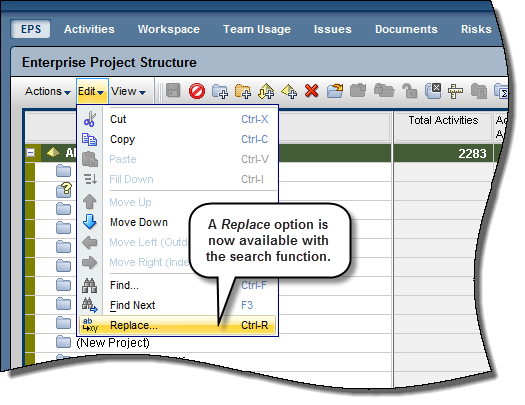
To access this feature:
Click Replace on the Edit or right-click menu or click  on the Edit toolbar.
Copyright © 2008, 2014, Oracle and/or its affiliates. All rights reserved.