Update P6 Project with Risk Analysis Output from Prime
After running a risk analysis in Primavera Prime, data can be sent back to P6 to view pessimistic date estimates for activities. The following risk outputs are added to P6 as columns on the Activities page: Pre Response Pessimistic Start, Pre Response Pessimistic Finish, Post Response Pessimistic Start, Post Response Pessimistic Finish. These fields are read-only and can be changed by importing updated data from Prime. Two Gantt chart bars have been added in P6 to incorporate the data in the pessimistic date columns: Pre Response Bar and Post Response Bar. These bars can be added to the Activities page Gantt chart for each activity with pessimistic date data.
Import pessimistic date data in P6 by running the Update from Primavera Prime job service. P6 will attempt update all projects on the Activities page with corresponding Prime data. This service runs in the background of P6, allowing you to continue using the application. Monitor a service's progress in the View Service Status dialog box.
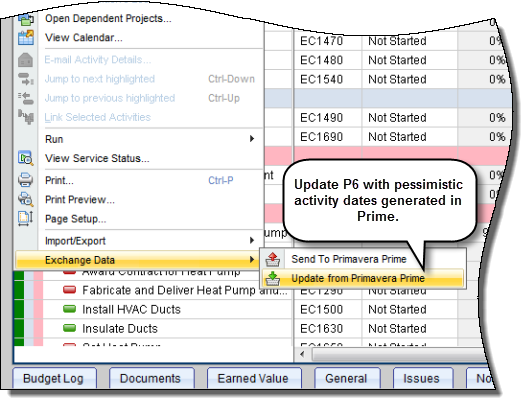
To access this feature:
On the Actions menu on the Activities page, click Exchange Data, Update from Primavera Prime.
Copyright © 2014, Oracle and/or its affiliates. All rights reserved.