Integration with Primavera Prime
A P6 Professional environment that is connected to an EPPM database integrated with Primavera Prime can exchange data for risk analysis and scope management.
To run a risk analysis in Prime, project data must be imported from an integrated EPPM database. Ensure that the prerequisites for running a risk analysis are satisfied: establish activity and risk data; create response plan details; enter uncertainty estimates for project activities; and schedule the project. Risk data includes risk thresholds, risk scoring matrices, and mapping risks to activities. All risk data and uncertainty estimates must be entered in P6 Web interface. After running the risk analysis in Prime, the Update from Primavera Prime process updates pre- and post-response pessimistic dates for activities. This data is stored in the database and is not visible in P6 Professional.
Scope management integration allows you to manage the costs and schedules of scope items at the activity level. Scope items are materials used in an activity; a work package is a bucket of short-term work used to manage installation of related scope items. In Prime, scope items are assigned to work packages. Work packages are sent to P6 Professional as leaf-level WBS nodes. In P6 Professional, add activities to work packages to provide a greater level of detail to the project. Activity data created in P6 Professional can be sent back to Prime to update work package dates and costs.
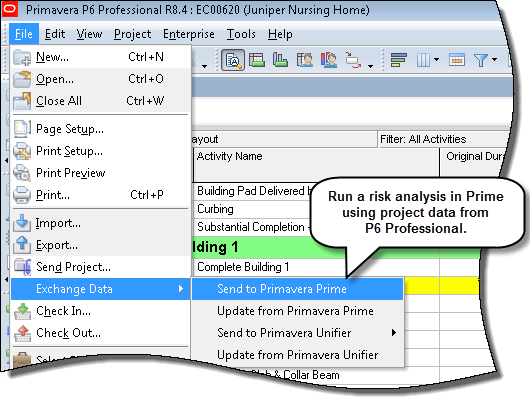
To access this feature:
On the File menu, click Exchange Data, Send to Primavera Prime or Update from Primavera Prime.
Copyright © 2014, Oracle and/or its affiliates. All rights reserved.