Update Baseline
P6 8.4 provides the ability to update project baselines. Use this feature if there have been significant changes to a project and an updated baseline is required. In previous versions, this was done by deleting a baseline and then defining a new one. The Update Baseline feature allows you to selectively update some or all of a baseline's details while retaining the past performance of activities against the original baseline. Add new activities to a baseline but still retain comparison data for existing activities. Filter activities that are updated and those that remain unchanged.
The Update Baseline feature in P6 8.4 provides greater control over a baseline's details without affecting application performance. The feature runs as a job service, allowing you to continue working while the baseline updates in the background. Monitor a service's progress in the View Service Status dialog box; you will receive a notification when the service is complete. Update Baseline cannot run as a scheduled service.
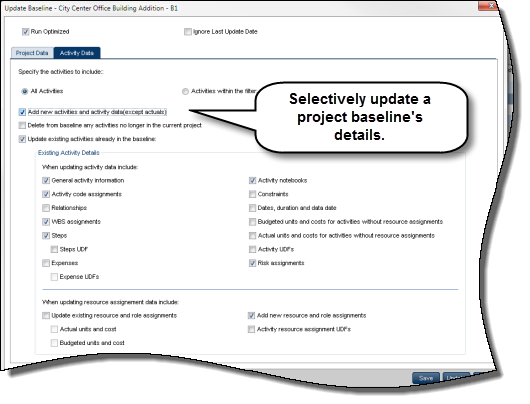
To access this feature:
Click Define Baselines on the Actions menu on the EPS or Activities Page. In the Baselines dialog box, select a baseline and click the Update Baseline icon.
Copyright © 2014, Oracle and/or its affiliates. All rights reserved.