Viewing and Monitoring Workflows
Use the Monitor Workflow page to review, stop, archive, and delete workflows, view the workflow log, and view all workflow instances to which you are assigned as a manager.
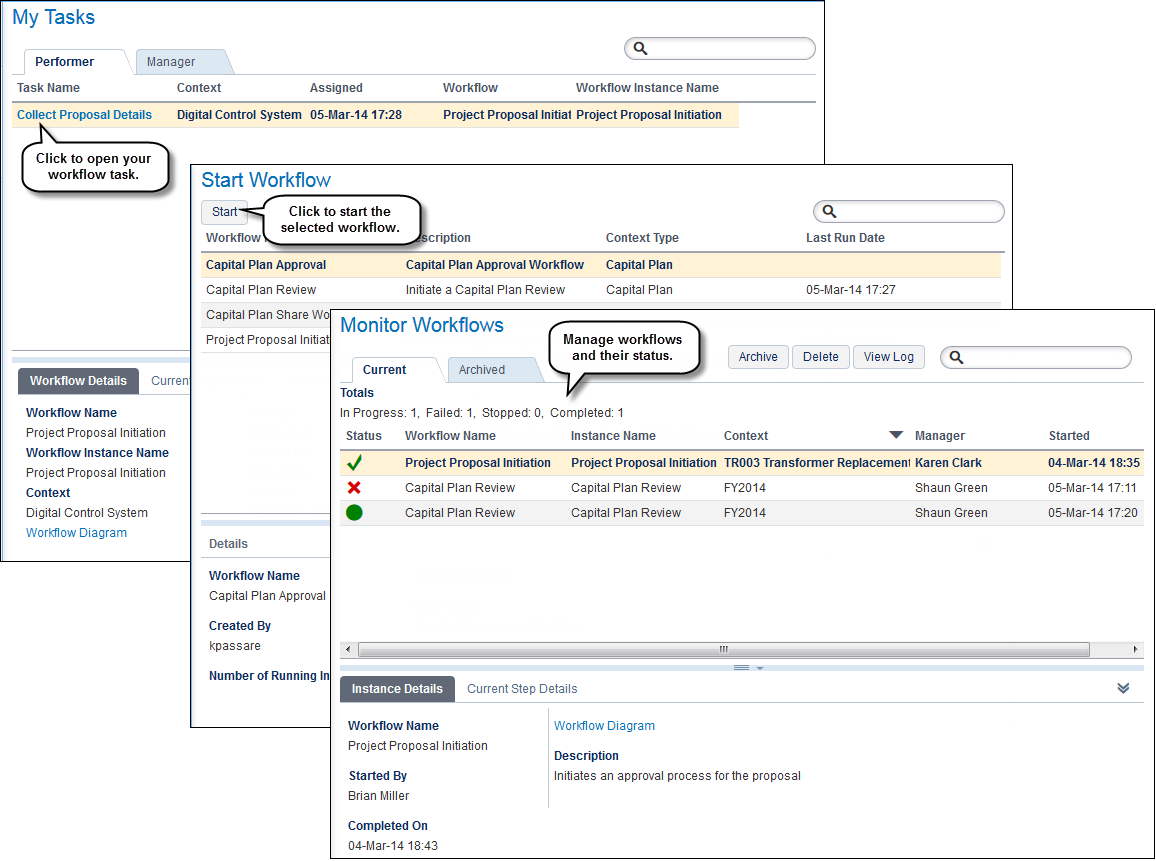
The Sidebar Navigation provides three workflow-related options:
- My Tasks page: Complete workflow steps and tasks.
- Start Workflow page: Manually start a workflow and view workflow details such as owner, description, workflow manager, and number of running instances of the workflow. With proper access, you also can view and edit the workflow diagram.
- Monitor Workflows page: Review, stop, archive, and delete workflow instances and view the workflow log, instance details, current step details, and current task details.
On the Monitor Workflow page:
- View the name of a workflow’s associated workflow template.
- Stop a workflow whose status is Pending or In Progress.
- Archive or delete a workflow whose status is Completed, Stopped, or Faulted.
- View a report of listed workflow instances, including archived instances.
- View and edit listed workflow templates (depending on your security privileges).
Copyright © 2008, 2014, Oracle and/or its affiliates. All rights reserved.