Managing Capital Portfolios
Capital planners begin their planning with capital portfolios that may contain thousands of projects. Capital portfolios are planned years in advance and then managed into smaller periods of time.
Use the Capital Portfolios page to create to a capital portfolio by filter only. Filter parameters can be created based on project attributes such as dates, durations, project codes, and user-defined fields.
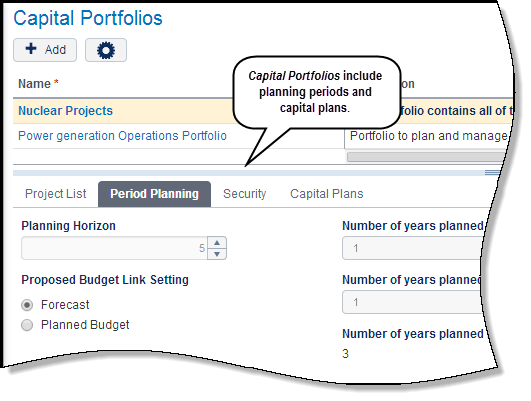
Period planning defines how the budget will be planned over time. The planning horizon is the total number of years to plan the projects selected for the capital plan. After setting the horizon, select planning increments (monthly, quarterly and yearly) used to capture budget values and control the granularity of costs.
The Proposed Budget Link Setting determines if the projects listed in the capital plan use forecast or planned budget values.
Use the Capital Portfolio Details page to define additional information about the portfolio.
Creating Capital Plans
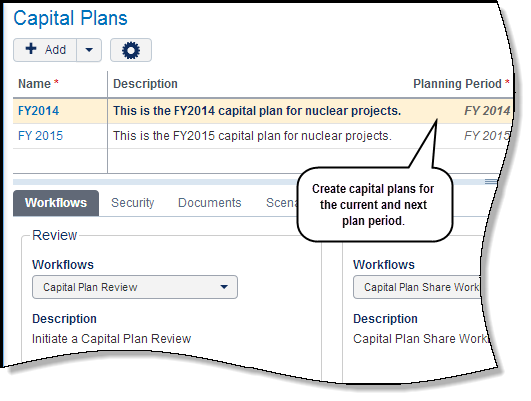
After a capital portfolio is added, create a capital plan to select projects for a specific planning period. Using the Capital Portfolio Details page, a capital plan can be created using one of two methods:
- Create new: Plan based on the next sequential planning period in the list.
- Create next period: Plan based on the next sequential planning period in the list and copies data from the most recent approved plan of the latest planning period.
In a capital plan, define the target budget for the planning period. The target budget is supported in the Budget Planning, Selection Analysis and Scenario Comparison views.
Define monitoring thresholds for the projects and capital plan key performance indicators (KPIs) to monitor the capital plan after it is approved. Thresholds are supported in the Performance Scorecard view. A wide range of threshold fields can be monitored, such as user-defined fields, financial data, and dates. Thresholds are set at the project- and capital plan-levels. Project-level thresholds roll up to the capital plan summary level.
Assign workflows for how capital plan scenarios will be reviewed, shared and approved during the budget planning and selection analysis phases.
In this topic you will:
- Create a capital portfolio
- View capital portfolio details
- Create a capital plan
- View capital plan details
Copyright © 2008, 2014, Oracle and/or its affiliates. All rights reserved.