Using Selection Analysis
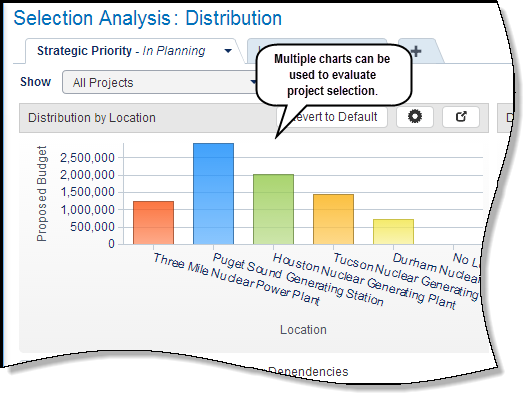
The Selection Analysis page enables the capital planner to focus on non-time distributed aspects of the capital plan. The page, which does not contain a timescale, provides grids and charts to evaluate project selection. A capital planner or stakeholder can use the page to analyze project selection based on key performance indicators and whether selected projects adhere to the budget allocated to the capital plan. For example, compare the target, total and forecast costs of projects against the ROI, or view budgets for each project based on location.
The Selection Analysis page contains a list of predefined analysis views associated with the capital plan. A grid chart is always displayed and lists the projects, their current project state, and other project attributes such as KPIs, UDFs, and dates. Users with the proper privileges can alter the layout using a wizard. These alterations do not overwrite the original analysis view.
A capital planner can create planning scenarios on the Selection Analysis page based on KPI values and other project attributes. These scenarios are available across all planning views -- Budget Planning, Selection Analysis, and Scenario Comparison.
In this topic you will:
- Navigate to the Selection Analysis layouts
- View multiple scenarios in the analysis view
- Alter the chart layout using a wizard
- Select projects to be included in the scenario
Copyright © 2008, 2014, Oracle and/or its affiliates. All rights reserved.