Managing Projects
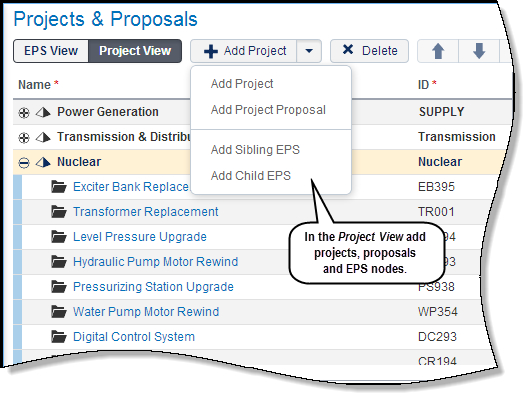
Planning a capital portfolio begins with building an inventory of projects. The application provides three options to add projects:
- Create a project
- Create a project proposal: Requires routing/approval via a workflow.
- Import a project: Project is imported from P6 using the Primavera Gateway application.
Projects are maintained in an EPS hierarchical structure on the Projects & Proposals page. Projects displayed can be in any phase of the project life cycle: Proposal, Active, Planned, Inactive, Complete, or Rejected. Projects can be grouped, filtered and sorted based on project attributes such as project codes and user-defined fields.
Use the Project Details page to define additional information about projects. For example, create dependencies for projects that rely on other projects to occur or support other projects. This ensures that all dependent projects are considered when performing capital planning.
Managing Project Costs
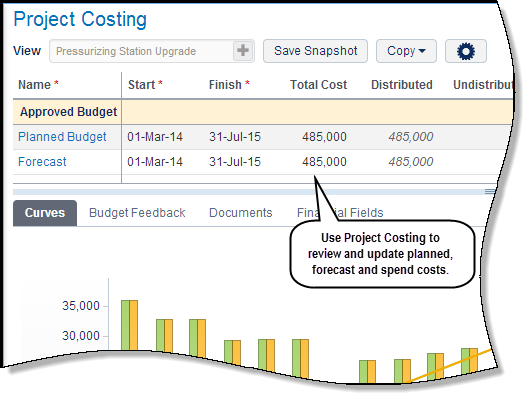
The planned budget and/or forecast for each project is entered on the Project Costing page. Project managers estimate costs for their projects either through an external estimation tool or the application's Project Costing page. Costs are stored yearly, quarterly or monthly and can be adjusted. The planned budget and/or forecast is time-phased and distributed based on the project's start and finish dates.
There are seven costs curves available on the Project Costing page to manage and plan costs. Cost curve details can be viewed in the table rows and graphically on the Curves details tab. Planned, proposed and forecast curves are always displayed; additional curves can be displayed using the Settings option.
The project manager also has the option to create snapshots of the planned costs to serve as a baseline comparison.
Managing Project Portfolios
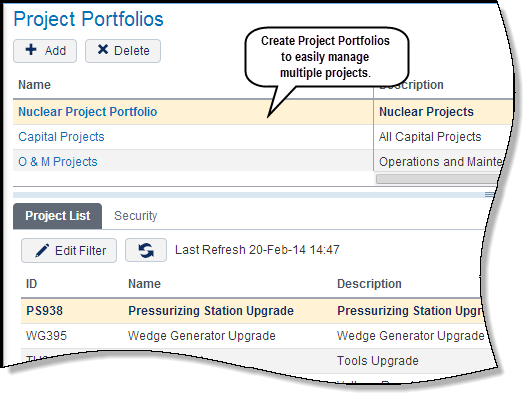
Project managers can use project portfolios to view and manage costs for multiple projects.
Use the Project Portfolios page to create a project portfolio manually or through a filter. Filters enable projects to be selected based on project attributes such as financial data, project codes and user-defined fields.
When the project portfolio is opened on a content tab, use the Project Portfolio Details page to view summary information about the portfolio such as the total number of projects in the portfolio. Use the Project Costing page to view and manage costs for each project in the project portfolio.
In this topic, you will:
- Create a project
- View project details
- Add planned budget costs
- Open a project portfolio
- View project portfolio details
Copyright © 2008, 2014, Oracle and/or its affiliates. All rights reserved.