Using the Performance Scorecard
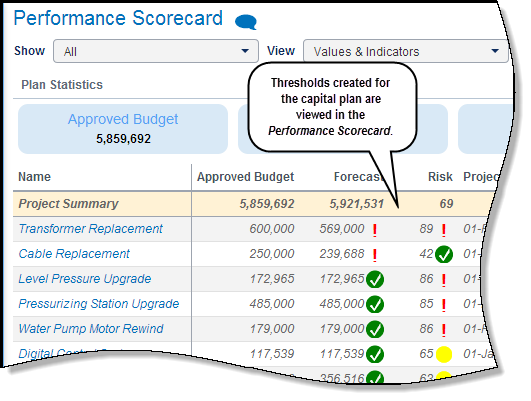
The Performance Scorecard page is a read-only view that enables the capital planner to monitor the performance of an approved capital plan and determine projects that are influencing its performance. The view displays capital plan and project-level KPIs, including visual indicators. These metrics are set up by the capital planner on the Capital Plan Details window using the Monitoring Thresholds page. Global thresholds, available for every capital plan, can be configured for capital plans and projects using the Configuration menu on the Home tab.
Three levels of data are displayed on the scorecard:
- Plan Statistics: Summarized KPIs defined in the monitoring threshold for the capital plan.
- Project Summary: Summarized values of the projects in the capital plan.
- Project: Metric values of the project.
As part of the monitoring process, the capital planner can collaborate on the plan with the use of Discussions, revise the plan if issues arise, and maintain versions of the plan by creating snapshots.
In this topic you will:
- View the Performance Scorecard page
- Select columns to display and review the data
- Select projects for review and revise the plan
Copyright © 2008, 2014, Oracle and/or its affiliates. All rights reserved.