User Control Panel
The User Control Panel is the group of icons in the upper right corner of Prime. Use it to set system preferences, read notifications and announcements, and access Help.
- Avatar/Username: Displays the User Control Options menu. Set formatting and search preferences; change your avatar; find phone numbers, email addresses, and profiles for other Prime users; and log out.
- Announcements and Notifications: Numbers next to the alarm icons indicate announcements or notifications. Announcements are messages from a system administrator about outages and other system-critical information. Notifications are system-generated notes when you or team members complete specific actions (such as adding a report or task assignment) or processes (like completing a workflow). Navigate to the changed item from the notification.
- Help: Access support options like keyboard shortcuts, documentation library, and Oracle's support network.
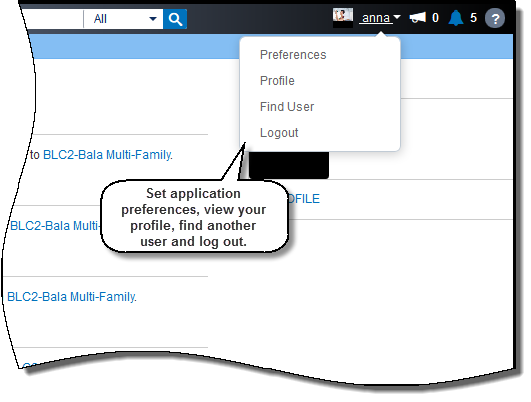
From User Control Preferences, change your avatar; set formatting for numbers, currency, and dates; and change the defaults for Global and Spatial searches.

Copyright © 2014, Oracle and/or its affiliates. All rights reserved.