Using Workspaces
Data in Primavera Prime is organized in a hierarchical structure using workspaces as the basic unit. Each workspace is a container for projects, plans and supporting data items.
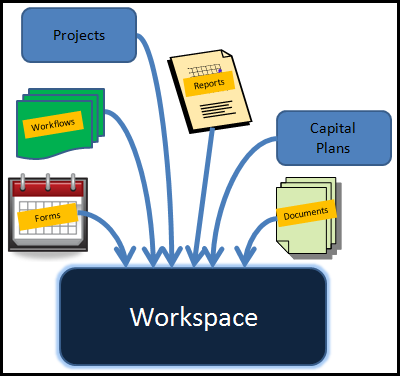
Data items are pushed down from parent to child workspaces. A child workspace can also have its own data. This flexibility enables a company to organize its workspaces in a hierarchical business or process structure. It also frees users from viewing large amounts of data that is not relevant to their work.
The hierarchical structure starts with a root workspace and branches out to parent and child workspaces. In the graphic below, Energy Company is the root workspace. Generation Division is a child to Energy Company and the parent to Nuclear Unit and Coal Unit.
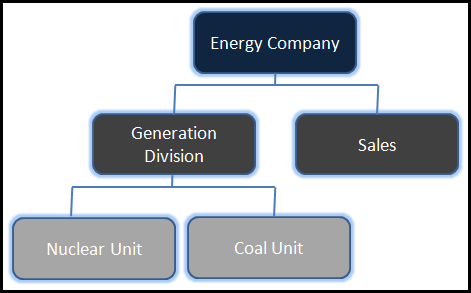
The workspace where an item is created is considered the "owning" workspace. Data items -- reports, forms, codes -- are inherited by child workspaces.
For example, Energy Company owns the maintenance/security of a global calendar that was created in its workspace. The calendar is also used by Sales in a child workspace. The Coal Unit needs a special calendar for maintenance as part of its business processes, so it created a custom calendar for use in its workspace.
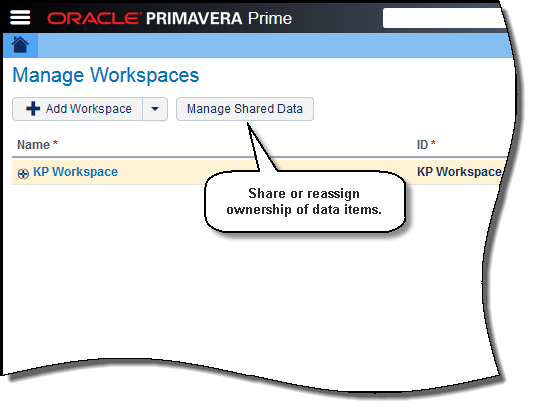
An application administrator controls access to the workspaces and the items within it from the Manage Workspaces page or through configuration options.
Copyright © 2014, Oracle and/or its affiliates. All rights reserved.