Viewing the Internationalization Log
A new node called Internationalization is provided to translate custom strings, which are displayed at runtime in logs, records, sheets, print formats, find window, reports etc. Existing customers are provided with migration scripts to extract strings that qualify for custom string translation.
After translating strings, click Refresh in the toolbar to populate the Internationalization log with custom strings.
Source Type and Source String are the first two columns in the Internationalization log, followed by the 11 supported language columns in alphabetical order.
Each source string in Unifier has a source type that represents the category to which a source string belongs -- for example, Data Structure, uDesigner, Reports. This field is pre-populated and non-editable.
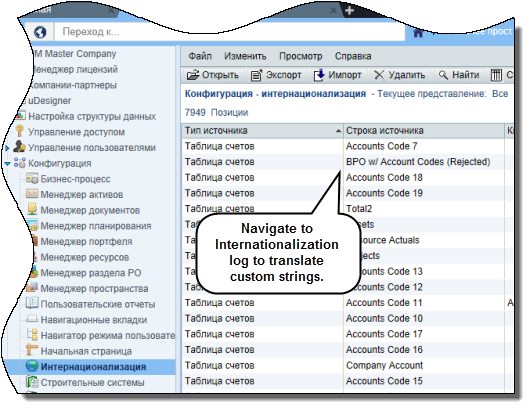
To access this feature:
Internationalization Log: Navigate to Company Workspace (Admin Mode), Configuration, Internationalization. In the log, translate custom strings in the supported languages.
Copyright © 2014, Oracle and/or its affiliates. All rights reserved.