Update 24A
Revision History
This document will continue to evolve as existing sections change and new information is added. All updates appear in the following table:
| Date | Module | Feature | Notes |
|---|---|---|---|
| 29 FEB 2024 | Attach a File While Creating a Recommendation | Updated document. Added new feature to update 24A. | |
| 23 JAN 2024 | Created initial document. |
Overview
 HAVE AN IDEA?
We’re here and we’re listening. If you have a suggestion on how to make our cloud services even better then go ahead and tell us. There are several ways to submit your ideas, for example, through the Ideas Lab on Oracle Customer Connect. Wherever you see this icon after the feature name it means we delivered one of your ideas.
GIVE US FEEDBACK
We welcome your comments and suggestions to improve the content. Please send us your feedback at oracle_fusion_applications_help_ww_grp@oracle.com.
DISCLAIMER
The information contained in this document may include statements about Oracle’s product development plans. Many factors can materially affect Oracle’s product development plans and the nature and timing of future product releases. Accordingly, this Information is provided to you solely for information only, is not a commitment to deliver any material, code, or functionality, and should not be relied upon in making purchasing decisions. The development, release, and timing of any features or functionality described remains at the sole discretion of Oracle.
This information may not be incorporated into any contractual agreement with Oracle or its subsidiaries or affiliates. Oracle specifically disclaims any liability with respect to this information. Refer to the Legal Notices and Terms of Use for further information.
Feature Summary
Column Definitions:
Report = New or modified, Oracle-delivered, ready to run reports.
UI or Process-Based: Small Scale = These UI or process-based features are typically comprised of minor field, validation, or program changes. Therefore, the potential impact to users is minimal.
UI or Process-Based: Larger Scale* = These UI or process-based features have more complex designs. Therefore, the potential impact to users is higher.
Features Delivered Disabled = Action is needed BEFORE these features can be used by END USERS. These features are delivered disabled and you choose if and when to enable them. For example, a) new or expanded BI subject areas need to first be incorporated into reports, b) Integration is required to utilize new web services, or c) features must be assigned to user roles before they can be accessed.
| Ready for Use by End Users Reports plus Small Scale UI or Process-Based new features will have minimal user impact after an update. Therefore, customer acceptance testing should focus on the Larger Scale UI or Process-Based* new features. |
Customer Must Take Action before Use by End Users Not disruptive as action is required to make these features ready to use. As you selectively choose to leverage, you set your test and roll out timing. |
|||||
|---|---|---|---|---|---|---|
| Feature |
Report |
UI or |
UI or |
|
||
B2C Knowledge Management
Knowledge Advanced
Custom Icons for Favorites in BrowserUI
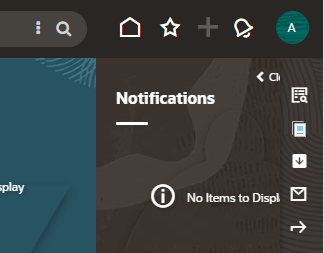
Customize the favorite knowledge article icons to whatever suits your users. By default the icon used for Recent Items (at the top right of the screen) and for favorite knowledge articles is the same star icon. This enhancement lets you take control over all of the favorite knowledge article icons to eliminate any possible confusion. This screen capture is showing a square box with a down arrow for opening the favorite knowledge panel but it could be any icon you like.
Business Benefit:
Allow for the icon to be distinguishable from the Browser User Interface Recent Items icon.
Steps to Enable
- Select or create icons for Adding Favorite, Removing Favorite, and the icon that toggles visibility of the favorite articles panel. All of these icons should be 16x16px.
- Upload each of the images to a hosted location.KB article explains how to make a WebDav connection to Customer Portal using CyberDuck.
- Create the text-based configuration settings with the exact names (keys) in the description below. Note that each configuration setting can be interface-specific or sitewide.
| Icon | Configuration Key | Where this Icon is used |
|---|---|---|
| Adding favorite | CUSTOM_CFG_BUI_OKCS_ADD_FAV_ICON |
|
| Removing favorite | CUSTOM_CFG_BUI_OKCS_REMOVE_FAV_ICON |
|
| Side panel toggle | CUSTOM_CFG_BUI_OKCS_SIDE_PANEL_FAV_ICON | Right-side panel which shows the list of favorite articles. |
- Logout and login to Browser UI to see the changes!
Attach a File While Creating a Recommendation
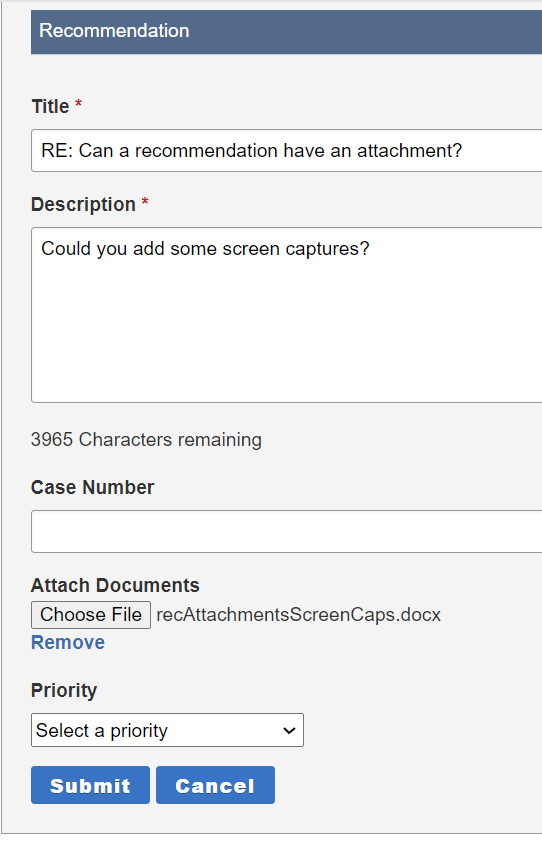
When leaving a new content or change recommendation in customer portal your users will now be able to upload an attachment as part of that recommendation.
| Customer portal | Authoring |
|---|---|
 |
|
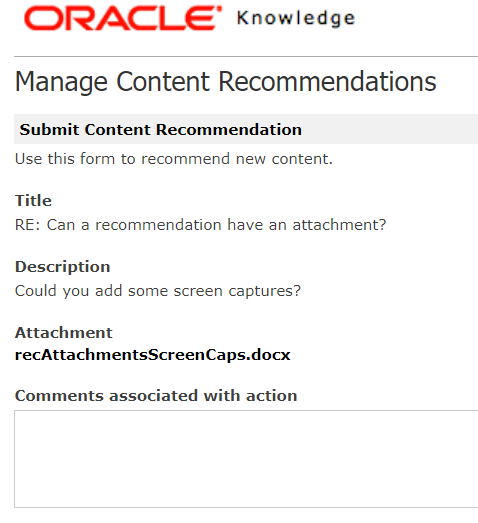
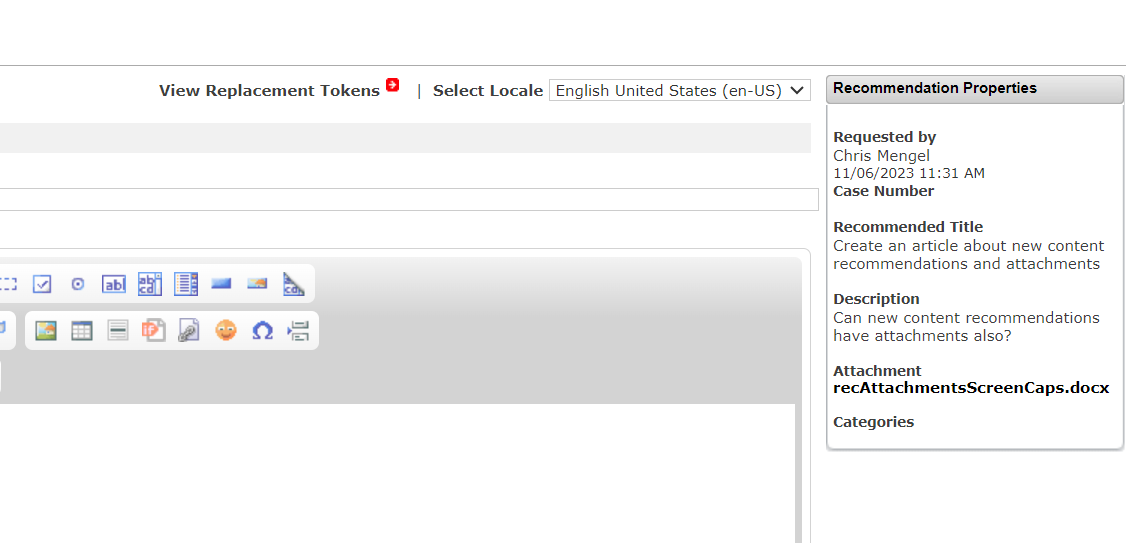
| While creating a recommendation, it is possible to upload an attachment. If the user changes their mind before submitting the recommendation it is possible to remove the attachment and upload another. | As an author, it is possible to download the attachment from the perform screen of the recommendation or while updating/creating an article based on the recommendation that has the attachment. |
Business Benefit:
Most knowledge bases have more users than people involved directly in the maintenance of the knowledge. In addition to having knowledge themselves, those users are also regularly looking at, and trying to make use of your knowledge, performing a sort of review at the time of need. Recommendations have long been a critical aspect of capturing the feedback and knowledge of your users in the interest of keeping your knowledge fresh. Now those same users will also be able to share things like screen captures or documents that can more completely capture their observations. This should decrease the need for follow up questions, as well as making it easier for your users to share what they know.
Steps to Enable
You don't need to do anything to enable this feature.
Tips And Considerations
In customer portal a user will not be able to see whether or not their recommendation has an attachment. BrowserUI does not support adding an attachment to a recommendation. Both of these features will come in a future release.
Access Requirements
Any user that can leave a recommendation can attach a file. Any user that can view a recommendation in authoring will be able to download attachments on those recommendations.