
This document will continue to evolve as existing sections change and new information is added. All updates appear in the following table:
| Date | Product | Feature | Notes |
|---|---|---|---|
| 23 AUG 2021 | Created initial document. |
This guide outlines the information you need to know about new or improved functionality in this update.
GIVE US FEEDBACK
We welcome your comments and suggestions to improve the content. Please send us your feedback at omcdocumentation_ca@oracle.com.
Column Definitions:
Report = New or modified, Oracle-delivered, ready to run reports.
UI or Process-Based: Small Scale = These UI or process-based features are typically comprised of minor field, validation, or program changes. Therefore, the potential impact to users is minimal.
UI or Process-Based: Larger Scale* = These UI or process-based features have more complex designs. Therefore, the potential impact to users is higher.
Features Delivered Disabled = Action is needed BEFORE these features can be used by END USERS. These features are delivered disabled and you choose if and when to enable them. For example, a) new or expanded BI subject areas need to first be incorporated into reports, b) Integration is required to utilize new web services, or c) features must be assigned to user roles before they can be accessed.
| Ready for Use by End Users Reports plus Small Scale UI or Process-Based new features will have minimal user impact after an update. Therefore, customer acceptance testing should focus on the Larger Scale UI or Process-Based* new features. |
Customer Must Take Action before Use by End Users Not disruptive as action is required to make these features ready to use. As you selectively choose to leverage, you set your test and roll out timing. |
|||||
|---|---|---|---|---|---|---|
| Feature |
Report |
UI or |
UI or |
|
||
Configure Connections and Actions for Oracle Responsys Supplemental Tables |
||||||
Account and User Administration
When administering query parameters in the Settings feature, you can now set a parameter to be usable in both Analytics and Actions. There is no change for how these parameters are used in Infinity Analytics, but you can now also make parameters available for use in the new Infinity Actions feature. For example, you may want to use a query parameter as part of a filter in your Action rules.

As data is collected into your Oracle Infinity account, it is collected in the form of a query parameter and value. A standard set of parameters are readily available for use in the Infinity Actions feature. However, as you begin to collect more custom data such as Product Category or Form ID, you must enable these additional custom parameters for use in "Analytics and Actions". Then, your custom parameters can be used to configure rules in your action.
This enhancement enables you to use custom parameters to configure rules in actions.
Steps to Enable
You don't need to do anything to enable this feature.
Key Resources
Use element visibility tracking to analyze whether your web page visitors have visited a particular section of the page.
With element visibility tracking, you no longer need to track "Page Views" or scroll tracking that only tracks in quartiles such as 25%, 50%, or 75%—a page view does not indicate which element has been viewed, and tracking quartiles only makes sense at the aggregate level. The element visibility tracker captures behavior only when a specific element or set of elements that you specify appears in the browser’s viewport (visible area of the browser window).
Steps to Enable
You don't need to do anything to enable this feature.
Maxymiser Module in the Data Collection App
The Data Collection App now enables you to administer the Maxymiser module.
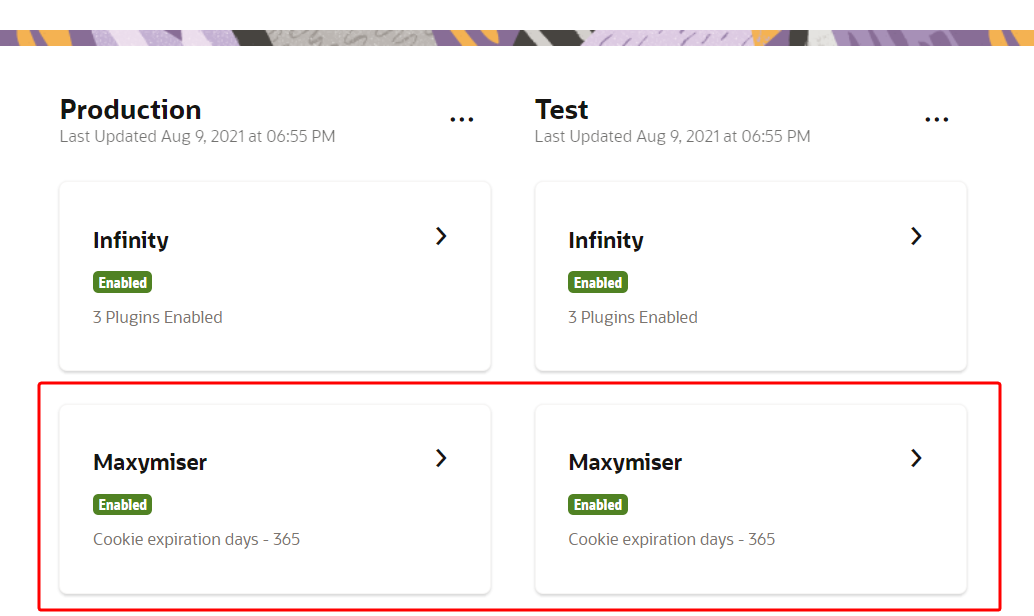
The Data Collection App now delivers an integrated experience by supporting integration with other Oracle Marketing products such as Infinity, with a similar user experience. This new experience helps you configure the Maxymiser module independently of the other modules in the tag, while retaining the capability to jointly deploy an integrated tag with a single line of code.
Steps to Enable
You don't need to do anything to enable this feature.
Key Resources
Real-time Data Transfer from Infinity (SDK module)
The Infinity module from the Oracle CX Mobile SDK is now enabled to transmit behavioral data in real time from the mobile apps.
Real-time behavioral data from mobile apps helps mobile app developers to constantly improve their mobile app. The real-time capability enables the Infinity module to capture behavioral data and transmit the behavioral data in close to real time, solving real-time marketing use cases. The real-time data can be used to deliver real-time features in mobile applications, which can foster greater engagement between companies and customers.
Steps to Enable
You don't need to do anything to enable this feature.
Simplified Behavior Tracking helps you capture contextual information for visitor actions on your web pages. You can now capture additional information on click actions, such as button clicks, link clicks, and clicks on page elements such as banners, footers, and so on.
The Simplified Behavior Tracking plugin helps you, through faster configuration with the CX tag, to track visitor interactions on your web pages, along with contextual information pertaining to the action. The additional information can be captured by simple configuration without needing to code.
Steps to Enable
You don't need to do anything to enable this feature.
Key Resources
Oracle Infinity's Digital Behavior ID Matching uses a semantic model to associate events to people, devices, companies and households by learning from past observations. It is applicable to profile stitching, anonymous to known, cross-client, cross-device and cross-channel identification, including shared device scenarios.
With Infinity ID Matching, digital behavioral events can be used to learn associations between identifiers, then fill in missing identifiers based on past observations. It offers a semantic association model between people, devices, clients and groups, sophisticated confidence scoring, and is configurable for each customer’s unique needs. Using derived identifiers, this feature enables a much greater set of digital behavioral data for activation and inclusion in a unified customer profile. By leveraging a model that mimics the real world, Infinity’s ID Matching can more accurately derive identifiers and compute confidence scores.
Steps to Enable
To enable this feature you need to log a Service Request (SR).
Configure Connections and Actions for Oracle Maxymiser
Configure a connection from Oracle Infinity to your instance of Oracle Maxymiser. After you have created a connection, it can then be used in an action. When the rules of the action are identified in real time, relevant Infinity data can be delivered to your Maxymiser campaigns for personalizing content and messaging.
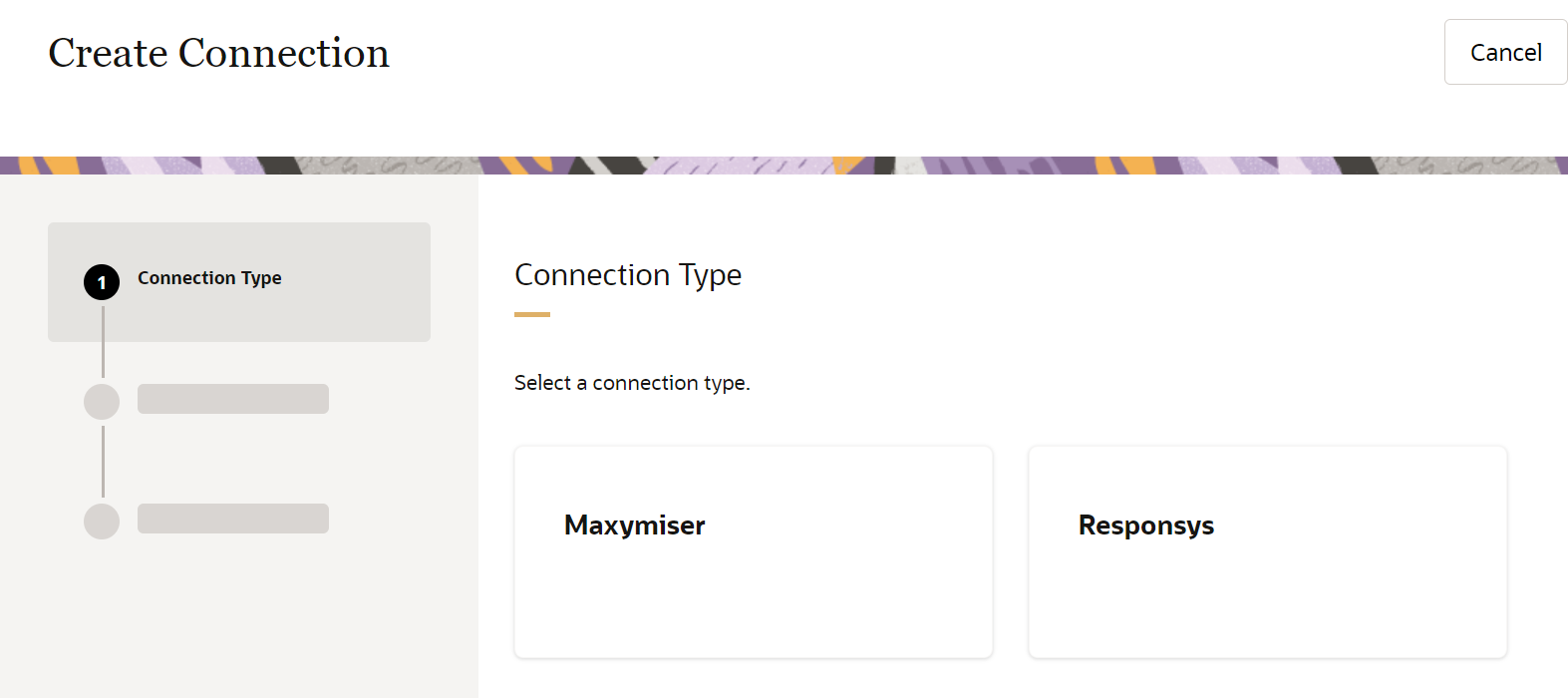
The Infinity Connections feature enables the configuration of system-to-system connections, so that Oracle Infinity can easily connect to your Oracle CX Marketing solutions.
The Infinity Actions feature enables you to configure a set of rules—that is, behaviors and filters—that the Oracle Infinity platform will listen for in real time; when these rules are identified in the moment, Oracle Infinity can then deliver behavioral data to your designated action system.
This enhancement enables Oracle Infinity to connect to your Oracle Maxymiser instance, and it allows Oracle Infinity data to be used in your Oracle Maxymiser campaigns for in-session personalization, tailoring your customer's experience with relevant content and messaging.
Steps to Enable
You don't need to do anything to enable this feature.
Key Resources
Configure Connections and Actions for Oracle Responsys Supplemental Tables
It is now possible to send Oracle Infinity data to Oracle Responsys supplemental tables using the new Connections and Actions features. When configuring a Responsys connection, you can choose to configure a supplemental table as your destination. After you have configured and enabled your supplemental table destination as a part of your Responsys connection, it is then available for use in an action. You'll enable your action and, as its rules are met, Infinity will trigger the delivery of behavioral data to Responsys in real time and populate the supplemental table you've configured.
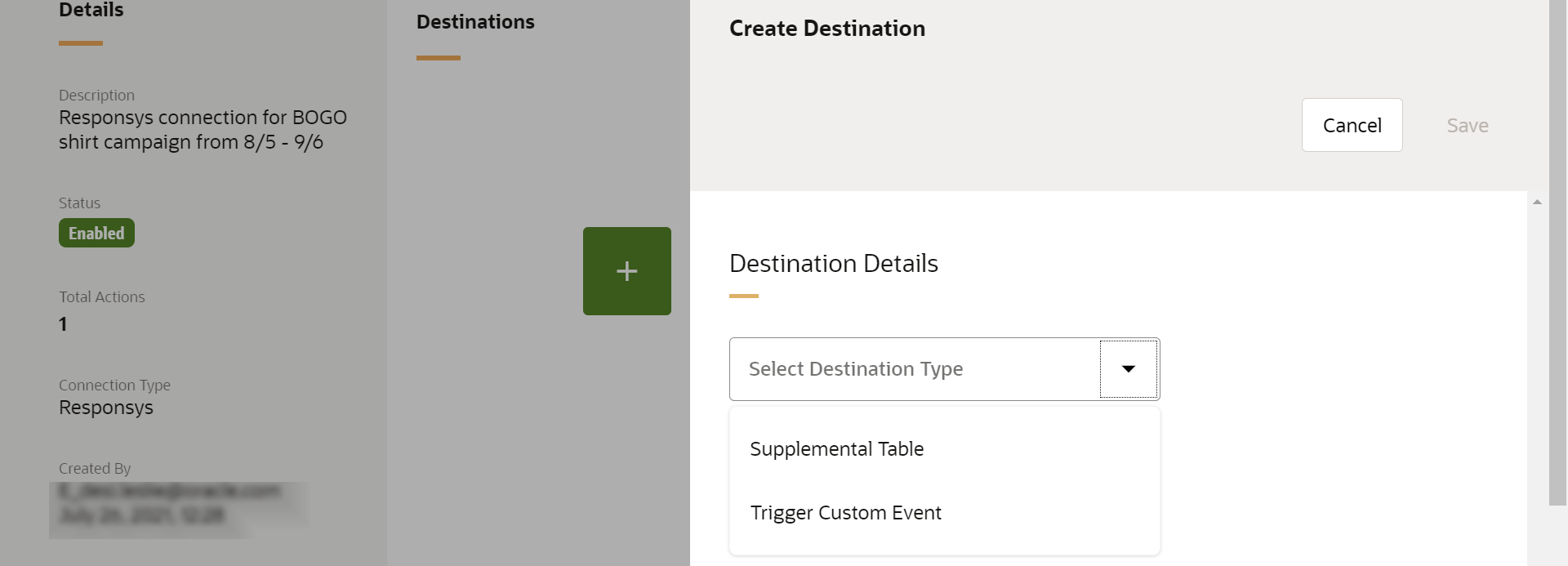
The Infinity Connections feature enables the configuration of system-to-system connections, so that Oracle Infinity can easily connect to your Oracle CX Marketing solutions, such as Oracle Responsys.
The Infinity Actions feature enables you to configure a set of rules—that is, behaviors and filters—that the Oracle Infinity platform will listen for in real-time; when these rules are identified in the moment, Oracle Infinity can then deliver behavioral data to your designated action system, such as Oracle Responsys.
This enhancement enables Oracle Infinity to connect to supplemental tables you have configured within your instance of Oracle Responsys, and it allows Oracle Infinity data to be triggered and populated into your Oracle Responsys supplemental tables in real time for retargeting and personalization.
Steps to Enable
You don't need to do anything to enable this feature.
Key Resources
A new set of behaviors and scenarios are available to help you activate your data easily and with minimal configuration.
The new scenarios are:
- Search Abandonment
- Wishlist Engagement
The new behaviors are:
- Click advertisement
- View advertisement
- Refer by campaign
- Add product to favorites
- Add product to wishlist
- Compare product
- Rate product
- View order status
- View shopping cart items
- View content subgroup
- Click search result
- View search result
- Resume video
- Sign in
- Sign out
Behaviors are a friendly way to express specific behavioral conditions or click events exhibited by visitors, users, or customers on your digital property, such as a website or a mobile app. These behaviors are used in your action rules.
Scenarios provide a starting point for defining a sequence or set of behaviors that a visitor, user, or customer may exhibit on your digital property, such as a website or a mobile app. When a scenario is selected for use in an action, a set of behaviors will be populated automatically for you.
These new behaviors and scenarios are available to help you get started quickly with minimal configuration.
Steps to Enable
You don't need to do anything to enable this feature.
Key Resources
IMPORTANT Actions and Considerations
OPPORTUNITY CARDS COMING SOON
Opportunity Cards will be available in the coming weeks. Use opportunity cards to learn and understand how to easily configure and act on a range of common marketing use cases.
Each opportunity leads to a More Details screen that provides further information, such as:
- What is this opportunity?
- Why is it important?
- When should I take action on it?
- Where and how do I take action on it?
Opportunity Cards provide you with insights, guidance, and steps to build out different use cases, allowing you to filter by different products, channels, or strategies, and to learn about how to get more from Infinity.
Steps to Enable
You must have Infinity IQ to use this feature.