
This document will continue to evolve as existing sections change and new information is added. All updates appear in the following table:
| Date | Product | Feature | Notes |
|---|---|---|---|
| 30 NOV 2020 | Created initial document. |
This guide outlines the information you need to know about new or improved functionality in this update.
GIVE US FEEDBACK
We welcome your comments and suggestions to improve the content. Please send us your feedback at omcdocumentation_ca@oracle.com.
Column Definitions:
Report = New or modified, Oracle-delivered, ready to run reports.
UI or Process-Based: Small Scale = These UI or process-based features are typically comprised of minor field, validation, or program changes. Therefore, the potential impact to users is minimal.
UI or Process-Based: Larger Scale* = These UI or process-based features have more complex designs. Therefore, the potential impact to users is higher.
Features Delivered Disabled = Action is needed BEFORE these features can be used by END USERS. These features are delivered disabled and you choose if and when to enable them. For example, a) new or expanded BI subject areas need to first be incorporated into reports, b) Integration is required to utilize new web services, or c) features must be assigned to user roles before they can be accessed.
| Ready for Use by End Users Reports plus Small Scale UI or Process-Based new features will have minimal user impact after an update. Therefore, customer acceptance testing should focus on the Larger Scale UI or Process-Based* new features. |
Customer Must Take Action before Use by End Users Not disruptive as action is required to make these features ready to use. As you selectively choose to leverage, you set your test and roll out timing. |
|||||
|---|---|---|---|---|---|---|
| Feature |
Report |
UI or |
UI or |
|
||
SPA Visual Triggers Enhancement
You can now trigger an SPA campaign when an HTML object on your page contains a particular text value. This is an enhancement to the Selector trigger and these triggers can be used alongside the URL trigger
Enhanced SPA campaign options allow more testing options on your site.
Steps to Enable
SPA support must be enabled on your site. If you have enabled SPA support for your campaign and you still don’t see the TRIGGERS button, then you may be using our old version of SPA support. To upgrade please contact Oracle Support or your Oracle Maxymiser representative.
Campaign Data Export Enhancement
You can now export the Campaign Name column in the Campaign Data Export – this enables clients to merge campaign data exports into one file for a site level view of the data.
This feature allows you to hone in on specific data with greater accuracy, allowing better testing capability based on results.
Steps to Enable
You don't need to do anything to enable this feature.
Infinity Instance Selection for Heatmaps
With the recent launch of the Infinity EU instance, we have added a new drop-down when configuring Heatmaps, to select the US or EU instance. You can find this under the Admin section by navigating to Account Settings.
This feature assists with making distinctions between European and American heatmaps in campaigns, allowing you to make decisions based on regions.
Steps to Enable
You don't need to do anything to enable this feature.
Oracle CX Content and Maxymiser Integration
Integration to leverage uploaded assets across any product integrated with Oracle Content & Experience, directly within Maxymiser.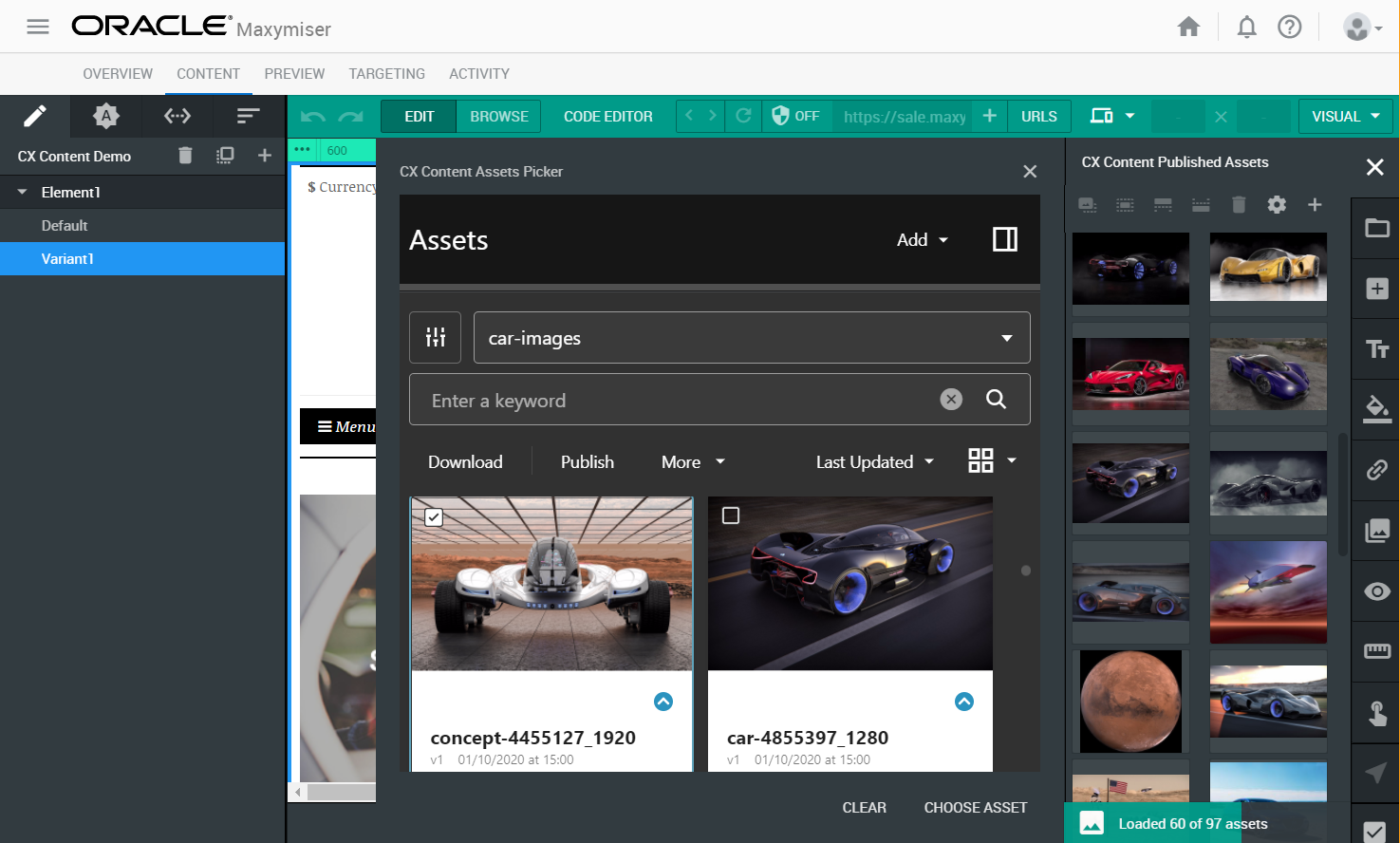
Assets Picker Window with Futuristic Cars as Options
Keep asset consistency across platforms to ensure seamless integration and revenue generation.
Steps to Enable
You don't need to do anything to enable this feature.
Tips And Considerations
This capability requires Oracle Maxymiser and Oracle CX Content
We have updated both iOS and Android SDK’s, and our enhancements and improvements include:
- Updating minimum deployment target version to iOS 11
- Support for migration to Oracle Cloud Infrastructure
- Security and documentation updates
Updates will improve mobile use of the platform, making it easier for all users to access.
Steps to Enable
Download the latest Oracle Maxymiser for Mobile Apps Cloud Service.
We are launching an all new branding bar, updated navigation menu, and new color themes applied across Maxymiser. We are doing this to align with Redwood, Oracle’s approach to the next generation product and communication design, user experience platform, and brand design system.
We will continue along this journey in future releases to re-imagine and update areas of Maxymiser to improve usability, user experience, and accessibility, creating a consistent and improved user experience across Oracle CX.
Increased usability will make your campaigns seamless across Oracle CX Marketing platforms.
Steps to Enable
You don't need to do anything to enable this feature.