
This document will continue to evolve as existing sections change and new information is added. All updates are logged below, with the most recent updates at the top.
The new functionality referenced in this document may not be immediately available to you if your organization has chosen not to receive optional monthly updates. Rest assured you will receive the new functionality in the next quarterly update which is required and cumulative. Quarterly updates are applied in February, May, August, and November.
.
| Date |
What's Changed |
Notes |
|---|---|---|
| 01 SEP 2017 |
Oracle Fusion Human Capital Management for the United States: Third-Party Quarterly Tax File Enhancements |
New feature delivered in Update 21 (September). |
| 04 AUG 2017 |
Oracle Fusion Global Human Resources: New Page to Upload Person Photos |
Updated feature description delivered in Update 12 (December). |
| 04 AUG 2017 |
Oracle Fusion Human Capital Management for the United States: Exclude Employees from HR Reporting |
New feature delivered in Update 20, the August Quarterly update. |
| 02 JUN 2017 |
Oracle Fusion Human Capital Management for the United States: Third-Party Quarterly Tax Filing Enhancements For PA Act 32 |
New feature delivered in Update 18 (June), which will also be included in the August Quarterly update. |
| 02 JUN 2017 |
Oracle Fusion Human Capital Management for the United States: Third-Party Periodic Tax Filing Enhancements For PA Act 32 |
New feature delivered in Update 18 (June), which will also be included in the August Quarterly update. |
| The following features were included in the May Quarterly update. |
||
| 07 APR 2017 |
Oracle Fusion Human Capital Management for the United States: Calculate Pennsylvania Resident Taxes for Out-of-State Work Locations |
New feature delivered in Update 16 (April), which will also be included in the May Quarterly update. |
| 07 APR 2017 |
Oracle Fusion Human Capital Management for the United States: Claim Allowances for Ohio School Districts |
New feature delivered in Update 16 (April), which will also be included in the May Quarterly update. |
| 07 APR 2017 |
Oracle Fusion Human Capital Management for Canada: Involuntary Deductions: Record of Employment Override Dates |
New feature delivered in Update 16 (April), which will also be included in the May Quarterly update. |
| 07 APR 2017 |
Oracle Fusion Global Human Resources: Global Transfer Support for Future Terminated Workers |
Corrected information on this feature that was delivered in Update 12 (December). |
| 03 MAR 2017 |
Oracle Fusion Human Capital Management for the United Kingdom: P60 Template Updates |
New feature delivered in Update 15 (March), which will also be included in the May Quarterly update. |
| 03 MAR 2017 |
Oracle Fusion Human Capital Management for the United Kingdom: P60 Replacement Option |
New feature delivered in Update 15 (March), which will also be included in the May Quarterly update. |
| 03 MAR 2017 |
Oracle Fusion Human Capital Management for the United States: ACA Employee Eligibility Hours |
New feature delivered in Update 15 (March), which will also be included in the May Quarterly update. |
| 03 MAR 2017 |
Oracle Fusion Human Capital Management for the United States: Third-Party Periodic Tax Filing Extract Enhancement: New Jersey FLI Tax Code |
New feature delivered in Update 15 (March), which will also be included in the May Quarterly update. |
| The following features are included in the February Quarterly update. |
||
| 03 MAR 2017 |
Oracle Fusion Human Capital Management for the Netherlands: Statutory Updates 2017 |
New feature delivered in Update 14, the February Quarterly update. |
| 03 FEB 2017 |
Oracle Fusion Human Capital Management for the United States: ACA Reporting Information Enhancement |
New feature delivered in Update 14, the February Quarterly update. |
| 03 FEB 2017 |
Oracle Fusion Human Capital Management for the United States: ACA 1095-C Reporting Information Enhancement |
New feature delivered in Update 14, the February Quarterly update. |
| 03 FEB 2017 |
Oracle Fusion Human Capital Management for the United States: ACA 1094-C Reporting Information Enhancement |
New feature delivered in Update 14, the February Quarterly update. |
| 03 FEB 2017 |
Oracle Fusion Human Capital Management for the United States: Enhanced Employee Form W-2 |
New feature delivered in Update 14, the February Quarterly update. |
| 03 FEB 2017 |
Oracle Fusion Human Capital Management for the United States: Third-Party Periodic Tax Filing Extract Enhancement |
New feature delivered in Update 14, the February Quarterly update. |
| 03 FEB 2017 |
Oracle Fusion Human Capital Management for the United Kingdom: Legislative Updates |
New feature delivered in Update 14, the February Quarterly update. |
| 03 FEB 2017 |
Oracle Fusion Human Capital Management for the United Kingdom: Real Time Information |
New feature delivered in Update 14, the February Quarterly update. |
| 03 FEB 2017 |
Oracle Fusion Human Capital Management for the United Kingdom: Apprenticeship Levy |
New feature delivered in Update 14, the February Quarterly update. |
| 03 FEB 2017 |
Oracle Fusion Human Capital Management for the United Kingdom: Foreign Tax Credit Relief |
New feature delivered in Update 14, the February Quarterly update. |
| 03 FEB 2017 |
Oracle Fusion Human Capital Management for the United Kingdom: Full support of Balance Adjustments |
New feature delivered in Update 14, the February Quarterly update. |
| 06 JAN 2017 |
Oracle Fusion Human Capital Management for the United States: Third-Party Quarterly Tax File Enhancements |
New feature delivered in Update 13 (January), which will also be included in the February Quarterly update. |
| 06 JAN 2017 |
Oracle Fusion Human Capital Management for the United States: New Start-of-Year ESS Process for Year Begin |
New feature delivered in Update 13 (January), which will also be included in the February Quarterly update. |
| 06 JAN 2017 |
Oracle Fusion Human Capital Management for the United States: PA ACT 32 Support for Employee W-2 and W-2 Register Reports |
New feature delivered in Update 13 (January), which will also be included in the February Quarterly update. |
| 06 JAN 2017 |
Oracle Fusion Global Human Resources: Search Using Person Number in Keywords |
New feature delivered in Update 13 (January), which will also be included in the February Quarterly update. |
| 06 JAN 2017 |
Oracle Fusion Human Capital Management for Canada: End-of-Year Reporting (RL-2 Only) |
New feature delivered in Update 13 (January), which will also be included in the February Quarterly update. |
| 02 DEC 2016 |
Oracle Fusion Global Human Resources: New Page to Upload Person Photos |
New feature delivered in Update 12 (December), which will also be included in the February Quarterly update. |
| 02 DEC 2016 |
Oracle Fusion Global Human Resources: Global Transfer Support for Future Terminated Workers |
New feature delivered in Update 12 (December), which will also be included in the February Quarterly update. |
| 02 DEC 2016 |
Oracle Fusion Human Capital Management for the United States: ACA Manifest File Support |
New feature delivered in Update 12 (December), which will also be included in the February Quarterly update. |
| 02 DEC 2016 |
Oracle Fusion Human Capital Management for the United States: Payroll Batch Loader Enhancements for Involuntary Deductions |
New feature delivered in Update 12 (December), which will also be included in the February Quarterly update. |
| 02 DEC 2016 |
Oracle Fusion Human Capital Management for the United States: New Hire Reporting Enhancements |
New feature delivered in Update 12 (December), which will also be included in the February Quarterly update. |
| 02 DEC 2016 |
Oracle Fusion Human Capital Management for the United States: W-2 Employee Report Enhancements |
New feature delivered in Update 12 (December), which will also be included in the February Quarterly update. |
| 02 DEC 2016 |
Oracle Fusion Human Capital Management for the United States: W-2 Register Report Enhancements |
New feature delivered in Update 12 (December), which will also be included in the February Quarterly update. |
| 02 DEC 2016 |
Oracle Fusion Human Capital Management for Canada: End-of-Year Reporting: End-of-Year Exception Report |
New feature delivered in Update 12 (December), which will also be included in the February Quarterly update. |
| The following features were delivered via monthly updates. |
||
| 02 DEC 2016 |
Oracle Fusion Global Human Resources: Correct Employment Data Integrity Issues |
Feature was included in the base release, however just made a documentation adjustment. |
| 02 DEC 2016 |
Oracle Fusion Global Human Resources: Automated Reassigning of Pending Approvals and Correcting Invalid Supervisor Assignments |
Feature was included in the base release, however just made a documentation adjustment. |
| 02 DEC 2016 |
Oracle Fusion Global Human Resources: Display of Flexfields on Transaction Review Page and Notifications |
Feature was included in the base release, however just made a documentation adjustment. |
| 02 DEC 2016 |
Oracle Fusion Global Human Resources: Display Pending Transactions by Business Process |
Feature was included in the base release, however just made a documentation adjustment. |
| 02 DEC 2016 |
Oracle Fusion Global Human Resources: Bypass Transactions Approvals by Business Process |
Feature was included in the base release, however just made a documentation adjustment. |
| 04 NOV 2016 |
Oracle Fusion Human Capital Management for the United States: Automatic Active Employee Count Calculation for VETS-4212 Reporting |
Added new feature information delivered in Update 11 (November). |
| 04 NOV 2016 |
Oracle Fusion Human Capital Management for the United States: Include Provider-Specific Fields on the Third-Party Quarterly Tax Filing Interface |
Added new feature information delivered in Update 11 (November). |
| 04 NOV 2016 |
Oracle Fusion Human Capital Management for the United States: Set SUI Wage Limit Overrides for Eligible Employers |
Added new feature information delivered in Update 11 (November). |
| 04 NOV 2016 |
Oracle Fusion Human Capital Management for the United States: Specify Company Entry Descriptions for EFT Payments |
Added new feature information delivered in Update 11 (November). |
| 04 NOV 2016 |
Oracle Fusion Human Capital Management for the United States: Additional Third-Party Periodic Tax Filing Auditing |
Added new feature information delivered in Update 11 (November). |
| 04 NOV 2016 |
Oracle Fusion Human Capital Management for Kuwait: Social Insurance Calculation for Fully State Owned Oil Companies |
Added new feature information delivered in Update 11 (November). |
| 04 NOV 2016 |
Oracle Fusion Human Capital Management for the United Kingdom: National Insurance Number Prefix |
Added new feature information delivered in Update 11 (November). |
| 04 NOV 2016 |
Oracle Fusion Human Capital Management for the United Kingdom: National Insurance Category Change on Reaching State Pension Age |
Added new feature information delivered in Update 11 (November). |
| 04 NOV 2016 |
Oracle Fusion Human Capital Management for Kuwait: Social Insurance 2015 Enhancement |
Feature was included in the base release, however just made a documentation adjustment. |
| 07 OCT 2016 |
Oracle Transactional Business Intelligence: New Dimension: Person Disability |
Added role information on existing feature. |
| 07 OCT 2016 |
Oracle Fusion Human Capital Management for the United States: Form W-2 Box 20 Enhancement for Ohio Employees |
Added new feature information delivered in Update 10 (October). |
| 07 OCT 2016 |
Oracle Fusion Global Human Resources for the United States: Wage Balance Enhancement for Periodic Tax Filing |
Added new feature information delivered in Update 10 (October). |
| 07 OCT 2016 |
Oracle Fusion Human Capital Management for the United States: Automatically Update Employee Withholding Certificates for Rehires and Assignment Changes |
Added new feature information delivered in Update 10 (October). |
| 07 OCT 2016 |
Oracle Fusion Global Human Resources for the Philippines: Added Value for Disability Category |
Added new feature information delivered in Update 10 (October). |
| 07 OCT 2016 |
Oracle Fusion Global Human Resources for Egypt: Enhanced Validation of the Civil Identity Number |
Added new feature information delivered in Update 10 (October). |
| 07 OCT 2016 |
Oracle Fusion Global Human Resources for New Zealand: Enabled Values for Disability Category |
Added new feature information delivered in Update 10 (October). |
| 07 OCT 2016 |
Oracle Fusion Human Capital Management for the United States: Automatically Synchronize Employee Withholding Certificates With HR Location Changes |
Update to Title and the Tips and Considerations for this feature delivered in Update 7 (July). |
| 07 OCT 2016 |
Oracle Fusion Human Capital Management for the United States: Default Check Numbering for US Simplified Payroll Cycle Flow |
Added new feature information delivered in Update 5 (May). |
| 02 SEP 2016 |
Oracle Fusion Global Human Resources for the United States: Include Resident and Nonresident City and County Tax Balances on Periodic Tax Filing |
Added new feature information delivered in Update 9 (September). |
| 02 SEP 2016 |
Oracle Fusion Global Human Resources for the United States: Refined Data Selection for W-2 Employee Report |
Added new feature information delivered in Update 9 (September). |
| 02 SEP 2016 |
Oracle Fusion Global Human Resources: Position Synchronization When Using HCM Data Loader to Load Position Changes |
Added new feature information delivered in Update 9 (September). |
| 02 SEP 2016 |
Oracle Fusion Global Human Resources: Enhanced Simplified User Interface with Display of Employment Details and Flexfields |
Updated feature with role information. |
| 02 SEP 2016 |
Oracle Fusion Global Human Resources for India: Permanent Account number (PAN) |
Added new feature information delivered in Update 3 (March). |
| 02 SEP 2016 |
Oracle Fusion Global Human Resources for India: PAN Acknowledgment Number |
Added new feature information delivered in Update 3 (March). |
| 02 SEP 2016 |
Oracle Fusion Global Human Resources for India: Aadhaar Number |
Added new feature information delivered in Update 3 (March). |
| 05 AUG 2016 |
Oracle Fusion Global Human Resources for Angola: Validation Added to NIF |
Added new feature information delivered in Update 8 (August). |
| 05 AUG 2016 |
Oracle Fusion Global Human Resources for Canada: Involuntary Deductions: Protected Pay Rules |
Added new feature information delivered in Update 8 (August). |
| 05 AUG 2016 |
Oracle Fusion Global Human Resources: Additional Option for Rehire Recommendation |
Added new feature information delivered in Update 8 (August). |
| 05 AUG 2016 |
Oracle Fusion Global Human Resources for the United States: Display Accrual Balances on Employee Checks |
Added new feature information delivered in Update 7 (July). |
| 05 AUG 2016 |
Oracle Fusion Global Human Resources for the United States: Automatically Synchronize Employee Withholding Certificates with HR Data |
Added new feature information delivered in Update 7 (July). |
| 05 AUG 2016 |
Oracle Fusion Global Human Resources for the United States: Voluntary Disability Self-Identification |
Added new feature information delivered in Update 1 (January). |
| 01 JUL 2016 |
Oracle Fusion Global Human Resources: Local Name Support on Edit My Details Page |
Added new feature information delivered in Update 7 (July). |
| 01 JUL 2016 |
Oracle Fusion Global Human Resources: Required Search Criteria for Document Records |
Added new feature information delivered in Update 7 (July). |
| 01 JUL 2016 |
Oracle Fusion Global Human Resources: View Attachments from the Document Records Approval Notification |
Added new feature information delivered in Update 7 (July). |
| 01 JUL 2016 |
Oracle Fusion Global Human Resources: Half Day Calendar Events for Elapsed Work Schedules |
Added new feature information delivered in Update 7 (July). |
| 01 JUL 2016 |
Oracle Fusion Global Human Resources for Angola: Value Added for the National Identifier |
Added new feature information delivered in Update 7 (July). |
| 01 JUL 2016 |
Oracle Fusion Global Human Resources for Canada: End-of-Year Reporting: Amendments for T4, T4A, And RL-1 |
Added new feature information delivered in Update 7 (July). |
| 03 JUN 2016 |
Oracle Fusion Global Human Resources: New Profile Option to Cache Person Images |
Added new feature information delivered in Update 6 (June). |
| 03 JUN 2016 |
Oracle Fusion Global Human Resources: Person Contextual Actions (Smart Navigation) |
Changed title and wording on feature to make it easier to recognize. |
| 03 JUN 2016 |
Oracle Fusion Global Human Resources: Redesigned Directory |
Added new feature information delivered in Update 6 (June). |
| 03 JUN 2016 |
Oracle Fusion Global Human Resources: Additional Features in My Team |
Added new feature information delivered in Update 6 (June). |
| 03 JUN 2016 |
Oracle Fusion Global Human Resources for the United States: Employee Active Payroll Balance Report Enhancement |
Added new feature information delivered in Update 6 (June). |
| 03 JUN 2016 |
Oracle Fusion Workforce Predictions: Support for Human Resource Specialists |
Added new feature information delivered in Update 6 (June). |
| 03 JUN 2016 |
Oracle Fusion Global Human Resources: Display Manager Names Without Assignment Numbers in Employment Processes |
Added new feature information delivered in Update 5 (May). |
| 03 JUN 2016 |
Oracle Fusion Global Human Resources: Employment Configuration Options |
Added new feature information delivered in Update 5 (May). |
| 03 JUN 2016 |
Oracle Fusion Global Human Resources: Worker Resignation Self Service in Simplified Interface |
Added new feature information delivered in Update 4 (April). |
| 03 JUN 2016 |
Oracle Fusion Global Human Resources for Australia: Workplace Gender Equality Profile Report |
Added new feature information delivered in Update 3 (March). |
| 03 JUN 2016 |
Oracle Fusion Global Human Resources for Australia: Capture Of Non-Specific Gender |
Added new feature information delivered in Update 3 (March). |
| 06 MAY 2016 |
Oracle Fusion Global Human Resources for Sweden: Enhanced Post Number Validation |
Added new feature information delivered in Update 5 (May). |
| 06 MAY 2016 |
Oracle Fusion Global Human Resources: Workforce Development - Incremental Refresh of Manager Hierarchy |
Added new feature information delivered in Update 5 (May). |
| 01 APR 2016 |
Oracle Fusion Global Human Resources: Worker View of Employment Information in Simplified User Interface |
Added new feature information delivered in Update 4 (April). |
| 01 APR 2016 |
Oracle Fusion Global Human Resources: Automated Reassigning of Pending Approvals and Correcting Invalid Supervisor Assignments |
Added new feature information delivered in Update 4 (April). |
| 01 APR 2016 |
Oracle Fusion Human Capital Management for Morocco: Address Format |
Added new feature information delivered in Update 4 (April). |
| 04 MAR 2016 |
Initial Document Creation |
|
This guide outlines the information you need to know about new or improved functionality in Oracle HCM Release 11. Each section includes a brief description of the feature, the steps you need to take to enable or begin using the feature, any tips or considerations that you should keep in mind, and the resources available to help you.
Oracle HCM Cloud release documents are delivered in five functional groupings:
Suggested Reading for all HCM Products:
- HCM Cloud Common Features (This document pertains to all HCM applications. It is the base human resource information for all products and HCM Tools.)
- Global Human Resources Cloud (Global Human Resources contains the base application in which other application use for common data such as workforce structures and person information. Regardless of what products you have implemented you may want to see the new features for Global Human Resources that could impact your products.)
NOTE: Not all Global Human Resource features are available for the base Talent and Compensation stand alone applications.
Optional Reading for HCM Products (Depending on what products are in your cloud service):
- Talent Management (All Talent applications)
- Workforce Rewards (Compensation, Benefits, Payroll and Global Payroll Interface)
- Workforce Management (Absence Management and Time and Labor)
Additional Optional Reading:
- Common Technologies and User Experience (This documents the common features across all Cloud applications and is not specific to HCM)
NOTE: All of these documents can be found on the Oracle Help Center at: https://cloud.oracle.com/saasreadiness/hcm under Human Capital Management Release Readiness
We welcome your comments and suggestions to improve the content. Please send us your feedback at oracle_fusion_applications_help_ww_grp@oracle.com. Please indicate you are inquiring or providing feedback regarding the Global HR Cloud What’s New for Release 11 in the body or title of the email.
Some of the new Release 11 features are automatically available to users after the upgrade and some require action from the user, the company administrator, or Oracle.
The table below offers a quick view of the actions required to enable each of the Release 11 features.
| Action Required to Enable Feature |
||||
|---|---|---|---|---|
| Feature |
Automatically Available |
End User Action Required |
Administrator Action Required |
Oracle Service Request Required |
| Global Human Resources |
||||
|
|
||||
| People Group Key Flexfield Added to Manager Transactions and Portrait |
|
|||
| Change in Primary Work Relationship Propagated to Future Records |
|
|||
| Enhanced Simplified User Interface with Display of Employment Details and Flexfields |
|
|||
|
|
||||
| Person Flexfields in Simplified User Interface Personal Information |
|
|||
| Assignment Extra Information Flexfields on Add Pending Worker |
|
|||
|
|
||||
|
|
||||
|
|
||||
|
|
||||
|
|
||||
| Reassign Direct Reports of Terminated Workers During Termination Flow |
|
|||
| Capture Talent and Succession Management Details in Organization Chart and Directory |
|
|||
|
|
||||
|
|
||||
|
|
||||
| Automated Reassigning of Pending Approvals and Correcting Invalid Supervisor Assignments |
|
|||
| Worker View of Employment Information in Simplified User Interface |
|
|||
| Workforce Directory - Incremental Refresh of Manager Hierarchy |
|
|||
|
|
||||
|
|
||||
|
|
||||
|
|
||||
| Display Manager Names Without Assignment Numbers in Employment Processes |
|
|||
|
|
||||
|
|
||||
|
|
||||
|
|
||||
| View Attachments from the Document Records Approval Notification |
|
|||
|
|
||||
| Position Synchronization When Using HCM Data Loader to Load Position Changes |
|
|||
| Display of Flexfields on Transaction Review page and Notifications |
|
|||
| Display Pending Transactions by Business Process |
|
|||
| Bypass Transactions Approvals by Business Process |
|
|||
|
|
||||
| Global Transfer Support for Future Terminated Workers |
|
|||
|
|
||||
|
|
||||
| Global Payroll Interface |
||||
| New Country Extensions in Global Payroll Interface Extract Definition |
|
|||
|
|
||||
| Human Capital Management for Albania |
||||
|
|
||||
| Human Capital Management for Algeria |
||||
|
|
||||
| Human Capital Management for Angola |
||||
|
|
||||
|
|
||||
|
|
||||
| Human Capital Management for Argentina |
||||
|
|
||||
| Human Capital Management for Australia |
||||
|
|
||||
|
|
||||
|
|
||||
|
|
||||
| Human Capital Management for Austria |
||||
|
|
||||
|
|
||||
| Human Capital Management for Bahamas |
||||
|
|
||||
| Human Capital Management for Belarus |
||||
|
|
||||
| Human Capital Management for Belize |
||||
|
|
||||
| Human Capital Management for Bolivia |
||||
|
|
||||
| Human Capital Management for Bosnia and Herzegovina |
||||
|
|
||||
| Human Capital Management for Brazil |
||||
|
|
||||
|
|
||||
| Human Capital Management for Brunei |
||||
|
|
||||
| Human Capital Management for Bulgaria |
||||
|
|
||||
| Human Capital Management for Canada |
||||
|
|
||||
|
|
||||
|
|
||||
|
|
||||
|
|
||||
| Human Capital Management for Chile |
||||
|
|
||||
| Human Capital Management for China |
||||
| New Rounding Methods for Social Security and Enterprise Annuity Calculation |
|
|||
|
|
||||
| Human Capital Management for Colombia |
||||
|
|
||||
| Human Capital Management for Costa Rica |
||||
|
|
||||
| Human Capital Management for Croatia |
||||
|
|
||||
| Human Capital Management for Cyprus |
||||
|
|
||||
| Human Capital Management for Czech Republic |
||||
|
|
||||
| Human Capital Management for Denmark |
||||
|
|
||||
| Human Capital Management for Dominican |
||||
|
|
||||
| Human Capital Management for Ecuador |
||||
|
|
||||
| Human Capital Management for Egypt |
||||
|
|
||||
|
|
||||
| Human Capital Management for El Salvador |
||||
|
|
||||
| Human Capital Management for Finland |
||||
|
|
||||
| Human Capital Management for France |
||||
|
|
||||
|
|
||||
|
|
||||
|
|
||||
|
|
||||
| Human Capital Management for Germany |
||||
|
|
||||
|
|
||||
|
|
||||
|
|
||||
|
|
||||
| Human Capital Management for Greece |
||||
|
|
||||
| Human Capital Management for Grenada |
||||
|
|
||||
| Human Capital Management for Guatemala |
||||
|
|
||||
| Human Capital Management for Haiti |
||||
|
|
||||
| Human Capital Management for Honduras |
||||
|
|
||||
| Human Capital Management for Iceland |
||||
|
|
||||
| Human Capital Management for India |
||||
|
|
||||
|
|
||||
|
|
||||
| Human Capital Management for Indonesia |
||||
|
|
||||
| Human Capital Management for Iran |
||||
|
|
||||
| Human Capital Management for Iraq |
||||
|
|
||||
| Human Capital Management for Ireland |
||||
|
|
||||
|
|
||||
| Human Capital Management for Israel |
||||
|
|
||||
| Human Capital Management for Italy |
||||
|
|
||||
| Human Capital Management for Jamaica |
||||
|
|
||||
| Human Capital Management for Jordan |
||||
|
|
||||
| Human Capital Management for Kazakhstan |
||||
|
|
||||
|
|
||||
| Human Capital Management for Kenya |
||||
|
|
||||
| Human Capital Management for Kuwait |
||||
|
|
||||
| Statutory Reporting: Update to Report 166 – Monthly Contributions |
|
|||
|
|
||||
|
|
||||
|
|
||||
|
|
||||
| Social Insurance Calculation for Fully State Owned Oil Companies |
|
|||
| Human Capital Management for Lebanon |
||||
|
|
||||
| Human Capital Management for Liechtenstein |
||||
|
|
||||
| Human Capital Management for Luxembourg |
||||
|
|
||||
| Human Capital Management for Macau |
||||
|
|
||||
| Human Capital Management for Morocco |
||||
|
|
||||
|
|
||||
| Human Capital Management for Mozambique |
||||
|
|
||||
| Human Capital Management for Namibia |
||||
|
|
||||
| Human Capital Management for the Netherlands |
||||
|
|
||||
|
|
||||
|
|
||||
| Human Capital Management for New Zealand |
||||
|
|
||||
| Human Capital Management for Nicaragua |
||||
|
|
||||
| Human Capital Management for Nigeria |
||||
|
|
||||
| Human Capital Management for Norway |
||||
|
|
||||
| Human Capital Management for Pakistan |
||||
|
|
||||
| Human Capital Management for Panama |
||||
|
|
||||
| Human Capital Management for Paraguay |
||||
|
|
||||
| Human Capital Management for Peru |
||||
|
|
||||
| Human Capital Management for the Philippines |
||||
|
|
||||
|
|
||||
| Human Capital Management for Poland |
||||
|
|
||||
| Human Capital Management for Portugal |
||||
|
|
||||
| Human Capital Management for Romania |
||||
|
|
||||
| Human Capital Management for Russia |
||||
|
|
||||
| Human Capital Management for Saint Kitts and Nevis |
||||
|
|
||||
| Human Capital Management for Saint Lucia |
||||
|
|
||||
| Human Capital Management for Saint Vincent And the Grenadines |
||||
|
|
||||
| Human Capital Management for Saudi Arabia |
||||
|
|
||||
|
|
||||
|
|
||||
|
|
||||
|
|
||||
|
|
||||
| Human Capital Management for Serbia |
||||
|
|
||||
| Human Capital Management for Slovakia |
||||
|
|
||||
| Human Capital Management for Slovenia |
||||
|
|
||||
| Human Capital Management for South Africa |
||||
|
|
||||
| Human Capital Management for Spain |
||||
|
|
||||
| Human Capital Management for Sudan |
||||
|
|
||||
| Human Capital Management for Suriname |
||||
|
|
||||
| Human Capital Management for Sweden |
||||
|
|
||||
|
|
||||
| Human Capital Management for Syria |
||||
|
|
||||
| Human Capital Management for Thailand |
||||
|
|
||||
| Human Capital Management for Trinidad And Tobago |
||||
|
|
||||
| Human Capital Management for Turkey |
||||
|
|
||||
| Human Capital Management for The United Arab Emirates |
||||
|
|
||||
|
|
||||
|
|
||||
|
|
||||
|
|
||||
|
|
||||
|
|
||||
|
|
||||
| Human Capital Management for the United Kingdom |
||||
|
|
||||
|
|
||||
|
|
||||
|
|
||||
|
|
||||
|
|
||||
|
|
||||
|
|
||||
|
|
||||
| National Insurance Category Change on Reaching State Pension Age |
|
|||
| Human Capital Management for the United States |
||||
|
|
||||
|
|
||||
|
|
||||
|
|
||||
|
|
||||
|
|
||||
| Automatically Synchronize Employee Withholding Certificates with HR Location Changes |
|
|||
| Include Resident and Nonresident City and County Tax Balances on Periodic Tax Filing |
|
|||
|
|
||||
| Default Check Numbering for US Simplified Payroll Cycle Flow |
|
|||
|
|
||||
|
|
||||
| Automatically Update Employee Withholding Certificates for Rehires and Assignment Changes |
|
|||
| Automatic Active Employee Count Calculation for VETS-4212 Reporting |
|
|||
| Include Provider-Specific Fields on the Third-Party Quarterly Tax Filing Interface |
|
|||
|
|
||||
|
|
||||
|
|
||||
|
|
||||
| Payroll Batch Loader Enhancements for Involuntary Deductions |
|
|||
|
|
||||
|
|
||||
|
|
||||
|
|
||||
|
|
||||
|
|
||||
|
|
||||
|
|
||||
|
|
||||
|
|
||||
|
|
||||
|
|
||||
| Third-Party Periodic Tax Filing Extract Enhancement: New Jersey FLI Tax Code |
|
|||
| Calculate Pennsylvania Resident Taxes for Out-of-State Work Locations |
|
|||
|
|
||||
|
|
||||
|
|
||||
|
|
||||
|
|
||||
| Human Capital Management for Uruguay |
||||
|
|
||||
| Human Capital Management for Venezuela |
||||
|
|
||||
| Human Capital Management for Vietnam |
||||
|
|
||||
| Human Capital Management for Zambia |
||||
|
|
||||
| Global Human Resources Transactional Business Intelligence |
||||
|
|
||||
| New Subject Area: Payroll – Payroll Interface Inbound Records Real Time |
|
|||
| Enhanced Attribute: Displayed Input Value in Payroll Element Entries Real Time |
|
|||
| New Subject Area: Workforce Performance – Performance Document Eligibility Real Time |
|
|||
| Performance Document Evaluation Manager Added to Workforce Performance Subject Areas |
|
|||
| Performance Rating Dimension Added to Person Profile Subject Area |
|
|||
| New Subject Area: Workforce Career Development – Development Goal Overview Real Time |
|
|||
| New Subject Area: Workforce Succession Management – Position Plans Real Time |
|
|||
| New Subject Area: Workforce Management – Workforce Trend Real Time |
|
|||
| New Subject Areas for Reporting on Workforce Scheduling in Time and Labor |
|
|||
|
|
||||
| New Dimension: Time Attribute in Time and Labor Subject Areas |
|
|||
|
|
||||
| Employee Contact Details Enhancement in Person Real Time Subject Area |
|
|||
|
|
||||
|
|
||||
|
|
||||
| New Fields for Oracle Transactional Business Intelligence (OTBI) |
|
|||
|
|
||||
| Oracle Business Intelligence Enterprise Edition: New Alta User Interface |
|
|||
| Oracle Business Intelligence Answers: Enhanced Preview Option |
|
|||
| Workforce Modeling |
||||
|
|
||||
|
|
||||
| Workforce Predictions |
||||
|
|
||||
| Workforce Reputation Management |
||||
|
|
||||

Oracle Fusion Global Human Resources enables your organization to plan, manage and optimize all workforce segments using flexible and extensible best practices to realize extraordinary gains while ensuring compliance and increasing total workforce engagement.
Add Multiple Managers in Add Person User Interface
Enhance the user experience with the Add Person user interface. Add multiple managers in the same transaction without initiating a separate transaction in the Manage Employment page.
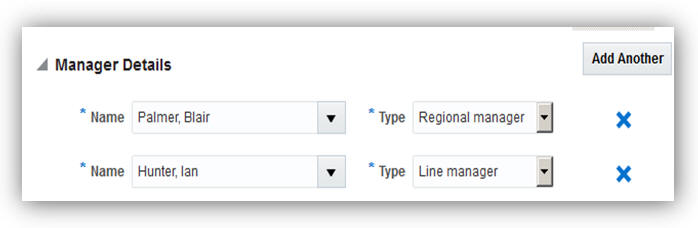
Add Multiple Managers for a New Person
There are no steps necessary to enable this feature.
People Group Key Flexfield Added to Manager Transactions and Portrait
Improved user experience with the addition of the People Group key flexfield to the following manager self service pages: Promote, Transfer, Change Working Hours, and Portrait. The People Group key flexfield is added to the manager self service transactions so that the user does not need to manage the tasks separately using the Manage Employment page.
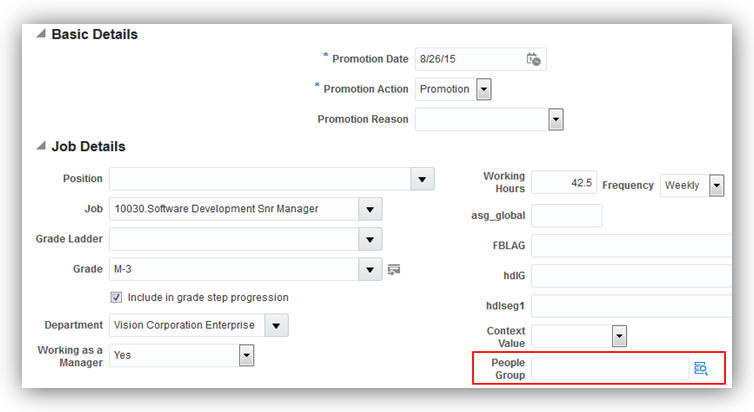
People Group Key Flexfield in Promotion Transaction Using Manager Self Service
There are no steps necessary to enable this feature.
Change in Primary Work Relationship Propagated to Future Records
The process has been enhanced for changing the primary work relationship to accommodate future-dated employment terms and assignments. If a new primary work relationship contains any future-dated records, the change in the primary status is propagated to the future records.
Steps to Enable
There are no steps necessary to enable this feature.
Enhanced Simplified User Interface with Display of Employment Details and Flexfields
Managers can now view the following employment and assignment details and flexfields when they drill down to a worker’s page from the My Team icon in the simplified user interface.
- Work Relationship Details: Legal Employer, Hire Date
- Assignment Details: Job, Grade, Business Unit
- Work Contacts: Contact Name, Contact Type
- Flex Fields: Work Relationship (PER_PPS_DF), Contract (PER_CONTRACT_DF), Assignment (PER_ASG_DF), Legislative Assignment (PER_ASG_LEG_DDF), People Group Flexfield (PPG), Contract Legislative Information (PER_CONTRACT_LEG_DDF), Work Relationship Legislative Information (PER_PPS_LEG_DDF)
- Employment History: A new page displays the employment history, showing a timeline of employment related events such as promotion and manager change. The information is available in graphical and tabular formats.
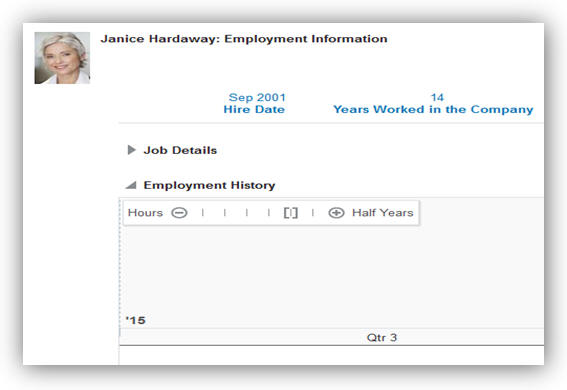
Enhanced Simplified User Interface with Employment Details and Flexfields
There are no steps necessary to enable this feature.
Role Information
If you are not using the predefined reference roles, then you need to add the function security privilege that secures access to the Employment Information page, which you access from the My Team and Team Compensation pages, to relevant custom job or abstract roles. This table identifies the required function security privilege and suggests a target abstract role.
See the Upgrade Guide for Oracle HCM Cloud Applications Security (My Oracle Support document ID 2023523.1) for instructions on implementing new features in existing roles.
| Function Security Privilege Name and Code |
Custom Abstract Role |
| Access FUSE Performance and Career Planning Page HRT_FUSE_PERFORMANCE_AND_CAREER_PLANNING_PRIV |
Line Manager |
Manage Person Identifiers for External Applications
Capture third-party application identifiers such as time device badges, payroll identifiers, or any other person-related identifiers at the person or assignment levels. These identifiers assist in integrations between different applications or to proactively manage ownership of specific identifiers.
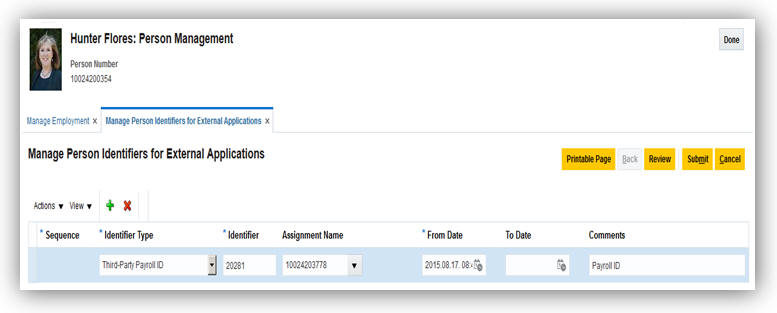
Manage Person Identifiers for External Applications Page
If you use the predefined reference roles, then no steps are necessary to enable this feature.
Otherwise, you must assign relevant security privileges to your roles to enable this feature. See Role Information (below) for details.
Role Information
If you are not using the predefined reference roles, then you need to add security privileges to relevant job and abstract roles to use this feature. This table identifies the required aggregate privileges and suggests target job and abstract roles. You can add the privileges to different roles if you prefer.
See the Upgrade Guide for Oracle HCM Cloud Applications Security (My Oracle Support document ID 2023523.1) for instructions on implementing new features in existing roles.
| Aggregate Privilege Name and Code |
Job or Abstract Role |
|---|---|
| View Person Identifiers for External Applications ORA_VIEW_PERSON_IDENTIFIERS_FOR_EXTERNAL_APPLICATIONS |
Human Resource Analyst |
| Manage Person Identifiers for External Applications ORA_PER_MANAGE_PERSON_IDENTIFIERS_FOR_EXTERNAL_APPLICATIONS |
Human Resource Specialist Line Manager |
Person Flexfields in Simplified User Interface Personal Information
The following person-specific flexfields are hidden out-of-the-box and are displayed on personalization in the read-only and editable Personal Information pages:
- Person Attributes (PER_PERSONS_DFF)
- Person Legislative Information (PER_PERSON_LEGISLATIVE_DATA_LEG_DDF)
- Religion Attributes (PER_RELIGIONS_DFF)
- Ethnicity Attributes (PER_ETHNICITIES_DFF)
- Person Address Usage Attributes (PER_PERSON_ADDR_USG_DFF)
- Contact Relationship Attributes (PER_CONTACT_RELSHIPS_DFF)
- Person Contact Relationship Information (PER_PERSON_CONTACT_RELATIONSHIP_DDF)
Enable the flexfields on the Personal Information simplified user interface through personalization.
Assignment Extra Information Flexfields on Add Pending Worker
Capture extra information using the Assignment Extra Information flexfields while creating a pending worker. The flexfields are now displayed as a part of the pending worker process so that you don’t have to manage this data as a separate process using the Manage Employment page.
There are no steps necessary to enable this feature.
Assignment Descriptive Flexfield on Change Location
Capture additional information at the assignment level on the Change Location page. The assignment descriptive flexfield can be displayed as part of this process through personalization so that you don’t have to manage this data as a separate process using the Manage Employment page.
Steps to Enable
You must enable the assignment descriptive flexfield on the Change Location page using personalization.
Editing Contacts When Excluded from Person Security Profile
Edit contacts even when they are excluded from the person security profile. When a person security profile excludes related contacts, you can still manage the contacts of a person. If you have access to a person, you can access the contact’s Manage Person page from the Edit Contact page.
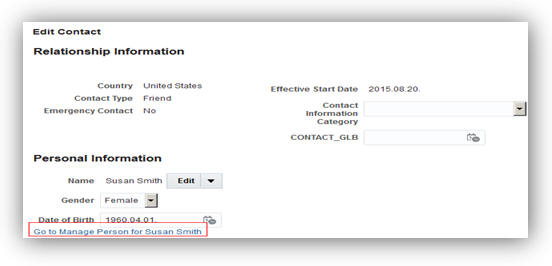
Link to the Manage Person Page of a Contact
There are no steps necessary to enable this feature.
Person Contextual Actions (Smart Navigation)
Enhance user experience with the redesign of the person contextual actions, now referred to as Smart Navigation. Access available actions that can be taken on another person from anywhere in the system and navigate to other work areas easily. Control the Actions menu through personalization by hiding actions or marking them as recommended actions. This eliminates the need to modify the security hierarchy for roles if specific actions are hidden for all roles.
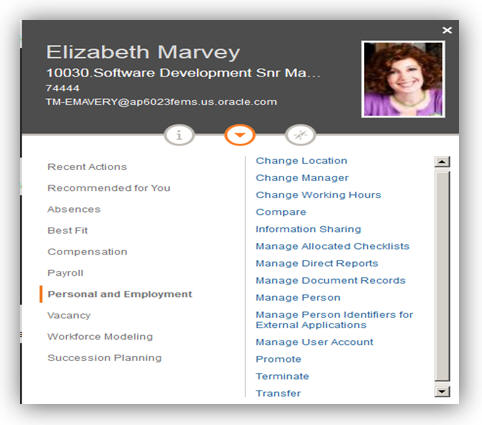
Person Contextual Actions Menu
There are no steps necessary to enable this feature.
Updated Person Management Work Area
The Person Management work area is redesigned to provide a similar user experience as the simplified user interface. A new panel drawer is added for person search and work contacts to enhance user experience. The Manage Employment task, which is the most frequently used task, is now the default task when entering the work area.
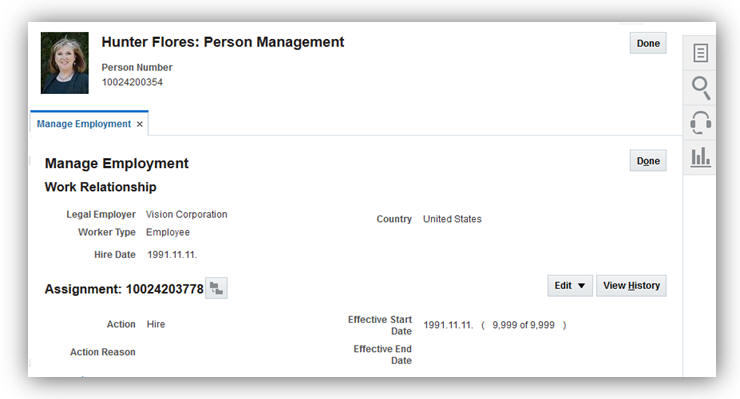
Manage Employment is the Default Task
A new person quick search panel drawer simplifies the user experience so that the work area is refreshed rather than returning to the initial search.
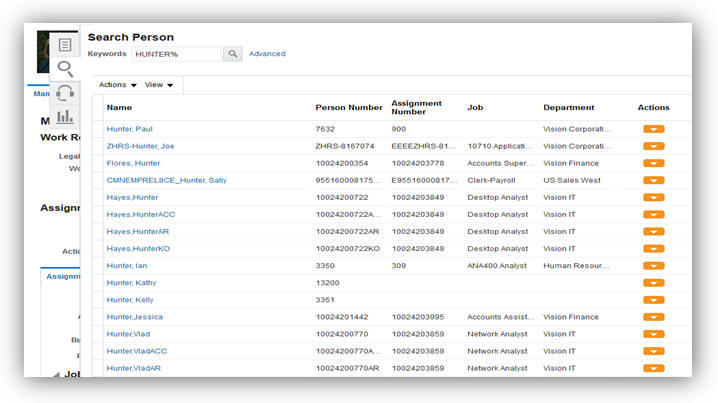
There are no steps necessary to enable this feature.
Worker Resignation Self-Service in Simplified Interface
Improved operational efficiency by allowing workers to submit their own resignations using self service in the simplified user interface. Additionally, line managers can review, edit, and approve the resignation requests of their direct reports in the simplified user interface. This feature improves:
- Transparency: Workers can provide their resignation comments which are stored in the application and can be reported.
- Compliance: Workers and line managers are alerted of any shortfall in the notice period for the resignation.
- Visibility: Workers can track the approval status of their resignation requests by using standard workflow features.
- Efficiency: Line managers can now reassign the direct reports of a resigning worker when editing the resignation request.
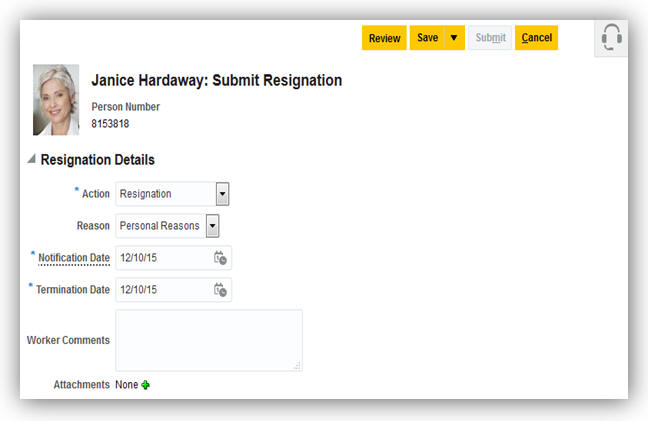
Worker Resignation Using Self Service
If you use the predefined reference roles, then no steps are necessary to enable this feature.
Otherwise, you must assign relevant security privileges to your roles to enable this feature. See Role Information (below) for details.
Role Information
If you are not using the predefined reference roles, then you need to add security privileges to relevant abstract roles to use this feature. This table identifies the required aggregate privilege and suggests target abstract roles. You can add the privileges to different roles if you prefer.
See the Upgrade Guide for Oracle HCM Cloud Applications Security (My Oracle Support document ID 2023523.1) for instructions on implementing new features in existing roles.
| Aggregate Privilege Name and Code |
Abstract Role |
| Submit Resignation ORA_PER_SUBMIT_RESIGNATION |
Employee Contingent Worker |
Workers will not be able to submit their resignations using this feature if they have:
- Future-dated transactions.
- Multiple work relationships active at the time of submitting their resignations, even if those work relationships are set to be terminated at a future date.
Reassign Direct Reports of Terminated Workers During Termination Flow
Simplified the worker termination process by allowing line managers and human resource (HR) specialists to reassign the direct reports of a worker during the termination flow.
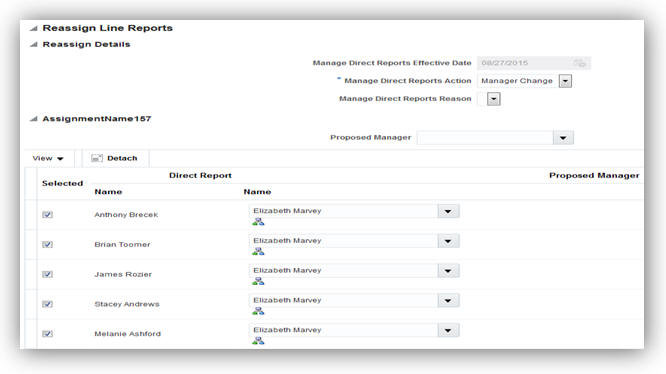
Reassign Direct Reports of the Terminated Worker
Steps to Enable
There are no steps necessary to enable this feature.
Capture Talent and Succession Management Details in Organization Chart and Directory
Track succession planning information right from the organization chart and drill from here to view more detailed information and take further actions. You can create succession plans and add candidates directly from where you view your workers' information.
No steps are necessary to enable this feature.
Define a Default Grade Ladder from Job and Position
We have made it easier for you to perform employment transactions by defining an optional default grade ladder for a job or position. The new default Grade Ladder field works with the existing Entry Grade and Entry Step fields on the position definition to ensure that the entry grade and step are valid for the default grade ladder. Additionally, the default grade ladder ensures data integrity by checking validity between the grades defined for a job or position and the chosen grade ladder.
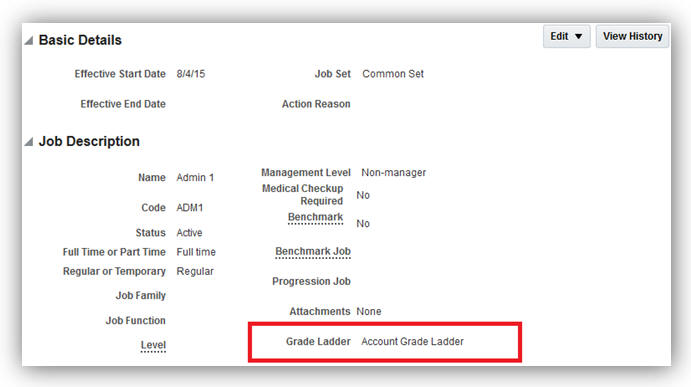
Define a Default Grade Ladder for a Job
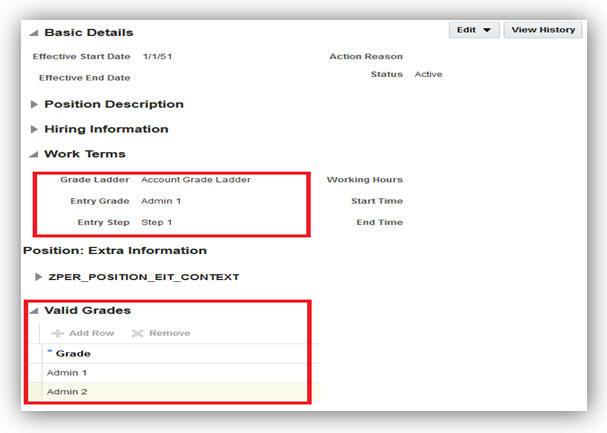
Define a Default Grade Ladder for a Position
There are no steps necessary to enable this feature.
Tips and Considerations
The grade ladder will be populated when a new assignment is created. However, there is no change to the grade ladder when an existing assignment is updated.
Updates to Grade Ladder Entry on Worker Assignment
We have made it easier for you to perform data entry by using grade ladders. To improve the data flow, the Grade Ladder field on the worker’s assignment is moved from the Grade Details window to the primary page. If a grade ladder is entered or populated from a job or position, you will be prompted to choose valid grades for the grade ladder when entering the grade. Additionally, the grade ladder and step are now available on the manager self-service transactions for promotion and transfer.

Grade Ladder Entry on Worker Assignment
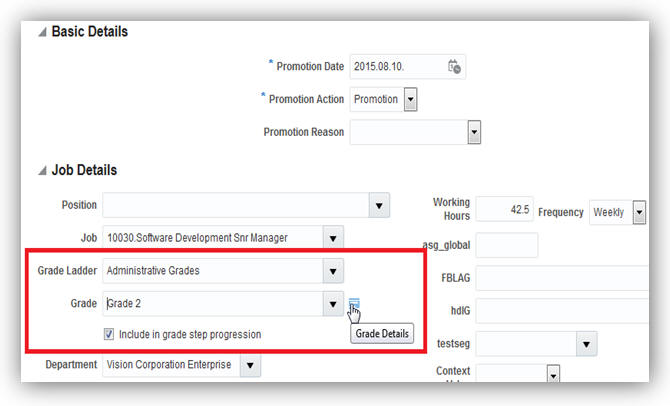
Grade Ladder and Step in Promotion Transaction Using Manager Self-Service
Steps to Enable
There are no steps necessary to enable this feature.
Tips and Considerations
The Grade Ladder field will not be displayed in the assignment flows unless you have at least one grade ladder defined in your organization.
Support for Additional Seniority Dates
You can now capture additional seniority dates for your workers. The seniority dates feature now includes support for additional seniority dates, such as grade, step, job, position, union, and collective agreement. The ability to track additional seniority dates is available immediately after you upgrade.
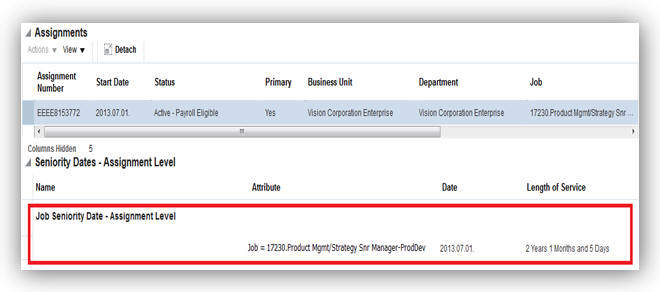
Job Seniority Date
To start tracking a new seniority date, you will need to set it up in the Configure Seniority Date Rules component.
Automated Reassigning of Pending Approvals and Correcting Invalid Supervisor Assignments
You can reassign pending approvals and correct invalid supervisory assignments of terminated or globally transferred managers by scheduling the Run Reassign Pending Approvals for Terminations and Correct Invalid Supervisor Assignments Process. This process reassigns all unassigned reports to the manager’s manager.
Steps to Enable
There are no steps needed to enable the feature. The human resource specialist can schedule this process to run periodically or on an ad-hoc basis from the Scheduled Processes work area. However, it's strongly recommended that you schedule this process to run daily to avoid any unassigned workers.
For more information, go to Applications Help for the following topic:
- Pending Approvals and Invalid Supervisor Assignments: Explained
Worker View of Employment Information in Simplified User Interface
Provide workers a complete view of their employment information. Workers can now view their work relationship, contract and assignment details, and flexfields on the new Employment Details tab in the Personal Information work area. Additionally, workers can view their employment history on a timeline for employment related events, such as promotion and manager change.
The employment information includes the following:
- Work Relationship: Legal Employer, Hire Date, and others
- Assignment: Job, Grade, Business Unit, and others
- Flexfields: Work Relationship (PER_PPS_DF), Contract (PER_CONTRACT_DF), Assignment (PER_ASG_DF), Legislative Assignment (PER_ASG_LEG_DDF), People Group Flexfield (PPG), Contract Legislative Information (PER_CONTRACT_LEG_DDF), and Work Relationship Legislative Information (PER_PPS_LEG_DDF)
- Employment History: A new region displays the employment history on a timeline for employment related events, such as promotion and manager change. This information can be viewed in graphical and tabular formats.
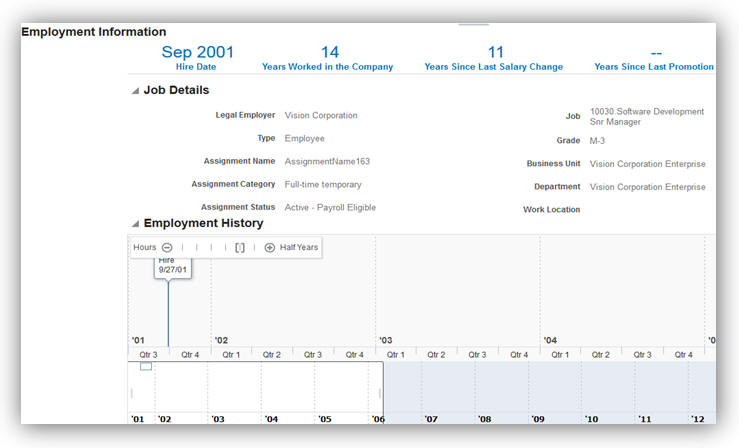
Employment Information for Workers
Steps to Enable
The Employment Details tab is hidden out of the box. To enable this tab, you must configure the Visible property of the tab to 'Yes' using the Structure page in the Tools work area. Employment Details tab is part of the Personal Information page which is included in the About Me category.
If you use the predefined reference roles, no security related steps are necessary to enable this feature. Otherwise, you must assign relevant security privileges to your roles to enable this feature. See the Role Information section for more information. After assigning the new security privileges, you must regenerate the data roles which inherit these new security privileges.
For a worker having multiple assignments or work relationships, only the primary assignment details from the primary work relationship is displayed on the Employment Details tab.
Key Resources
For more information, go to Applications Help for the following topic:
- Managing Categories and Page Entries for the Navigator and Springboard: Procedure
ROLE INFORMATION
If you are not using the predefined reference roles, then you need to ensure that the below security privileges are mapped to the relevant abstract or job roles. This table identifies the required security privileges and suggests target job and abstract roles. You can add the security privileges to different roles if you prefer.
See the Upgrade Guide for Oracle HCM Cloud Applications Security (My Oracle Support document ID 2023523.1) for instructions on implementing new features in existing roles.
| Aggregate Privilege Name and Code |
Abstract Role |
| View Employment Information Summary ORA_PER_VIEW_EMPLOYMENT_INFORMATION_SUMMARY |
Employee Contingent Worker |
Workforce Directory - Incremental Refresh of Manager Hierarchy
In addition to performing full refreshes of the manager hierarchy, you can now perform incremental refreshes, refreshing the hierarchy based on supervisor changes occurring in the previous N days.
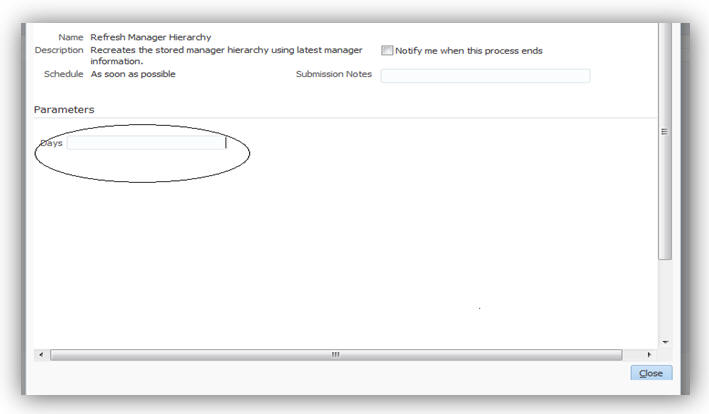
Steps to Enable
There are no steps necessary to enable this feature.
Tips and Considerations
Schedule a full refresh every month or quarter and also schedule an incremental refresh every day or week.
You can now search for people in your organization in a simple way using the directory search.
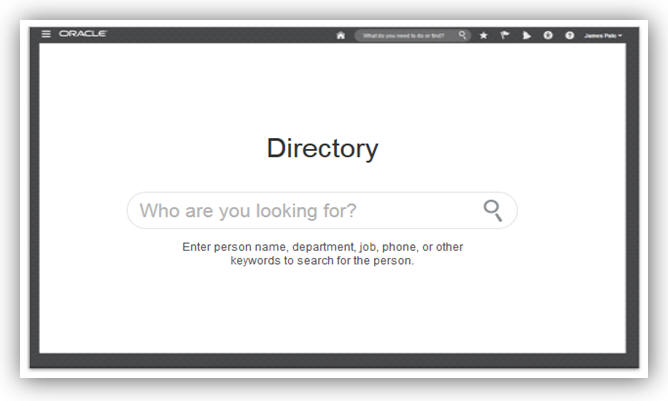
Directory Search
The search results have been redesigned to take advantage of the available space and enable filtering.
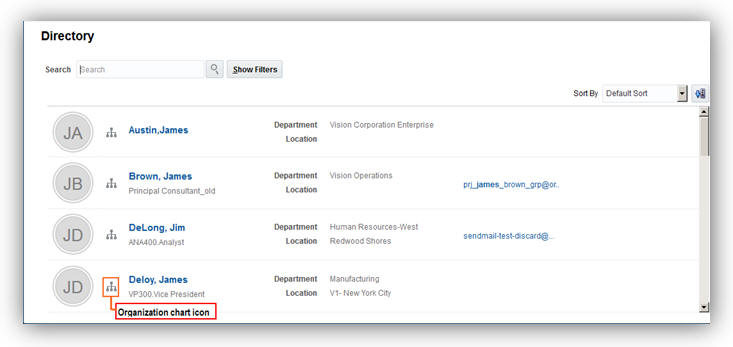
Organization Chart Icon in the Search Results
You can display the organization chart by clicking the organization chart icon in the search results. The organization chart provides public information based on the line manager hierarchy. You can view additional person information and perform actions by clicking the View More Details icon in the card.
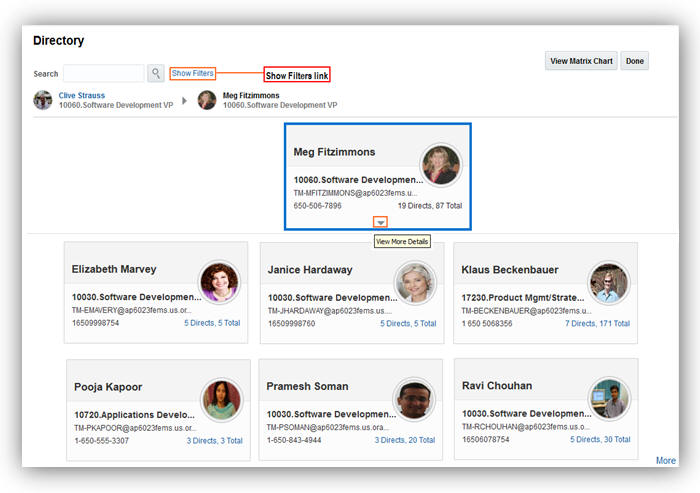
Click the View More Details Icon to View Public Information About the Person
The expanded card shows the same information that you see in the person smart navigation window on the other pages. This window displays a person’s public information, public hierarchy information (a worker’s direct reports), a list of actions, and navigation.
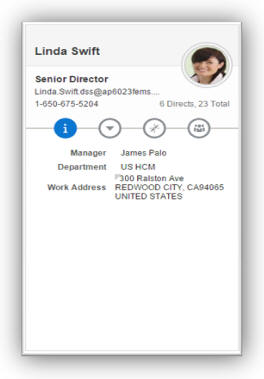
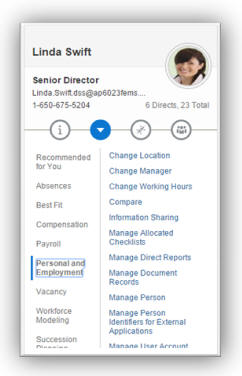
Person Smart Navigation Window: Information Person Smart Navigation Window: Actions
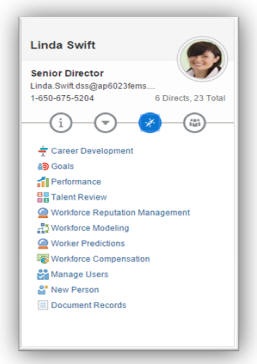

Person Smart Navigation Window: Navigation Person Smart Navigation Window: Direct Reports
You may optionally display dotted line relationships by clicking the Show Filters link in the organization chart.
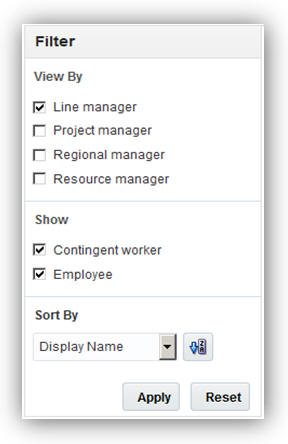
Filter Attributes in the Directory
Vacancies and Taleo requisitions are also displayed in the organization chart.
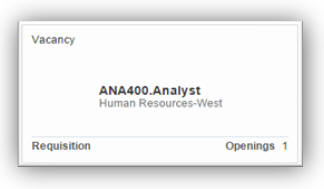
Vacancy Card Displayed in the Organization Chart
Steps to Enable
There are no steps necessary to enable this feature.
Key Resources
For more information on the Directory, go to Applications Help for the following topic:
- Searching for People in the Directory: Explained
Additional Features in My Team
You can optionally display dotted line relationships in the My Team page by clicking the Filter button.
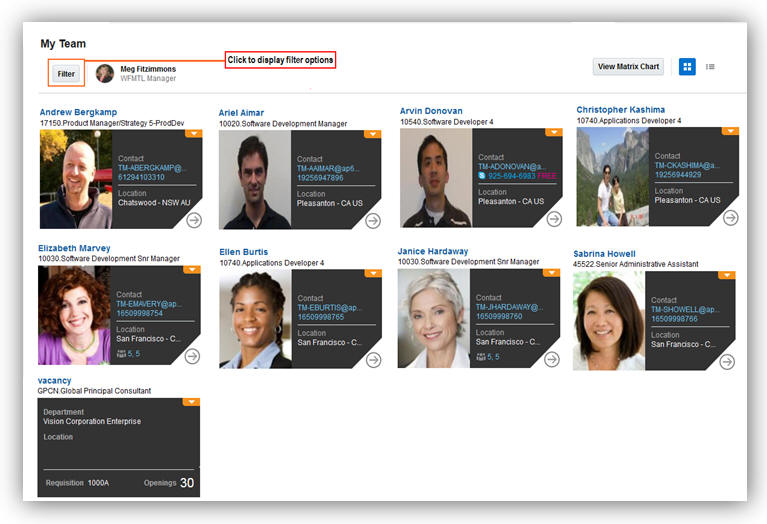
My Team Page
Filters are now in a side panel that you open by clicking the Filter button. You can filter by contingent workers, grades, suspended assignments, primary, and non-primary assignments.
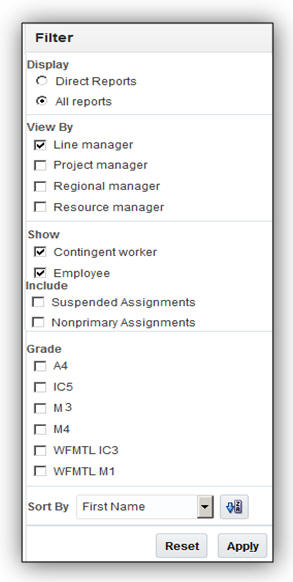
Filter Attributes on the My Team Page
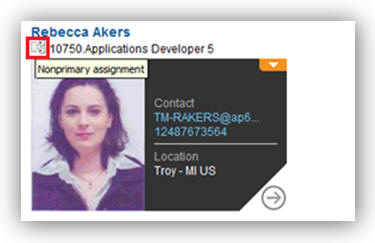
A Non-primary Assignment which is Shown When you Hover Over the Icon Next to Assignment
You can also display vacancies and requisitions and perform relevant actions by clicking on the vacancy or requisition.
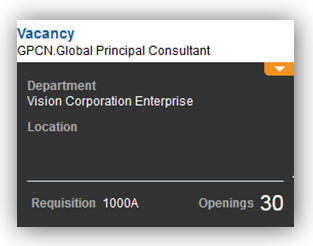
Click on the Vacancy to Perform Actions
Steps to Enable
There are no steps necessary to enable this feature.
Key Resources
For more information on My Team, go to Applications Help for the following topic:
- My Team: Overview
New Profile Option to Cache Person Images
Enhance the performance of pages that display person images (for example, organization chart) by caching person images. To enable browsers to store person images, create the PER_IMAGE_ENABLE_CACHING profile option. You must create the profile option and set the value to Y at the site level.
Steps to Enable
To enable caching, you must create the profile option and set the value to Y at the site level.
To create the profile option:
- Search for and select the Manage Profile Options task in the Setup and Maintenance page.
- Click the New icon, in the Manage Profile Options page.
- Enter the following details.
- Enter the start date.
- Click Save and Close.
- Enter PER_IMAGE_ENABLE_CACHING as the Profile Option Code, In the Manage Profile Options page and then click Search.
- Select the Enabled and Updateable check boxes at the Site level In the PER_IMAGE_ENABLE_CACHING on the Profile Option Levels section.
- Click Save and Close.
| Field |
Value |
| Profile Option Code |
PER_IMAGE_ENABLE_CACHING |
| Profile Display Name |
Per Image Enable Caching |
| Application |
Global Human Resources |
| Module |
Global Human Resources |
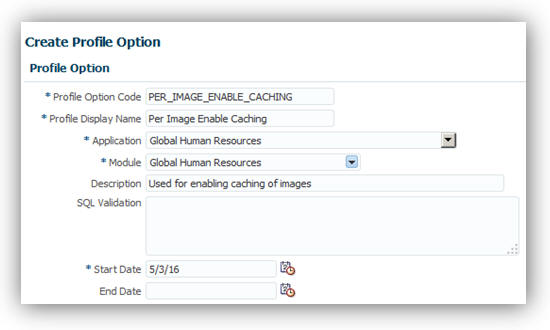
Create the Profile Option
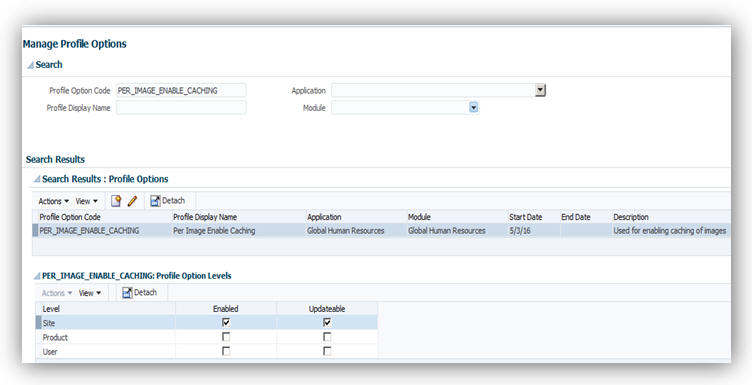
Enable the Profile Option at the Site Level
To set the value for the profile option:
- Search for and select the Manage Administrator Profile Values task in the Setup and Maintenance page.
- Enter PER_IMAGE_ENABLE_CACHING as the profile option code and click Search.
- In the PER_IMAGE_ENABLE_CACHING: Profile Option Values section, select Site from the Profile Level choice list.
- Enter Y as the profile value.
- Click Save and Close.
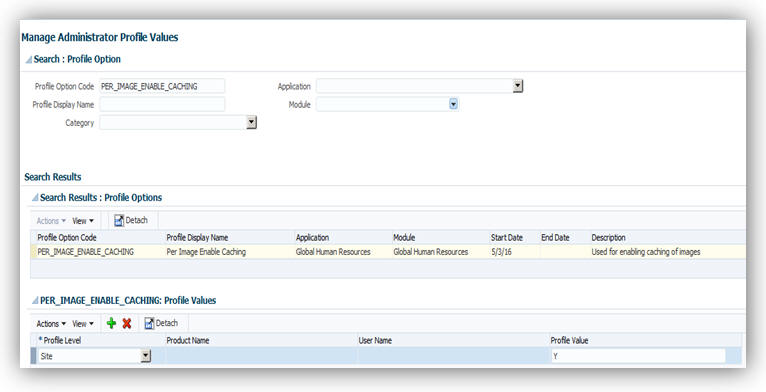
Set the Profile Value
Tips and Considerations
Don’t enable caching images if people at your site use kiosks to access the application.
Key Resources
For more information, go to Applications Help for the following topic:
- Caching Person Images: Explained
Worker Resignation Self Service in Simplified Interface
Improve operational efficiency by allowing workers to submit their own resignations. The new Submit Resignation link is displayed in the Related Links panel tab on the My Details page in the Personal Information work area. Additionally, line managers can review, edit, and approve the resignation requests of their direct reports in the simplified user interface. This feature improves:
- Transparency: Workers can provide their resignation comments which are stored in the application and can be reported.
- Compliance: Workers and line managers are alerted of any shortfall in the notice period for the resignation.
- Visibility: Workers can track the approval status of their resignation requests by using standard workflow features.
- Efficiency: Line managers can now reassign the direct reports of a resigning worker when editing the resignation request.
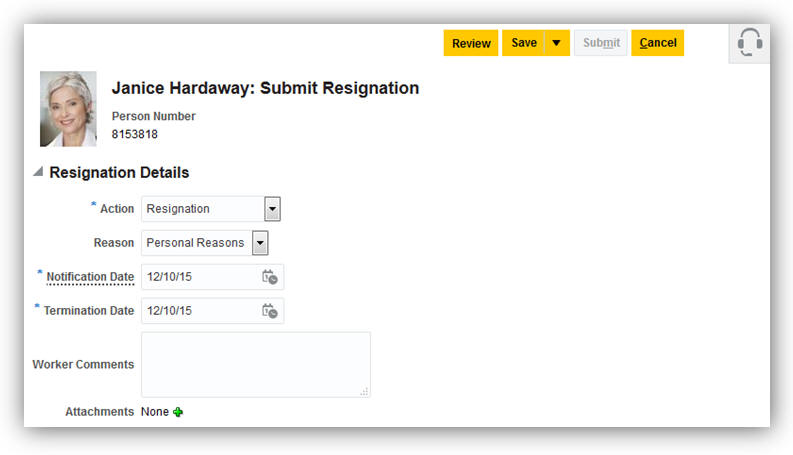
Worker Resignation Using Self Service
Steps to Enable
If you use the predefined reference roles, no steps are necessary to enable this feature. Otherwise, you must assign relevant security privileges to your roles to enable this feature. See Role Information section below for details.
Role Information
If you are not using the predefined reference roles, you must add security privileges to relevant abstract roles to use this feature. The following table identifies the required aggregate privilege and suggests target abstract roles. You can add the privileges to different roles if you prefer.
See Upgrading Applications Security in Oracle HCM Cloud Releases 10 and 11 (My Oracle Support Document ID 2023523.1) for instructions on implementing new features in existing roles.
| Aggregate Privilege Name and Code |
Abstract Role |
| Submit Resignation ORA_PER_SUBMIT_RESIGNATION |
Employee Contingent Worker |
Tips and Considerations
Workers cannot submit their resignations using this feature if they have:
- Future-dated transactions.
- Multiple work relationships active at the time of submitting their resignations, even if those work relationships are set to be terminated at a future date
Key Resources
For more information, go to Applications Help for the following topic:
- Worker Resignation: Explained
Display Manager Names Without Assignment Numbers in Employment Processes
Enhance performance of employment processes by changing the default behavior of displaying assignment numbers in the manager name list of values. By default, the assignment number is now not displayed. However, you can configure the PER_EMP_MANAGER_NAME_LOV site-level profile option to display the assignment numbers by updating the profile value to N. You can access the option by using the Manage Administrator Profile Values task in the Setup and Maintenance work area.
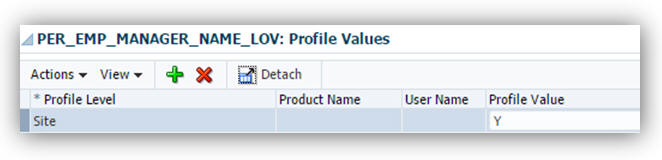
Configure Option to Conceal or Display Assignment Numbers
Steps to Enable
There are no steps necessary to enable this feature.
Key Resources
For more information, go to Applications Help for the following topic:
- How can I display assignment numbers in the manager name list of values in employment flows?
Employment Configuration Options
You can now use configuration options to perform validation, improve performance, or change default values in employment pages:
- Configure validation to stop or warn users from updating a future-dated assignment record using any manager self service pages, such as Promote and Transfer. By default, there is no validation. You can configure the validation as an error or warning message by using the Guided Flows: Future-Dated Records Validation employment configuration option.
- Configure validation to stop or warn users from terminating a manager with subordinates. By default, there is no validation. You can configure the validation as an error or warning message by using the Termination: Existing Subordinates Validation employment configuration option.
- Enhance performance of employment flows by changing the default behavior of the Approvers region in the Review page. By default, the Approvers region is now collapsed. However, you can change the default behavior by updating the Employment: Approver Region Collapsed employment configuration option to N for the enterprise.
- Control whether new work relationship records show a default value for the enterprise seniority date. If you change the Default Enterprise Seniority Date employment configuration option to No, there's no default date and users can enter a date manually.
You can access the options by using the Manage Enterprise HCM Information task in the Setup and Maintenance work area.
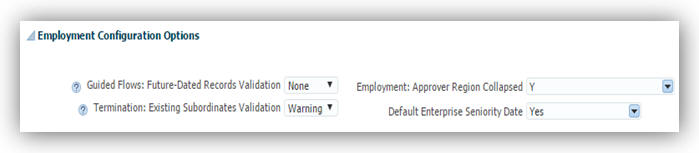
Configure Options to Change Default Behavior in Employment Pages
Steps to Enable
There are no steps necessary to enable this feature.
Key Resources
For more information, go to Applications Help for the following topic:
- Seniority Dates: Explained
Half Day Calendar Events for Elapsed Work Schedules
You can specify a calendar event as a half day event for elapsed work schedules using the Create Calendar Event task in the Setup and Maintenance work area. A worker’s availability for the half day will be reduced by half and is shown for the first half of the day in the calendar availability. Calendar events defined as half day for elapsed work schedules must be defined within the same date.
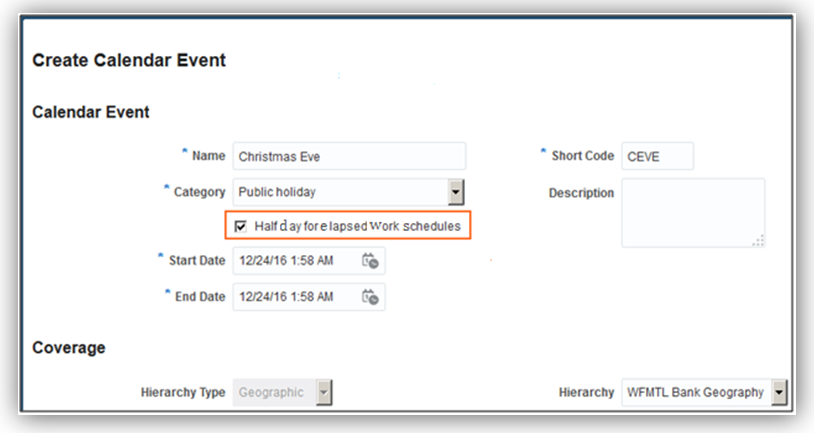
Half Day Calendar Event for Elapsed Work Schedule
Steps to Enable
There are no steps necessary to enable this feature.
Local Name Support on Edit My Details Page
A new page composer property, Is Enter Local Name Displayed, is added to the Edit My Details page. You can set this property to ‘Y’ so that the Enter local name check box displays for both the signed in user and their contacts. If you select the Enter local name check box, the local name region is displayed in the employee self-service page. Its behavior is similar to the Manage Person page.
Steps To Enable
- Sign in to the application as a user who has page composer access.
- In the Settings and Actions menu, click Manage Sandboxes.
- Create a sandbox and activate it.
- Click the Navigator icon.
- In the About Me work area, click Personal Information.
- Click Edit to display the Edit My Details page.
- Click the Contacts tab.
- In the Settings and Actions menu, click Customize Pages.
- Select the Site layer.
- Click OK to display the page composer.
- Change the view to Source mode from the View menu.
- Select the last name or any component in the page to display the name region in the Source mode.
- Select the name region, right click to display the context menu, and click Edit to edit the name region.
- Change the value of the Is Enter Local Name Displayed to Y to enable the local name in the Contacts tab on the Personal Information page.
- Click Close to save the customization and display the pages in normal mode.
- Verify if the Enter Local Name check box is selected.
- In the Settings and Actions menu, click Manage Sandboxes, review and publish the customization to publish in the environment.
Depending on the requirement you can select the Enter Local Name check box and enter the local name in your preferred language. When this attribute is selected, workers can specify their local name and local name of their contacts.
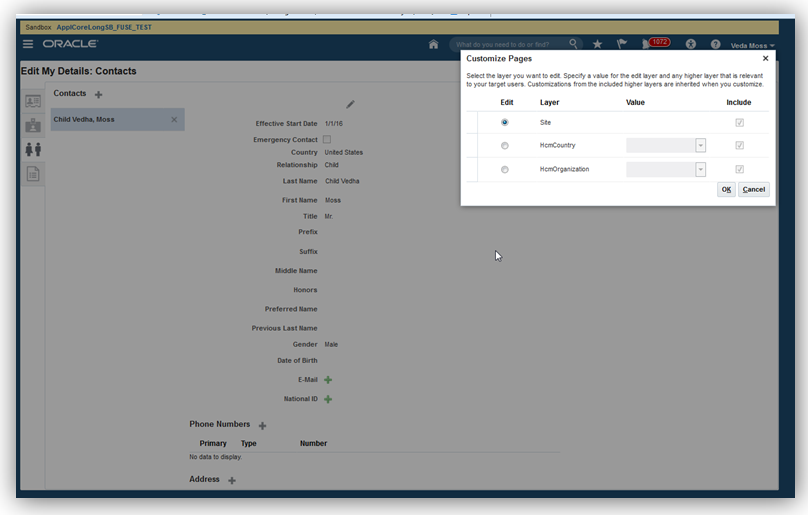
Select the Customization at Site Layer

Set the View to Source
NOTE: If you are not able to find the source view in the page, select the source position appropriately and use the panel splitter to adjust the region appropriately.
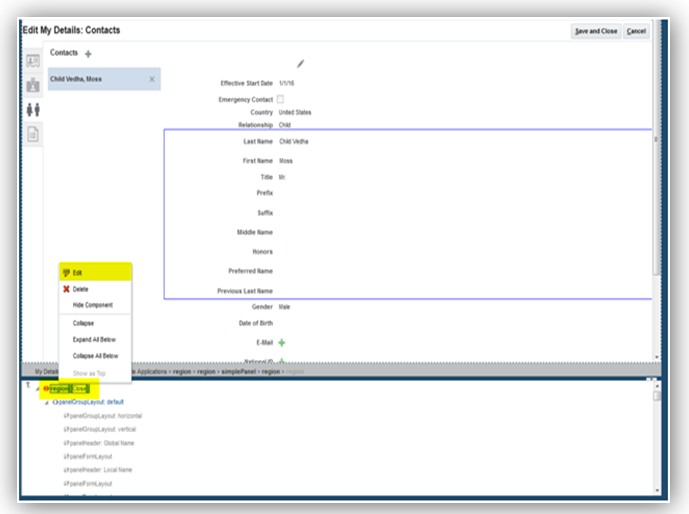
Edit the Name Region
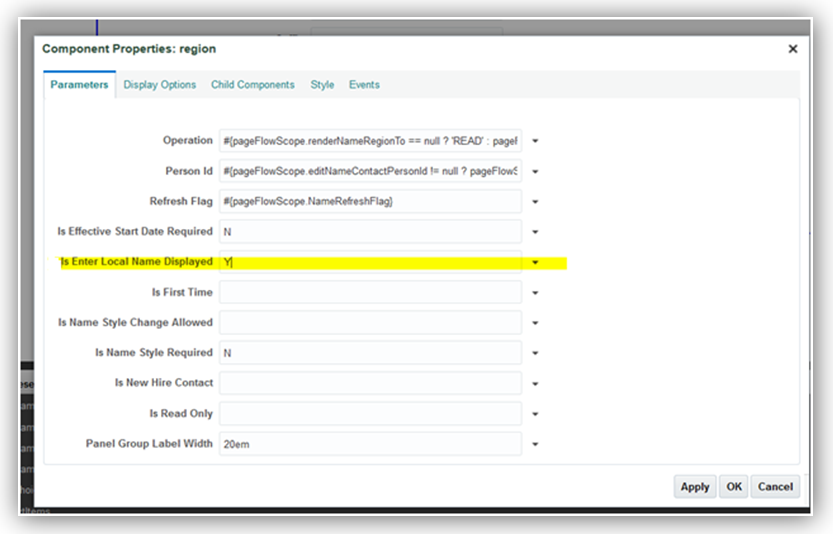
Set the Enter Local Name Displayed to Y
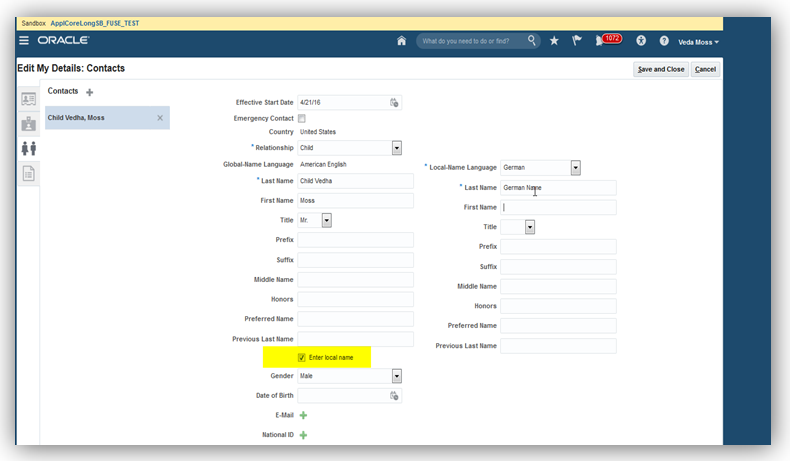
Verify if Enter Local Name Check Box is Selected
Tips and Considerations
You must consider if your workers must maintain a local name either for themselves or their contacts.
Key Resources
For more information, go to Applications Help for the following topics:
- Person Names: Explained
- How can I switch between local and global formats to display person names?
- What's the difference between global names and local names?
Required Search Criteria for Document Records
Enhance the search performance for document records by entering a person name, which is now a required search criteria on the Manage Document Records page. You can search for document records by using the Manage Document Records task in the Document Records work area.
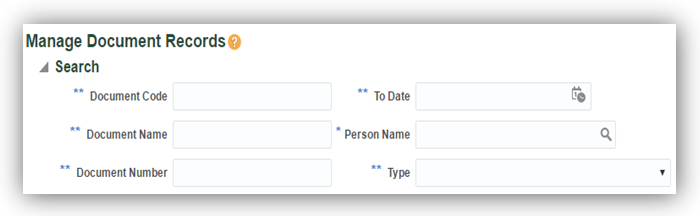
Required Person Name Search Criteria
Steps to Enable
There are no steps necessary to enable this feature.
View Attachments from the Document Records Approval Notification
Approvers can now view attachments uploaded by the document record creator in the approval notification. You can click the Notifications icon in the global area to view notifications.
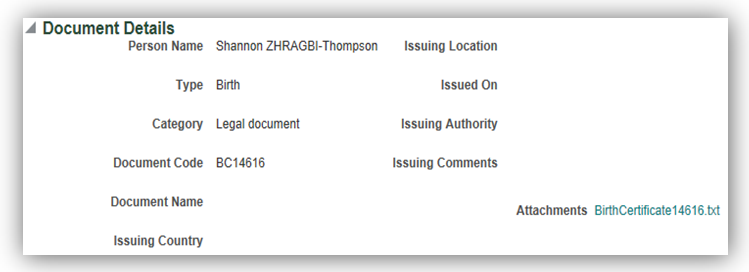
Attachments can be Viewed from the Approval Notification
Steps to Enable
There are no steps necessary to enable this feature.
Additional Option for Rehire Recommendation
You now have an additional option for the rehire recommendation when you terminate a person’s work relationship. The Recommended for Rehire field is now a list and displays the additional value of “Not Specified” by default. You can terminate a work relationship using the Manage Work Relationship task in the Person Management work area or Terminate task in the My Team work area.
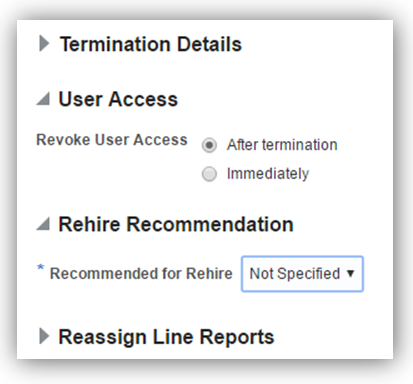
Additional option for Recommended for Rehire field
Steps to Enable
There are no steps necessary to enable this feature.
Key Resources
For more information, go to Applications Help for the following topic:
- What’s the impact of entering a rehire recommendation?
Position Synchronization When Using HCM Data Loader to Load Position Changes
Position synchronization is disabled when using HCM Data Loader (HDL) to load position changes, for performance reasons. This means that the load will not update the affected assignments even if position synchronization is enabled.
In order to synchronize, you can run the process, Position Synchronization Job to update the affected assignments using the Scheduled Processes work area. This process currently allows you to specify only one effective date. Therefore, the position changes will show date-effective assignment updates as of the same date even though the HDL load specifies position changes with different effective dates.
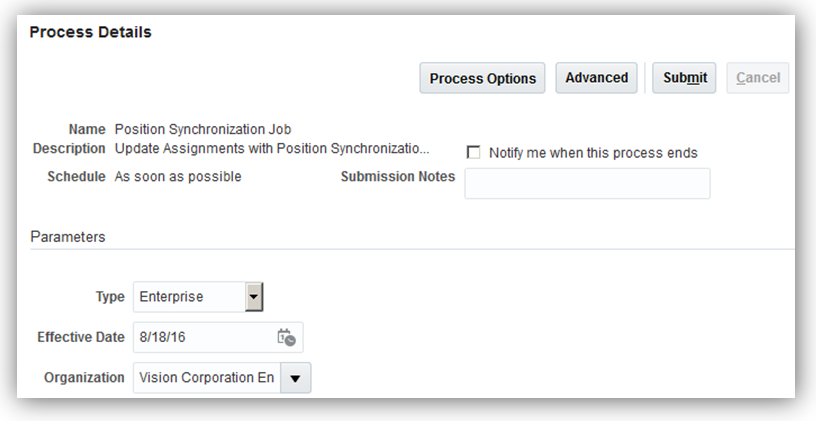
Run the Position Synchronization Job Process to Update Affected Assignments
The above behavior is applicable only to HDL. If you use the Manage Position UI to edit the position attributes, the changes will normally trigger updates to the affected assignments.
Steps to Enable
There are no steps necessary to enable this feature.
Display of Flexfields on Transaction Review Page and Notifications
Transaction review pages and notifications now display the flexfield information including DFFs, DDFs and EFFs related to the transaction.
Steps to Enable
There are no steps necessary to enable this feature.
Tips and Considerations
The following transactions support this feature:
| Add Employee |
Add PWK |
Add CWK |
| Add NWK |
Add Employment Term |
Add New Assignment |
| Add Work Relationship |
Manage Employment |
Promotion |
| Transfer |
Change Work Hours |
Change Location |
| Manage Work Relationship |
Terminations |
Display Pending Transactions by Business Process
The Manage Approval Transactions page has been enhanced to include a column to show the count of pending transactions for each business process. Users can drill down to the details page to see the basic details of a transaction, for example; the transaction description, initiator, creation date and age in days. An HCM Administrative user can also withdraw any stuck transactions listed on the details page without needing to log a support request.
Steps to Enable
There are no steps necessary to enable this feature.
Bypass Transactions Approvals by Business Process
The Manage Approval Transactions page has been enhanced to include a configuration option to bypass transaction approval processing at a business process level. The Employment, Person, Work Structure, and Compensation transactions support this feature.
Steps to Enable
There are no steps necessary to enable this feature.
Correct Employment Data Integrity Issues
You can now use the Correct Employment Data Integrity Issues process to run a set of integrity checks to detect and correct employment data issues. Run the process for a person or set of people from the Scheduled Processes work area. You can run the process in the following 3 modes:
- Summary: Provides the count of the employment data issues, if any.
- Report: Provides details about the employment data issues, and the people affected by them.
- Update: Corrects the employment data issues.
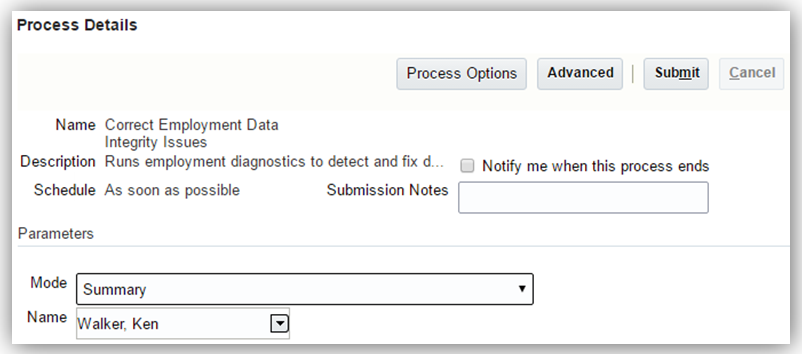
Summary Mode Selected for a Person
Steps to Enable
There are no steps necessary to enable this feature.
Key Resources
For more information, go to Applications Help for the following topics:
- Checking and Correcting Employment Related Data Issues: Procedure
- Submitting Scheduled Processes and Process Sets: Procedure
Global Transfer Support for Future Terminated Workers
You can now perform global transfer for a person with a future termination date from the Person Management work area or using HCM Data Loader. The global transfer terminates the existing work relationship a day before the start date of the new work relationship. To initiate a global transfer, select the Manage Employment task in the Person Management work area, then update the assignment and select the Global Transfer action from the Actions list.

Global Transfer for a Future Terminated Worker
Steps to Enable
There are no steps necessary to enable this feature.
Key Resources
For more information, go to Applications Help for the following topic:
- Global Transfers and Temporary Assignments: How They are Processed
New Page to Upload Person Photos
Workers can easily upload their photos using Update Photo page. This page appears when you click the camera icon when you are over the photo.
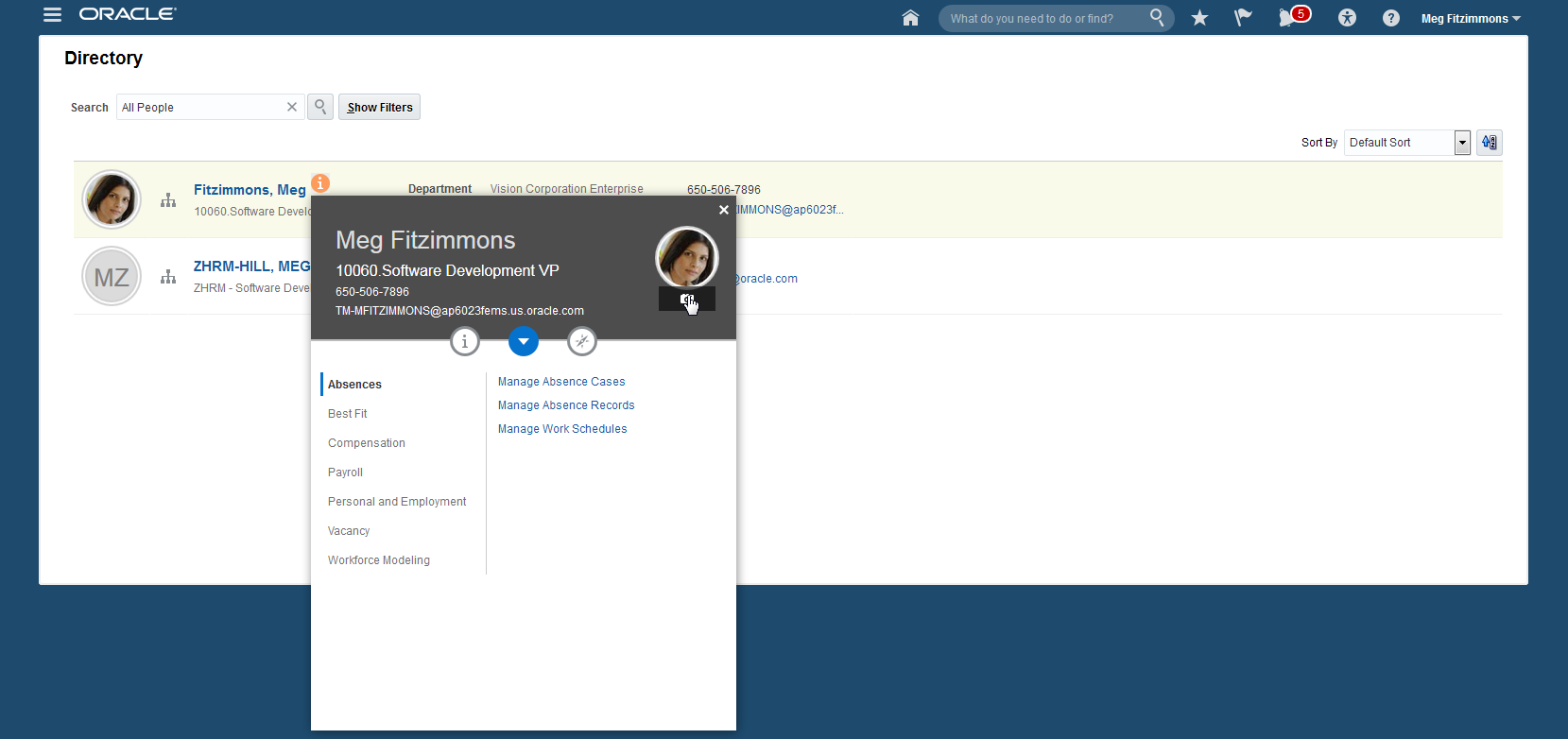
Click the Camera Icon to Upload Photo
Click the camera icon in the image to browse for and upload a photo. The cropping region enables you to focus on a specific region of the uploaded photo. The Preview region shows how the photo will appear in different sizes and formats that will be used throughout the application.
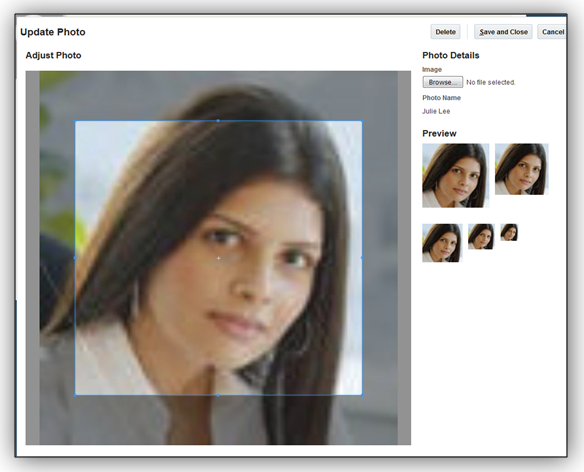
Crop photo to focus on a specific region
The public person and Mange Person pages now provide access to the new dialog for uploading a worker’s photo. When you use the Manage Person page to upload a photo, you can’t change the photo till the changes are approved.
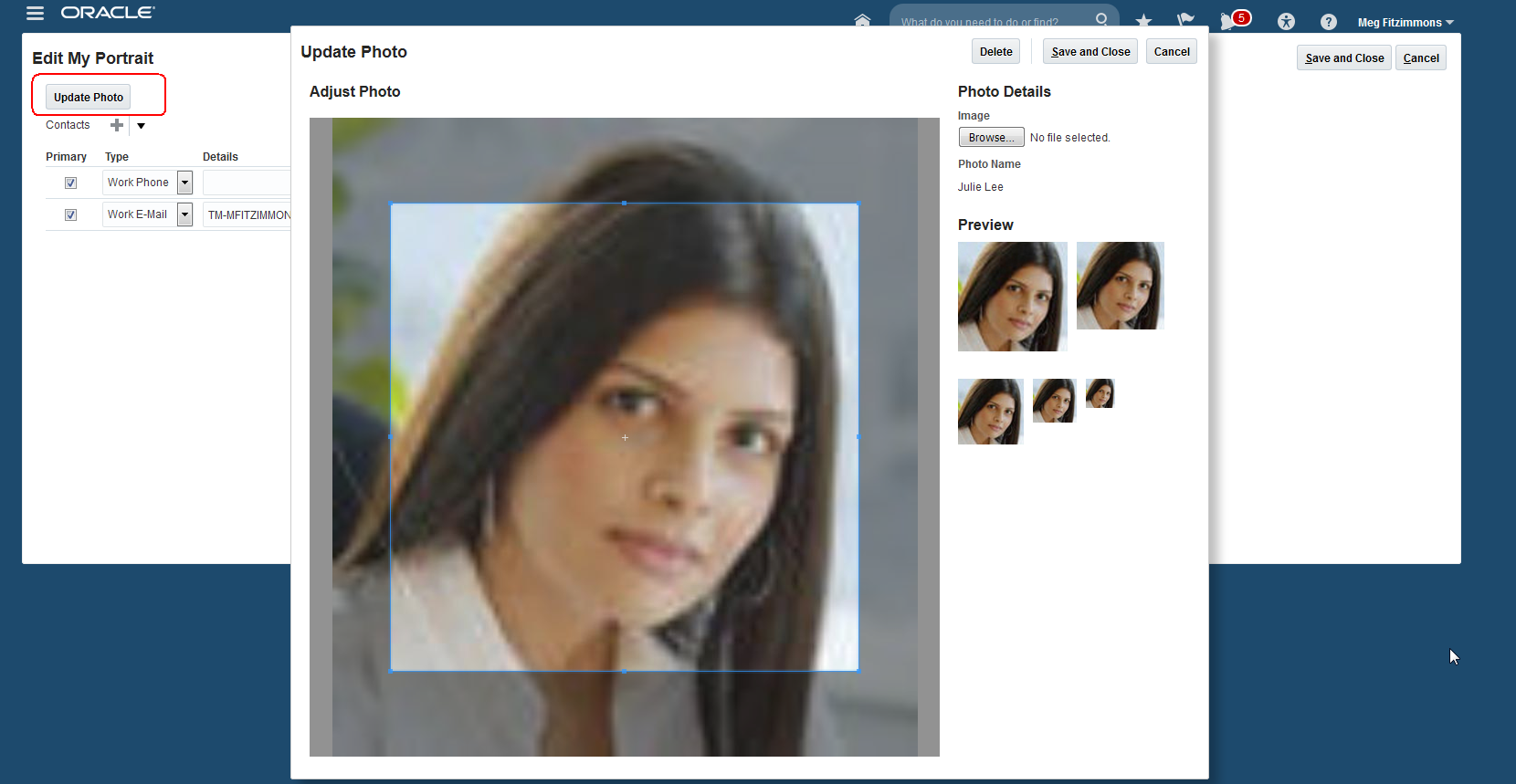
Updated Edit Public Person Page
Steps to Enable
There are no steps necessary to enable this feature.
Key Resources
For more information, go to Applications Help for the following topics:
- Uploading My Photo: Procedure
- Loading Person Photos: Points to Consider
Search Using Person Number in Keywords
You can easily search for people using the person number in the Keywords field. For example, in the Directory, enter the person number to fetch the exact person record.
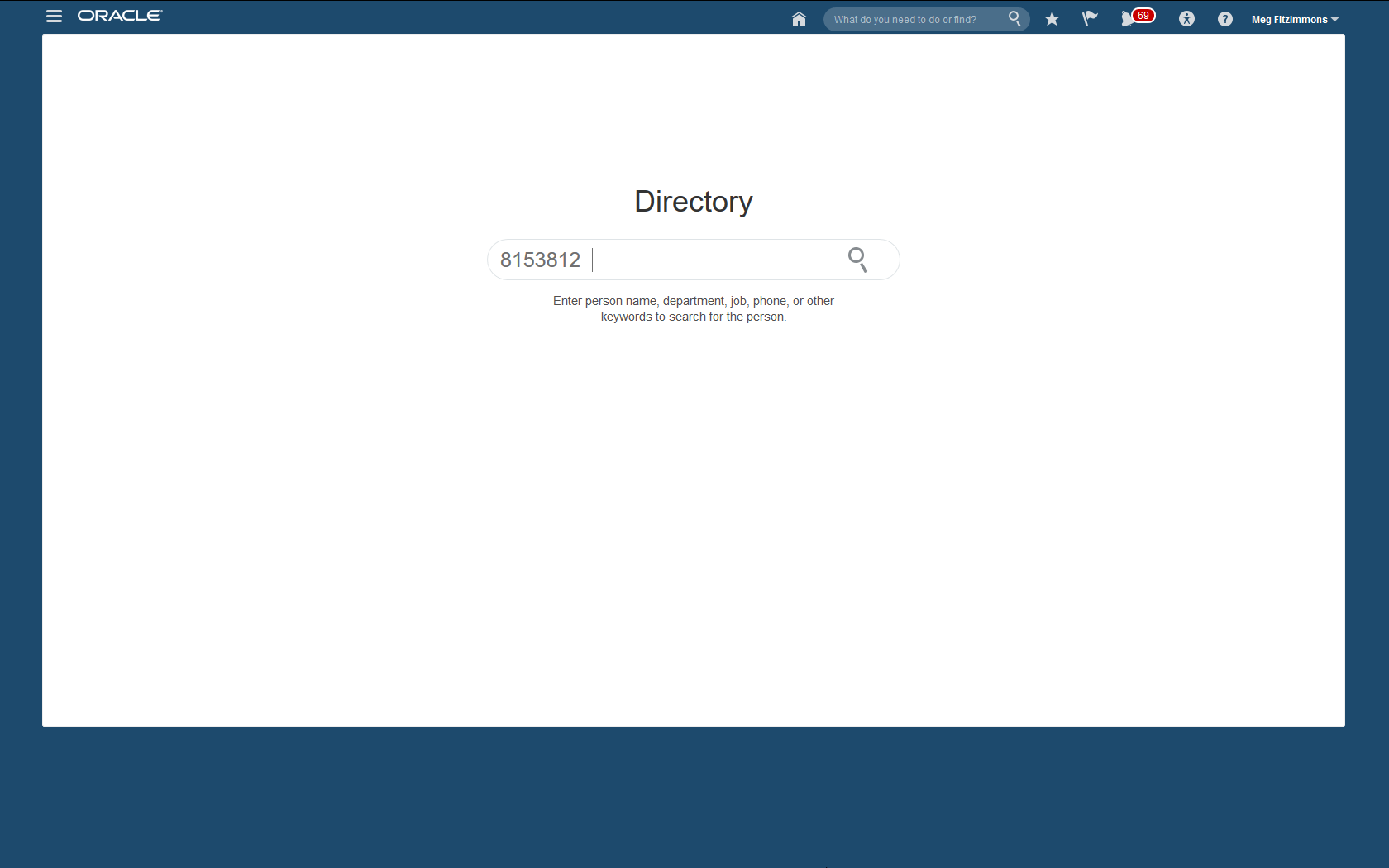
Directory Search Page
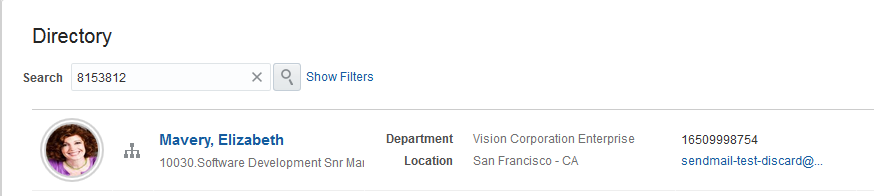
Search by Person Number
You can also use the person number in the Keywords field to search for people in the Person Management: Search page.

Steps to Enable
Run the Update Person Search Keyword process to update the keywords table with existing people’s person numbers.
Tips and Considerations
Not all users know a person’s HCM Cloud person number, but many Human Resource professionals know and prefer to use it to perform a search. So, you may choose to communicate with professional users only or all workers in the organization that they can use person numbers in keyword search.
Key Resources
For more information, go to Applications Help for the following guides and topic:
Oracle Fusion Global Payroll Interface supports extract details from HCM, such as earnings and deductions, to send to a third-party payroll provider. You can also import processed payroll data, including payslips, from your payroll provider.
New Country Extensions in Global Payroll Interface Extract Definition
We have enhanced the Global Payroll Interface extract definition to support the following country extensions: Australia, the Netherlands, and the United States. When you copy this predefined extract definition for a legislative data group in one of these countries, your copy includes country-specific fields as well as the refined global attributes. For example, the extract includes country-specific fields from calculation cards.
NOTE: Use the Global Payroll Interface extract in other countries that support Payroll Interface too, but the extract contains no country-specific fields for other countries. Use the Manage Features by Country or Territory task to see which countries support Payroll Interface.
There are no steps necessary to enable this feature.
You must first select the Payroll Interface option for the country using the Manage Features by Country or Territory task. Then follow the implementation steps outlined in the implementation white paper for that country.
For more information about the Global Payroll Interface extract definition and selecting the Payroll Interface option for your country, go to Applications Help for the following topics:
- Global Payroll Interface Extract Definition
- Selecting Country Extensions: Critical Choices
- Creating a Payroll Interface Report from a Copy: Worked Example Selecting Country Extensions: Critical Choices
Import of Third-Party Payroll Processed Data and Payslips
Import three new categories of data from third-party payroll providers using HCM Data Loader:
- Processed payroll data, such as net pay, general ledger account codes, cost center codes, depending on the practices of your payroll provider
- Notification messages, such as confirmation of number of transactions received or processed, or warning information
- Payslips, for example in PDF format
Import data on a periodic basis for reporting. Each import record is associated with a master record that must specify a payroll name and payroll period. Imported data such as balances are stored in an inbound table. Imported payslips are stored as documents of record.
Report on the imported data using reporting methods such as Oracle Fusion Transactional Business Intelligence or HCM Extracts. Use the following new subject area and facts to report on the data in Oracle Fusion Transactional Business Intelligence:
- Subject area: Payroll Interface Inbound Record – Real Time
- Facts: Payroll Interface Inbound Records and Payroll Interface Inbound Record Information
Employees can view imported payslips in My Portrait or in the Personal Information work area.
Configure the Payroll Interface Inbound Record extensible flexfield to capture the data you want to import.
The following contexts and segments are provided, but you can add your own.
| Context |
Segments |
|---|---|
| Absence Information |
Absence Name Absence Balance Absence Unit Absence Unit of Measure Absence Message |
| Message Information |
Message Type Message Text Message ID Outbound File Name Outbound File Received Date |
| Payment Information |
Bank Name Branch Name Branch Number IBAN Account Name Account Number Amount Currency Payment Type Check Number Payment Date Payroll Run Type Payroll Run Sequence |
| Payroll Information |
Element Classification Element Name Current Amount Quarter-to-Date Amount Year-to-Date Amount Currency General Ledger Credit Account General Ledger Debit Account Cost Center |
| Third-Party Payslip |
Net Payment Payslip View Date |
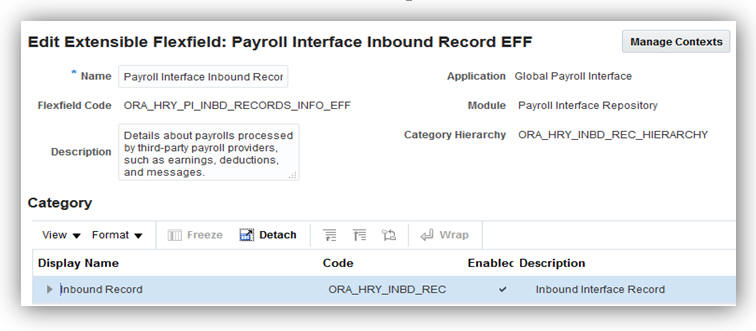
Payroll Interface Inbound Record EFF
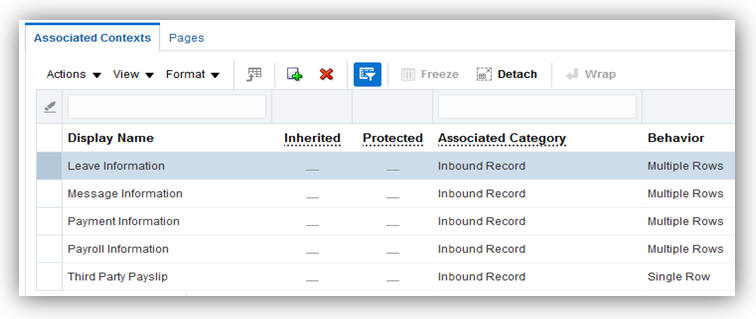
Associated Contexts for the Inbound Interface
Review the Payroll Interface Inbound Record extensible flexfield to ensure that it captures the data you want to import from your payroll provider.
- In the Setup and Maintenance work area, search for and select the Manage Extensible Flexfields task.
- Search for the Payroll Interface Inbound Record extensible flexfield.
- Select Edit from the Actions menu.
- Select the Inbound Record category to review the category details, such as the contexts.
- Click Manage Contexts and search for any contexts you want to review in more detail, such as Leave Information.
- Select Edit from the Actions menu.
- Review the context-sensitive segments for your selected context. Edit the segments or add more segments, if required.
- When you have added any segments or contexts that you require and associated any new contexts with the flexfield, save and deploy the flexfield.
Role Information
If you are not using the predefined reference roles, then you need to add security privileges to relevant job roles to use this feature. This table identifies the required aggregate privilege and suggests a target job role. You can add the privilege to different roles if you prefer.
- See the Upgrade Guide for Oracle HCM Cloud Applications Security (My Oracle Support document ID 2023523.1) for instructions on implementing new features in existing roles.
| Aggregate Privilege Name and Code |
Job Role |
|---|---|
| Manage Payroll Interface Inbound Records ORA_HRY_PAYROLL_INTERFACE_INBOUND_RECORD |
Payroll Coordinator |
Use the Initiate Data Load task in the Data Exchange work area to generate a template file for the Payroll Interface Inbound Record business object. You upload this data file (.dat) as a compressed zip file. To load payslips as document of record attachments, place the payslips in the BlobFiles folder within your zip file. Use the File Import and Export task to upload the zip file to the WebCenter Content server. Use the Import and Load Data task in the Data Exchange work area to load the data.
For full instructions on data loading, see the HCM Data Loader User’s Guide on My Oracle Support (Document: 1664133.1). For more information about configuring extensible flexfields, go to Applications Help for the following topics:
- Extensible Flexfields: Explained
- Flexfield Deployment: Explained
Human Capital Management for Albania
Oracle Fusion HRMS (Albania) supports Albania-specific features and functionality. It enables users to follow Albania’s business practices and comply with its statutory requirements.
Maintaining Person Information
Comply with local cultural, business, and regulatory requirements by capturing the following person information specific to Albania:
There are no steps necessary to enable this feature.
For more information on national identifier validation, go to My Oracle Support for the following guide:
- Validating National Identifier Numbers in Oracle Fusion Human Capital Management (Document ID 2159758.1)
Human Capital Management for Algeria
Oracle Fusion HRMS (Algeria) supports Algeria-specific features and functionality. It enables users to follow Algeria’s business practices and comply with its statutory requirements.
Maintaining Person Information
Comply with local cultural, business, and regulatory requirements by capturing the following person information specific to Algeria:
There are no steps necessary to enable this feature.
Key Resources
For more information on national identifier validation, go to My Oracle Support for the following guide:
- Validating National Identifier Numbers in Oracle Fusion Human Capital Management (Document ID 2159758.1)
Human Capital Management for Angola
Oracle Fusion HRMS (Angola) supports Angola-specific features and functionality. It enables users to follow Angola’s business practices and comply with its statutory requirements.
Maintaining Person Information
Comply with local cultural, business, and regulatory requirements by capturing the following person information specific to Angola:
There are no steps necessary to enable this feature.
Key Resources
For more information on national identifier validation, go to My Oracle Support for the following guide:
- Validating National Identifier Numbers in Oracle Fusion Human Capital Management Document ID 2159758.1)
Value Added for the National Identifier
The value NIF is enabled as a value for the National Identifier attribute for Angola, in addition to the existing core value National Identifier. NIF is needed to store the Angolan tax reference number.
Steps to Enable
There are no steps necessary to enable this feature.
Validation is now enabled for NIF. The value NIF was previously delivered as a value for the National Identifier attribute for Angola.
Steps to Enable
There are no steps necessary to enable this feature.
Key Resources
For more information on national identifier validation, go to My Oracle Support for the following document:
- Validating National Identifier Numbers in Oracle Fusion Human Capital Management (Document ID 2159758.1)
Human Capital Management for Argentina
Oracle Fusion HRMS (Argentina) supports Argentina-specific features and functions. It enables users to follow Argentina’s business practices and comply with its statutory requirements.
Maintaining Person and Employment Information
This feature supports the recording of person and employment resources data specific to Argentina, such as:
- Name style and format
- Validation of the following national identifiers: DNI national identity document, CI identity document, CUIL unique worker identity, and CUIT Unique tax identifier
- Address format with validation
- Bank information
- Employment information: Contract Type
- Other human resources data capture, including predefined values for Marital Status, Contacts, Passports, Visa and Permit Types, and Highest Education Level
- Religion information is hidden to meet local cultural practices, and statutory and business requirements
Steps to Enable
There are no steps necessary to enable this feature.
Key Resources
For more information on national identifier validation, go to My Oracle Support for the following guide:
- Validating National Identifier Numbers in Oracle Fusion Human Capital Management (Document ID 2159758.1)
Human Capital Management for Australia
Oracle Fusion HRMS (Australia) supports Australia-specific features and functions. It enables users to follow Australian business practices and comply with its statutory requirements.
Global Payroll Interface Support for Australia
The global payroll interface now supports Australian-specific requirements. The extract definition includes both global fields and country-specific fields for Australia, including employee’s tax declaration and superannuation contribution information. Use the XML output as a basis for sending data to third-party payroll providers.
To view the Global Payroll Interface:
- Select the Manage Extract Definitions task in the Data Exchange work area.
- Specify an AU legislative data group.
- Select Payroll Interface in the Type field.
- Click Search.
- In the Search Results, select Global Payroll Interface.
- Select Global Payroll Interface in the search result.
- Click on the Copy icon
- Specify a name for the interface in the popup.
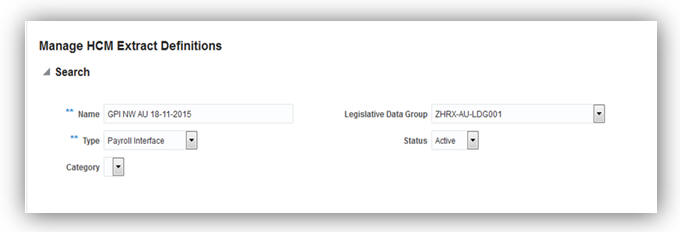
Global Payroll Interface Search Criteria
Ensure Payroll Interface has been set to Selected Extension for Australia in the Manage Features by Country or Territory page.
Key Resources
For more information about the Global Payroll Interface extract definition, go to Applications Help for the following topics:
- Global Payroll Interface Extract Definition
- Creating Extract Definitions for Payroll Interface: Procedure
- Selecting Country Extensions: Critical Choices
Tax File Number 28 Day Adjustment
Provides the ability to adjust the tax file number (TFN) of employees who have not provided their employer the TFN within 28 days after hire. Use the Manage 28 Days TFN Adjustment task from the Payroll Calculations or Administration work area to adjust the TFN. This task provides a list of employees that have not provided their TFN to the employer within 28 days after hire.
To manage an employee's TFN:
- Start the Manage 28 Day TFN Adjustment task from the Payroll Calculations work area or Administration Work Area.
- Enter the Effective Date. This is a mandatory field that defaults to current date. By default, employees whose 28-day period ends on or before this date is retrieved for TFN adjustment.
- Select the Employee Type from the single select choice list.
- Select a Legislative Data Group. If there is only one Legislative Data Group defined in the application, it is selected by default.
- Select a Tax Reporting Unit (TRU). To search all TRU, leave blank.
- Select a Payroll. To search all payrolls, leave blank.
- Click Search to see the list of employees for each TFN Code and employee status.
- To edit the TFN Code of an employee, open the calculation card of the employee and update the information.
If you use the predefined reference roles, then no steps are necessary to enable this feature.
Otherwise, you must assign relevant security privileges to your roles to enable this feature. See Role Information (below) for details.
Role Information
You need to add security privileges to relevant job roles to use this feature. This table identifies the required aggregate privilege and suggests a target job role. You can add the privilege to different roles if you prefer.
See the Upgrade Guide for Oracle HCM Cloud Applications Security (My Oracle Support document ID 2023523.1) for instructions on implementing new features in existing roles.
| Aggregate Privilege Name and Code |
Job Role |
|---|---|
| Manage Australian 28 Day TFN Adjustment ORA_HRX_AU_MANAGE_28DAY_ADJUSTMENT |
Payroll Manager |
Workplace Gender Equality Profile Report
The Workplace Gender Equality Act 2012 requires non-public sector employers with 100 or more staff to submit a report to the Workplace Gender Equality Agency.
This new feature enables you to comply with the Australian Workplace Gender Equality Act by capturing the required data to report on a designated group of employees to complete the Workplace Gender Profile. The format of this generic spreadsheet may be modified by customers and can be used to assist in their yearly reporting obligations.
Steps to Enable
To enable the capture of workplace gender equality information, the Australian Workplace Gender Equality Information context has to be enabled in the PER_ASSIGNMENT_EIT_EFF. The steps to enable are listed below:
- Navigate to Setup and Maintenance and search for the task Manage Extensible Flexfields.
- Click on Go to task Manage Extensible Flexfields.
- Search for flexfield code PER_ASSIGNMENT_EIT_EFF.
- Select the PER_ASSIGNMENT_EIT_EFF record in the Search Results and click on the edit button.
- On the Edit Extensible Flexfield page, click on Manage Context button.
- On the Manage Context page, search for display name Australian Workplace Gender Equality Information.
- Select the Australian Workplace Gender Equality Information record in the search results. Click edit button.
- On the Edit Context page, Tick the Enabled checkbox. Click on Save and Close button.
- Deploy flexfield code PER_ASSIGNMENT_EIT_EFF.
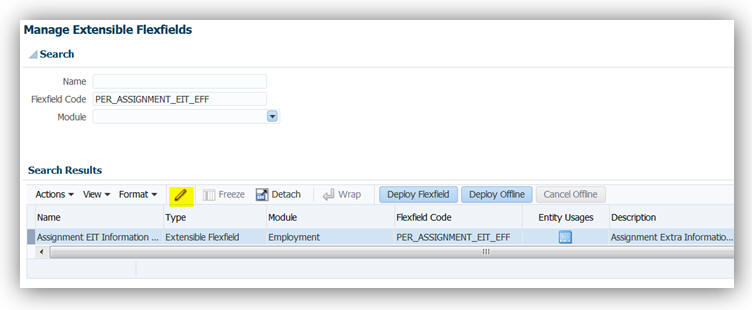
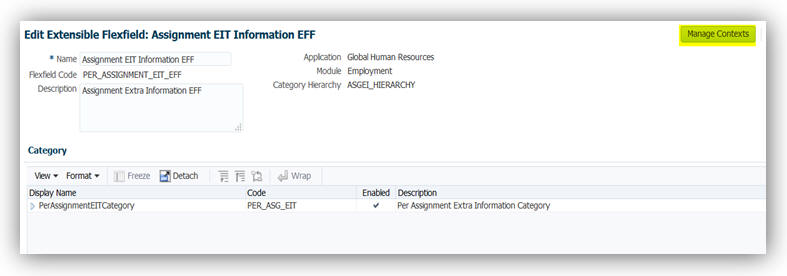
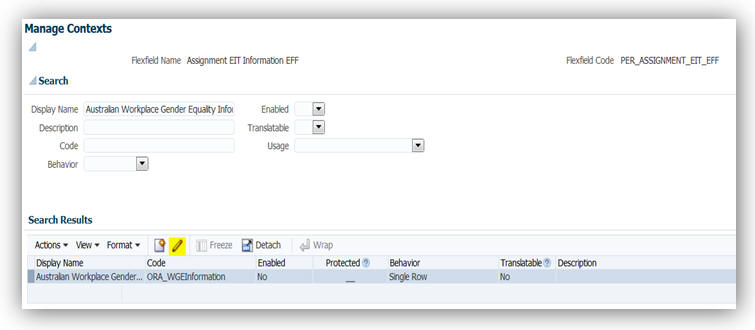
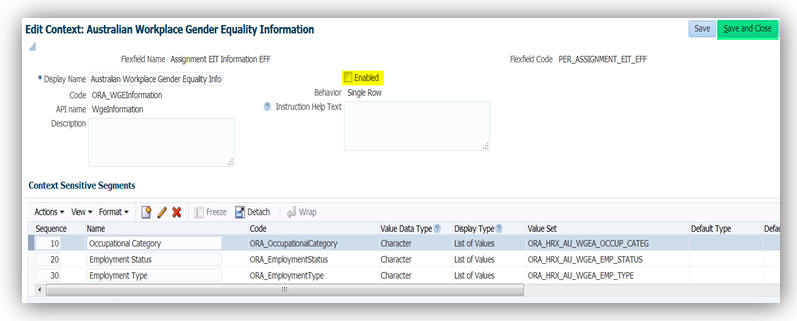
IMPLEMENTATION
To capture the workplace gender equality information during the hiring process, use the Assignment Page in the Add Person task. To capture the workplace gender equality information for current employees, use the Assignment Page in the Manage Employment task.
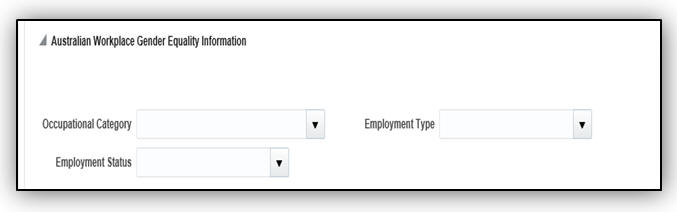
REPORTING
To generate the workplace gender profile report, navigate to Submit a Process or Report and select Run Australian Workplace Gender Profile Report process.
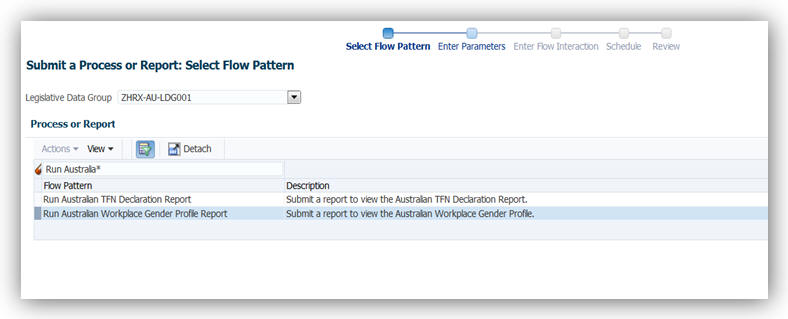
Role Information
Capturing Workplace Gender Equality information for Australia is available under the shipped Human Resource Specialist role.
Generating the Workplace Gender Equality Profile Report is available under the shipped Payroll Manager and Payroll Administrator roles.
The generation of the Workplace Gender Profile report will require a new privilege called Run Australian Workforce Profile Report. This privilege is associated with the following seeded roles:
- Payroll Manager
- Payroll Administrator
Capture Of Non-Specific Gender
This new feature enables you to capture the gender of employees who are neither male nor female. A new look up value Non-specific is now available to capture the gender of an employee who has provided a value that is neither male nor female.
To capture the gender during the hiring process, use the Add Person task. To capture the gender during the manage employee information process, use the Manage Employment task.
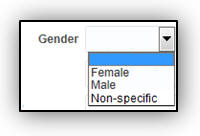
Steps to Enable
There are no steps necessary to enable this feature.
Human Capital Management for Austria
Oracle Fusion HRMS (Austria) supports Austria-specific features and functionality. It enables users to follow Austria’s business practices and comply with its statutory requirements.
Social Insurance Number Validation
A warning message is displayed if the social insurance number is not entered as a 10-digit number or its check-digit is incorrect.
There are no steps necessary to enable this feature.
Now supports Austria required contract types.
There are no steps necessary to enable this feature.
Human Capital Management for The Bahamas
Oracle Fusion HRMS (Bahamas) supports The Bahamas-specific features and functionality. It enables users to follow The Bahamas’ business practices and comply with its statutory requirements.
Maintaining Person Information
Comply with local cultural, business, and regulatory requirements by capturing the following person information specific to Bahamas:
There are no steps necessary to enable this feature.
Human Capital Management for Belarus
Oracle Fusion HRMS (Belarus) supports country specific features and functions for Belarus. It enables users to follow Belarus’s business practices and comply with its statutory requirements.
Maintaining Person Information
This feature supports the recording of person and other human resources data specific to Belarus, such as:
- Validation of the National Identifier
- Address format
There are no steps necessary to enable this feature.
Key Resources
For more information on national identifier validation, go to My Oracle Support for the following guide:
- Validating National Identifier Numbers in Oracle Fusion Human Capital Management (Document ID 2159758.1)
Human Capital Management for Belize
Oracle Fusion HRMS (Belize) supports Belize-specific features and functionality. It enables users to follow Belize’s business practices and comply with its statutory requirements.
Maintaining Person Information
Comply with local cultural, business, and regulatory requirements by capturing the following person information specific to Belize:
- Validation of the national identifier: Social Security Number
There are no steps necessary to enable this feature.
Key Resources
For more information on national identifier validation, go to My Oracle Support for the following guide:
- Validating National Identifier Numbers in Oracle Fusion Human Capital Management (Document ID 2159758.1)
Human Capital Management for Bolivia
Oracle Fusion HRMS (Bolivia) supports Bolivia-specific features and functionality. It enables users to follow Bolivia’s business practices and comply with its statutory requirements.
Maintaining Person Information
Comply with local cultural, business, and regulatory requirements by capturing the following person information specific to Bolivia:
There are no steps necessary to enable this feature.
Human Capital Management for Bosnia and Herzegovina
Oracle Fusion HRMS (Bosnia and Herzegovina) supports Bosnia and Herzegovina-specific features and functionality. It enables users to follow Bosnia and Herzegovina’s business practices and comply with its statutory requirements.
Maintaining Person Information
Comply with local cultural, business, and regulatory requirements by capturing the following person information specific to Bosnia and Herzegovina:
There are no steps necessary to enable this feature.
Key Resources
For more information on national identifier validation, go to My Oracle Support for the following guide:
- Validating National Identifier Numbers in Oracle Fusion Human Capital Management (Document ID 2159758.1)
Human Capital Management for Brazil
Oracle Fusion HRMS (Brazil) supports country specific features and functions for Brazil. It enables users to follow Brazil’s business practices and comply with its statutory requirements.
Brazil now includes country-specific disability categories.
There are no steps necessary to enable this feature.
Brazil now supports the required contract types.
There are no steps necessary to enable this feature.
Human Capital Management for Brunei
Oracle Fusion HRMS (Brunei) supports Brunei-specific features and functionality. It enables users to follow Brunei’s business practices and comply with its statutory requirements.
Maintaining Person Information
Comply with local cultural, business, and regulatory requirements by capturing the following person information specific to Brunei:
There are no steps necessary to enable this feature.
Human Capital Management for Bulgaria
Oracle Fusion HRMS (Bulgaria) supports Bulgaria-specific features and functionality. It enables users to follow Bulgaria’s business practices and comply with its statutory requirements.
Maintaining Person Information
Comply with local cultural, business, and regulatory requirements by capturing the following person information specific to Bulgaria:
- Name style and format
- Validation of the national identifier: EGN
- Address format with validation
- Religion and Ethnicity information are hidden to meet local cultural practices, and statutory and business requirements.
Steps to Enable
There are no steps necessary to enable this feature.
Key Resources
For more information on national identifier validation, go to My Oracle Support for the following guide:
- Validating National Identifier Numbers in Oracle Fusion Human Capital Management (Document ID 2159758.1)
Human Capital Management for Canada
Oracle Fusion HRMS (Canada) supports country specific features and functions for Canada. It enables users to follow Canada’s business practices and comply with its statutory requirements.
End-of-Year Reporting: Amendments for T4, T4A, And RL-1
Canada’s functionality for the federal year-end slips T4 and T4A was amended, as well as the provincial year-end slip RL-1, that are issued to the employees and the respective government agencies.
The T4 is the Federal Statement of Remuneration Paid for reporting an employee’s employment income, statutory deductions and other information required by Canada Revenue Agency (CRA). The T4A slip is the Statement of Pension, Retirement, Annuity, and Other Income used to report these types of incomes to the Canada Revenue Agency (CRA). You must submit these forms to the CRA at the end of every tax year. The RL-1 slip is a provincial year-end form for reporting an employee’s employment income, statutory deductions and other information required by Revenu Quebec. At the end of every tax year you must submit RL-1 slip information to Revenu Quebec. You must also provide these slips to your employees for tax filing purposes.
If corrections are made after the T4, T4A, or RL-1 is distributed, amended slips are issued. The amended slip is provided to the employee, as well as reported to the government.
It is important to process the steps to generate the amended slips in a specific order. Once the original PDF and interface processes are complete, the steps are as follows:
- Payroll process is complete.
- Archive End-of-Year Payroll Results process is complete.
- End-of-Year Register Report process for the original is complete.
- End-of-Year Reports process to generate the original year-end PDF is complete.
- End-of-Year Reports process to generate the year-end interface for the original is complete.
- Process the correction to the employee record. This can be a balance adjustment or payroll process.
- Run the Archive End-of-Year Payroll Results process for the amended employee.
- Generate the End-of-Year Register Report for the amendment.
- Run the End-of-Year Reports process to generate the amended year-end PDF.
- Run the End-of-Year Reports process to generate the amended year-end interface.
Steps to Enable
There are no steps necessary to enable this feature.
Tips and Considerations
When performing amendments for the employee, please note the following tips:
- If you perform a YTD adjustment to amend a year-end slip after the original PDF and interface is processed, the date of the YTD adjustments for the prior year must be “12/31/XX”, where XX denotes the affected year. The balance adjustment is processed using the results element that feeds the year-end balance. Ensure that the eligibility exist for the results element.
- The file name of the T4, T4A, and RL-1 registers and PDFs distinguish if it is an original or amended version.
- The header of the register indicates if it is an original or amended version.
- The PDFs follow government guidelines to distinguish if it is an original or amended version
- The RL-1 includes the original slip number from the original archive and reports it on the amended version of the PDF and interface file.
Involuntary Deductions: Protected Pay Rules
Oracle Fusion Human Capital Management for Canada provides additional functionality to the protected pay rules for involuntary deductions.
With this release we have enhanced how the protected pay processing will occur within involuntary deductions of the same deduction type (for example, multiple garnishments), as well as across the different deduction types (Garnishment, Maintenance and Support, and Tax Levy).
You can configure protected pay rules for each deduction. The payroll process will now determine the highest value derived for protected pay within each deduction type and apply that value to all other deductions of that same deduction type.
For example, in the case where multiple garnishments are configured with different rules, one with a protected pay percentage of 40% and the other with 50%, the higher percentage of 50% will be applied as the protected pay percentage for both garnishments for the employee. In the same way, you could have an entry for one garnishment with a protected pay amount of $300 and a protected pay percentage of 50%. In this case, both protected pay entries are used to calculate the highest value of the two, and compare this to other garnishment entries to come up with a final protected pay value for garnishments.
If the deduction types are different, the payroll process will no longer apply the highest protected pay across deduction types. Each deduction type will determine its own protected pay value.
The order in which elements are processed (as determined by the sub processing order) also impacts the protected pay. If a Maintenance and Support deduction is processed first, that deduction will impact how much of the disposable income is available for subsequent deductions processed.
For example, in the case where a Maintenance and Support deduction is configured with a protected pay percentage of 50% and a subprocessing order of 1, and a Garnishment deduction is configured with a percentage of 80% and a subprocessing order of 2, the disposable income remaining for the garnishment is affected by the first calculation of protected pay of the Maintenance and Support deduction. There may not be enough disposable income left to guarantee the 80% protected pay rule, so no Garnishment deduction would happen.
The protected pay amount calculated for the deduction is displayed in the run results for the Results element.
Any amounts in arrears will also observe the protected pay limits.
The protected pay rules are configured on the involuntary deduction card for the employee, defined as a value definition within the Edit Calculation Values list of values.
Steps to Enable
There are no steps necessary to enable this feature.
End-of-Year Reporting: End-of-Year Exception Report
Canada end-of-year exception report facilitates year-end reconciliation and provides the ability to respond to any deficiencies for Canada Pension Plan (CPP), Quebec Pension Plan (QPP), Employment Insurance (EI), and Quebec Parental Insurance Plan (QPIP) reported in the year-end slips or other government reports.
This report displays data from the End-of-Year Archive, with the exception of the name and address of the employee and the employer. It reports exception conditions for the T4, T4A, RL-1, and RL-2.
Before you run the end-of-year exception report, you must complete the following activities:
- Payroll process
- Archive End-of-Year Payroll Results process
Use the Run End-of-Year Reports task from the Regulatory and Tax Reporting work area to generate the End-of-Year Exception Report. Parameters for the exception report process are:
- Flow Pattern: Select Run End-of-Year Reports.
- Payroll Flow: Provide a name for the payroll flow.
- Tax Report Year: Select the 4-digit tax year of the report.
- Year End Report: Select T4, T4A, RL-1 or RL-2.
- Report Type: Select Original, Amended or Cancelled. The exception report is based on the latest archive.
- Format: Select Exception Report.
- Transmitter: Select a transmitter if you want to run the report by transmitter.
- Tax Reporting Unit: Select a TRU if you want to run the report by TRU.
- Payroll Relationship Group: Select the payroll relationship group name, if you have defined one. You must use the Manage Object Groups task to define the payroll relationship group before you can select it here.
- Province: Select a province if you want to generate the report for a specific province.
- Print Employer Address: Does not apply to the exception report.
- Print Instructions: Does not apply to the exception report.
- Sort Option One: Select Location, Payroll or Province.
- Sort Option Two: Select Location, Payroll or Province. The value presented to the user for selection is dynamically changed depending on what the user selected in the previous Sort Option parameter.
- Sort Option Three: Select Location, Payroll or Province. The value presented to the user for selection is dynamically changed depending on what the user selected in the previous Sort Option parameter.
- Copyright Message: This field is used to hold a copyright message for the PDF format of T4 and T4A slips. It is not reported on the actual slips. Does not apply to the exception report.
- Process Configuration Group: Select the process configuration group name, if you have defined any. This field is used for logging and reporting purposes. You must use the Manage Payroll Process Configuration task to define the process configuration group before you can select it here.
After you run the end-of-year exception report, you must review the output. If there are exceptions met, the report will display those exception messages on the report. Exceptions are reported for transmitter, employer, or employee data. Before continuing on with the end-of-year process, you must correct the data as required.
Steps to Enable
There are no steps necessary to enable this feature.
Tips and Considerations
The following exception conditions are reported for each slip for transmitter, employer and employee information:
| T4 Transmitter Exceptions |
| The Transmitter Name is missing on the T4 Interface Rules. |
| The Transmitter Name on the T4 Interface Rules contains more than 30 characters and will be reported as per the specific report requirements. |
| The Transmitter City is missing on the T4 Interface Rules. |
| The Transmitter Province is missing on the T4 Interface Rules. |
| The Transmitter Postal Code is missing on the T4 Interface Rules. |
| The Transmitter Contact Name is missing on the T4 Interface Rules. |
| The Transmitter Contact Name on the T4 Interface Rules contains more than 22 characters and will be truncated on the electronic interface file. |
| The Transmitter Contact Area Code is missing on the T4 Interface Rules. |
| The Transmitter Contact Phone Number is missing on the T4 Interface Rules. |
| The Language of Communication Indicator is missing on the T4 Interface Rules. |
| T4 Employer Exceptions |
| The Legal Reporting Unit Registered Name contains more than 30 characters and will be reported as per the specific report requirements. |
| The Payroll Account Number is missing or is invalid on the Legal Entity Registration Information. |
| The Payroll Account Number on the Legal Entity Registration Information contains more than 15 characters and will be truncated on the electronic interface file. |
| The Proprietor 1 Social Insurance Number is invalid on the T4 Interface Rules. |
| The Proprietor 2 Social Insurance Number is invalid on the T4 Interface Rules. |
| The Contact Name for this Return is missing on the T4 Interface Rules. |
| The Contact Name for this Return on the T4 Interface Rules contains more than 22 characters and will be truncated on the electronic interface file. |
| The Contact Area Code is missing on the T4 Interface Rules. |
| The Contact Phone Number is missing on the T4 Interface Rules. |
| T4 Employee Exceptions |
| The First Name of the employee is missing on the person record. |
| The Last Name of the employee on the person record contains more than 20 characters and will be truncated on the electronic interface file. |
| The Address Line 1 of the employee is missing on the person record. |
| The Address Line 1 of the employee on the person record contains more than 30 characters and will be reported as per the specific report requirements. |
| The Social Insurance Number of the employee is missing on the person record. |
| The Social Insurance Number of the employee has expired on the person record. The Expiration Date of the Social Insurance Number is <SIN EXP DATE>. |
| One or more negative balances exist for the employee. |
| No box balance values exist for the employee. |
| The employee is designated as CPP Exempt on the employee's tax calculation card. |
| The employee is designated as EI Exempt on the employee's tax calculation card. |
| The employee has CPP deductions over the annual limit. |
| The employee has EI deductions over the annual limit. |
| The employee turned 18 years of age during the reporting year. The Date of Birth on the person record is <DOB>. |
| The employee turned 70 years of age during the reporting year. The Date of Birth on the person record is <DOB>. |
| The employee was hired during the reporting year. The Hire Date on the person record is <HD>. |
| The employee was terminated during the reporting year. The Termination Date on the employee's work relationship record is <HD>. |
| The employee has worked in multiple provinces during the reporting year, as defined on the calculation card of the employee. |
| The employee has a CPP Election Date of <date> on the employee's tax calculation card. |
| The employee has a CPP Revocation Date of <date> on the employee's tax calculation card. |
| The expected and actual CPP deductions do not match. <calc table> |
| The expected and actual EI deductions do not match. <calc table> |
| T4A Transmitter Exceptions |
| The Transmitter Name is missing on the T4A Interface Rules. |
| The Transmitter Name on the T4A Interface Rules contains more than 30 characters will be reported as per the specific report requirements. |
| The Transmitter City is missing on the T4A Interface Rules. |
| The Transmitter Province is missing on the T4A Interface Rules. |
| The Transmitter Postal Code is missing on the T4A Interface Rules. |
| The Transmitter Contact Name is missing on the T4A Interface Rules. |
| The Transmitter Contact Name on the T4A Interface Rules contains more than 22 characters and will be truncated on the electronic interface file. |
| The Transmitter Contact Area Code is missing on the T4A Interface Rules. |
| The Transmitter Contact Phone Number is missing on the T4A Interface Rules. |
| The Language of Communication Indicator is missing on the T4A Interface Rules. |
| T4A Employer Exceptions |
| The Legal Reporting Unit Registered Name contains more than 30 characters and will be reported as per the specific report requirements. |
| The Payroll Account Number is missing or is invalid on the Legal Entity Registration Information. |
| The Payroll Account Number on the Legal Entity Registration Information contains more than 15 characters and will be truncated on the electronic interface file. |
| The Proprietor 1 Social Insurance Number is invalid on the T4A Interface Rules. |
| The Proprietor 2 Social Insurance Number is invalid on the T4A Interface Rules. |
| The Contact Name for this Return is missing on the T4A Interface Rules. |
| The Contact Name for this Return on the T4A Interface Rules contains more than 22 characters and will be truncated on the electronic interface file. |
| The Contact Area Code is missing on the T4A Interface Rules. |
| The Contact Phone Number is missing on the T4A Interface Rules. |
| T4A Employee Exceptions |
| The First Name of the recipient is missing on the person record. |
| The Last Name of the recipient on the person record contains more than 20 characters and will be truncated on the electronic interface file. |
| The Address Line 1 of the recipient is missing on the person record. |
| The Address Line 1 of the recipient on the person record contains more than 30 characters and will be reported as per the specific report requirements. |
| The Social Insurance Number of the recipient is missing on the person record. |
| The Social Insurance Number of the employee has expired on the person record. The Expiration Date of the Social Insurance Number is <SIN EXP DATE>. |
| One or more negative balances exist for the recipient. |
| No box balance values exist for the recipient. |
| RL-1 Transmitter Exceptions |
| The Transmitter Name is missing on the RL-1 Interface Rules. |
| The Transmitter Name on the RL-1 Interface Rules contains more than 30 characters and will be reported as per the specific report requirements. |
| The Source of RL Slips Used is missing on the RL-1 Interface Rules. |
| The Transmitter Address Line 1 is missing on the RL-1 Interface Rules. |
| The Transmitter City is missing on the RL-1 Interface Rules. |
| The Transmitter Province is missing on the RL-1 Interface Rules. |
| The Transmitter Postal Code is missing on the RL-1 Interface Rules. |
| The Computer Resource Person Name is missing on the RL-1 Interface Rules. |
| The Computer Resource Person Name on the RL-1 Interface Rules contains more than 30 characters and will be truncated on the electronic interface file. |
| The Computer Resource Person Area Code is missing on the RL-1 Interface Rules. |
| The Computer Resource Person Phone Number is missing on the RL-1 Interface Rules. |
| The Computer Resource Person Language is missing on the RL-1 Interface Rules. |
| The Accounting Resource Person Name is missing on the RL-1 Interface Rules. |
| The Accounting Resource Person Name on the RL-1 Interface Rules contains more than 30 characters and will be truncated on the electronic interface file. |
| The Accounting Resource Person Area Code is missing on the RL-1 Interface Rules. |
| The Accounting Resource Person Phone Number is missing on the RL-1 Interface Rules. |
| The Accounting Resource Person Language is missing on the RL-1 Interface Rules. |
| The Starting RL-1 Slip Number is missing on the RL-1 Interface Rules. |
| The Ending RL-1 Slip Number is missing on the RL-1 Interface Rules. |
| RL-1 Employer Exceptions |
| The Quebec Identification Number is missing or is invalid on the Legal Entity or the Legal Reporting Unit Registration Information. |
| The Legal Reporting Unit Registered Name contains more than 30 characters and will be reported as per the specific report requirements. |
| RL-1 Employee Exceptions |
| The First Name of the employee is missing on the person record. |
| The Last Name of the employee on the person record contains more than 30 characters and will be truncated on the electronic interface file. |
| The Address Line 1 of the employee is missing on the person record. |
| The Address Line 1 of the employee on the person record contains more than 30 characters and will be reported as per the specific report requirements. |
| The Social Insurance Number of the employee is missing on the person record. |
| The Social Insurance Number of the employee has expired on the person record. The Expiration Date of the Social Insurance Number is <SIN EXP DATE>. |
| One or more negative balances exist for the employee. |
| No box balance values exist for the employee. |
| The employee is designated as QPP Exempt on the employee's tax calculation card. |
| The employee is designated as QPIP Exempt on the employee's tax calculation card. |
| The employee has QPP deductions over the annual limit. |
| The employee has QPIP deductions over the annual limit. |
| The employee turned 18 years of age during the reporting year. The Date of Birth on the person record is <DOB>. |
| The employee was hired during the reporting year. The Hire Date on the person record is <HD>. |
| The employee was terminated during the reporting year. The Termination Date on the employee's work relationship record is <HD>. |
| The employee has worked in multiple provinces during the reporting year, as defined on the calculation card of the employee. |
| The expected and actual QPP deductions do not match. <calc table> |
| The expected and actual QPIP deductions do not match. <calc table> |
| RL-2 Transmitter Exceptions |
| The Transmitter Name is missing on the RL-2 Interface Rules. |
| The Transmitter Name on the RL-2 Interface Rules contains more than 30 characters and will be reported as per the specific report requirements. |
| The Source of RL Slips Used is missing on the RL-2 Interface Rules. |
| The Transmitter Address Line 1 is missing on the RL-2 Interface Rules. |
| The Transmitter City is missing on the RL-2 Interface Rules. |
| The Transmitter Province is missing on the RL-2 Interface Rules. |
| The Transmitter Postal Code is missing on the RL-2 Interface Rules. |
| The Computer Resource Person Name is missing on the RL-2 Interface Rules. |
| The Computer Resource Person Name on the RL-2 Interface Rules contains more than 30 characters and will be truncated on the electronic interface file. |
| The Computer Resource Person Area Code is missing on the RL-2 Interface Rules. |
| The Computer Resource Person Phone Number is missing on the RL-2 Interface Rules. |
| The Computer Resource Person Language is missing on the RL-2 Interface Rules. |
| The Accounting Resource Person Name is missing on the RL-2 Interface Rules. |
| The Accounting Resource Person Name on the RL-2 Interface Rules contains more than 30 characters and will be truncated on the electronic interface file. |
| The Accounting Resource Person Area Code is missing on the RL-2 Interface Rules. |
| The Accounting Resource Person Phone Number is missing on the RL-2 Interface Rules. |
| The Accounting Resource Person Language is missing on the RL-2 Interface Rules. |
| The Starting RL-2 Slip Number is missing on the RL-2 Interface Rules. |
| The Ending RL-2 Slip Number is missing on the RL-2 Interface Rules. |
| RL-2 Employer Exceptions |
| The Quebec Identification Number is missing or is invalid on the Legal Entity or the Legal Reporting Unit Registration Information. |
| The Legal Reporting Unit Registered Name contains more than 30 characters and will be reported as per the specific report requirements. |
| RL-2 Employee Exceptions |
| The First Name of the employee is missing on the person record. |
| The Last Name of the employee on the person record contains more than 30 characters and will be truncated on the electronic interface file. |
| The Address Line 1 of the employee is missing on the person record. |
| The Address Line 1 of the employee on the person record contains more than 30 characters and will be reported as per the specific report requirements. |
| The Social Insurance Number of the employee is missing on the person record. |
| The Social Insurance Number of the employee has expired on the person record. The Expiration Date of the Social Insurance Number is <SIN EXP DATE>. |
| One or more negative balances exist for the employee. |
| No box balance values exist for the employee. |
| The RL-2 Source of Income is missing on the RL-2 Interface Rules. |
End-of-Year Reporting (RL-2 Only)
Oracle Fusion Human Capital Management for Canada offers a comprehensive process to generate the RL-2 year-end slip.
The RL-2 slip is a provincial year-end form for reporting a pensioner’s retirement and annuity income. You must submit the RL-2 slip information to Revenu Québec at the end of every tax year. You must also provide the slips to your pensioners for tax filing purposes.
End-of-year processing for the RL-2 slip includes the following activities:
- Configuration for Québec
- Configuring the Québec Enterprise Number (optional).
- Ensuring Quebéc Provincial Tax registration information is configured for each tax reporting unit (TRU) that has pensioners in Québec.
- Setting up TRU transmitter information for Québec reporting.
- Setting up balance feeds for the boxes and other information codes.
- Using the Archive End-of-Year Payroll Results task from the Regulatory and Tax Reporting work area to generate and view the results of the end-of-year archive for RL-2 information. The End-of-Year Reports processes uses the archived payroll run results to generate pensioner details required for the RL-2.
- Using the Run End-of-Year Reports task from the Regulatory and Tax Reporting work area to generate the End-of-Year Exception Report for the RL-2 and view its output.
- Using the Run End-of-Year Reports task from the Regulatory and Tax Reporting work area to generate the RL-2 register and view its output in Excel.
- Using the Run End-of-Year Reports task from the Regulatory and Tax Reporting work area to generate the RL-2 PDF and view its output.
- Using the Run End-of-Year Reports task from the Regulatory and Tax Reporting work area to generate the RL-2 electronic interface and view its output.
Payments reported on the RL-2 are elements with a secondary classification reporting type of T4A/RL2.
Use the Manage Legal Reporting Unit HCM Information task in the Setup and Maintenance work area to set up the transmitter information for reporting of RL-2 data.
Use the Run End-of-Year Reports task to generate the register report and review pensioner information, as well as verify the box balances.
Use the Run End-of-Year Reports task from the Regulatory and Tax Reporting work area to generate the RL-2 slip.
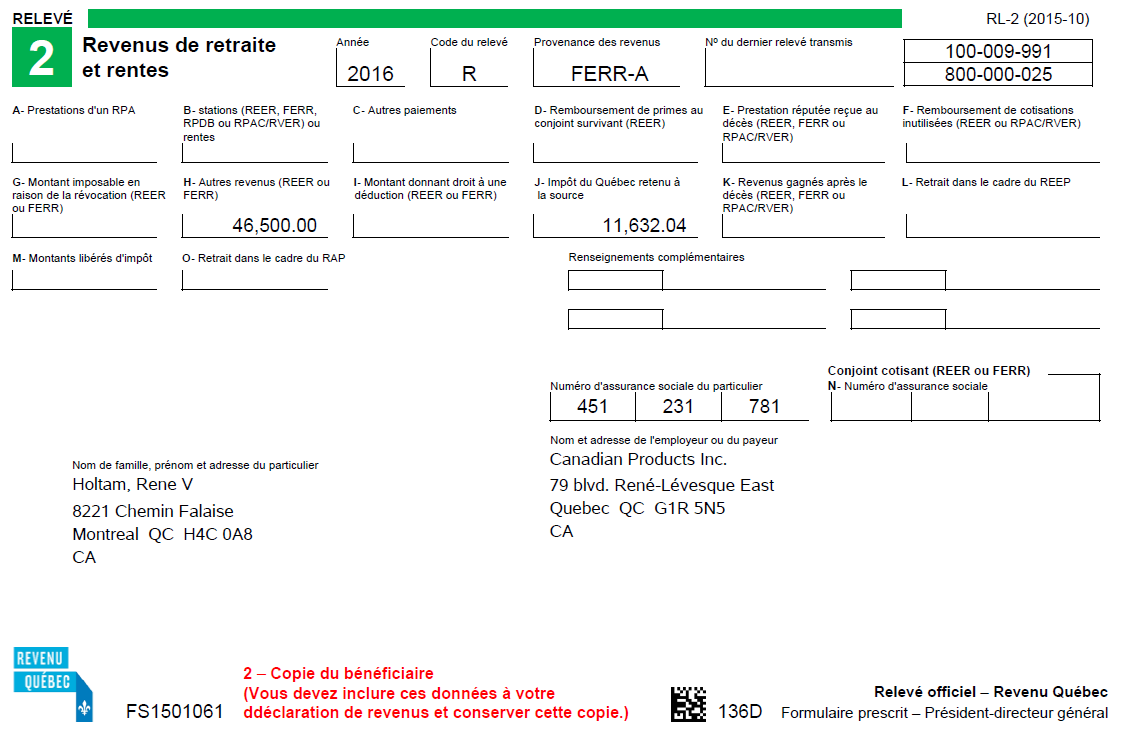
Steps to Enable
There are no steps necessary to enable this feature.
Tips and Considerations
Enter the Québec Provincial Tax registration at the payroll statutory unit (PSU) level if the Québec Identification Number applies to more than one TRU. Enter the registration at the TRU level if there is only one TRU within the PSU, or if you are overriding the default entry entered at the PSU level.
The registered name can be entered in either the Registered Name or the Alternate Name field. The user can choose to enter something unique in the Registered Name field to distinguish multiple registrations in the LOVs. If the Alternate Name is populated, the Alternate Name entered will be displayed on the RL-2 slips and in the interface file. If it is not populated, the Registered Name will be displayed.
Involuntary Deductions: Record of Employment Override Dates
Two new date fields are provided to use to override the dates that are derived by the Record of Employment (ROE) archive process, which are used when processing a termination or leave of absence (LOA) for an employee. The First Day Worked and Last Day for Which Paid fields were added to the Reason for Issuing ROE calculation component on the Reporting Information card.
The ROE reports the following for the employee:
- First Day Worked
- Last Day for Which Paid
These dates are derived by the ROE archive process, which is determined by the scenario that triggered the ROE. These dates are required for termination and LOA events, and you may want to modify them.
Two new fields have been introduced on the Reason for Issuing ROE calculation component of the Reporting Information card to allow you to override the dates when processing a leave of absence or termination for an employee:
Override First Day Worked: A date provided in this field is considered an override to the derived date and will be reported as the First Day Worked on the ROE worksheet and interface file.
Override Last Day for Which Paid: A date provided in this field is considered an override to the derived date and will be reported as the Last Day for Which Paid on the ROE worksheet and interface file.
Both the Override First Day Worked and Override Last Day for Which Paid dates will impact the insurable earnings and hours that are reported.
You may populate either of these dates, as needed to report these override dates for the First Day Worked or the Last Day for Which Paid on the ROE.
Use the Manage Calculation Cards task from the Payroll Calculation or the Person Management work areas to access the employee’s Reporting Information card. Then access the Reason for Issuing ROE calculation component and component details as displayed below. The new fields are available to populate, if required.
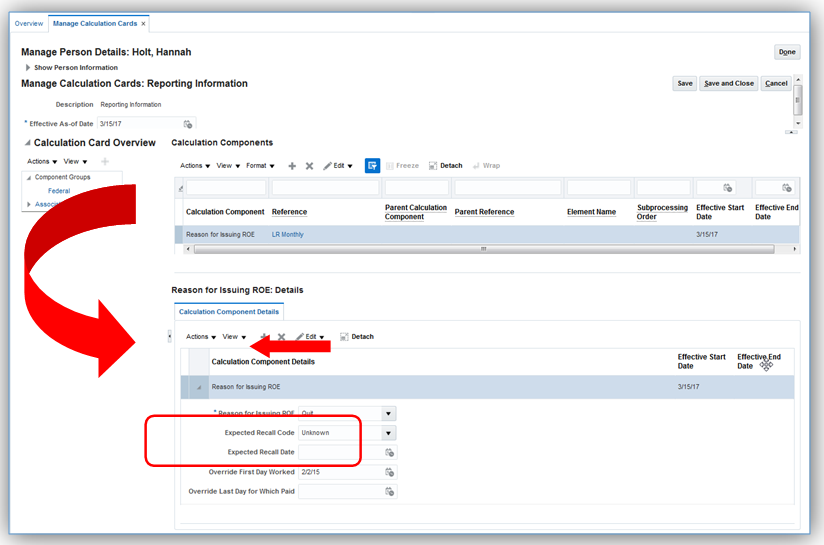
Steps to Enable
There are no steps necessary to enable this feature.
Key Resources
For more information on the ROE, see My Oracle Support for the following document:
- Implementation and Use Guide on the Canada (Document ID 2102586.2)
Human Capital Management for Chile
Oracle Fusion HRMS (Chile) supports country specific features and functions for Chile. It enables users to follow Chile’s business practices and comply with its statutory requirements.
Maintaining Person and Employment Information
This feature supports the recording of person and employment human resources data specific to Chile, such as:
- Name style and format
- Validation of the national identifier: RUT
- Address format
- Bank information
- Employment information: Contract Type and Assignment Category
- Other human resources data capture, including predefined values for Marital Status, Contacts, Passports, Visa and Permit Types, Disabilities, and Highest Education Level
- Marital Status, Date of Birth, and Gender are required fields
- Religion and Ethnicity information are hidden to meet local cultural practices, and statutory and business requirements
Steps to Enable
There are no steps necessary to enable this feature.
Key Resources
For more information on national identifier validation, go to My Oracle Support for the following guide:
- Validating National Identifier Numbers in Oracle Fusion Human Capital Management (Document ID 2159758.1)
Human Capital Management for China
Oracle Fusion HRMS (China) supports country specific features and functions for China. It enables users to follow China’s business practices and comply with its statutory requirements.
New Rounding Methods for Social Security and Enterprise Annuity Calculation
Comply with statutory requirements by adding three rounding down methods for social security and enterprise annuity calculations:
- Round down to nearest yuan
- Round down to nearest jiao
- Round down to nearest cent
Setup is required to use the new rounding methods in social security and enterprise annuity calculation.
- Search for a project with the Workforce Deployment offering.
- Open the Define Legal Entities for Human Capital Management functional area.
- Select the payroll statutory unit you would like to work with.
- Click the Go to Task icon against the Manage Legal Entity Calculation Cards task.
- Select the Statutory Deductions card.
- Select a social security item or enterprise annuity.
- Select the rounding down method to use in contribution base and amount calculation.
The rules set up at payroll statutory unit calculation card level apply to all organizations operating in one territory for a social security item and contribution type. However, the contribution amount rounding rules can be overridden by rules set up at tax reporting unit calculation card level by using the Manage Legal Reporting Unit Calculation Cards task, which are rules specific to an organization.
Simplify the report by running against run results rather than balances. For more information about the report, please refer to the Element Result Report Changes in the Workforce Rewards What’s New in the Global Payroll section.
There are no steps necessary to enable this feature.
Human Capital Management for Colombia
Oracle Fusion HRMS (Colombia) supports country specific features and functions for Colombia. It enables users to follow Colombia’s business practices and comply with its statutory requirements.
Maintaining Person and Employment Information
This feature supports the recording of person and employment human resources data specific to Colombia, such as:
- Name style and format
- Validation of the Colombian National Identifier
- Bank information
- Employment information: Contract Type, and Assignment Category
- Other human resources data capture, including predefined values for Marital Status, Contacts, Visa and Permit Types, Disabilities, and Highest Education Level
- Marital Status and Gender are required fields
- Religion information is hidden to meet local cultural practices, and statutory and business requirements
There are no steps necessary to enable this feature.
Key Resources
For more information on national identifier validation, go to My Oracle Support for the following guide:
- Validating National Identifier Numbers in Oracle Fusion Human Capital Management (Document ID 2159758.1)
Human Capital Management for Costa Rica
Oracle Fusion HRMS (Costa Rica) supports country specific features and functions for Costa Rica. It enables users to follow Costa Rica’s business practices and comply with its statutory requirements.
Maintaining Person Information
This feature supports the recording of person and other human resources data specific to Costa Rica, such as:
- Name style and format
- Validation of the National Identifier
- Address format
There are no steps necessary to enable this feature.
Key Resources
For more information on national identifier validation, go to My Oracle Support for the following guide:
- Validating National Identifier Numbers in Oracle Fusion Human Capital Management (Document ID 2159758.1)
Human Capital Management for Croatia
Oracle Fusion HRMS (Croatia) supports Croatia-specific features and functionality. It enables users to follow Croatia’s business practices and comply with its statutory requirements.
Maintaining Person Information
Comply with local cultural, business, and regulatory requirements by capturing the following person information specific to Croatia:
- Validation of the national identifier: OIB
There are no steps necessary to enable this feature.
Key Resources
For more information on national identifier validation, go to My Oracle Support for the following guide:
- Validating National Identifier Numbers in Oracle Fusion Human Capital Management (Document ID 2159758.1)
Human Capital Management for Cyprus
Oracle Fusion HRMS (Cyprus) supports Cyprus-specific features and functionality. It enables users to follow Cyprus’s business practices and comply with its statutory requirements.
Maintaining Person and Employment Information
Comply with local cultural, business, and regulatory requirements by capturing the following person and employment information specific to Cyprus:
- Name style
- National identifiers: Cypriot National Identifier, Social Security Number, and validation of the Tax Identification Number
- Bank information
- Employment information: Contract Type
- Other human resources data capture, including predefined values for Contacts, Passports, Visa and Permit Types, and Highest Education Level
- Religion and Ethnicity information are hidden to meet local cultural practices, and statutory and business requirements
There are no steps necessary to enable this feature.
Key Resources
For more information on national identifier validation, go to My Oracle Support for the following guide:
- Validating National Identifier Numbers in Oracle Fusion Human Capital Management (Document ID 2159758.1)
Human Capital Management for Czech Republic
Oracle Fusion HRMS (Czech Republic) supports Czech Republic-specific features and functionality. It enables users to follow Czech Republic’s business practices and comply with its statutory requirements.
Maintaining Person and Employment Information
Comply with local cultural, business, and regulatory requirements by capturing the following person and employment information specific to Czech Republic:
- Name style and format
- Validation of the national identifier: Personal Identification Number
- Address format with validation
- Bank information
- Employment information: Contract Type and Assignment Category
- Other human resources data capture, including predefined values for Gender, Passports, Visa and Permit Types, Highest Education Level, and Driver’s License Type
- Date of Birth is a required field
There are no steps necessary to enable this feature.
Key Resources
For more information on national identifier validation, go to My Oracle Support for the following guide:
- Validating National Identifier Numbers in Oracle Fusion Human Capital Management (Document ID 2159758.1)
Human Capital Management for Denmark
Oracle Fusion HRMS (Denmark) supports Denmark-specific features and functionality. It enables users to follow Denmark’s business practices and comply with its statutory requirements.
A warning message is displayed if the CPR Number’s check digit is incorrect.
There are no steps necessary to enable this feature.
Human Capital Management for Dominican Republic
Oracle Fusion HRMS (Dominican Republic) supports country specific features and functions for Dominican Republic. It enables users to follow Dominican Republic’s business practices and comply with its statutory requirements.
Maintaining Person Information
This feature supports the recording of person information specific to Dominican Republic, such as:
- Name style and format
- Address format
There are no steps necessary to enable this feature.
Human Capital Management for Ecuador
Oracle Fusion HRMS (Ecuador) supports country specific features and functions for Ecuador. It enables users to follow Ecuador’s business practices and comply with its statutory requirements.
Maintaining Person Information
This feature supports the recording of person information specific to Ecuador, such as:
- Name style and format
- Address format
There are no steps necessary to enable this feature.
Human Capital Management for Egypt
Oracle Fusion HRMS (Egypt) supports Egypt-specific features and functionality. It enables users to follow Egypt’s business practices and comply with its statutory requirements.
Maintaining Person Information
Comply with local cultural, business, and regulatory requirements by capturing the following person information specific to Egypt:
- Name style and format
- National identifiers: Social Insurance Number and validation of the Civil Identity Number
- Address format with validation
- Bank information
- Other human resources data capture, including predefined values for Ethnicity, Marital Status, Contacts, Visa and Permit Types, and Highest Education Level
There are no steps necessary to enable this feature.
Key Resources
For more information on national identifier validation, go to My Oracle Support for the following guide:
- Validating National Identifier Numbers in Oracle Fusion Human Capital Management (Document ID 2159758.1)
Enhanced Validation of the Civil Identity Number
The Civil Identity Number validation is enhanced to check also the maximum 14-digit length, in addition to the existing check of numeric-only format.
Steps to Enable
There are no steps necessary to enable this feature.
Key Resources
For more information on national identifier validation, go to My Oracle Support for the following guide:
- Validating National Identifier Numbers in Oracle Fusion Human Capital Management (Document ID 2159758.1)
Human Capital Management for El Salvador
Oracle Fusion HRMS (El Salvador) supports country specific features and functions for El Salvador. It enables users to follow El Salvador’s business practices and comply with its statutory requirements.
Maintaining Person Information
This feature supports the recording of person information specific to El Salvador, such as:
- Name style and format
- Address format
There are no steps necessary to enable this feature.
Human Capital Management for Finland
Oracle Fusion HRMS (Finland) supports country specific features and functions for Finland. It enables users to follow Finland’s business practices and comply with its statutory requirements.
National Identifier Validation
If you do not enter the Finnish National Identifier with the correct format and check-digit you will now receive a warning message.
There are no steps necessary to enable this feature.
Key Resources
For more information on national identifier validation, go to My Oracle Support for the following guide:
- Validating National Identifier Numbers in Oracle Fusion Human Capital Management (Document ID 2159758.1)
Human Capital Management for France
Oracle Fusion HRMS (France) supports France-specific features and functionality. It enables users to follow France’s business practices and comply with its statutory requirements.
Enhancement to Contract Management
Capture relevant information related to the following contract clauses:
- Noncompetitive Clause
- Mobility Clause
- Exclusivity Clause
- Other Clause
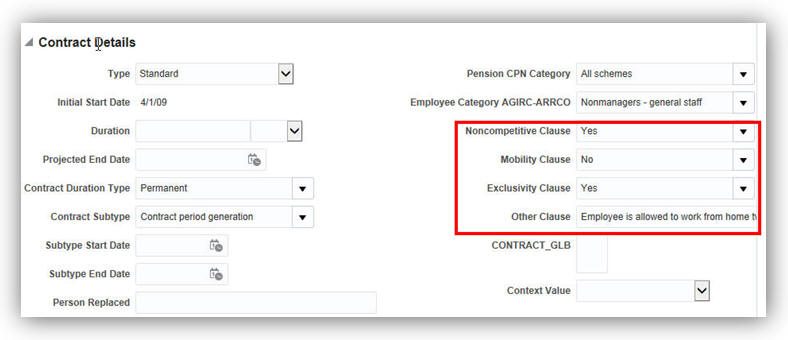
Steps to Enable
There are no steps necessary to enable this feature. Track this information in the Employment Information page in the Contract Details section when you hire an employee.
Information Related to Working From Home
At the assignment-level, capture additional information related to the Working at Home option:
- Number of days working at home
- Frequency to which this number of days is referring
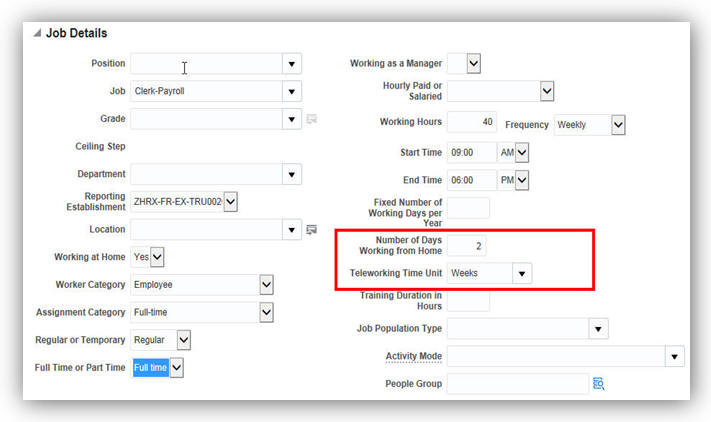
There are no steps necessary to enable this feature. You can track this information in the Employment Information page in the Job section when you hire an employee.
Legal Reporting: Work Certificate
To record that the employee has an extension of their health coverage and benefits, capture the following additional information in the Pension and Welfare calculation card:
- Start date of health coverage maintenance
- End date of health coverage maintenance
When you enter the start date of the health coverage, the same is displayed in the Work Certificate as follows:
‘In application of L.911-8 Social Security code, this employee benefits maintenance of Health and Welfare coverage for 12 months after his termination. Guarantees remain identical.’
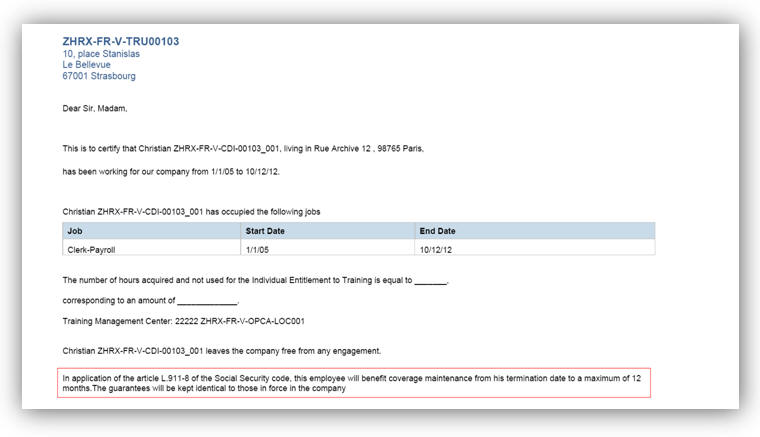
Steps to Enable
There are no steps necessary to enable this feature. When you terminate an employee, the Work Certificate displays this information.
Run the Worker Data Validation Report to get a list of employees with missing or noncompliant statutory HR data for France. Apart from existing validations, the following new validations are added to check for:
- Last Working Day –If this date has not been entered for terminated employees.
- Contract Subtype – If there is a contract subtype entered for a fixed-term employee.
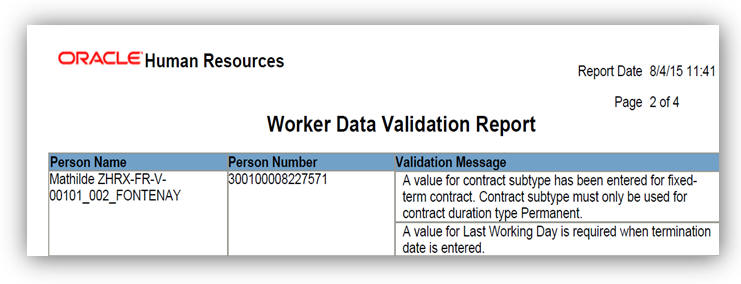
Worker Data Validation Report Showing Results for the New Validations
There are no steps necessary to enable this feature. Run the Worker Data Validation Report from the Payroll Checklist work area.
Specify the legal employer and the effective date to run the report.
For more information on this report, go to Applications Help, and search for the following topic:
- Worker Data Validation Report topic
Payroll Data Validation Report
Run the Payroll Data Validation Report to generate a list of workers with missing or noncompliant payroll data. Apart from the existing validations, the following new validations are added to check for:
- AGIRC and ARRCO
- CPN
- Payroll Data Validation Report for France
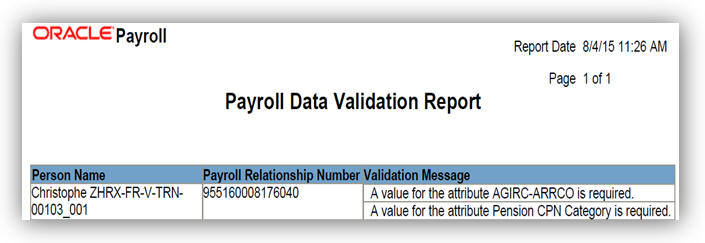
Payroll Data Validation Report Showing Results for the New Validations
There are no steps necessary to enable this feature. Run the Worker Data Validation Report from the Payroll Checklist work area.
Specify the legal employer and the effective date to run the report.
For more information on this report, go to Applications Help, for the following topic:
Human Capital Management for Germany
Oracle Fusion HRMS (Germany) supports Germany-specific features and functionality. It enables users to follow Germany’s business practices and comply with its statutory requirements.
Legislative Changes for Name and Address Validations
To comply with legislative changes published by the Social Insurance authority as of June 1, 2014, the validation messages for person names and person addresses have been modified.
Steps to Enable
There are no steps necessary to enable this feature.
Enhanced Person Name Validations
Validate person names with the new validations while using inverted comma for first position and last position of last names and birth names.
- In the first position: The reporting last name must begin with a valid letter unequal to a sharp s or with an inverted comma. The birth name must begin with a valid letter unequal to a sharp s or with an inverted comma.
- In the last position: The reporting first name must start with a valid letter unequal to a sharp s. The last character must be a letter or an inverted comma. The birth name must end with a letter, digit, right parenthesis, period, or inverted comma.
STeps to Enable
There are no steps necessary to enable this feature.
Enhanced Person Address Validations
The validation rules for the address extensions have been removed. You can enter a hyphen in last position for the street name, if required.
Steps to Enable
There are no steps necessary to enable this feature.
Additional Validations for Worker Data Validation Report
Use this report to check data that is imported and not entered through the user interface. Additional validations have been provided to check:
- Names and address formats
- Disability
- Whether a social insurance calculation card exists
- Whether contract type is entered for a person in the employment details
Steps to Enable
There are no steps necessary to enable this feature. Run this report from the Payroll Checklist work area.
Tips and Considerations
You must specify the legal employer and the effective date to run the report.
Set up absence plans and types for the vacation absence type based on different legal rules for the annual leave, leave for the heavily disabled persons, special leave, and unpaid leave. Easily configure vacation rules either based on the law or on a tariff or company agreement. Use accrual fast formulas to calculate the vacation entitlement while considering different person groups, part-time employment or hires and terminations.
Steps to Enable
There are no steps necessary to enable this feature.
Human Capital Management for Greece
Oracle Fusion HRMS (Greece) supports Greece-specific features and functionality. It enables users to follow Greece’s business practices and comply with its statutory requirements.
Maintaining Person and Employment Information
Comply with local cultural, business, and regulatory requirements by capturing the following person and employment information specific to Greece:
- Name style and format
- Validation of the national identifiers: Social Security Number and Tax Identification Number
- Bank information
- Employment information: Contract Type, Worker Category, and Assignment Category
- Other human resources data capture, including predefined values for Marital Status, Contacts, Gender, Passports, Visa and Permit Types, and Highest Education Level
- Date of Birth and Gender are required fields
- Religion and Ethnicity information are hidden to meet local cultural practices, and statutory and business requirements
There are no steps necessary to enable this feature.
Key Resources
For more information on national identifier validation, go to My Oracle Support for the following guide:
- Validating National Identifier Numbers in Oracle Fusion Human Capital Management (Document ID 2159758.1)
Human Capital Management for Grenada
Oracle Fusion HRMS (Grenada) supports Grenada-specific features and functionality. It enables users to follow Grenada’s business practices and comply with its statutory requirements.
Maintaining Person Information
Comply with local cultural, business, and regulatory requirements by capturing the following person information specific to Grenada:
Steps to Enable
There are no steps necessary to enable this feature.
Human Capital Management for Guatemala
Oracle Fusion HRMS (Guatemala) supports country specific features and functions for Guatemala. It enables users to follow Guatemala’s business practices and comply with its statutory requirements.
Maintaining Person Information
This feature supports the recording of person information specific to Guatemala, such as:
- Name style and format
- Validation of the National Identifier
- Address format
There are no steps necessary to enable this feature.
Key Resources
For more information on national identifier validation, go to My Oracle Support for the following guide:
- Validating National Identifier Numbers in Oracle Fusion Human Capital Management (Document ID 2159758.1)
Human Capital Management for Haiti
Oracle Fusion HRMS (Haiti) supports Haiti-specific features and functionality. It enables users to follow Haiti’s business practices and comply with its statutory requirements.
Maintaining Person Information
Comply with local cultural, business, and regulatory requirements by capturing the following person information specific to Haiti:
- National Identifier: Tax Identification Number
- Address format
There are no steps necessary to enable this feature.
Key Resources
For more information on national identifier validation, go to My Oracle Support for the following guide:
- Validating National Identifier Numbers in Oracle Fusion Human Capital Management (Document ID 2159758.1)
Human Capital Management for Honduras
Oracle Fusion HRMS (Honduras) supports country specific features and functions for Honduras. It enables users to follow Honduras’s business practices and comply with its statutory requirements.
Maintaining Person Information
This feature supports the recording of person information specific to Honduras, such as:
- Name style and format
- Address format
There are no steps necessary to enable this feature.
Human Capital Management for Iceland
Oracle Fusion HRMS (Iceland) supports Iceland-specific features and functionality. It enables users to follow Iceland’s business practices and comply with its statutory requirements.
Maintaining Person Information
Comply with local cultural, business, and regulatory requirements by capturing the following person information specific to Iceland:
- Validation of the National Identifier
- Address format
There are no steps necessary to enable this feature.
Key Resources
For more information on national identifier validation, go to My Oracle Support for the following guide:
- Validating National Identifier Numbers in Oracle Fusion Human Capital Management (Document ID 2159758.1)
Human Capital Management for India
Oracle Fusion HRMS (India) supports India-specific features and functionality. It enables users to follow India’s business practices and comply with its statutory requirements.
Permanent Account Number (PAN)
A PAN is a unique 10-digit alphanumeric identity allotted to each taxpayer by the Income Tax Department in India. The PAN is also one of the widely accepted personal identification numbers in India.
Prior to release 11 update 3 there was an attribute to record the PAN on the Calculation Card of the person. However, the PAN of an employee is usually captured during the new hire process as one of the important personal information attributes. So the PAN has been moved to the New Person and the Manage Person pages for you to enter and maintain it as one of the National Identifiers.

Steps to Enable
There are no steps necessary to enable this feature.
Tips and Considerations
Customers Storing the PAN in the Calculation Card
If you are currently storing the PAN in the Calculation Card of the person, the PAN data will no longer be available in the Calculation Card after the release 11 update 3.
To migrate the PAN of existing employee records from the Calculation Card to the seeded PAN under the National Identifiers, please raise a Service Request through My Oracle Support (MOS).
Customers Storing the PAN in a Custom Lookup Code Created under National Identifiers
If you have created a custom lookup code under PER_NATIONAL_IDENTIFIER_TYPE lookup to store the PAN of your employees, you can choose one of the following two options:
- Migrate the PAN data of your employees from the custom lookup code to the seeded PAN lookup code and start using the seeded PAN lookup code for storing the Permanent Account Numbers.
- Continue to use your custom lookup code to store the PAN of your employees. Note that the permanent account numbers that are stored against your custom lookup code are not displayed on the calculation card and validations will only work for the PAN stored against Oracle delivered PAN lookup code.
Prior to release 11 update 3, there was an attribute called ‘PAN Reference Number’ available on the ‘Extra Information’ tab of Manage Person. This attribute was used to record the acknowledgment number of the PAN application of employees who have applied for the PAN but have not yet received one.
The label of this attribute is now changed to ‘PAN Acknowledgment Number’.
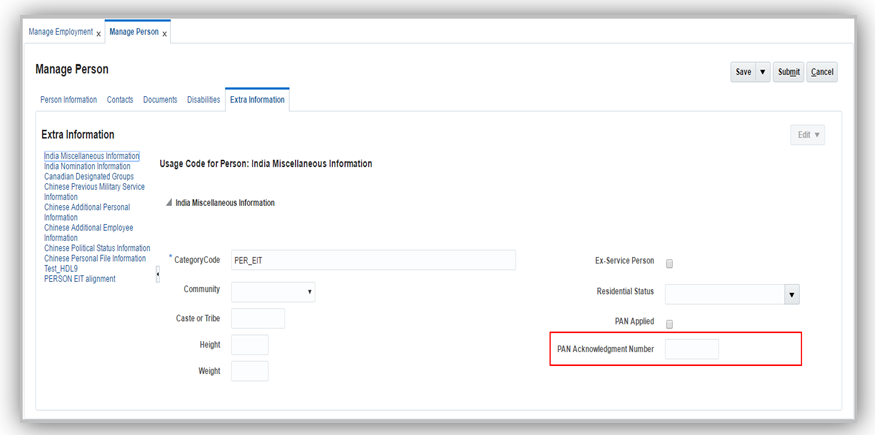
Label Changed from PAN Reference Number to PAN Acknowledgment Number
Steps to Enable
There are no steps necessary to enable this feature.
The Aadhaar Number is a 12 digit individual identification number issued by the Unique Identification Authority of India on behalf of the Government of India. This number will serve as a proof of identity and address, anywhere in India.
You can now capture and maintain a valid Aadhaar Number of an employee in the New Person and Manage Person pages as one of the National Identifiers.
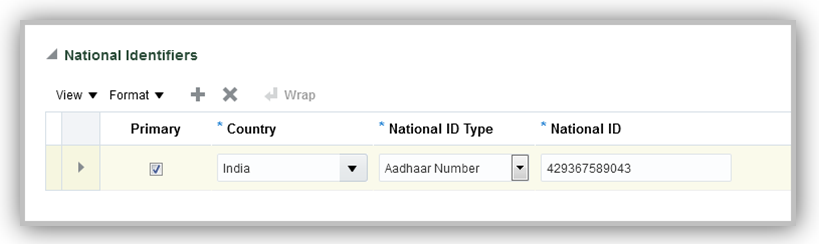
New Hire Capture of Aadhaar Number
Steps to Enable
There are no steps necessary to enable this feature.
Tips and Considerations
If you have already created a custom lookup code for the Aadhaar number under the National Identifiers section, you can choose one of the following two options:
- Migrate the Aadhaar number data of your employees from the custom lookup code to the seeded Aadhhar number lookup code and continue to use the seeded lookup code for storing the Aadhaar numbers.
- Continue to use your custom lookup code to store the Aadhaar numbers of your employees. Note that the validations will only work for the Aadhaar numbers stored against Oracle delivered Aadhaar number lookup code.
Human Capital Management for Indonesia
Oracle Fusion HRMS (Indonesia) supports Indonesia-specific features and functionality. It enables users to follow Indonesia’s business practices and comply with its statutory requirements.
Maintaining Person Information
Comply with local cultural, business, and regulatory requirements by capturing the following person information specific to Indonesia:
- Name style and format
- Validation of the national identifier: KTP number
- Address format with validation
- Other human resources data capture, including predefined values for Ethnicity, Religion, Contacts, Visa and Permit Types, and Highest Education Level
There are no steps necessary to enable this feature.
Key Resources
For more information on national identifier validation, go to My Oracle Support for the following guide:
- Validating National Identifier Numbers in Oracle Fusion Human Capital Management (Document ID 2159758.1)
Human Capital Management for Iran
Oracle Fusion HRMS (Iran) supports Iran-specific features and functionality. It enables users to follow Iran’s business practices and comply with its statutory requirements.
Maintaining Person Information
Comply with local cultural, business, and regulatory requirements by capturing the following person information specific to Iran:
There are no steps necessary to enable this feature.
Key Resources
For more information on national identifier validation, go to My Oracle Support for the following guide:
- Validating National Identifier Numbers in Oracle Fusion Human Capital Management (Document ID 2159758.1)
Human Capital Management for Iraq
Oracle Fusion HRMS (Iraq) supports Iraq-specific features and functions. It enables users to follow Iraq's business practices and comply with its statutory requirements.
Maintaining Person Information
Comply with local cultural, business, and regulatory requirements by capturing the following person information specific to Iraq:
- Name style and format
- National identifier: Civil Identity Number
- Address format with validation
- Bank information
- Other human resources data capture, including predefined values for Ethnicity, Religion, Marital Status, Contacts, and Highest Education Level
There are no steps necessary to enable this feature.
Key Resources
For more information on national identifier validation, go to My Oracle Support for the following guide:
- Validating National Identifier Numbers in Oracle Fusion Human Capital Management (Document ID 2159758.1)
Human Capital Management for Ireland
Oracle Fusion HRMS (Ireland) supports Ireland-specific features and functionality. It enables users to follow Ireland’s business practices and comply with its statutory requirements.
Validate that a correct postal code entered that complies with the EIR Code format. The EIR Code consists of 7 characters of which the first 3 characters are the Routing Key, and the last 4 characters are the Unique Identifier.
The Routing Key must conform to the following:
| Position |
Valid Characters |
|---|---|
| 1 |
A,C,D,E,F,H,K,N,P,R,T,V,W,X,Y |
| 2 |
0-9 |
| 3 |
0-9 or W |
The Unique Identifier must conform to the following:
| Position |
Valid characters |
| 1 |
0-9 and A,C,D,E,F,H,K,N,P,R,T,V,W,X,Y |
| 2 |
0-9 and A,C,D,E,F,H,K,N,P,R,T,V,W,X,Y |
| 3 |
0-9 and A,C,D,E,F,H,K,N,P,R,T,V,W,X,Y |
| 4 |
0-9 and A,C,D,E,F,H,K,N,P,R,T,V,W,X,Y |
There are no steps necessary to enable this feature. The application validates the EIR Code when you enter the postal code in the Address section on the Person Information page. Disable this validation if not required.
Use this report to identify variations for the Irish balance values that might indicate potential over payments or underpayments, and validate payroll runs for diagnostic purposes. Specify the report definition by selecting the balances that must be tracked by the report and the variant values.
There are no steps necessary to enable this feature. Run this report from Payment Distribution work area or Payroll Checklist work area.
For more information about these reports, go to Application Help, and search for the following topic:
- Balance Exception Report: Explained
Human Capital Management for Israel
Oracle Fusion HRMS (Israel) supports Israel-specific features and functions. It enables users to follow Israel's business practices and comply with its statutory requirements.
Maintaining Person and Employment Information
Comply with local cultural, business, and regulatory requirements by capturing the following person and employment information specific to Israel:
- Name style and format
- Validation of the Israeli National Identifier
- Address format with validation
- Bank information
- Employment information: Contract Type and Worker Category
- Other human resources data capture, including predefined values for Title, Passports, Visa and Permit (Types and Categories), Highest Education Level, and Driver’s License
- Date of Birth and Gender are required fields.
- Religion and Ethnicity information are hidden to meet local cultural practices, and statutory and business requirements
There are no steps necessary to enable this feature.
Key Resources
For more information on national identifier validation, go to My Oracle Support for the following guide:
- Validating National Identifier Numbers in Oracle Fusion Human Capital Management (Document ID 2159758.1)
Human Capital Management for Italy
Oracle Fusion HRMS (Italy) supports Italy-specific features and functionality. It enables users to follow Italy’s business practices and comply with its statutory requirements.
Maintaining Person and Employment Information
Comply with local cultural, business, and regulatory requirements by capturing the following person and employment information specific to Italy:
- Name style and format
- Validation of the national identifier: Fiscal Code
- Address format
- Bank information
- Employment information: Contract Type and Worker Category
- Other human resources data capture, including predefined values for Passports, Visa and Permit Types, and Highest Education Level
- Religion and Ethnicity information are hidden to meet local cultural practices, and statutory and business requirements
There are no steps necessary to enable this feature.
Key Resources
For more information on national identifier validation, go to My Oracle Support for the following guide:
- Validating National Identifier Numbers in Oracle Fusion Human Capital Management (Document ID 2159758.1)
Human Capital Management for Jamaica
Oracle Fusion HRMS (Jamaica) supports Jamaica-specific features and functionality. It enables users to follow Jamaica’s business practices and comply with its statutory requirements.
Maintaining Person Information
Comply with local cultural, business, and regulatory requirements by capturing the following person information specific to Jamaica:
There are no steps necessary to enable this feature.
Human Capital Management for Jordan
Oracle Fusion HRMS (Jordan) supports Jordan-specific features and functions. It enables users to follow Jordan's business practices and comply with its statutory requirements.
Maintaining Person Information
Comply with local cultural, business, and regulatory requirements by capturing the following person information specific to Jordan:
- Name style and format
- National identifiers: Civil Identity Number and Social Security Number
- Address format with validation
- Bank information
- Other human resources data capture, including predefined values for Ethnicity, Religion, Marital Status, Contacts, and Highest Education Level
There are no steps necessary to enable this feature.
Key Resources
For more information on national identifier validation, go to My Oracle Support for the following guide:
- Validating National Identifier Numbers in Oracle Fusion Human Capital Management (Document ID 2159758.1)
Human Capital Management for Kazakhstan
Oracle Fusion HRMS (Kazakhstan) supports Kazakhstan-specific features and functionality. It enables users to follow Kazakhstan’s business practices and comply with its statutory requirements. The following features were added since the last release of Oracle Fusion Human Capital Management for Kazakhstan.
Kazakhstan now supports the required contract types.
There are no steps necessary to enable this feature.
Kazakhstan now includes worker categories.
There are no steps necessary to enable this feature.
Human Capital Management for Kenya
Oracle Fusion HRMS (Kenya) supports Kenya-specific features and functionality. It enables users to follow Kenya’s business practices and comply with its statutory requirements.
Maintaining Person Information
Comply with local cultural, business, and regulatory requirements by capturing the following person information specific to Kenya:
- Address format
There are no steps necessary to enable this feature.
Human Capital Management for Kuwait
Oracle Fusion HRMS (Kuwait) supports Kuwait-specific features and functionality. It enables users to follow Kuwait’s business practices and comply with its statutory requirements.
Validation on Correcting or Reversing a Termination
When you reverse a termination or change the termination date of an employee in Manage Work Relationships, a message appears informing that a gratuity calculation card already exists for the employee and the calculation card must be deleted before you reverse or correct the termination.
There are no steps necessary to enable this feature.
Tips and Considerations
Ensure that the gratuity calculation card is deleted before you reverse or change the termination.
Statutory Reporting: Update to Report 166 – Monthly Contributions
The monthly report that contains details of the total social insurance payments for an employer is updated to include Additional Social Insurance contributions.
There are no steps necessary to enable this feature. You can run this report from the Regulatory and Tax Reporting work area.
Ensure that an element for Additional Social Insurance is created before you run the report.
For more information about this report, go to Application Help, Statutory Reports for Kuwait topic.
When you select Human Resources or Payroll Interface as the selected extension in the Manage Features by Country or Territory page, you can create a payroll definition with a Biweekly period type.
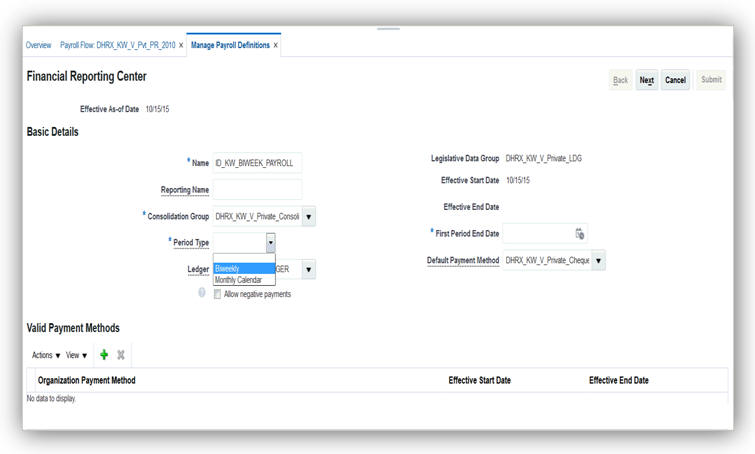
Biweekly Period Type in Manage Payroll Definition Page
IMPORTANT: You cannot create a biweekly payroll definition, if Payroll is the selected extension for your legislation.
There are no steps necessary to enable this feature.
Monthly Gratuity Accrual Process Updates
When you run the Payroll Calculation process, you can view the accrued gratuity amount in the Information region of the statement of earnings. If a user-created formula is used to calculate the gratuity payment on termination, then the same formula is used for calculating the monthly accrued gratuity amount.
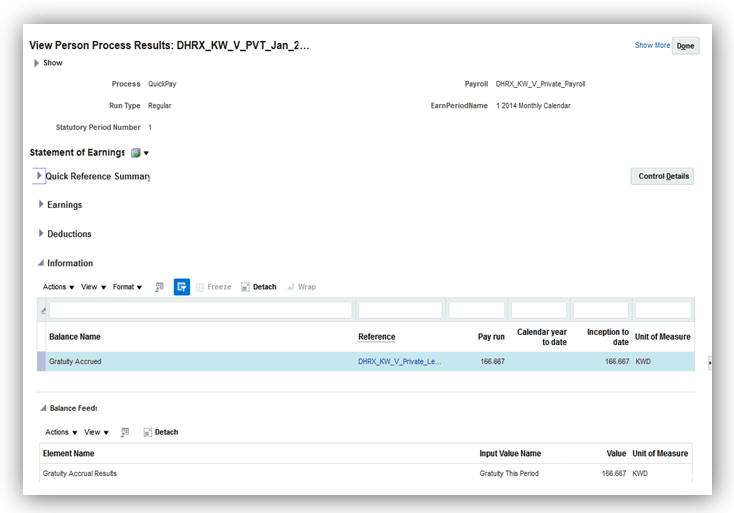
Accrued Gratuity Amount in the Information Region of the Statement of Earnings
Before you verify the accrued gratuity in the statement of earnings, ensure to perform the following:
- Create the element eligibility link for the gratuity accrual initiator.
- Associate the gratuity accrual initiator to the employee through the element entry.
- Associate the formula to calculate the reference salary with the Employer Gratuity Deduction card.
Run the Payroll Calculation process and verify the results for the gratuity amount for the period and the accrued gratuity.
Tips and Considerations
When you enter the Employer Reference Formula in the Employer Gratuity Deduction card, the formula must use the variable, PAID_GRATUITY. This overrides the gratuity amount calculated by the default formula.
For Social Insurance purposes when an employee is rehired, the employee is considered as a new hire and the hire date used for reporting purposes is the latest hire date.
There are no steps necessary to enable this feature.
Social Insurance 2015 Enhancement
A new component for gratuity contributions has been added to the social insurance calculation. The additional employee contribution is applicable to all Kuwaiti workers employed in the Private sector and some Government sector workers, depending on their hire date. Employers can record whether or not they are going to pay the gratuity amount due to an employee on termination. In addition, they can record whether an employee has received a gratuity payment in the past, and the date when that payment was received.
The payroll process uses this information to determine whether or not gratuity contributions are to be deducted as part of the social insurance calculation.
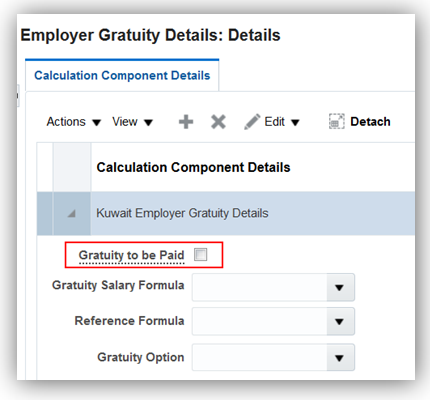
Employer Gratuity Card

Employee Social Insurance Card
Steps to Enable
There are no steps necessary to enable this feature.
Social Insurance Calculation for Fully State Owned Oil Companies
Employers can utilize specific employer sectors to ensure that appropriate social insurance deductions are being calculated for their employees. Oil sector has now been added as an employer sector, and additional rates, elements and balances have been delivered to calculate oil sector employee and employer contributions.
The payroll process calculates social insurance for both employees and employers based on the employer sector, and if gratuity contributions are to be deducted as part of the social insurance calculation.
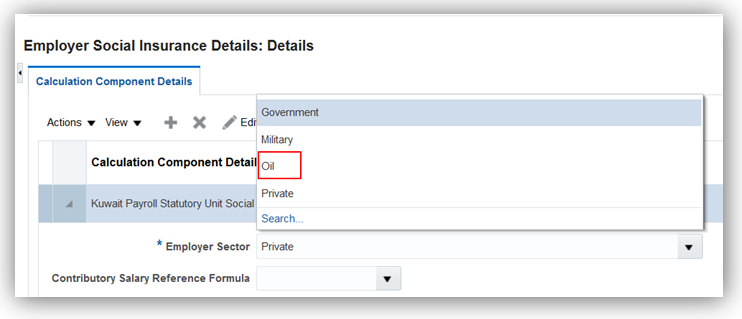
Employer Social Insurance Card
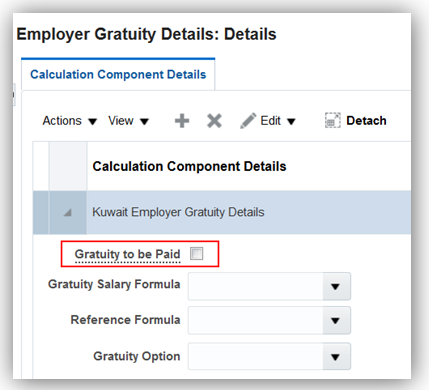
Employer Gratuity Card
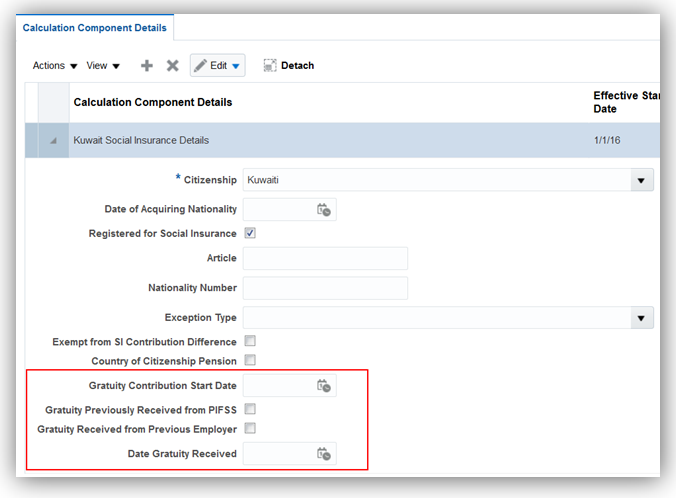
Employee Social Insurance Card
Steps to Enable
There are no steps necessary to enable this feature.
Human Capital Management for Lebanon
Oracle Fusion HRMS (Lebanon) supports Lebanon-specific features and functionality. It enables users to follow Lebanon’s business practices and comply with its statutory requirements.
Maintaining Person Information
This feature supports the recording of person and other human resources data specific to Lebanon, such as:
- Name style and format
- National identifiers: Civil Identity Number and Social Security Number
- Address format
- Bank information
- Other human resources data capture, including predefined values for Ethnicity, Religion, Marital Status, Contacts, and Highest Education Level
There are no steps necessary to enable this feature.
Key Resources
For more information on national identifier validation, go to My Oracle Support for the following guide:
- Validating National Identifier Numbers in Oracle Fusion Human Capital Management (Document ID 2159758.1)
Human Capital Management for Liechtenstein
Oracle Fusion HRMS (Liechtenstein) supports Liechtenstein-specific features and functionality. It enables users to follow Liechtenstein’s business practices and comply with its statutory requirements.
Personal Identification Number Validation
A warning message is displayed if you do not enter the personal identification number as a 12-digit number.
There are no steps necessary to enable this feature.
Human Capital Management for Luxembourg
Oracle Fusion HRMS (Luxembourg) supports Luxembourg -specific features and functionality. It enables users to follow Luxembourg’s business practices and comply with its statutory requirements.
Maintaining Person and Employment Information
Comply with local cultural, business, and regulatory requirements by capturing the following person and employment information specific to Luxembourg:
- Name style
- National identifier: Personal Number
- Address format with validation
- Bank information
- Employment information: Contract Type
- Other human resources data capture, including predefined values for Passports, Visa and Permit Types, and Highest Education Level
- Religion and Ethnicity information are hidden to meet local cultural practices, and statutory and business requirements
There are no steps necessary to enable this feature. Use the Hire Employee task, Manage Person task, and Manage Employment Information task from the Workforce Management work area.
Key Resources
For more information on national identifier validation, go to My Oracle Support for the following guide:
- Validating National Identifier Numbers in Oracle Fusion Human Capital Management (Document ID 2159758.1)
Human Capital Management for Macau
Oracle Fusion HRMS (Macau) supports Macau-specific features and functionality. It enables users to follow Macau’s business practices and comply with its statutory requirements.
Maintaining Person Information
Comply with local cultural, business, and regulatory requirements by capturing the following person information specific to Macau:
- Validation of the National Identifier
- Address format
There are no steps necessary to enable this feature.
Key Resources
For more information on national identifier validation, go to My Oracle Support for the following guide:
- Validating National Identifier Numbers in Oracle Fusion Human Capital Management (Document ID 2159758.1)
Human Capital Management for Morocco
Oracle Fusion HRMS (Morocco) supports Morocco-specific features and functionality. It enables users to follow Morocco’s business practices and comply with its statutory requirements.
Maintaining Person Information
Comply with local cultural, business, and regulatory requirements by capturing the following person information specific to Morocco:
- Name style and format
- National identifier: Civil Identity Number
- Bank information
- Other human resources data capture, including predefined values for Ethnicity, Marital Status, Contacts, and Highest Education Level
There are no steps necessary to enable this feature.
Key Resources
For more information on national identifier validation, go to My Oracle Support for the following guide:
- Validating National Identifier Numbers in Oracle Fusion Human Capital Management (Document ID 2159758.1)
The local-specific address format is delivered for Morocco, with validation.
Steps to Enable
There are no steps necessary to enable this feature.
Human Capital Management for Mozambique
Oracle Fusion HRMS (Mozambique) supports Mozambique-specific features and functionality. It enables users to follow Mozambique’s business practices and comply with its statutory requirements.
Maintaining Person Information
Comply with local cultural, business, and regulatory requirements by capturing the following person information specific to Mozambique:
There are no steps necessary to enable this feature.
Human Capital Management for Namibia
Oracle Fusion HRMS (Namibia) supports Namibia-specific features and functionality. It enables users to follow Namibia’s business practices and comply with its statutory requirements.
Maintaining Person Information
Comply with local cultural, business, and regulatory requirements by capturing the following person information specific to Namibia:
There are no steps necessary to enable this feature.
Human Capital Management for the Netherlands
Oracle Fusion HRMS (Netherlands) support Dutch-specific features and functionality. It enables users to follow Dutch business practices and comply with its statutory requirements.
Run the Worker Data Validation Report to get a list of employees with missing or noncompliant statutory HR data for the Netherlands. The delivered output is in PDF format and lists workers whose details fail the validation checks for:
- Person attributes: First Name, Initials, Marital Status, and Date of Birth.
- Address attributes: Postal Code format, House or Building Number, and House or Building Number Addition.
- Reporting Establishment
- Whether Payroll has been assigned
Correct any issues identified in the report to reduce errors in statutory reports or processes.
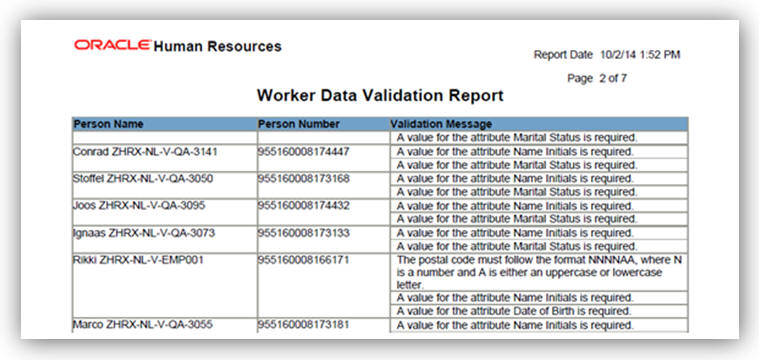
Steps to Enable
There are no steps necessary to enable this feature. Run this report from the Payroll Checklist work area.
You must specify the legal employer and the effective date to run the report.
Global Payroll Interface Support for the Netherlands
Facilitate third-party payroll processing for the Netherlands through the global payroll interface. The extract definition creates XML output that is transformed to a standardized XML structure and published and version controlled using XSL templates in the BI Publisher. Use this to create a data file to send data to third-party payroll providers, enabling them to process their payroll and deliver Dutch statutory reports, such as the wage report.
When you copy this predefined extract definition for a Dutch legislative data group, your copy includes refined global attributes as well as Dutch-specific fields that include:
- Tax information, including the TRU, employee tax code and other standard-rate tax information, and also special-rate tax information, including the previous year’s income, individual tax rate, and whether the beneficial rule applies.
- Social insurance information, including the sector risk fund and social insurance funds, such as ZW and ZWW, and whether the employee works 5 days a week or less for social insurance and tax purposes.
- Subsidies and discounts that apply to the employee, including the wage tax discount, employer discounts, and holiday coupons.
- Contract type, employment type code, influence code, temporary worker labor code and other information required for wage reporting.
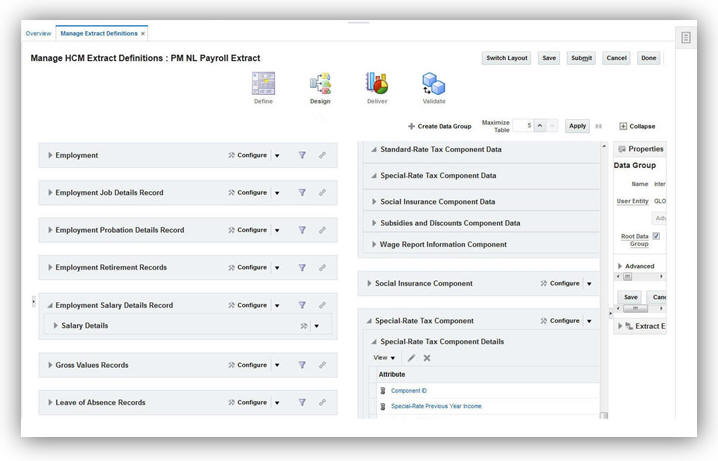
Global Payroll Interface
To view the Global Payroll Interface:
- Select the Manage Extract Definitions task in the Data Exchange work area.
- Specify a NL legislative data group.
- Select Payroll Interface in the Type field.
- Click Search.
- In the Search Results, select Global Payroll Interface.
- Select Global Payroll Interface in the search result.
- Click on the Copy icon
- Specify a name for the interface in the popup.
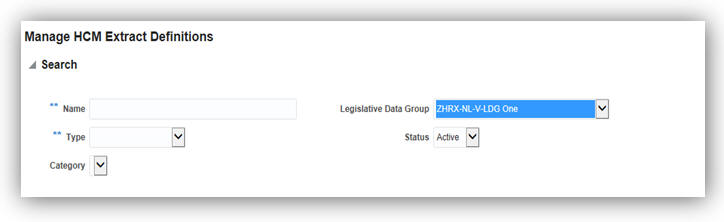
Global Payroll Interface Search Criteria
Steps to Enable
There are no steps necessary to enable this feature.
key resources
For more information about the Global Payroll Interface extract definition, go to Applications Help for the following topics:
- Global Payroll Interface Extract Definition
- Creating Extract Definitions for Payroll Interface: Procedure
- Selecting Country Extensions: Critical Choices
This update includes changes to values on the Dutch Statutory Deductions and Reporting calculation cards in compliance with 2017 legislation.
All information from an employee’s calculation card is included in the Dutch extension to the global payroll interface payroll extract definition. Updates to statutory values on the card enable you to ensure that the Dutch payroll extract definition used by a third-party payroll provider includes current information.
The following fields have code changes:
- Income Code
- Employment Type Code
- Incidental Income Decrease Code
The existing Labor Handicapped Discount – Target Group Does Not Apply discount, specified on the Employer Discount fields, has changed. It must now be reported depending on whether it applies to an existing employee or a new hire. Therefore, the existing discount type is replaced by the following two new discount types:
- Hiring Labor Handicapped Employee Discount, for new hires
- Reassigning Labor Handicapped Employee Discount, for existing employees
Employees on a quarterly payroll frequency are now eligible for holiday coupons. You can select their holiday calculation factor in the Holiday Coupon Days field.
Steps to Enable
There are no steps necessary to enable this feature.
Tips and Considerations
All changes will apply to Dutch Statutory Deductions and Reporting cards for updates with an effective start date of 1 January 2017 or later.
Key Resources
For more information, go to Applications Help for the following guides and topic:
- Oracle Fusion Human Capital Management for Netherlands: HR Implementation and Functional Considerations
Human Capital Management for New Zealand
Oracle Fusion HRMS (New Zealand) supports country specific features and functions for New Zealand. It enables users to follow New Zealand’s business practices and comply with its statutory requirements.
Enabled Values for Disability Category
The values ‘Hearing impairment’, ‘Intellectual disability’, ‘Physical disability’, and ‘Visual impairment’ were enabled for the Disability Category attribute for New Zealand.
Steps to Enable
There are no steps necessary to enable this feature.
Human Capital Management for Nicaragua
Oracle Fusion HRMS (Nicaragua) supports country specific features and functions for Nicaragua. It enables users to follow Nicaragua’s business practices and comply with its statutory requirements.
Maintaining Person Information
This feature supports the recording of person information specific to Nicaragua, such as:
- Name style and format
- Address format
There are no steps necessary to enable this feature.
Human Capital Management for Nigeria
Oracle Fusion HRMS (Nigeria) supports Nigeria-specific features and functionality. It enables users to follow Nigeria’s business practices and comply with its statutory requirements.
Maintaining Person Information
Comply with local cultural, business, and regulatory requirements by capturing the following person information specific to Nigeria:
- Human resources data capture including predefined values for: Passports, Visa and Permit Types
- Date of Birth and Gender are required fields
There are no steps necessary to enable this feature.
Human Capital Management for Norway
Oracle Fusion HRMS (Norway) supports Norway -specific features and functionality. It enables users to follow Norway’s business practices and comply with its statutory requirements.
National Identifiers Validation
A warning message is displayed if you do not enter the Norwegian National Identifier or the D Number with the correct format and check-digit.
There are no steps necessary to enable this feature.
Key Resources
For more information on national identifier validation, go to My Oracle Support for the following guide:
- Validating National Identifier Numbers in Oracle Fusion Human Capital Management (Document ID 2159758.1)
Human Capital Management for Pakistan
Oracle Fusion HRMS (Pakistan) supports Pakistan-specific features and functionality. It enables users to follow Pakistan’s business practices and comply with its statutory requirements.
Maintaining Person and Employment Information
This feature supports the recording of person and employment human resources data specific to Pakistan, such as:
- Name style and format
- Validation of the National Identifier
- Address format with validation
- Bank information
- Employment information: Contract Type
- Other human resources data capture, including predefined values for Ethnicity, Religion, Gender, Passports, Visa and Permit Types, Disabilities, and Highest Education Level
- Date of Birth and Gender are required fields
There are no steps necessary to enable this feature.
Key Resources
For more information on national identifier validation, go to My Oracle Support for the following guide:
- Validating National Identifier Numbers in Oracle Fusion Human Capital Management (Document ID 2159758.1)
Human Capital Management for Panama
Oracle Fusion HRMS (Panama) supports country specific features and functions for Panama. It enables users to follow Panama’s business practices and comply with its statutory requirements.
Maintaining Person Information
This feature supports the recording of person information specific to Panama, such as:
- Name style and format
- Address format
There are no steps necessary to enable this feature.
Human Capital Management for Paraguay
Oracle Fusion HRMS (Paraguay) supports Paraguay-specific features and functionality. It enables users to follow Paraguay’s business practices and comply with its statutory requirements.
Maintaining Person Information
Comply with local cultural, business, and regulatory requirements by capturing the following person information specific to Paraguay:
- Name style and format
- Address format
There are no steps necessary to enable this feature.
Human Capital Management for Peru
Oracle Fusion HRMS (Peru) supports Peru-specific features and functionality. It enables users to follow Peru’s business practices and comply with its statutory requirements.
Maintaining Person Information
Comply with local cultural, business, and regulatory requirements by capturing the following person information specific to Peru:
- Name style and format
- Address format
There are no steps necessary to enable this feature.
Human Capital Management for Philippines
Oracle Fusion HRMS (Philippines) supports Philippines-specific features and functionality. It enables users to follow Philippines’ business practices and comply with its statutory requirements.
Maintaining Person and Employment Information
Comply with local cultural, business, and regulatory requirements by capturing the following person and employment information specific to Philippines:
- Name style and format
- Validation of the national identifiers: Tax Identification Number, SSS Number, Common Reference Number, GSIS Number, Business Partner Number, PhilHealth Number, and PAG-IBIG Number
- Address format and address types, with validation
- Bank information
- Employment information: Contract Type and Assignment Category
- Other human resources data capture, including predefined values for Title, Religion, Marital Status, Contacts, Passports, Visa and Permit Types, Disabilities, and Highest Education Level
There are no steps necessary to enable this feature.
Key Resources
For more information on national identifier validation, go to My Oracle Support for the following guide:
- Validating National Identifier Numbers in Oracle Fusion Human Capital Management (Document ID 2159758.1)
Added Value for Disability Category
The value ‘Intellectual disability’ was added to the existing values enabled for the Disability Category attribute for Philippines.
Steps to Enable
There are no steps necessary to enable this feature.
Human Capital Management for Poland
Oracle Fusion HRMS (Poland) supports country specific features and functions for Poland. It enables users to follow Poland’s business practices and comply with its statutory requirements.
Poland now supports the required contract types.
There are no steps necessary to enable this feature.
Human Capital Management for Portugal
Oracle Fusion HRMS (Portugal) supports Portugal -specific features and functionality. It enables users to follow Portugal’s business practices and comply with its statutory requirements.
Maintaining Person and Employment Information
Comply with local cultural, business, and regulatory requirements by capturing the following person and employment information specific to Portugal:
- Name style and format
- Validation of the national identifiers: Tax Identification Number and Social Security Number
- Address format with validation
- Bank information
- Employment information: Contract Type
- Other human resources data capture, including predefined values for Marital Status, Contacts, Passports, Visa and Permit Types, and Highest Education Level
- Date of Birth is a required field
- Religion and Ethnicity information are hidden to meet local cultural practices, and statutory and business requirements
There are no steps necessary to enable this feature. Use the Hire Employee task, Manage Person task, and Manage Employment Information task from the Workforce Management work area.
Key Resources
For more information on national identifier validation, go to My Oracle Support for the following guide:
- Validating National Identifier Numbers in Oracle Fusion Human Capital Management (Document ID 2159758.1)
Human Capital Management for Romania
Oracle Fusion HRMS (Romania) supports Romania-specific features and functionality. It enables users to follow Romania’s business practices and comply with its statutory requirements.
Maintaining Person and Employment Information
Comply with local cultural, business, and regulatory requirements by capturing the following person and employment information specific to Romania:
- Name style and format
- Validation of the national identifier: CNP
- Address format with validation
- Bank information
- Employment information: Contract Type
- Other human resources data capture, including predefined values for Passports, Visa and Permit (types and categories), Disabilities, and Highest Education Level
There are no steps necessary to enable this feature.
Key Resources
For more information on national identifier validation, go to My Oracle Support for the following guide:
- Validating National Identifier Numbers in Oracle Fusion Human Capital Management (Document ID 2159758.1)
Human Capital Management for Russia
Oracle Fusion HRMS (Russia) supports country specific features and functions for Russia. It enables users to follow Russia’s business practices and comply with its statutory requirements.
Maintaining Person and Employment Information
Russia now complies with local cultural, business, and regulatory requirements by capturing the following person and employment information specific to Russia:
- Name style and format
- Validation of the national identifiers: INN and SNILS
- Address format and address types, with validation
- Bank information
- Employment information: Contract Type
- Other human resources data capture, including predefined values for Marital Status, Contacts, Passports, Visa and Permit (types and categories), and Highest Education Level
- Date of Birth and Gender are now required fields
- Religion and Ethnicity information are hidden to meet local cultural practices, and statutory and business requirements
Steps to Enable
There are no steps necessary to enable this feature.
Key Resources
For more information on national identifier validation, go to My Oracle Support for the following guide:
- Validating National Identifier Numbers in Oracle Fusion Human Capital Management (Document ID 2159758.1)
Human Capital Management for Saint Kitts and Nevis
Oracle Fusion HRMS (Saint Kitts and Nevis) supports Saint Kitts and Nevis-specific features and functionality. It enables users to follow Saint Kitts’s and Nevis’s business practices and comply with its statutory requirements.
Maintaining Person Information
Comply with local cultural, business, and regulatory requirements by capturing the following person information specific to Saint Kitts and Nevis:
There are no steps necessary to enable this feature.
Key Resources
For more information on national identifier validation, go to My Oracle Support for the following guide:
- Validating National Identifier Numbers in Oracle Fusion Human Capital Management (Document ID 2159758.1)
Human Capital Management for Saint Lucia
Oracle Fusion HRMS (Saint Lucia) supports Saint Lucia-specific features and functionality. It enables users to follow Saint Lucia’s business practices and comply with its statutory requirements.
Maintaining Person Information
Comply with local cultural, business, and regulatory requirements by capturing the following person information specific to Saint Lucia’s:
- Validation of the national identifier: Social Security Number
- Address format
There are no steps necessary to enable this feature.
Key Resources
For more information on national identifier validation, go to My Oracle Support for the following guide:
- Validating National Identifier Numbers in Oracle Fusion Human Capital Management (Document ID 2159758.1)
Human Capital Management for Saint Vincent and the Grenadines
Oracle Fusion HRMS (Saint Vincent and the Grenadines) supports Saint Vincent and the Grenadines-specific features and functionality. It enables users to follow Saint Vincent’s and the Grenadines’ businesses practices and comply with its statutory requirements.
Maintaining Person Information
Comply with local cultural, business, and regulatory requirements by capturing the following person information specific to Saint Vincent and the Grenadines:
- Validation of the National Identifier
- Address format
There are no steps necessary to enable this feature.
Key Resources
For more information on national identifier validation, go to My Oracle Support for the following guide:
- Validating National Identifier Numbers in Oracle Fusion Human Capital Management (Document ID 2159758.1)
Human Capital Management for Saudi Arabia
Oracle Fusion HRMS (Saudi Arabia) supports Saudi Arabia-specific features and functionality. It enables users to follow Saudi Arabia’s business practices and comply with its statutory requirements.
You can now generate Disabled Workers Report that provides a list of workers (includes employees and contingent workers) and their associated disability details.
Run this report from the BI Catalog under HCM> Workforce Management>Person Management>Saudi Arabia.
There are no steps necessary to enable this feature.
Tips and Considerations
Ensure that the Disability Category list items are tagged for Saudi Arabia.
Validation on Correcting or Reversing a Termination
When you reverse a termination or change the termination date of an employee in the Manage Work Relationships page, a message appears informing that a gratuity calculation card already exists for the employee and the calculation card must be deleted before you reverse or correct the termination.
There are no steps necessary to enable this feature.
Tips and Considerations
Ensure that the gratuity calculation card is deleted before you reverse or change the termination.
The Wage Protection System report tracks the amounts that need to be paid to the employees. Only employees with a Personal Payment Method of type EFT will be reported on the Wage Protection System report. Submit the report to the Wage Protection Agent at the end of each period. The banks process the report for crediting wages to the employees.
There are no steps necessary to enable this feature. Ensure that Payroll Run, Prepayment, and Archiver processes are run and complete for the payroll period.
When you select Human Resources or Payroll Interface as the selected extension in the Manage Features by Country or Territory page, you can create a payroll definition with a Biweekly period type.
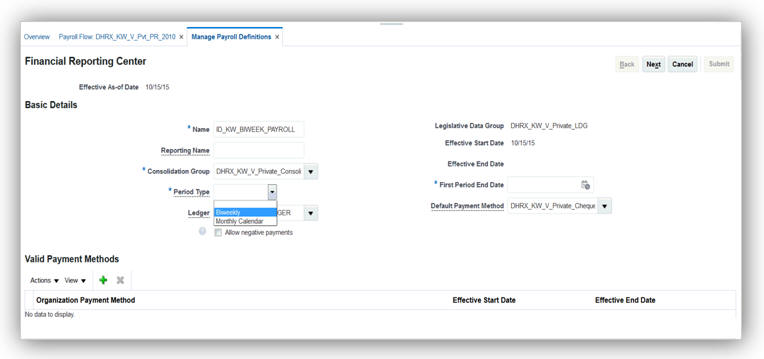
Biweekly Period Type in Manage Payroll Definition Page.
IMPORTANT: You cannot create a biweekly payroll definition, if Payroll is the selected extension for your legislation.
There are no steps necessary to enable this feature.
Monthly Gratuity Accrual Process Updates
When you run the Payroll Calculation process, you can view the accrued gratuity amount in the Information region of the statement of earnings. If a user-created formula is used to calculate the gratuity payment on termination, then the same formula is used for calculating the monthly accrued gratuity amount.
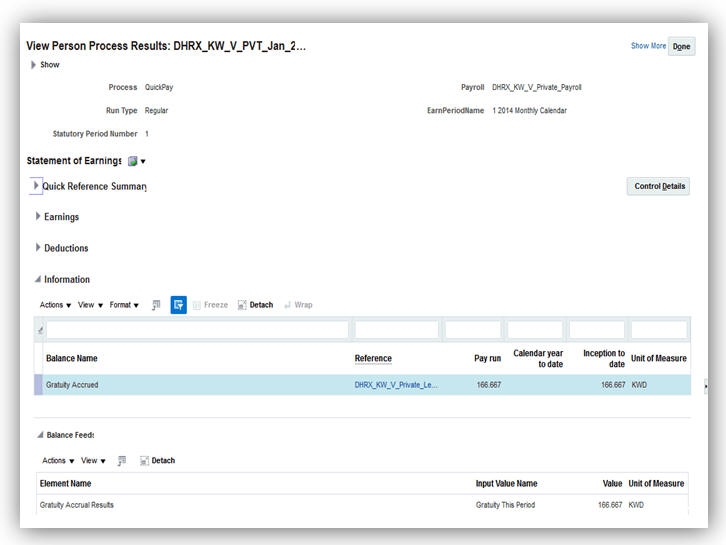
Accrued Gratuity Amount in the Information Region of the Statement of Earnings
Before you verify the accrued gratuity in the statement of earnings, ensure to perform the following:
- Create the element eligibility link for the gratuity accrual initiator.
- Associate the gratuity accrual initiator to the employee through the element entry.
- Associate the formula to calculate the reference salary with the Employer Gratuity Deduction card.
Run the Payroll Calculation process and verify the results for the gratuity amount for the period and the accrued gratuity.
When you enter the Employer Reference Formula in the Employer Gratuity Deduction card, the formula must use the variable, PAID_GRATUITY. This overrides the gratuity amount calculated by the default formula.
For Social Insurance purposes when an employee is rehired, the employee is considered as a new hire and the hire date used for reporting purposes is the latest hire date.
There are no steps necessary to enable this feature.
Human Capital Management for Serbia
Oracle Fusion HRMS (Serbia) supports Serbia-specific features and functionality. It enables users to follow Serbia’s business practices and comply with its statutory requirements.
Maintaining Person Information
Comply with local cultural, business, and regulatory requirements by capturing the following person information specific to Serbia:
- Validation of the national identifier: JMBG
There are no steps necessary to enable this feature.
Key Resources
For more information on national identifier validation, go to My Oracle Support for the following guide:
- Validating National Identifier Numbers in Oracle Fusion Human Capital Management (Document ID 2159758.1)
Human Capital Management for Slovakia
Oracle Fusion HRMS (Slovakia) supports Slovakia-specific features and functionality. It enables users to follow Slovakia’s business practices and comply with its statutory requirements.
Maintaining Person Information
Comply with local cultural, business, and regulatory requirements by capturing the following person information specific to Slovakia:
- Name style and format
- Validation of the national identifier: Personal Identification Number
- Address format with validation
- Bank information
- Other human resources data capture, including predefined values for Passports, Visa and Permit Types, and Highest Education Level
- Date of Birth and Gender are required fields
- Religion and Ethnicity information are hidden to meet local cultural practices, and statutory and business requirements
Steps to Enable
There are no steps necessary to enable this feature.
Key Resources
For more information on national identifier validation, go to My Oracle Support for the following guide:
- Validating National Identifier Numbers in Oracle Fusion Human Capital Management (Document ID 2159758.1)
Human Capital Management for Slovenia
Oracle Fusion HRMS (Slovenia) supports Slovenia-specific features and functionality. It enables users to follow Slovenia’s business practices and comply with its statutory requirements.
Maintaining Person Information
Comply with local cultural, business, and regulatory requirements by capturing the following person information specific to Slovenia:
- Validation of the national identifier: EMSO
There are no steps needed to enable the feature.
Key Resources
For more information on national identifier validation, go to My Oracle Support for the following guide:
- Validating National Identifier Numbers in Oracle Fusion Human Capital Management (Document ID 2159758.1)
Human Capital Management for South Africa
Oracle Fusion HRMS (South Africa) supports South Africa-specific features and functionality. It enables users to follow South Africa’s business practices and comply with its statutory requirements.
Maintaining Person and Employment Information
Comply with local cultural, business, and regulatory requirements by capturing the following person and employment information specific to South Africa:
- Name style and format, with validation
- Validation of the national identifier: Identity number
- Address format and address types, with validation
- Bank information
- Employment information: Contract Type, Worker Category, Assignment Category, and Nature of Person
- Other human resources data capture, including Foreign National and predefined values for Ethnicity, Visa and Permit Types
There are no steps necessary to enable the feature.
Key Resources
For more information on national identifier validation, go to My Oracle Support for the following guide:
- Validating National Identifier Numbers in Oracle Fusion Human Capital Management (Document ID 2159758.1)
Human Capital Management for Spain
Oracle Fusion HRMS (Spain) supports Spain-specific features and functionality. It enables users to follow Spain’s business practices and comply with its statutory requirements.
Maintaining Person Information
Comply with local cultural, business, and regulatory requirements by capturing the following person information specific to Spain:
- Name style and format
- Validation of the national identifiers: NIF, Social Security Number, and Foreigner's Identification Number
- Address format with validation
- Bank information
- Other human resources data capture, including predefined values for Passports
- Religion and Ethnicity information are hidden to meet local cultural practices, and statutory and business requirements
Steps to Enable
There are no steps necessary to enable this feature. Use the Hire Employee task, Manage Person task, and Manage Employment Information task from the Workforce Management work area.
Key Resources
For more information on national identifier validation, go to My Oracle Support for the following guide:
- Validating National Identifier Numbers in Oracle Fusion Human Capital Management (Document ID 2159758.1)
Human Capital Management for Sudan
Oracle Fusion HRMS (Sudan) supports Sudan-specific features and functionality. It enables users to follow Sudan’s business practices and comply with its statutory requirements.
Maintaining Person Information
Comply with local cultural, business, and regulatory requirements by capturing the following person information specific to Sudan:
- Name style and format
- National identifiers: Civil Identity Number, and Social Security Number
- Address format with validation
- Bank information
- Other human resources data capture, including predefined values for Ethnicity, Marital Status, Contacts, and Highest Education Level
There are no steps necessary to enable the feature.
Key Resources
For more information on national identifier validation, go to My Oracle Support for the following guide:
- Validating National Identifier Numbers in Oracle Fusion Human Capital Management (Document ID 2159758.1)
Human Capital Management for Suriname
Oracle Fusion HRMS (Suriname) supports Suriname-specific features and functionality. It enables users to follow Suriname’s business practices and comply with its statutory requirements.
Maintaining Person Information
Comply with local cultural, business, and regulatory requirements by capturing the following person information specific to Suriname:
There are no steps necessary to enable this feature.
Human Capital Management for Sweden
Oracle Fusion HRMS (Sweden) supports country specific features and functions for Sweden. It enables users to follow Sweden’s business practices and comply with its statutory requirements.
National Identifier Validation
Sweden now displays a warning message if you do not provide an employee’s coordination number or the personal identification number with the correct format and check-digit.
There are no steps necessary to enable this feature.
Key Resources
For more information on national identifier validation, go to My Oracle Support for the following guide:
- Validating National Identifier Numbers in Oracle Fusion Human Capital Management (Document ID 2159758.1)
Enhanced Post Number Validation
The Swedish Post Number validation is enhanced to accept a number in the format "NNN NN" (one space between 3rd and 4th digit), in addition to the already accepted format “NNNNN”.
Steps to Enable
There are no steps necessary to enable this feature.
Human Capital Management for Syria
Oracle Fusion HRMS (Syria) supports Syria-specific features and functions. It enables users to follow Syria's business practices and comply with its statutory requirements.
Maintaining Person Information
Comply with local cultural, business, and regulatory requirements by capturing the following person information specific to Syria:
- Name style and format
- National identifiers: Civil Identity Number, and Social Security Number
- Address format with validation
- Bank information
- Other human resources data capture, including predefined values for Ethnicity, Religion, Marital Status, Contacts, and Highest Education Level
There are no steps necessary to enable this feature.
Key Resources
For more information on national identifier validation, go to My Oracle Support for the following guide:
- Validating National Identifier Numbers in Oracle Fusion Human Capital Management (Document ID 2159758.1)
Human Capital Management for Thailand
Oracle Fusion HRMS (Thailand) supports Thailand-specific features and functionality. It enables users to follow Thailand’s business practices and comply with its statutory requirements.
Maintaining Person Information
Comply with local cultural, business, and regulatory requirements by capturing the following person information specific to Thailand:
- Name style and format
- Validation of the Thai National Identifier
- Other human resources data capture, including predefined values for Visa and Permit Types, Disabilities
There are no steps necessary to enable this feature.
Key Resources
For more information on national identifier validation, go to My Oracle Support for the following guide:
- Validating National Identifier Numbers in Oracle Fusion Human Capital Management (Document ID 2159758.1)
Human Capital Management for Trinidad and Tobago
Oracle Fusion HRMS (Trinidad and Tobago) supports Trinidad and Tobago-specific features and functionality. It enables users to follow Trinidad and Tobago’s business practices and comply with its statutory requirements.
Maintaining Person Information
Comply with local cultural, business, and regulatory requirements by capturing the following person information specific to Trinidad and Tobago:
There are no steps necessary to enable this feature.
Human Capital Management for Turkey
Oracle Fusion HRMS (Turkey) supports Turkey-specific features and functions. It enables users to follow Turkey's business practices and comply with its statutory requirements.
Maintaining Person Information
Comply with local cultural, business, and regulatory requirements by capturing the following person information specific to Turkey:
- Name style and format
- National identifiers: SGK number and validation of TC Kimlik Number
- Address format with validation
- Bank information
- Other human resources data capture, including predefined values for Title, Religion, Contacts, Gender, Visa and Permit (types and categories), and Highest Education Level
- Date of Birth is a required field.
There are no steps necessary to enable this feature.
Key Resources
For more information on national identifier validation, go to My Oracle Support for the following guide:
- Validating National Identifier Numbers in Oracle Fusion Human Capital Management (Document ID 2159758.1)
Human Capital Management for The United Arab Emirates
Oracle Fusion HRMS (United Arab Emirates) supports United Arab Emirates-specific features and functionality. It enables users to follow United Arab Emirates’ business practices and comply with its statutory requirements.
You can now generate Disabled Workers Report that provides a list of workers (includes employees and contingent workers) and their associated disability details.
Run this report from the BI Catalog under HCM> Workforce Management>Person Management>United Arab Emirates.
There are no steps necessary to enable this feature.
Tips and Considerations
Ensure that the Disability Category list items are tagged for UAE.
Validation on Correcting or Reversing a Termination
When you reverse a termination or change the termination date of an employee in the Manage Work Relationships page, a message appears informing that a gratuity calculation card already exists for the employee and the calculation card must be deleted before you reverse or correct the termination.
There are no steps necessary to enable this feature.
Tips and Considerations
Ensure that the gratuity calculation card is deleted before you reverse or change the termination.
The Emirates ID, an electronic identification card, is the new national identifier in UAE. The Emirates ID is 15 digits where the 4th, 5th, 6th, and 7th digits represent the year of birth. The application validates the date of birth in the Emirates ID, which is a required attribute for employees and an optional attribute of nonemployees.
There are no steps necessary to enable this feature.
Tips and Considerations
If you provide the Emirates ID, then you must provide the social insurance number too.
The format of the visa number or Iqama in UAE is NNN/NNNN/NNNNNNN, where N is a number. When you create a visa or permit, you provide the visa number. The application validates the visa number format.
There are no steps necessary to enable this feature.
Audit required payroll information. Validation is needed to show that the required data has been entered before the Wage Protection System reports are submitted.
The payroll validation report shows if the following attributes are missing or noncompliant for either the employer or employee:
- Ministry of Labour Employer ID
- WPS Agent ID
- WPS Employer Bank Code
- Ministry of Labour Employee ID
- WPS Account Number
There are no steps necessary to enable this feature.
When you select Human Resources or Payroll Interface as the selected extension in the Manage Features by Country or Territory page, you can create a payroll definition with a Biweekly period type.

Biweekly Period Type in the Manage Payroll Definition Page
IMPORTANT: You cannot create a biweekly payroll definition, if Payroll is the selected extension for your legislation.
There are no steps necessary to enable this feature.
Monthly Gratuity Accrual Process Updates
When you run the Payroll Calculation process, you can view the accrued gratuity amount in the Information region of the statement of earnings. If a user-created formula is used to calculate the gratuity payment on termination, then the same formula is used for calculating the monthly accrued gratuity amount.
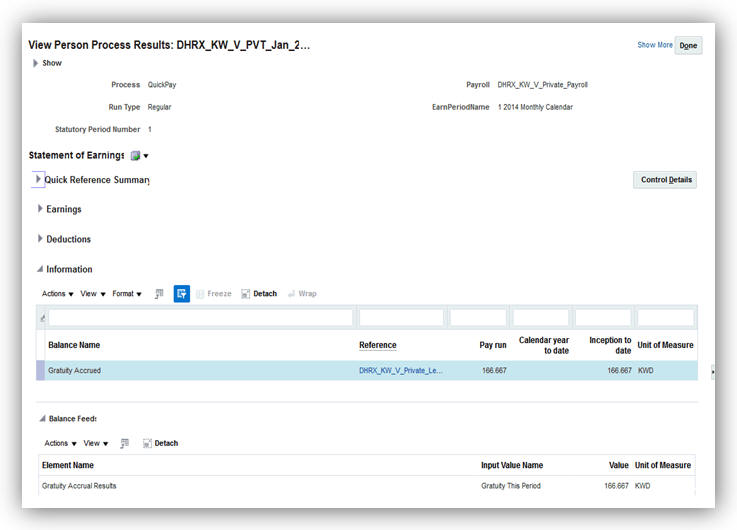
Accrued Gratuity Amount in the Information Region of the Statement of Earnings
Before you verify the accrued gratuity in the statement of earnings, ensure to perform the following:
- Create the element eligibility link for the gratuity accrual initiator.
- Associate the gratuity accrual initiator to the employee through the element entry.
- Associate the formula to calculate the reference salary with the Employer Gratuity Deduction card.
Run the Payroll Calculation process and verify the results for the gratuity amount for the period and the accrued gratuity.
Tips and Considerations
When you enter the Employer Reference Formula in the Employer Gratuity Deduction card, the formula must use the variable, PAID_GRATUITY. This overrides the gratuity amount calculated by the default formula.
For Social Insurance purposes when an employee is rehired, the employee is considered as a new hire and the hire date used for reporting purposes is the latest hire date.
There are no steps necessary to enable this feature.
Human Capital Management for The United Kingdom
Oracle Fusion HRMS (UK) supports United Kingdom-specific features and functionality. It enables users to follow the United Kingdom’s business practices and comply with its statutory requirements.
Real Time Information (RTI) - Earlier Year Update (EYU)
Report previous year’s tax information to the authorities after the deadline for reporting information has passed. You can do this by using the Earlier Year Update (EYU) process for the relevant tax year.
The Earlier Year Update (EYU) process requires one effective payroll run in the required tax year. Use the EYU process to report updates for up to seven years.
The EYU process produces the following output:
- GFF file for EDI transmission
- An audit report
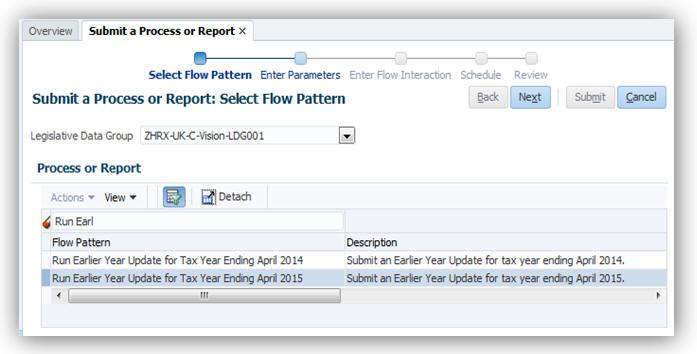
There are no steps necessary to enable this feature. Run this process from the Regulatory and Tax Reporting work area or the Payroll Checklist work area.
These legislative updates include statutory limits and thresholds required for the UK payroll to operate correctly for the new tax year:
- Pay As You Earn (PAYE) tax rates (excluding Scotland)
- The basic personal allowance is changed to £11,500
- Rates and thresholds for PAYE calculation reflects 2017-18 tax year:
- Scottish tax rates
- The basic personal allowance is the same as the rest of the UK at £11,500
- The rates of Scottish income tax remain the same as last year for Scotland. However, the Earnings bands differ from the rest of the UK as follows:
- National Insurance thresholds
- The thresholds are updated to reflect the tax year 2017-18 as follows:
- The employee rates by category remain the same as follows:
| Basic Rate at 20% for earnings between £0 - £33,500 |
| Higher Rate 40% for earnings between £33501 - £150,000 |
| Additional Higher Rate 45% for earnings over £150,000 |
| Basic Rate at 20% for earnings between £0 - £31,930 |
| Higher Rate 40% for earnings between £31,931 - £150,000 |
| Additional Higher Rate 45% for earnings over £150,000 |
| Weekly (£) |
2 Weekly (£) |
4 Weekly (£) |
Monthly (£) |
Annual (£) |
|
| Lower Earnings Limit (LEL) |
113 |
226 |
452 |
490 |
5876 |
| Primary Threshold (PT) |
157 |
314 |
628 |
680 |
8164 |
| Secondary Threshold (ST) |
157 |
314 |
628 |
680 |
8164 |
| Upper Accrual Point (UAP) |
n/a |
n/a |
n/a |
n/a |
n/a |
| Upper Secondary Threshold (UST) |
866 |
1731 |
3462 |
3750 |
45000 |
| Apprentice Upper Secondary Threshold (AUST) |
866 |
1731 |
3462 |
3750 |
45000 |
| Upper Earnings Limit (UEL) |
866 |
1731 |
3462 |
3750 |
45000 |
| Category letters |
A |
H |
M |
B |
J |
Z |
C |
| Earnings < LEL |
Nil |
Nil |
Nil |
Nil |
Nil |
Nil |
Nil |
| Earnings >= LEL <= PT |
0% |
0% |
0% |
0% |
0% |
0% |
0% |
| Earnings > PT <= UEL |
12% |
12% |
12% |
5.85% |
2% |
2% |
0% |
| Earnings > UEL |
2% |
2% |
2% |
2% |
2% |
2% |
0% |
- The employer rates by category remain the same as follows:
- Statutory payment amounts
- Student loans thresholds
- Increased for Plan 1 - Plan 1 Annual threshold from 6th April 2017 - 17,775
- Remains unchanged for Plan 2 - Plan 2 Annual threshold from 6th April 2017 - £21,000
- Thresholds for the automatic enrolment for Pensions
- Qualifying Earnings Lower Thresholds for 2017-18 are:
- Qualifying Earnings Upper Thresholds for 2017-18 are:
- Earnings trigger for automatic enrolment remains the same as earlier for 2016-17
| Category letters |
A |
H |
M |
B |
J |
Z |
C |
| Earnings < LEL |
Nil |
Nil |
Nil |
Nil |
Nil |
Nil |
Nil |
| Earnings >= LEL <= ST |
0% |
0% |
0% |
0% |
0% |
0% |
0% |
| Earnings > ST <= UST\AUST |
13.8% |
0% |
0% |
13.8% |
13.8% |
0% |
13.8% |
| Earnings > UST\AUST <= UEL |
13.8% |
13.8% |
13.8% |
13.8% |
13.8% |
13.8% |
13.8% |
| Earnings > UEL |
13.8% |
13.8% |
13.8% |
13.8% |
13.8% |
13.8% |
13.8% |
The revised limits for each type of statutory payment for the new tax year are:
| SSP |
£89.35 |
With effect from 06-April-2017 |
| SMP |
£140.98 |
With effect from 02-April-2017 |
| SAP |
£140.98 |
With effect from 02-April-2017 |
| SPP |
£140.98 |
With effect from 02-April-2017 |
| ShPP |
£140.98 |
With effect from 02-April-2017 |
The student loan thresholds used for calculation are:
| Weekly |
£113 |
| Fortnightly |
£226 |
| Lunar Monthly (4 weekly) |
£452 |
| Calendar Monthly |
£490 |
| Quarterly |
£1,469 |
| Biannual (6 Calendar monthly) |
£2,938 |
| Annual |
£5,876 |
| Weekly |
£866 |
| Fortnightly |
£1,731 |
| Lunar Monthly (4 weekly) |
£3,462 |
| Calendar Monthly |
£3,750 |
| Quarterly |
£11,250 |
| Biannual (6 Calendar monthly) |
£22,500 |
| Annual |
£45,000 |
Steps to Enable
There are no steps necessary to enable this feature.
Tips and Considerations
All changes for legislative updates will apply for payroll runs with the new tax year period starting 6 April 2017. Any payroll run with effective dates prior to this date will use the previous thresholds and limits.
New set of Real Time Information (RTI) processes are added for the tax year 2017-18. These include Full Payment Submission (FPS), Employer Payment Summary (EPS) and the Earlier Year update (EYU). The additional EYU process refers to updates for tax year 2016-17.
The data item changes in the record structure are applied to the output file records specified in the RTI Message Implementation Guide (MIG) documentation from Her Majesty’s Revenues and Customs (HMRC).
New processes for Real Time Information (RTI)
- Full Payment Submission (FPS) Tax Year Ending April 2018
- Employer Payment Summary (EPS) Tax Year Ending April 2018
- Earlier Year Updates (EYU) Tax Year Ending April 2017
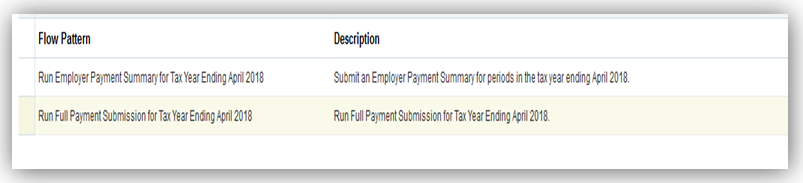
Flows

Flows
Use the Submit Process or Report task from the Regulatory and Tax Reporting work area to access these processes.
Additional Data Capture
For the EPS, you can capture additional data for apprenticeship levy at the organization tax reporting unit level.
Calculation of Apprenticeship Levy
As part of the Apprenticeship Levy functionality, EPS is enhanced to use the new balances to:
- Derive employers pay bill for Apprenticeship Levy, that is, NIable Pay for the pay run.
- Calculate the actual levy due. The EPS process uses this to:
- Determines the cumulative amount of the pay bill for the tax year as of the end of the tax month being calculated by multiplying this amount by 0.5% to give the cumulative value of apprenticeship levy due for the tax year. It then truncates the amount of the levy due to whole pound.
- Determines the amount of the cumulative levy annual allowance for the relevant tax year, based on the value recorded for the relevant PAYE scheme. It deducts the cumulative amount of the levy allowance (YTD) from the cumulative levy due (YTD), then rounds off to the nearest whole pound for the employer.
- The values for the Apprenticeship Levy are available in the EPS Archive Results of EPS process tasks. You can update these here before submission to HMRC
EPS Output Changes
Apprenticeship Levy calculation are reported by the Real Time Information Employer Payment Summary submissions each period.
The Employer Payment Summary (EPS) is enhanced as follows:
- Includes additional reporting items of:
- Apprentice Levy Due YTD
- Apprenticeship Levy Month
- Apprenticeship Levy Annual Allowance Amount
- The Archive Results of EPS process tasks has the following additional details:
- EPS Original Summary of Payments record. You cannot edit these fields here.
- EPS Output Summary of Payments record. You can overwrite the values here before the EDI file is generated.
Rollback
You can rollback FPS and EYU using the standard Rollback feature. Once rolled back, the data is removed and the calculation card data updates are applied when the process is run in Live mode and revert to the original state (as was prior to the process run).
Steps to Enable
There are no steps necessary to enable this feature.
Tips and Considerations
Ensure you run the new tax year FPS and EPS process when your payment date is on or after 6 April 2017. You can only run Earlier Year Updates for the previous year after the deadline for submitting the Full Payment Submission for 2016-17 is reached.
Enhancements are added to enable the EPS process to accurately calculate and report the apprenticeship levy, as required.
The following additions have been made:
Data Capture
Additional data capture at the tax reporting unit (TRU) level:
- Exclude from apprenticeship levy
- Select this check box to indicate that Levy should not be used or reported to the HMRC.
- Apprenticeship Levy Apportioned Allowance
- This is the apportioned amount for a PAYE scheme, if you operate multiple schemes, and to split the allowance between schemes.
- Apprenticeship Levy Employers Pay Bill YTD
- This is the year to date value of the Apprenticeship Levy Pay Bill for the PAYE scheme.
- Use this field only if you are migrating to Oracle Fusion HCM mid-year to ensure accurate calculations.
- Apprenticeship Levy Employers Pay Bill Date
Use the following tasks from the Setup and Maintenance work area to enter the data for apprenticeship levy:
- Define Common Applications Configuration for HCM
- Define Enterprise Structure for HCM
- Define Legal Entities for HCM
- Define Legal Reporting Units for HCM
- Manage Legal Reporting Unit HCM Information
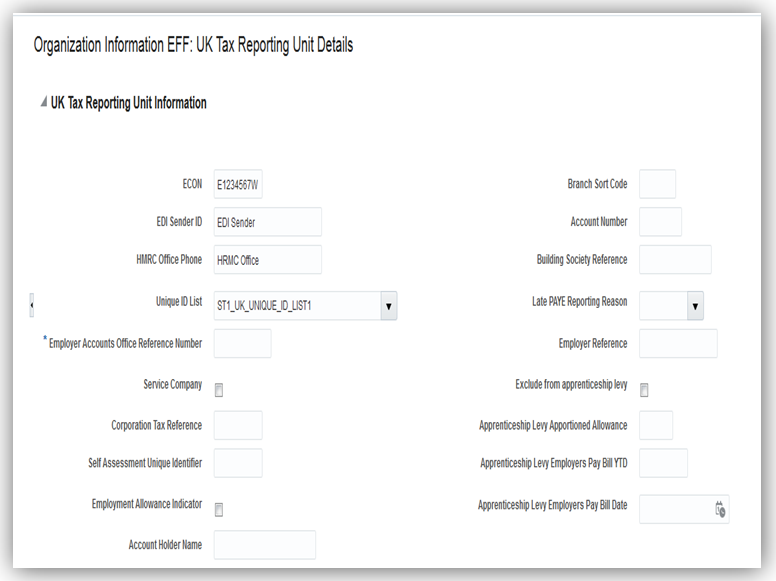
UK Apprenticeship Levy Fields
Element Input Value and Balances
New element input value added to store the actual value of the employer’s NIable pay:
- Apprenticeship Levy Employer Pay Bill Value for existing elements for:
- NI Employer
- NI Employer Adjustment
New balance added for Employer Pay Bill for Apprenticeship Levy to record the value used to calculate the levy amount
Real Time Information Enhancements
When the EPS process is completed, you can access the results for the Apprenticeship Levy data using the Prepare Reports task and enter any override values, if required. The new values are then passed to the EDI output of the EPS record to submit to HMRC.
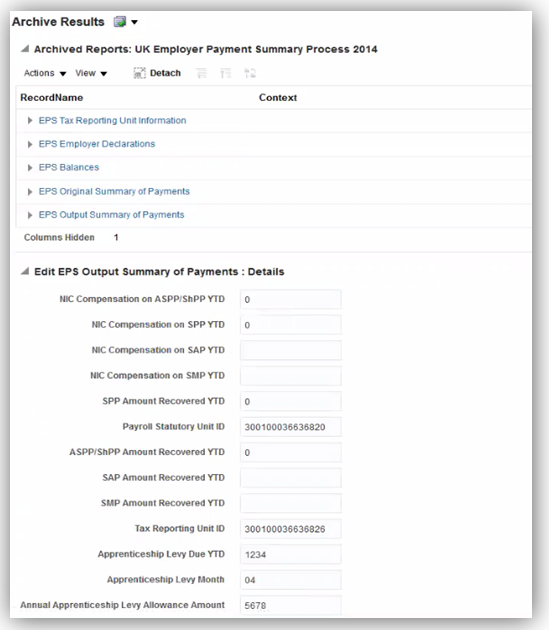
Archive Results
For further details on the RTI changes related to Apprenticeship Levy, refer to the Real Time Information section.
Steps to Enable
There are no steps necessary to enable this feature.
Tips and Considerations
The most recent override values are used when you run the EPS process again. For example, if you ran the process in Test mode and updated the values in any of the fields of the Archive Results, these values are used when you run the EPS in the Live mode again.
The new feature to offset the UK PAYE amount enables you to reduce UK tax liability for those employees working abroad subject to foreign tax liability.
- PAYE deduction is reduced by the amount of Foreign Tax deduction
- The tax liability for the employee is the total of UK tax and Foreign Tax deduction amounts
- Net pay reflects both PAYE and Foreign Tax deductions used for calculation
New classifications and Balances
The new sub-classifications added are:
| Primary Classification |
UK Sub-classification |
| Information |
Foreign Tax Credit Relief |
| Tax Deduction |
Foreign Tax Credit |
The new balances added are:
- Foreign Tax Credit Relief
- Foreign Tax Deduction
New Element: Foreign Tax Credit
A new element is added that holds the value of foreign tax that will offset the PAYE deduction:
- Element Name: Foreign Tax Deduction
- Primary Classification: Tax Deduction
- UK sub-classification: Foreign Tax Deduction
- Nonrecurring
- One Input Value: Pay value
Allocate this element to employees that have a foreign tax liability to be offset against the UK PAYE deduction. It is available for selection in the Manage Element Entry page for the person, after you define the element eligibility.
Calculate and enter the value for each employee for each period as this is a nonrecurring element. The liability could also be different for each period.
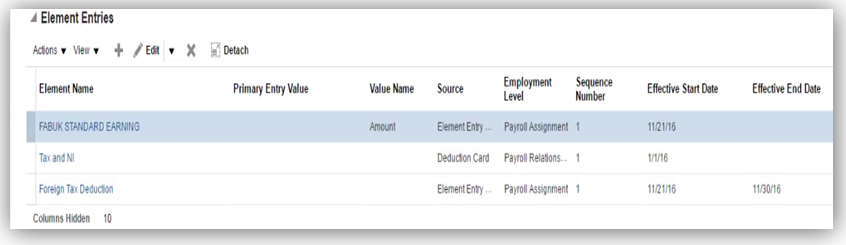
Foreign Tax Credit Element
New Indirect Element: Foreign Tax Credit Relief
This is an indirect element delivered to hold the results of the actual foreign tax credit relief amount.
A new element is delivered to hold the value of the foreign tax that offsets the PAYE deduction:
- Element Name: Foreign Tax Credit Relief
- Primary Classification: Information
- Subclassification: Foreign Tax Credit Relief
- Indirect return value from PAYE element
- Nonrecurring
- Two input values of
- Pay Value
- Deduction Card
Balance Feeds
The new elements feed the following balances, as required:
| Balance Name |
Element - Foreign Tax Deduction |
Element - Foreign Tax Credit Relief |
| Foreign Tax Deduction |
Add |
N/A |
| Foreign Tax Credit Relief |
N/A |
Add |
| Total Deduction |
Add |
N/A |
| Tax Deductions (Total PAYE) |
Deduct |
N/A |
| Total Pay |
Deduct |
N/A |
| Net |
Deduct |
N/A |
| Net Pay |
Deduct |
N/A |
Reporting
The P45 report and Full Payment Submission process are updated to include the reporting of leavers with a positive balance of Foreign Tax Credit Relief. The leavers, in such cases, are reported with a tax basis of noncumulative regardless of the actual tax basis used.
Steps to Enable
There are no steps necessary to enable this feature.
Tips and Considerations
An information message is generated that the foreign tax credit relief cannot be negative, so that you can make any necessary adjustments to rectify this.
When operating Net of Foreign Tax, an employee with Foreign Tax Credit relief should not be on a cumulative tax basis. If this is detected, a warning message is generated and you should contact HMRC.
Full Support of Balance Adjustments
You can adjust balances National Insurance and PAYE by using either of the following methods:
- Enter the relevant adjustment element for the employee
- Use Adjust Individual Balance option
Or
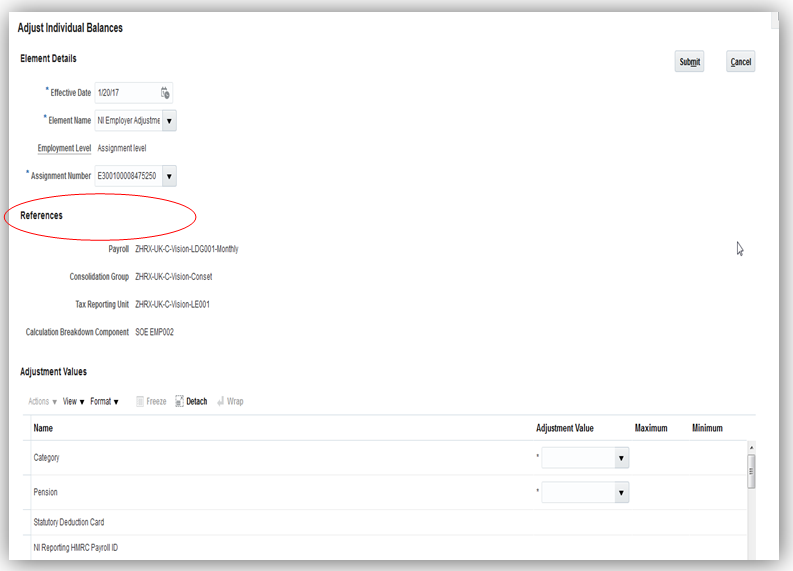
Enter all mandatory attributes and adjustment values required for NI adjustment
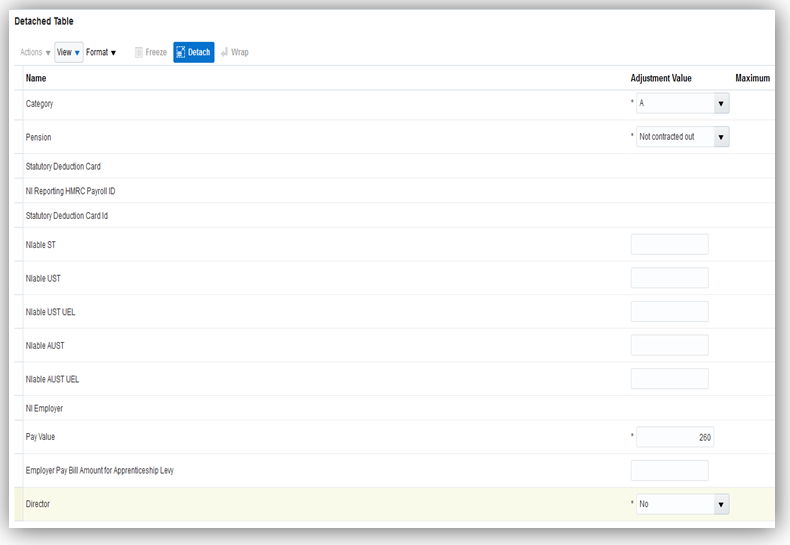
The element entry templates for PAYE and National Insurance are updated to remove the context as balance adjustments are fully supported.

Steps to Enable
There are no steps necessary to enable this feature.
The new P60 templates for the tax year 2016-17 are updated with the required legislative changes. Use the new templates to generate the P60 for your employee for tax year ending April 2107.
The P60 process uses the new templates for following the supported versions:
- P60 Plain Paper Approved Substitute
- P60 Substitute Self Seal
- HMRC Single Sheet Portrait
- eP60 (online version)
The P60 output updates include the following changes:
- All Tax Year reference – updated to April 2017
- National Insurance values displayed - reduced to 4 columns
- Date of birth - Removed from Self Seal Substitute P60
Steps to Enable
There are no steps necessary to enable this feature.
The existing P60 process is enhanced with additional parameters to produce a replacement P60 for your employees. The Run End of Year P60 process includes new parameters to enable the replacement P60 print. Run the process Run End of Year P60 Report using the Submit a Process or Report task.

Flow Pattern Run End of Year P60 Report
There are two new parameters added:
- Replacement: The default option is No. Select Yes to generate a replacement P60.
- Employee Set: Indicates the payroll relationship object group. You must set this up and attach employees to it.
As a result of this enhancement, the process for selective printing of P60 is also updated. Run the process Run End of Year P60 Selective Print using the Submit a Process or Report task. Use this generate a copy of the P60.

Flow Pattern Run End of Year P60 Selective Print
The following new parameters replace the previously used parameter Original P60 Flow Instance Name:
- Date in the Tax Year: Mandatory field that must be in the range of tax year required, that is, 6 April 20YY to 5 April 20YY+1. For example, 6 April 2015 to 6 April 2016.
- Payroll Statutory Unit
This ensures that the process searches for employees with either an original or a replacement P60.
Steps to Enable
There are no steps necessary to enable this feature.
Legislative Changes for National Insurance
National Insurance Number Prefix
The current validation is based on a combination of a list of valid prefixes for the NINO and certain characters which are not valid. The new validation will perform the following validation:
- The characters D F I Q U and V are not used as either the first or second letter of a NINO prefix.
- The letter O is not used as the second letter of a prefix.
- Prefixes BG, GB, KN, NK, NT, TN and ZZ are not to be used.

National Insurance Number Prefix
Navigation Path: My Workforce > Person Management > Personal and Employment > Manage Person >National identifiers >United Kingdom >National Insurance Number
All reports and processes have been updated to include the new validation on NINO. These include:
- Real Time Information processes of
- Full Payment Submission for tax year 2016-17
- Earlier Year Updates for tax year 2016-17
- Payroll Validation Report
National Insurance Category Change on Reaching State Pension Age
Validation that is performed on the Statutory Deductions card upon entry of NI category has been changed. It now calls a formula that will check if the employee has reached the state pension date based on the new legislative regulations. NI category C will be rejected if the state pension age has not been reached.
A new certificate type has been added to the list of existing certificate list on the Calculation Component Details ‘Aggregation Information’.

Aggregation Information Details
The NI Category Update process has been enhanced to include State Pension age check for employees being processed. If an employee reaches the state pension age at the effective run date of the process it will:
- Update the NI category to C
- Populate the Certificate type for the employee to the new Age to be verified.
The audit report from the process has also been updated to show anyone that has reached the state pension age at the effective run date. A message to indicate that action is required will be sent.
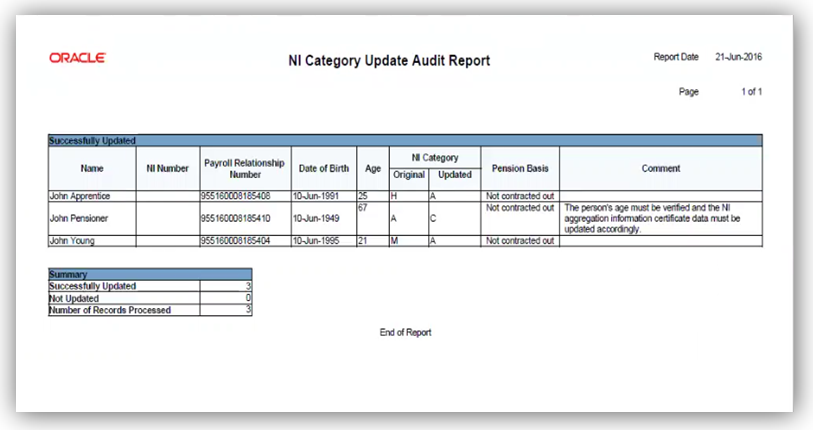
Audit Report
After you have verified the documentation from your employee, you can update the certificate type on the Aggregation Information component details to the appropriate one – for example to ‘Birth certificate’.
Steps to Enable
There are no steps necessary to enable this feature.
Tips and Considerations
It is important to note that though a prefix combination could pass the validation requirements, it may not necessarily be a valid NINO. Certain NINO prefixes will be classed as valid although they have not yet been issued by HMRC, therefore they are not correct.
For example, a prefix of ‘AC’ would meet the validation requirements even though it is not actually one which is currently being issued by HMRC. However this is in line with the HMRC policy which is designed to cater for future changes and prevent a recurrence of the issue experienced this year.
For NI category update process to work there must be a date of birth on the person’s record, as it will be used to establish if the state pension age has been reached.
The payroll process will give a warning if the person has reached their state pension age but their NI category has not been changed.
Human Capital Management for the United States
Oracle Fusion HRMS (US) supports United States-specific features and functions for United States. It enables users to follow the United States’ business practices and comply with its statutory requirements.
The United States provides full support of the Multiple Worksite Report. Use this feature to report employment and wage data in a format suitable for the Bureau of Labor Statistics. This data is categorized by industry and location within a state and is used to more accurately classify employment and wage data of multiple establishment employers.
To generate this report, start the Run Multiple Worksite Electronic Report process from the Regulatory and Tax Reporting work area.
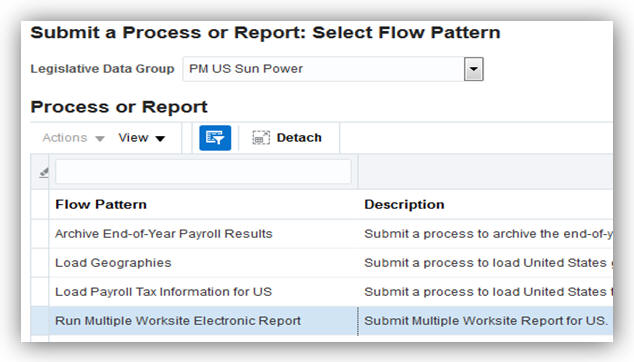
Run Multiple Worksite Electronic Report Process
There are no steps necessary to enable this feature.
Tips and Considerations
It is the employer’s responsibility to determine their reporting eligibility. Refer to the Bureau of Labor Statistics website for more information.
Key Resources
For more information, go to Applications Help for the following topics:
- How are work-at-home employees reported in the Multiple Worksite Report?
- Run Multiple Worksite Report
- Troubleshooting the Multiple Worksite Report: Examples
Third-Party Involuntary Payment Interface Initial Extract
Business outsourcing solutions providers such as ADP can perform garnishment and third-party payment processing for their customers. Oracle Fusion Human Capital Management for the US provides an involuntary payment interface for customers who choose to use such a third-party provider. Before you can begin using this interface with ADP Money Movement, you must extract your historical data and establish a baseline with ADP.
To generate the initial extract, run the Third-Party Involuntary Deductions Initial Extract process from the Payment Distribution work area.
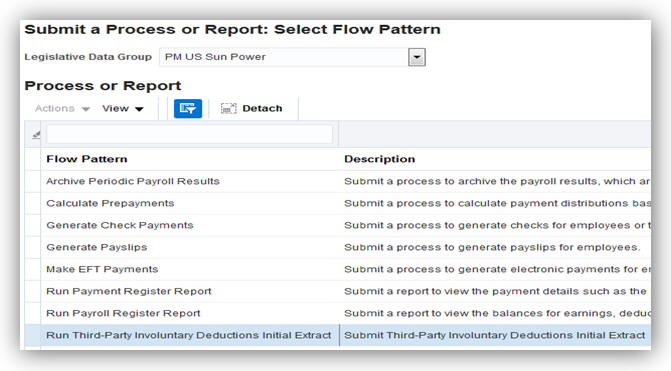
Third-Party Involuntary Deductions Initial Extract process
There are no steps necessary to enable this feature.
Tips and Considerations
Before you can generate the initial extract, you must ensure you have properly configured organizations, employee definitions, third-party payees, and involuntary deductions.
For complete instructions, refer to the Oracle Fusion Human Capital Management for the US Third-Party Involuntary Payment Interface white paper in My Oracle Support Document (ID 2043941.1)
Global Payroll Interface Support for the United States
The global payroll interface now supports US-specific requirements. The extract definition includes both global fields and country-specific fields for the United States, including information from the employee’s withholding certificate. Use the XML output as a basis for sending data to third-party payroll providers.
To view the Global Payroll Interface:
- Select the Manage Extract Definitions task in the Data Exchange work area.
- Specify a US legislative data group.
- Select Payroll Interface in the Type field.
- Click Search.
- In the Search Results, select Global Payroll Interface.
- Select Global Payroll Interface in the search result.
- Click on the Copy icon
- Specify a name for the interface in the popup.
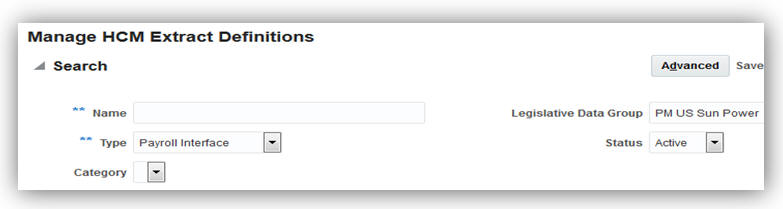
Global Payroll Interface Search Criteria
There are no steps necessary to enable this feature.
Key Resources
For more information about the Global Payroll Interface extract definition, go to Applications Help for the following topics:
- Global Payroll Interface Extract Definition
- Creating Extract Definitions for Payroll Interface: Procedure
- Selecting Country Extensions: Critical Choices
Employee Active Payroll Balance Report Enhancement
You can now perform more comprehensive periodic payroll and quarterly and year-end balance reconciliation through the Employee Active Payroll Balance report enhancements. This report now includes school district tax balances.
Steps to Enable
There are no steps necessary to enable this feature.
Key Resources
For more information go to My Oracle Support (MOS), for the following documents:
- Oracle Fusion HRMS (US): Payroll Reconciliation (Document ID 2086251.1)
- Oracle Fusion HRMS (US): End-of-Year Processing (Document ID 1944400.1)
- You can also find the appropriate help topics on the Help Portal:
- Employee Active Payroll Balance Report
- Reconciling Employee Balances for the US: Examples
Voluntary Disability Self-Identification
In accordance with Office of Federal Contract Compliance Programs (OFCCP), your employees can now self-identify their disabilities through employee self service. They can access these fields through the Personal Information work area.
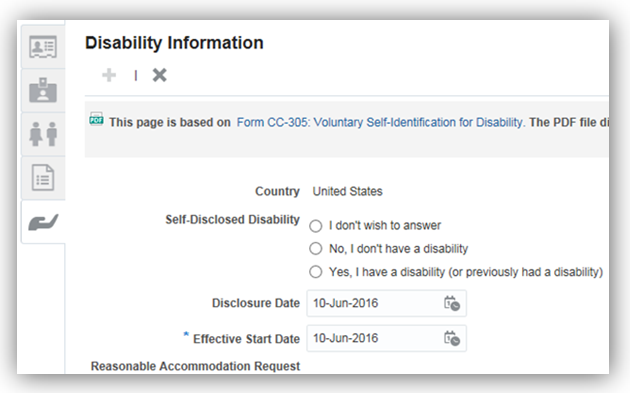
Steps to Enable
There are no steps necessary to enable this feature.
Tips and Considerations
Ensure your employee role has the aggregate privilege 'Manage Person Disability by Worker'.
Display Accrual Balances on Employee Checks
Employee check stubs now include accrual balances, enabling them to view their hours accrued and hours remaining for each accrual plan.

Steps to Enable
There are no steps necessary to enable this feature.
Tips and Considerations
Refer to Appendix D of the Setting Up Absence Elements for Oracle Fusion Absence Management white paper for instructions on how to configure the employee payslip to display accrual balances.
Key Resources
For more information, go to My Oracle Support (MOS) for the following document:
- Configuring Oracle Fusion Absence Management for the US and Canada for Release 10 (Document 2102835.1).
Automatically Synchronize Employee Withholding Certificates with HR Location Changes
You can now automatically update the Employee Withholding Certificate whenever you make location-specific changes on the employee’s definition. When you make a change to the employee’s work location, the following values on the tax card are automatically updated:
- State for unemployment calculation
- State for disability calculation
- Primary work location
New regional components are also created on the card based on appropriate changes you make to the following fields (such as changing the employee’s work state):
- Home address or resident tax address
- Work-at-home status
These synchronization actions occur automatically, unless you have manually disabled them. If that is the case, use the Synchronize Calculation Cards ESS job from the Payroll Checklists work area to synchronize all employees’ HR data to their tax cards.
Steps to Enable
There are no steps necessary to enable this feature.
Tips and Considerations
This synchronization happens automatically. You can manually disable automatic synchronization, but if you do so, you are responsible for tracking any changes you make to your employee HR data and manually updating the Employee Withholding Certificates appropriately. Alternately, you can use the Synchronize Calculation Cards ESS job from the Payroll Checklists work area to synchronize all employees’ HR data to their tax cards.
To disable automatic synchronization:
- Start the Manage Payroll Process Configuration task.
- Set the Create DIR Card Create DIR Card using Global UI parameter to “HRSYNCDISABLE”. Remove this process parameter value once you are ready for the automated changes to start again.
NOTE: The synchronization functionality is not available when the Manage Features by Country or Territory Extension Parameter setting is Human Resources or None.
Include Resident and Nonresident City and County Tax Balances on Periodic Tax Filing
You can now include resident and nonresident balances for cities and counties in your third-party periodic tax filing. These balances are used by local tax filings that require resident and nonresident wages and taxes to be reported separately. For a given jurisdiction, the periodic interface file passes these balances on multiple rows. For example, a tax code of OH0952490CITY would represent the nonresident wages and taxes for Toledo, Ohio. A tax code of OH0952490CITYR would represent the resident wages and taxes for Toledo, Ohio.
Steps to Enable
There are no steps necessary to enable this feature.
Refined Data Selection for W-2 Employee Report
You can now further refine the year-end data you use for generating employee Forms W-2. Use the new optional Payroll Statutory Unit field to limit the scope of employee information captured by the Run W-2 Employee Report process. Also, Tax Reporting Unit is now an optional field.

Parameter Details
Steps to Enable
There are no steps necessary to enable this feature.
Tips and Considerations
Use the Tax Reporting Unit field to run this process against a specific TRU.
Use the Payroll Statutory Unit field to run this process against all TRUs belonging to a PSU.
To run this process against all TRUs in all PSUs, leave both fields blank.
Key Resources
For more information go to My Oracle Support (MOS), for the following document:
- Oracle Fusion Human Capital Management (US): End-of-Year Processing, Document ID: 1944400.1
Default Check Numbering for US Simplified Payroll Cycle Flow
We have made it easier to produce checks for your payroll runs. The US Simplified Payroll Cycle now follows these rules to assign sequential check numbers:
- By default, they now automatically start with the next sequential check number based on the last number generated by a previous run. This applies across all US legislative data groups.
- When running the simplified flow for the first time in a new environment, it starts with check number 1.
- You can still use the Start Check Number parameter to specify a specific starting number for a run.
Steps to Enable
There are no steps necessary to enable this feature.
Form W-2 Box 20 Enhancement for Ohio Employees
We have enhanced the W-2 Employee Report process for Ohio employees, so it now includes the school district name and number in Box 20.
Steps to Enable
There are no steps necessary to enable this feature.
Key Resources
For more information go to My Oracle Support (MOS), for the following document:
- Oracle Fusion Human Capital Management (US): End-of-Year Processing (Document ID: 1944400.1)
Wage Balance Enhancement for Periodic Tax Filing
We have enhanced the third-party periodic tax filing process to include wage balances even when there is no tax liability. Regardless whether tax is withheld, the third-party periodic tax file includes gross, subject, and taxable wages.
Steps to Enable
There are no steps necessary to enable this feature.
Key Resources
For more information go to My Oracle Support (MOS), for the following document:
- Payroll Third-Party Tax Filing Interface (Document ID 1594079.1)
Automatically Update Employee Withholding Certificates for Rehires and Assignment Changes
You can now automatically update the Employee Withholding Certificate whenever you rehire an employee or add a secondary assignment.
- If the secondary assignment is in the same TRU as the primary assignment, the association for the secondary assignment is created on the primary tax card.
- If a person is rehired into the same TRU as before, the existing tax card is used.
- If a person is rehired into a different TRU, no association is created.
In addition, TRU data association is created only if the TRU can be uniquely derived.
Steps to Enable
There are no steps necessary to enable this feature.
Tips and Considerations
The synchronization functionality is not available when the Manage Features by Country or Territory Extension Parameter setting is Human Resources or None.
Automatic Active Employee Count Calculation for VETS-4212 Reporting
We have enhanced our Veterans' Employment and Training Service (VETS) reporting. The Run VETS-4212 Establishment Electronic Report process now automatically calculates the minimum and maximum number of active employees for the reporting locations. It bases these numbers on the reporting period start and end dates.
You can override this calculation by populating values directly into the existing fields Maximum Number of Employees and Minimum Number of Employees fields on the Manage Locations task.
Steps to Enable
There are no steps necessary to enable this feature.
Include Provider-Specific Fields on the Third-party Quarterly Tax Filing Interface
When using the Third-Party Tax Filing interface, you can now provide additional information required by ADP on your quarterly extracts. The quarterly extract now includes the employee’s current home address.
For Indiana employees, it also includes a 3-digit location reporting code. Specify this code through the Employer Unit Number field under the United States State Unemployment Reporting Information section of the Manage Locations task.
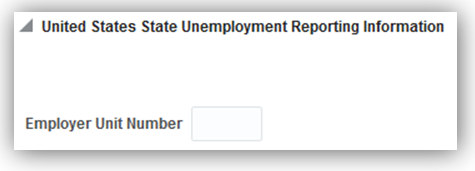
For Vermont employees, it includes a part-time status. Specify a part-time status in the Assignment Category field using the Manage Employment task.
Steps to Enable
There are no steps necessary to enable this feature.
Tips and Considerations
Populate the Indiana location reporting code on the work location if you are assigned a single enterprise filing status by the Indiana Department of Workforce Security or if you elected to report multiple locations with the Indiana DWS.
A Vermont employee is considered part-time if they work less than 35 hours per week.
Key Resources
For more information go to My Oracle Support (MOS), for the following document:
- Payroll Third-Party Tax Filing Interface (Document ID 1594079.1)
Set SUI Wage Limit Overrides for Eligible Employers
If you are an eligible employer, you can set a SUI wage limit override as specified by your state tax authority.
To set the new value:
- Start the Manage Calculation Value Definitions task.
- Search for and select the <state name> State Unemployment Insurance Tax Employer Wage Limit value definition.
- In the Calculation Values region, add a new row.
- Specify the override, and submit.
Steps to Enable
There are no steps necessary to enable this feature.
Tips and Considerations
Ensure you have run the Load Payroll Tax information process to see the latest data in Manage Calculation Value Definitions. The override is at the legislative data group (LDG) level and applies to any tax reporting units defined in that LDG.
Specify Company Entry Descriptions for EFT Payments
You can now provide a company entry description when generating electronic funds transfers (EFTs). Use the new field to provide your own description on the direct deposit file.
When running the Make EFT Payments process, specify this value in the Company Entry Description field:

This field is optional. If you leave it blank, the EFT process uses Dir Dep as the default.
Steps to Enable
There are no steps necessary to enable this feature.
Additional Third-Party Periodic Tax Filing Auditing
You can now improve your third-party periodic tax filing reconciliation through the use of a new audit report. This new report includes employee balance details by tax code. This report is delivered as output of the extract process. It is a pipe-delimited text file, which you can import into Microsoft Excel.
Steps to Enable
There are no steps necessary to enable this feature.
Key Resources
For more information go to My Oracle Support (MOS), for the following document:
- Payroll Third-Party Tax Filing Interface (Document ID 1594079.1)
We have made it easier for you to perform your Affordable Care Act (ACA) reporting through the automatic generation of the Form 1094-C manifest file. This file is generated automatically when you run the 1094-C Transmittal Electronic Report process. Submit this file to the IRS along with your Form 1094-C.
Steps to Enable
There are no steps necessary to enable this feature.
Tips and Considerations
After generating this file, you must perform manual edits before submitting it. Refer to the ACA Implementation and Use white paper for instructions.
Key Resources
For more information go to My Oracle Support (MOS), for the following document:
- Oracle Fusion Human Capital Management for United States: ACA Implementation and Use (Document ID: 2067360.1).
Payroll Batch Loader Enhancements for Involuntary Deductions
We have made it easier for you to perform mass updates to your employees’ Involuntary Deductions cards. When running the payroll batch loader, you can now specify the following actions:
| Action |
Description |
| Correct |
Corrects existing component details and overrides as of the specified date. |
| Update |
Updates the component details and overrides as of the specified date. |
| Enddate |
End dates the component, component details, and their overrides as of the specified date. |
Steps to Enable
There are no steps necessary to enable this feature.
Tips and Considerations
Correct mode creates the card and card components if one does not already exist for the employee.
Key Resources
For more information go to My Oracle Support (MOS), for the following document:
- Fusion US Payroll: How To Load Involuntary Deductions via Payroll Batch Loader (Document ID: 2022585.1)
New Hire Reporting Enhancements
You can now specify additional medical insurance details on your New Hire State Reports for those states that require them. Use the Manage Work Relationship task to specify these fields.
Steps to Enable
There are no steps necessary to enable this feature.
W-2 Employee Report Enhancements
We have made it easier for you to manage your employee Form W-2 printing and distribution. The new Employee Inclusion parameter on the Run W-2 Employee Report process allows you to specify active employees, terminated employees, or both. Use this in cases where you want to segregate active and terminated employee print runs to facilitate mailing.
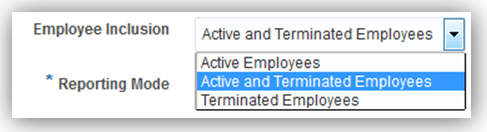
Steps to Enable
There are no steps necessary to enable this feature.
Tips and Considerations
The W-2 Employee Report generates a printed copy for terminated employees irrespective of their elected print preference.
Key Resources
For more information go to My Oracle Support (MOS), for the following document:
- Oracle Fusion Human Capital Management for United States: End of Year Processing (Document ID: 1944400.1)
W-2 Register Report Enhancements
We have made it easier for you to perform your year-end payroll data reviews through enhanced W-2 Register reporting.
The Run W-2 Register process can now produce its Employee Detail Report in multiple formats. This includes a pipe-delimited format that can be easily imported into a spreadsheet. Use the Create Employee Detail Report field to specify the format you desire:

Steps to Enable
There are no steps necessary to enable this feature.
Tips and Considerations
The W-2 Register Totals report now includes metrics for how many employees will receive a W-2, how many requested online copies, and the number of paper copies to be generated.
Key Resources
For more information go to My Oracle Support (MOS), for the following document:
- Oracle Fusion Human Capital Management for United States: End of Year Processing (Document ID: 1944400.1)
Third-Party Quarterly Tax File Enhancements
We have made it easier for you to accurately perform your quarterly tax filing through a third-party provider. The Third-Party Quarterly Tax Filing extract now includes the following:
- Your employee’s date of birth
- For Philadelphia tipped employees, two new balances for reporting wages from which no city tax was withheld:
- City Uncollected Tax Tip Wages Nonresident
- City Uncollected Tax Tip Wages Resident
These balances should report all uncollected tax wages and not just tipped wages.
Steps to Enable
There are no steps necessary to enable this feature.
Tips and Considerations
For employees who work in Philadelphia and earn tips with no city tax withheld, before you can generate your tax file, you must perform balance adjustments on the two new balances:
- City Uncollected Tax Tip Wages Nonresident
- City Uncollected Tax Tip Wages Resident
Key Resources
For more information go to My Oracle Support (MOS), for the following document:
- Oracle Fusion Human Capital Management for United States: Third-Party Tax Filing Interface (Document ID: 1594079.1)
- Oracle Human Capital Management for the US: Balance Adjustments white paper (Document ID: 1600728.1)
New Start-of-Year ESS Process for Year Begin
As part of your year-begin activities, you can now automatically review all employees living and working in Indiana and update their tax cards with the correct county information. The new Run Start of Year Process checks your employees’ work and residence information and then updates their Employee Withholding Certificates with the county as of January 1. It also provides a pipe-delimited audit file for verification purposes.
Run this process from the Checklists work area before you run the first payrolls of the calendar year.
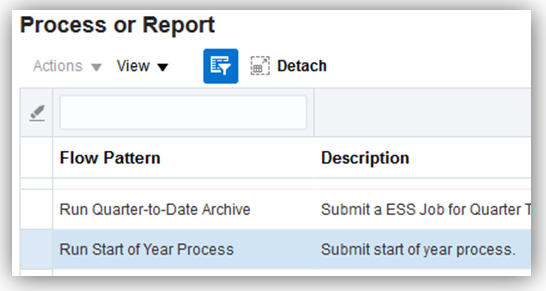
Steps to Enable
There are no steps necessary to enable this feature.
Key Resources
For more information go to My Oracle Support (MOS), for the following document:
- Oracle Fusion Human Capital Management for United States End-of-Year Processing (Document ID: 1944400.1)
PA ACT 32 Support for Employee W-2 and W-2 Register Reports
You can now capture the appropriate Pennsylvania tax collection district (TCD) codes on the W-2s of eligible employees. For employees working in jurisdictions subject to PA Act 32, when you run the Run W-2 Employee Report process, their Form W-2s now include the TCD code in Box 20.
Additionally, when you run the Run W-2 Register process, the register report also includes the TCD codes.
Steps to Enable
Before your W-2 reports can display this information, you must ensure the archive has captured it. If you ran the Archive End-of-Year Payroll Results prior to the STAT2 patch, you must:
- Rollback the archive for any tax reporting units with Pennsylvania employees.
- Run the Synchronize Calculation Card ESS job in “Synchronize Pennsylvania Tax District mode. This updates the run results to capture the TCD and PSD codes.
- Rerun the Archive End-of-Year Payroll Results process.
Key Resources
For more information go to My Oracle Support (MOS), for the following document:
- Oracle Fusion Human Capital Management for United States End-of-Year Processing (Document ID: 1944400.1)
ACA Reporting Information Enhancement
We have made it easier to deliver required information on your Forms 1095-C. Use the new Benefits Offered Conditionally field to identify when you have conditionally offered a benefits plan to an employee's spouse. This new field is available on the Contacts page of the Manage Person or Hire a Person tasks and updates line 14 of Form 1095-C with 1J or 1K values.
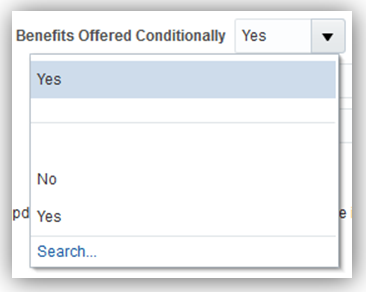
Benefits Offered Conditionally Field
Steps to Enable
There are no steps necessary to enable this feature.
Key Resources
For more information go to My Oracle Support (MOS), for the following document:
- Oracle Fusion Human Capital Management for United States: ACA Implementation and Use (Document 2067360.1)
ACA 1095-C Reporting Information Enhancement
We have made it easier for you to deliver required information in your ACA Forms 1095-C. These forms now do not include 1I and 2K in lines 14 and 1, as these values are not applicable for the 2016 reporting period.
Steps to Enable
There are no steps necessary to enable this feature.
Key Resources
For more information go to My Oracle Support (MOS), for the following document:
- Oracle Fusion Human Capital Management for United States: ACA Implementation and Use (Document 2067360.1)
ACA 1094-C Reporting Information Enhancement
Replacements are filed when the entire transmissions or submissions are rejected by the AIR. A replacement transmission will contain all of the records employer want IRS to process that were included in the rejected transmission that is replacing.
Steps to Enable
There are no steps necessary to enable this feature.
Key Resources
For more information go to My Oracle Support (MOS), for the following document:
- Oracle Fusion Human Capital Management for United States: ACA Implementation and Use (Document 2067360.1)
You can now capture the appropriate New York local wage value on your employee Forms W-2. For New York local taxes, Box 18 now displays the same value as Box 1.
Steps to Enable
There are no steps necessary to enable this feature.
Key Resources
For more information go to My Oracle Support (MOS), for the following document:
- Oracle Fusion Human Capital Management for United States End-of-Year Processing (Document 1944400.1).
Third-Party Periodic Tax Filing Extract Enhancement
We have made it easier for you to review your periodic tax-filing data. The Third-Party Periodic Tax Filing Extract now allows you to create an employee-level detail report. By specifying Yes on the new Create Employee Detail Report field, the process generates an additional pipe-delimited output file.
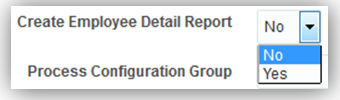
Steps to Enable
There are no steps necessary to enable this feature.
Key Resources
For more information go to My Oracle Support (MOS), for the following document:
- Oracle Fusion Human Capital Management for United States: Third-Party Tax Filing (Document 1594079.1)
ACA Employee Eligibility Hours
We have made it easier for you to accurately track and report your employee ACA eligibility hours. After manually feeding the new “ACA Employee Eligible Hours” balance with the appropriate hours balances, you can use BI reports or OTBI to design a custom report that monitors employee ACA eligibility.
Steps to Enable
There are no steps necessary to enable this feature however Customers must manually feed this balance with the appropriate hours balances.
Key Resources
For more information go to My Oracle Support (MOS), for the following document:
- Oracle Fusion Human Capital Management for United States: ACA Implementation and Use (Document 2067360.1)
Third-Party Periodic Tax Filing Extract Enhancement: New Jersey FLI Tax Code
This feature enables you to accurately report your employee’s New Jersey FLI tax code to ADP through the Third-Party Periodic Tax Filing Extract. This extract now uses the same tax code as the Third-Party Quarterly Tax Filing Extract and is consistent with ADP requirements.
Steps to Enable
There are no steps necessary to enable this feature.
Tips and Considerations
This code was changed from NJFLI to NJFLI_EE, and is now consistent with ADP mapping.
Key Resources
For more information go to My Oracle Support (MOS), for the following document:
- Oracle Fusion Human Capital Management for United States: Third-Party Tax Filing (Document 1594079.1)
Calculate Pennsylvania Resident Taxes for Out-of-State Work Locations
This feature helps you accurately calculate Pennsylvania resident taxes for employees working in non-Pennsylvania states. To enable the calculation rules, specify Y for the Calculate PA Resident Tax for Non-PA Work Location calculation value on the Pennsylvania State Income Tax calculation component of the appropriate organization card.

Specify Y Value
Use the Manage Legal Entity Calculation Cards task to set this value for a PSU.
Use the Manage Legal Reporting Unit Calculation Cards task to set this value for a TRU.
Steps to Enable
There are no steps necessary to enable this feature.
Tips and Considerations
Setting this value for a TRU overrides the setting for the parent PSU.
Claim Allowances for Ohio School Districts
This feature helps you accurately calculate Ohio school district employee tax withholding by specifying school district allowances. For school districts that allow a reduction for personal exemptions, the allowances you enter on the city tax details are applied to the applicable school district that you have set up.
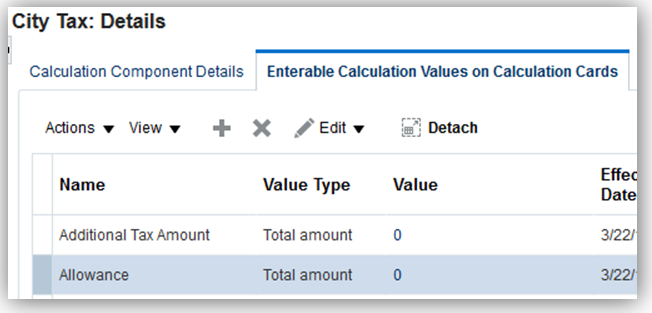
Steps to Enable
There are no steps necessary to enable this feature.
Third-Party Quarterly Tax Filing Enhancements for PA Act 32
When processing payroll for employees living or working in PA 32 jurisdictions, the third-party quarterly tax filing extract now includes the following:
- Wage and tax data reporting for all work/resident combinations for employees living or working in multiple locations during the quarter
- Reporting of PA Act 32 jurisdiction data through the new predefined Local Wages and Taxes element and associated balances
Payroll calculations populate this element and feed new local balances. Run results for the new element report the tax collection district and the work and resident PSD codes used for the payroll calculation. The new local balances are used to report the PA Act 32 jurisdiction data on the third-party quarterly tax filing extract. These balances accumulate the combined city and school wage and tax data appropriately.
- Employee resident PSD code
- Payroll calculations for PA Act 32 jurisdictions use data entered on the PA residency certificate to determine the proper tax calculations.
Previously a resident tax code was passed, and the third-party vendor was deriving the proper resident PSD code from the resident tax code. Reporting of wage and tax data continues to be reported to the work location tax code.
Steps to Enable
There are no steps necessary to enable this feature.
Tips and Considerations
You must run an upgrade process prior to the submission of your Q2 quarterly tax file extract. Run this upgrade through the Synchronize Calculation Cards task in the Checklists work area. Use the Synchronize Pennsylvania Tax District mode. This process upgrades run results for the payroll actions you completed in 2017 prior to the application of the patch bundle, such as Run, Quickpay, and Reversal.
You must ensure any balance adjustments for PA Act 32 jurisdictions also adjust the new local balances associated with the Local Wages and Taxes element.
Key Resources
For more information, go to My Oracle Support for the following paper:
- Oracle Fusion HRMS (US): Balance Adjustments - Document ID (1600728.1)
Third-Party Periodic Tax Filing Enhancements For PA Act 32
When processing payroll for employees living or working in PA 32 jurisdictions, the third-party periodic tax filing extract now includes the following:
- Reporting of PA Act 32 jurisdiction data through the new predefined Local Wages and Taxes element and balances
- Local Withheld
- Local Exempt
- Local Gross
- Local Reduced Subject Withholdable
- Local Subject Not Withholdable
- Tax collection district code, work PSD code, resident PSD code, resident geocode, resident county, and resident city, as captured in the periodic tax extract Audit Detail Report
The periodic archive captures the following new balances:
These balances accumulate the combined city and school wage and tax data.
Steps to Enable
There are no steps necessary to enable this feature.
Exclude Employees from HR Reporting
You can now fine-tune your HR reporting through a new employee exclusion option. You can now select assignment categories that are to be excluded from the VETS-4212 and EEO reports. In the Manage Legal Entity HCM Information task, select the Legal Employer tab. You can find the new EEO and VETS Assignment Category table in the Federal link:

Steps to Enable
There are no steps necessary to enable this feature.
Third-Party Quarterly Tax File Enhancements
We have made it easier for you to accurately perform your quarterly tax filing through a third-party provider. The Third-Party Quarterly Tax Filing extract now includes the following:
- For Philadelphia tipped employees, the following quarterly balances are included for reporting wages from which no city tax was withheld:
- City Uncollected Tax Tip Wages Nonresident
- City Uncollected Tax Tip Wages Resident
These existing balances should report all uncollected tax wages and not just tipped wages. Year-to-date balances were already reported. Now, quarter-to-date balances are included as well.
- The quarterly file header record also now includes the following values:
- Extract name and revision date
- ERP name and software version
- Transporter specification version
Steps to Enable
There are no steps necessary to enable this feature.
Tips and Considerations
Amendment fields such as the Amendment Ascertained Date, Amendment Reason Codes and Amendment Special Instructions should be entered on the third-party vendor’s site. Refer to their documentation for further details.
Key Resources
For more information, go to My Oracle Support for the following paper:
- Oracle Fusion Human Capital Management for United States: Third-Party Tax Filing Interface, Document ID (1594079.1).
Human Capital Management for Uruguay
Oracle Fusion HRMS (Uruguay) supports Uruguay-specific features and functionality. It enables users to follow Uruguay’s business practices and comply with its statutory requirements.
Maintaining Person Information
Comply with local cultural, business, and regulatory requirements by capturing the following person information specific to Uruguay:
There are no steps necessary to enable this feature.
Human Capital Management for Venezuela
Oracle Fusion HRMS (Venezuela) supports country specific features and functions for Venezuela. It enables users to follow Venezuela’s business practices and comply with its statutory requirements.
Maintaining Person and Employment Information
This feature supports the recording of person and employment human resources data specific to Venezuela, such as:
- Name style and format
- Validation of the national identifier: RIF
- Employment information: Contract Type and Worker Category
- Other human resources data capture, including predefined values for Contacts, Passports, Visa and Permit Types, and Highest Education Level
- Marital Status, Date of Birth, and Gender are required fields
There are no steps necessary to enable this feature.
Key Resources
For more information on national identifier validation, go to My Oracle Support for the following guide:
- Validating National Identifier Numbers in Oracle Fusion Human Capital Management (Document ID 2159758.1)
Human Capital Management for Vietnam
Oracle Fusion HRMS (Vietnam) supports Vietnam-specific features and functionality. It enables users to follow Vietnam’s business practices and comply with its statutory requirements.
Maintaining Person and Employment Information
Comply with local cultural, business, and regulatory requirements by capturing the following person and employment information specific to Vietnam:
- Name style and format
- Validation of the national identifier: Identity Card Number
- Address format with validation
- Bank information
- Employment information: Contract Type, Worker Category
- Other human resources data capture, including predefined values for Religion, Marital Status, Contacts, Gender, Passports, and Highest Education Level
- Marital Status, Date of Birth, and Gender are required fields
There are no steps necessary to enable this feature.
Key Resources
For more information on national identifier validation, go to My Oracle Support for the following guide:
- Validating National Identifier Numbers in Oracle Fusion Human Capital Management (Document ID 2159758.1)
Human Capital Management for Zambia
Oracle Fusion HRMS (Zambia) supports Zambia-specific features and functionality. It enables users to follow Zambia’s business practices and comply with its statutory requirements.
Maintaining Person Information
Comply with local cultural, business, and regulatory requirements by capturing the following person information specific to Zambia:
There are no steps necessary to enable this feature.
Transactional Business Intelligence
Oracle Fusion Transactional Business Intelligence is a real time, self service reporting solution offered to all Oracle® Fusion application users to create ad hoc reports and analyze them for daily decision-making. Oracle Fusion Transactional Business Intelligence provides human resources managers and specialists, business executives, and line managers the critical workforce information to analyze workforce costs, staffing, compensation, performance management, talent management, succession planning, and employee benefits.
New Subject Area: Payroll - User-Defined Tables Real Time
Manage user defined tables using a new subject area called Payroll - User-Defined Tables Real Time. This new subject area enables you to report on the user defined tables that you create using the Manage User-Defined Tables task in Oracle Fusion Payroll. Report on all information that is defined for each user defined table.
If you use the predefined reference roles, then no steps are necessary to enable this feature.
Otherwise, you must assign relevant security privileges to your roles to enable this feature. See Role Information (below) for details.
Role Information
If you are not using the predefined reference roles, then you need to ensure that the transaction analysis duty role that secures the new subject area is mapped to relevant job roles. This table identifies the required transaction analysis duty role and suggests a target job role. You can add the duty role to different roles if you prefer.
See the Upgrade Guide for Oracle HCM Cloud Applications Security (My Oracle Support document ID 2023523.1) for instructions on implementing new features in existing roles.
| Transaction Analysis Duty Role |
Job Role |
|---|---|
| Payroll Transaction Analysis Duty FBI_PAYROLL_TRANSACTION_ANALYSIS_DUTY |
Payroll Manager |
New Subject Area: Payroll - Payroll Interface Inbound Records Real Time
Streamline your payroll data processing using a new subject area called Payroll - Payroll Interface Inbound Records Real Time. This new subject area enables you to report on the payroll data that is processed by third-party vendors. Report on inbound payroll interface information such as payroll name, payments, earnings, deductions, messages, and batch information.
If you use the predefined reference roles, then no steps are necessary to enable this feature.
Otherwise, you must assign relevant security privileges to your roles to enable this feature. See Role Information (below) for details.
Role Information
If you are not using the predefined reference roles, then you need to ensure that the transaction analysis duty role that secures the new subject area is mapped to relevant job roles. This table identifies the required transaction analysis duty role and suggests a target job role. You can add the duty role to different roles if you prefer.
See the Upgrade Guide for Oracle HCM Cloud Applications Security (My Oracle Support document ID 2023523.1) for instructions on implementing new features in existing roles.
| Transaction Analysis Duty Role |
Job Role |
|---|---|
| Payroll Interface Transaction Analysis Duty FBI_PAYROLL_INTERFACE_TRANSACTIONAL_ANALYSIS_DUTY |
Payroll Coordinator |
Enhanced Attribute: Displayed Input Value in Payroll Element Entries Real Time
Simplify payroll reporting using the Displayed Input Value attribute in the Element Entry Value dimension under Payroll – Element Entries Real Time. This attribute now displays the Description value in reports.
There are no steps necessary to enable this feature.
New Subject Area: Workforce Performance - Performance Document Eligibility Real Time
This feature enables you to report on the eligibility criteria for employees to create a specific performance document using a new subject area. The new subject area is called Workforce Performance - Performance Document Eligibility. Report on eligibility criteria, count of workers who have not yet created their performance documents, and the count of workers who have created their documents.
If you use the predefined reference roles, then no steps are necessary to enable this feature.
Otherwise, you must assign relevant security privileges to your roles to enable this feature. See Role Information (below) for details.
If you are not using the predefined reference roles, then you need to ensure that the transaction analysis duty role that secures the new subject area is mapped to relevant job roles. This table identifies the required transaction analysis duty role and suggests a target job role. You can add the duty role to different roles if you prefer.
See the Upgrade Guide for Oracle HCM Cloud Applications Security (My Oracle Support document ID 2023523.1) for instructions on implementing new features in existing roles.
| Transaction Analysis Duty Role |
Job Role |
|---|---|
| Performance Management Transaction Analysis Duty FBI_PERFORMANCE_MANAGEMENT_TRANSACTION_ANALYSIS_DUTY |
Human Resource Analyst |
Performance Document Evaluation Manager Added to Workforce Performance Subject Areas
Enhance reporting on performance documents using a new attribute in the Workforce Performance subject areas, called Performance Document Manager. This attribute enables you to report on the actual manager that was responsible for the evaluation of the employee’s performance document. Reporting using this attribute is beneficial when the evaluation manager is different from the assignment manager for an employee.
If you use the predefined reference roles, then no steps are necessary to enable this feature.
Otherwise, you must assign relevant security privileges to your roles to enable this feature. See Role Information (below) for details.
Role Information
If you are not using the predefined reference roles, then you need to ensure that the transaction analysis duty role that secures the new subject area is mapped to relevant job roles. This table identifies the required transaction analysis duty role and suggests a target job role. You can add the duty role to different roles if you prefer.
See the Upgrade Guide for Oracle HCM Cloud Applications Security (My Oracle Support document ID 2023523.1) for instructions on implementing new features in existing roles.
| Transaction Analysis Duty Role |
Job Role |
|---|---|
| Performance Management Transaction Analysis Duty FBI_PERFORMANCE_MANAGEMENT_TRANSACTION_ANALYSIS_DUTY |
Human Resource Analyst |
Performance Rating Dimension Added to Person Profile Subject Area
Expand your performance document reporting using a new dimension in the Person Profile Real Time subject area called Performance Rating. This new dimension contains the rating history from multiple sources including performance management and talent review.
There are no steps necessary to enable this feature.
New subject Area: Workforce Career Development - Development Goal Overview Real Time
Simplify goal development using a new subject area called Workforce Career Development - Development Goal Overview Real Time. This new subject area enables you to report on all development goals created by employees and managers. Report on employees’ progress for each development goal.
If you use the predefined reference roles, then no steps are necessary to enable this feature.
Otherwise, you must assign relevant security privileges to your roles to enable this feature. See Role Information (below) for details.
If you are not using the predefined reference roles, then you need to ensure that the transaction analysis duty role that secures the new subject area is mapped to relevant job roles. This table identifies the required transaction analysis duty role and suggests target job and abstract roles. You can add the duty role to different roles if you prefer.
See the Upgrade Guide for Oracle HCM Cloud Applications Security (My Oracle Support document ID 2023523.1) for instructions on implementing new features in existing roles.
| Transaction Analysis Duty Role |
Job or Abstract Role |
|---|---|
| Career Development Transaction Analysis Duty FBI_CAREER_DEV_TRANSACTION_ANALYSIS_DUTY |
Human Resource Analyst Line Manager |
New Subject Area: Workforce Succession Management - Position Plans Real Time
Streamline your succession planning using a new subject area called Workforce Succession Management - Position Plans Real Time. This new subject area enables you to report on incumbents in positions specified in position succession plans. Report on incumbent dimensions such as worker, job, department, as well as succession plan details, and plan owners.
If you use the predefined reference roles, then no steps are necessary to enable this feature.
Otherwise, you must assign relevant security privileges to your roles to enable this feature. See Role Information (below) for details.
Role Information
If you are not using the predefined reference roles, then you need to ensure that the transaction analysis duty role that secures the new subject area is mapped to relevant job roles. This table identifies the required transaction analysis duty role and suggests a target job role. You can add the duty role to different roles if you prefer.
See the Upgrade Guide for Oracle HCM Cloud Applications Security (My Oracle Support document ID 2023523.1) for instructions on implementing new features in existing roles.
| Transaction Analysis Duty Role |
Job Role |
|---|---|
| Succession Management Transaction Analysis Duty FBI_SUCCESSION_MANAGEMENT_TRANSACTION_ANALYSIS_DUTY |
Human Resource Analyst |
New Subject Area: Workforce Management - Workforce Trend Real Time
Streamline headcount trend reporting using a new subject area called Workforce Management - Workforce Trend Real Time. This new subject area enables you to report on period start and end worker assignment metrics. Key headcount metrics include Period Start Headcount, Period End Headcount, Period Start FTE, Period End FTE, and so on.
Steps to Enable
If you use the predefined reference roles, then no steps are necessary to enable this feature.
Otherwise, you must assign relevant security privileges to your roles to enable this feature. See Role Information (below) for details.
Role Information
If you are not using the predefined reference roles, then you need to ensure that the transaction analysis duty role that secures the new subject area is mapped to relevant job roles. This table identifies the required transaction analysis duty role and suggests target job and abstract roles. You can add the duty role to different roles if you prefer.
See the Upgrade Guide for Oracle HCM Cloud Applications Security (My Oracle Support document ID 2023523.1) for instructions on implementing new features in existing roles.
| Transaction Analysis Duty Role |
Job or Abstract Role |
|---|---|
| Workforce Transaction Analysis Duty FBI_WORKFORCE_TRANSACTION_ANALYSIS_DUTY |
Human Resource Analyst Line Manager |
New Subject Areas for Reporting on Workforce Scheduling in Time and Labor
Streamline the process to plan work schedules, shifts, and employee time off using three new subject areas. Workforce Management – Scheduler Profiles Real Time enables you to report on who can schedule shifts, monitor coverage, and balance workloads for workers. Workforce Management – Planned Schedules Real Time reports on a team schedule for the week based on work schedule, including absences and general holidays. Finally, Workforce Management – Published Schedules Real Time lists the planned schedules that are published.
If you use the predefined reference roles, then no steps are necessary to enable this feature.
Otherwise, you must assign relevant security privileges to your roles to enable this feature. See Role Information (below) for details.
Role Information
If you are not using the predefined reference roles, then you need to ensure that the transaction analysis duty role that secures the new subject area is mapped to relevant job roles. This table identifies the required transaction analysis duty role and suggests target job and abstract roles. You can add the duty role to different roles if you prefer.
See the Upgrade Guide for Oracle HCM Cloud Applications Security (My Oracle Support document ID 2023523.1) for instructions on implementing new features in existing roles.
| Transaction Analysis Duty Role |
Job or Abstract Role |
|---|---|
| Workforce Scheduling Transaction Analysis Duty FBI_WORKFORCE_SCHEDULING_TRANSACTION_ANALYSIS_DUTY |
Time and Labor Administrator Time and Labor Manager Line Manager |
New Subject Areas for Historic Time and Labor Reporting
Simplify reporting on historic time and labor records using two new subject areas: Workforce Management – Historical Reported Time Cards Real Time and Workforce Management – Historical Processed Time Cards Real Time. You can report on both historic reported and processed time cards. Current time card data is reported on using previously delivered subject area.
If you use the predefined reference roles, then no steps are necessary to enable this feature.
Otherwise, you must assign relevant security privileges to your roles to enable this feature. See Role Information (below) for details.
Role Information
If you are not using the predefined reference roles, then you need to ensure that the transaction analysis duty role that secures the new subject area is mapped to relevant job roles. This table identifies the required transaction analysis duty role and suggests target job and abstract roles. You can add the duty role to different roles if you prefer.
See the Upgrade Guide for Oracle HCM Cloud Applications Security (My Oracle Support document ID 2023523.1) for instructions on implementing new features in existing roles.
| Transaction Analysis Duty Role |
Job or Abstract Role |
|---|---|
| Time and Labor Transaction Analysis Duty FBI_TIME_AND_LABOR_TRANSACTION_ANALYSIS_DUTY |
Time and Labor Administrator Time and Labor Manager Line Manager |
New Dimension: Time Attribute in Time and Labor Subject Areas
Enhance time and labor reporting using a new dimension called Time Attribute. This new dimension enables you to report on custom time attributes that you create in Oracle Fusion Time and Labor. You create custom time attributes using the flex type structure where the segment is identified in defining values. The Time Attribute dimension enables you to report on different date data type values such as date, numeric, string, and timestamp, plus a master type time attribute dimension. All Time and Labor subject areas include this new dimension.
There are no steps necessary to enable this feature.
Simplify your time and labor reporting using new sample reports: Time Cards by Status, Time Entry Transfer Status (Project Costing), Time Entry Transfer Status (Payroll). These reports use seeded attribute information enabling you to report on time associated with basic attributes, for example, time type summaries against periods and project summaries by person, by period, and so on.
There are no steps necessary to enable this feature.
Employee Contact Details Enhancement in Person Real Time Subject Area
Expand your reporting on employees’ contacts using new details added to the Person Real Time subject area. This subject area now includes contact details such as date of birth, addresses, delivery methods, disability information, email addresses, name information, national identifiers, phones, and work permit.
There are no steps necessary to enable this feature.
Expand on organizational reporting using a new hierarchical dimension called Organization. This dimension was added to all subject areas that include the Department dimension. The Organization hierarchy, or organization tree, can be a combination of multiple types of workforce structures such as enterprise, legal entity, departments, business units, and so on.
There are no steps necessary to enable this feature.
New Dimension: Collective Agreement
Streamline reporting on collective agreements using the new Collective Agreement. This dimension enables you to report on the commercial agreement negotiated between your organization and an employee. You can report on agreement name, description, employee/employer organization, valid from and to dates and other details. All subject areas that have the job dimensions include this new dimension.
There are no steps necessary to enable this feature.
New Dimension: Person Disability
Report on workers’ disability information such as the cause, status, and work restrictions with the Person Disability dimension. This dimension was added to the Person Subject area.
Steps to Enable
There are no steps necessary to enable this feature.
Role Information
If you are not using the predefined reference roles, then you need to ensure that the transaction analysis duty role that secures the new dimension is mapped to relevant job roles. This table identifies the required transaction analysis duty role and suggests a target job role. You can add the duty role to different roles if you prefer.
See the Upgrade Guide for Oracle HCM Cloud Applications Security (My Oracle Support document ID 2023523.1) for instructions on implementing new features in existing roles.
| Transaction Analysis Duty Role |
Job Role |
| Person Disability Transaction Analysis ORA_FBI_PERSON_DISABILITY_TRANSACTION_ANALYSIS_DUTY_HCM |
Human Resource Analyst |
New Fields for Oracle Transactional Business Intelligence (OTBI)
The following new benefits fields are now available for reporting in OTBI:
- Suspended
- Required
- Action Type Name
- Due Date
- Completion Date
- Enrollment Coverage Start Date
- Enrollment Coverage Through Date
- Received Date
- Denied Date
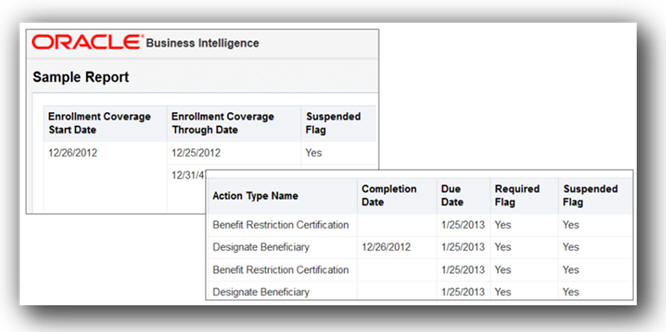
New OTBI Reporting Fields in a Sample Report
There are no steps necessary to enable this feature.
New Attributes that Identify Who Updated or Created Records
Identify who updates and creates records using new attributes in the Benefits - Enrollments Real Time, Workforce Management - Work Relationship Real Time, and Workforce Management -Person Real Time subject areas. These new attributes answer questions like who entered the date of hire for a worker, who updated date of birth, and so on. Some of the attributes include Created By, Last Update Date, Last Updated By, and so on.
There are no steps necessary to enable this feature.
Oracle Business Intelligence Enterprise Edition: New Alta User Interface
Oracle Business Intelligence Answers, Oracle Business Intelligence Enterprise Edition Dashboards, and Oracle Business Intelligence Publisher have all been improved with a new user interface style called Alta. Alta introduces Oracle's new design approach for development of browser-based user interfaces for mobile, desktop, and Oracle Cloud applications. Alta includes a fully redesigned component set and interactions; and Alta’s fresh visual design complements a modern layout approach.
Steps to Enable
There are no steps necessary to enable this feature.
Oracle Business Intelligence Answers: Enhanced Preview Option
Simplify the process to create dashboards using new functionality for the Preview option. When you preview a dashboard, Oracle Business Intelligence content is dynamically customized in run time based on the style that you select. The improved Preview functionality also enables you to see what some of these styles would look like while authoring content without needing to exit the editor. You cannot affix a particular style to the content using the Preview option, though.
There are no steps necessary to enable this feature.
Oracle Fusion Workforce Modeling provides an integrated solution supporting Oracle Fusion Global Human Resources and provides an easy to use, drag and drop interface that allows you to create reorganization proposals and assess their impact before they are even sent for approval. The intuitive interface and integration with Oracle Fusion Global Human Resources ensure that changes are accurately reflected and validated in the transactional system.
Use the Edit Assignment window to enter working hour details for workers in the hierarchy.
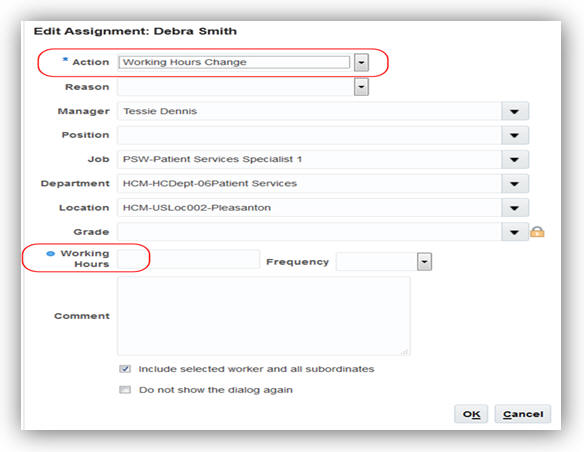
Edit Assignment Window in Workforce Modeling
No steps are necessary to enable this feature.
Track more information in Workforce Modeling with additional hidden fields in the table view. For example, you can now enter working hours, support unions, people groups, and others.
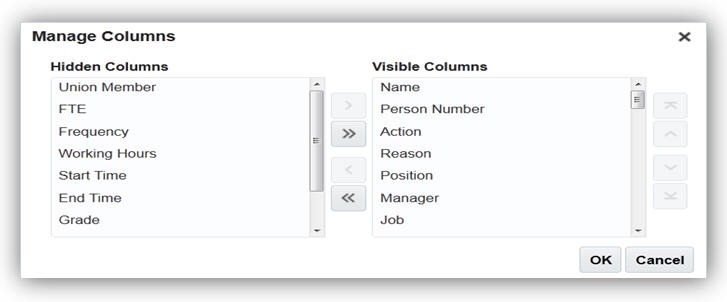
Manage Columns Window in Workforce Modeling
No steps are necessary to enable this feature.
Oracle Fusion Workforce Predictions allows the user to view teams to whom they have responsibility. This feature allows HR Specialists to select any manager they have responsibility for and view the predictions for that manager’s team.
Support for Human Resource Specialists
Workforce Predictions is enhanced to allow HR Specialists to view teams to whom they have responsibility. If the HR Specialist is a manager, then their team initially displays, however, they can use the change focus icon to select another manager. If they’re not a manager, then the change focus dialog automatically displays prompting the user to select a manager.
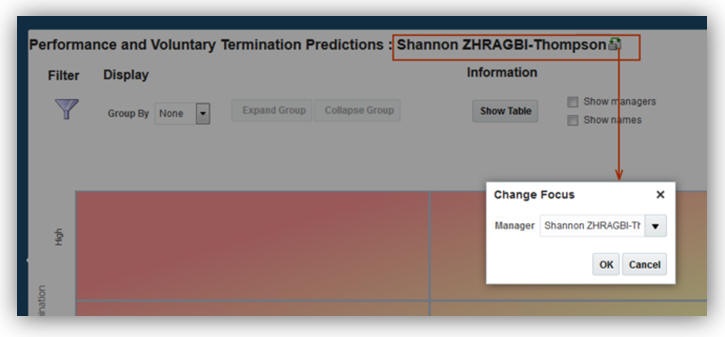
Steps to Enable
Grant the Worker Prediction Reporting role to your custom HR Specialist role for the Workforce Predictions menu item to appear in the My Team navigator menu.
Key Resources
For information on granting roles, please see the Securing Oracle HCM Cloud Guide.
Workforce Reputation Management “Personal Brand”
Oracle Fusion Workforce Reputation Management, also known as Personal Brand harnesses social networks to help organizations discover, mobilize and retain talent. This functionality provides insight into workers' social reputation and influence while also monitoring workers' social media usage compliance and mitigating social media risk.
Workforce Reputation Management maintains two types of person social profiles, employee and connection (or nonemployee). For the employee social profile, the application maintains both internal data and data about the employee’s external social profile. For the connection social profile, the application maintains limited data about the person who is connected to an employee through an external social network. Workforce Reputation Management now supports nonemployee opt- in, enabling customers to gather more details about nonemployees and monitor and report reputation scores for nonemployees.
This feature enables:
- Nonemployees to use the Workforce Reputation Subscription Application.
- Nonemployees to access the embedded game, Recent Activity, Leaderboard, My Rewards, and My Endorsements features in WRSA, with limitations enforced by Fusion security.
- Nonemployees can interact through the Workforce Reputation Subscription Application, only with those employees and nonemployees with whom they are connected.
- Employees to endorse nonemployees who have opted in and view nonemployees on the Leaderboard and in the Recent Activity thread. Managers can view more details about nonemployees who have opted in, including their connections and calculated reputation scores.
Nonemployee Opt-In
There are no steps necessary to enable this feature.
---

Copyright © 2017, Oracle and/or its affiliates. All rights reserved.
This document is provided for information purposes only, and the contents hereof are subject to change without notice. This document is not warranted to be error-free, nor subject to any other warranties or conditions, whether expressed orally or implied in law, including implied warranties and conditions of merchantability or fitness for a particular purpose. We specifically disclaim any liability with respect to this document, and no contractual obligations are formed either directly or indirectly by this document. This document may not be reproduced or transmitted in any form or by any means, electronic or mechanical, for any purpose, without our prior written permission.
Oracle and Java are registered trademarks of Oracle and/or its affiliates. Other names may be trademarks of their respective owners.
Intel and Intel Xeon are trademarks or registered trademarks of Intel Corporation. All SPARC trademarks are used under license and are trademarks or registered trademarks of SPARC International, Inc. AMD, Opteron, the AMD logo, and the AMD Opteron logo are trademarks or registered trademarks of Advanced Micro Devices. UNIX is a registered trademark of The Open Group.

11.21