
This document will continue to evolve as existing sections change and new information is added. All updates appear in the following table:
| Date | Product | Feature | Notes |
|---|---|---|---|
| 18 DEC 2020 | Created initial document. |
The Launch Experience application encapsulates the entire lifecycle of catalog definitions, from ideation to conceptualization to design to launch to retirement. This enables the Customer Service Providers to achieve a faster time-to-market in launching offers. The application includes these functionalities:
- Centralized Design Time Experience for Sales, Billing, and Provisioning Catalogs supporting both traditional and digital offerings, and same-day introduction of new offers.
- Business Persona-grade UX to design new offers. It provides simplified bundling experience to assemble and launch offers thereby empowering the business users.
- Publishing to Oracle Sales, Billing, and Provisioning Catalogs and Open API for non-Oracle catalogs.
- Import Utility support to import third-party catalogs.
- TM Forum Standards based unified language.
This guide outlines the information you need to know about new or improved functionality in this update, and describes any tasks you might need to perform for the update. Each section includes a brief description of the feature, the steps you need to take to enable or begin using the feature, any tips or considerations that you should keep in mind, and the resources available to help you.
Give Us Feedback
We welcome your comments and suggestions to improve the content. Please send us your feedback at SALESCLOUD-PRODEX_WW@ORACLE.COM.
Column Definitions:
Features Delivered Enabled
Report = New or modified, Oracle-delivered, ready to run reports.
UI or Process-Based: Small Scale = These UI or process-based features are typically comprised of minor field, validation, or program changes. Therefore, the potential impact to users is minimal.
UI or Process-Based: Larger Scale* = These UI or process-based features have more complex designs. Therefore, the potential impact to users is higher.
Features Delivered Disabled = Action is needed BEFORE these features can be used by END USERS. These features are delivered disabled and you choose if and when to enable them. For example, a) new or expanded BI subject areas need to first be incorporated into reports, b) Integration is required to utilize new web services, or c) features must be assigned to user roles before they can be accessed.
| Ready for Use by End Users Reports plus Small Scale UI or Process-Based new features will have minimal user impact after an update. Therefore, customer acceptance testing should focus on the Larger Scale UI or Process-Based* new features. |
Action is Needed BEFORE Use by End Users Not disruptive as action is required to make these features ready to use. As you selectively choose to leverage, you set your test and roll out timing. |
|||||
|---|---|---|---|---|---|---|
| Feature |
Report |
UI or |
UI or |
|
||
Manage Design-Time Experience of Commercial Catalog Entities |
||||||
Import Third-Party Catalog Enhancements
Here's what you can now do with UI and framework enhancements for importing catalog entities:
- Use the Import Job list view to track all the import jobs that are submitted.
-
Review the status of the import job along with job ID, import file name, job submitter name and creation date or completion date.
-
Search for import jobs with job ID, import file name, and submitter name.
-
Use the detailed view of the import job to find the summary of the catalog entities that were imported, based on success and error scenario messages.
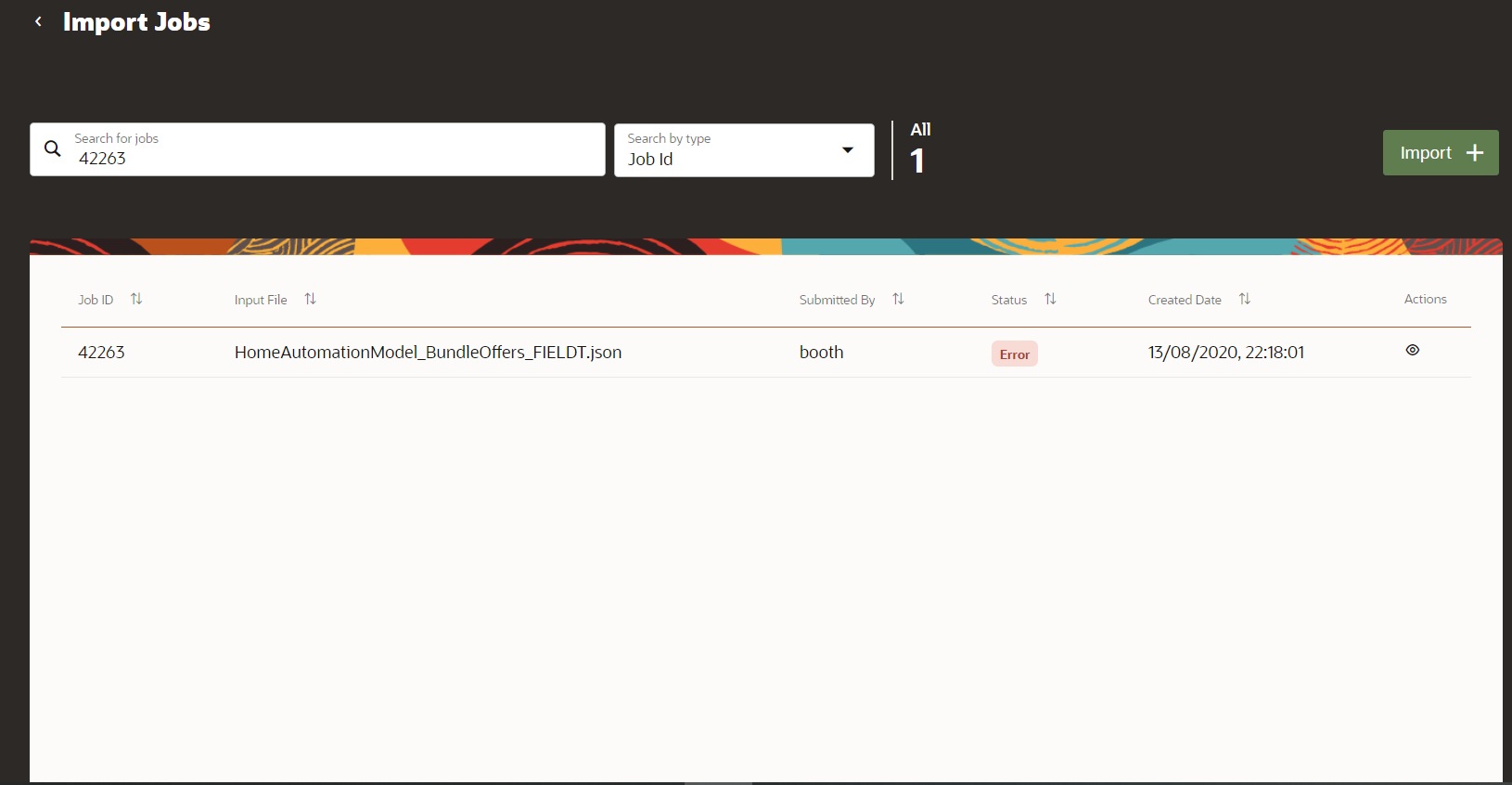
Import Job
The business benefit of this feature is that it provides better tracking ability for the import jobs, in both success and failure scenarios. There is also a significant improvement in the performance of the import jobs.
Steps to Enable
You don't need to do anything to enable this feature.
Role Information
- LaunchX Catalog Administrator
Manage Product Specification Lifecycle
Perform complete lifecycle status management for the product specification entity. You can now create, view, edit, revise, and delete a product specification. You can also retire or obsolete product specifications.
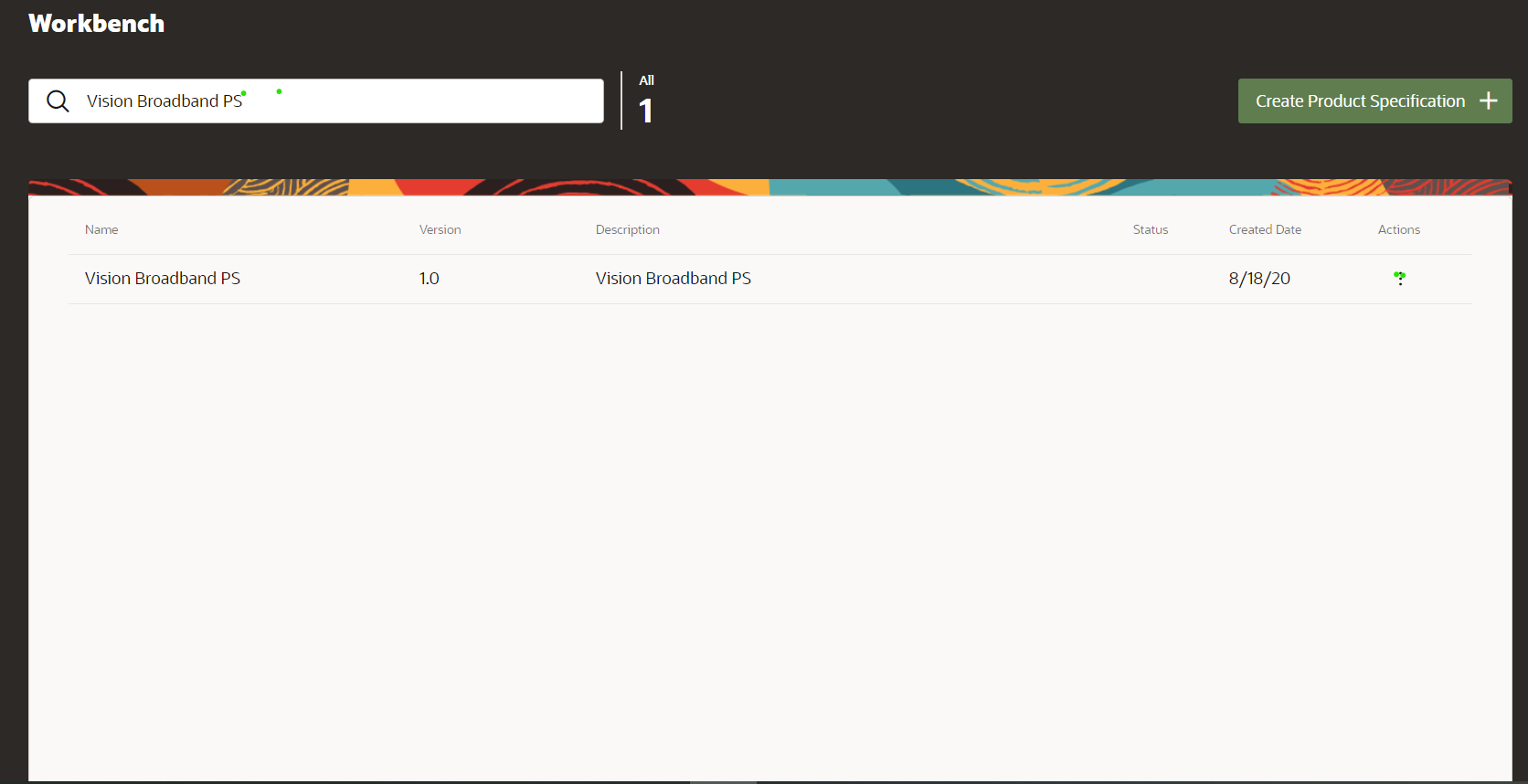
Product Specification Lifecycle
The business benefit of this feature is that it provides ability to create and manage your product specifications. Helps you make quick changes and redeploy a new version of a product specification and product offers that are defined based on the product specification, thereby improving time-to-market. Provides ability to retire and make the specifications obsolete when the specs are no longer used.
Steps to Enable
You don't need to do anything to enable this feature.
Role Information
- LaunchX Catalog Administrator
- LaunchX Catalog Product Manager
Manage the Sales and Billing Catalog Design-Time Features
Use the design-time features to support friends and family with shared resources, re-usable price plans in Offers through the Launch Experience UI.
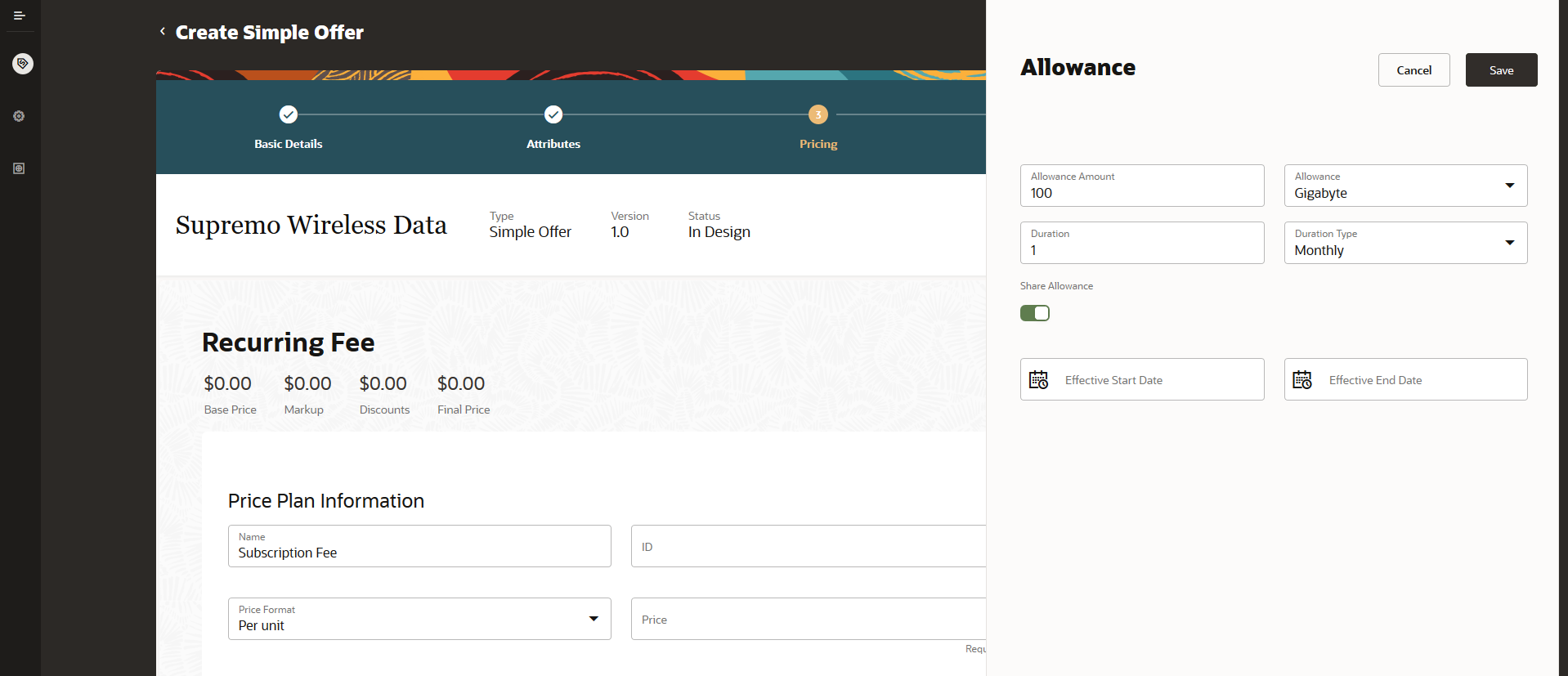
Family Sharing Allowance
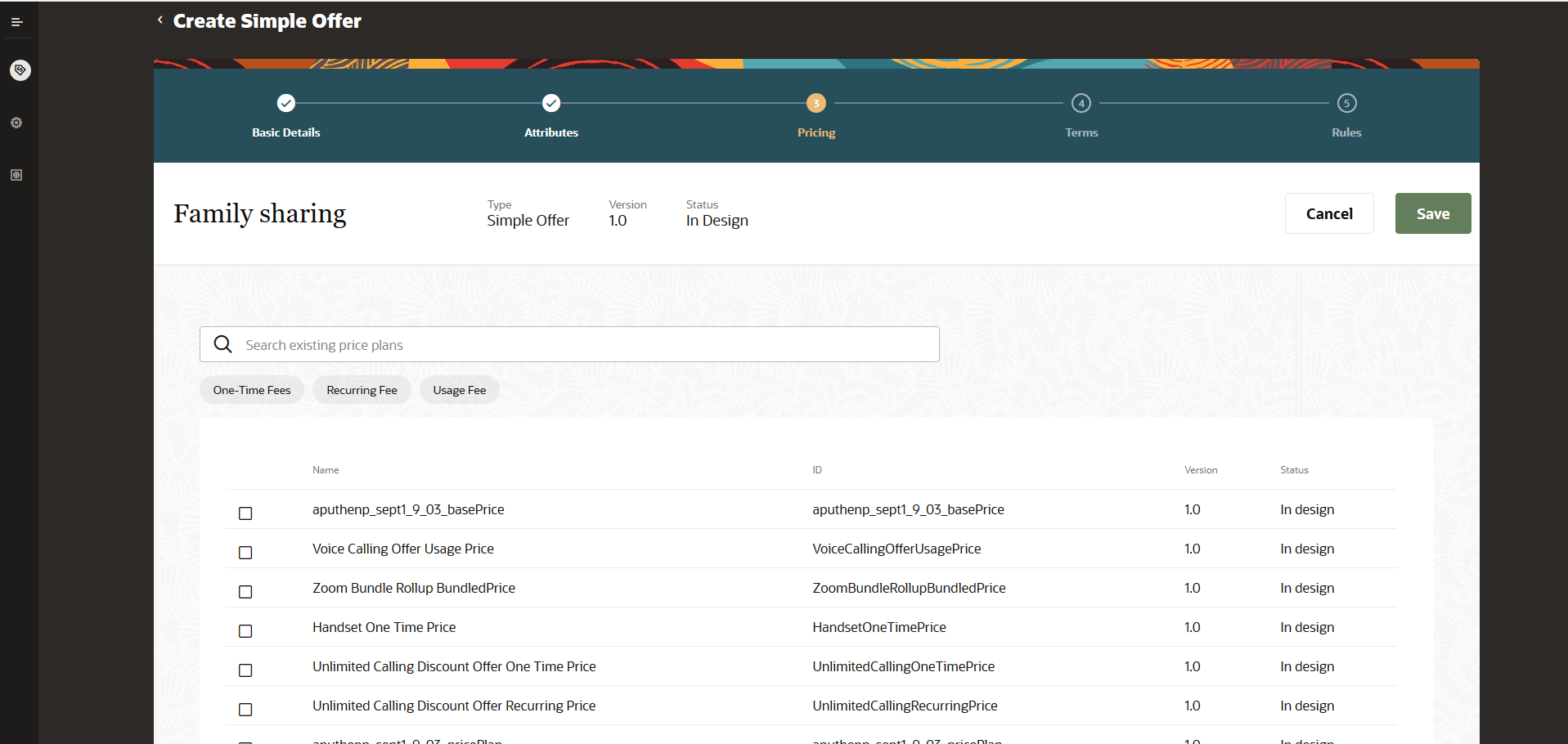
Re-Use Price Plan
Use REST APIs to achieve attribute-based pricing based on usage specification, service specification, product type specification, and customer profile specification. Use REST APIs to create service specifications, usage specifications, tax codes, customer profile specification, and more.
The business benefit of this feature is that it provides you the ability to define offers with friends and family through shared resources and perform bulk updates to a price with reusable price plans.
Steps to Enable
You don't need to do anything to enable this feature.
Role Information
- Product Manager
Manage Design-Time Experience of Commercial Catalog Entities
Use the flexibility to model design-time aspects of consumer commercial catalog entities to enable publish to runtime catalog, with near zero-touch enrichment, to achieve a shorter time-to-market for customers. As a product administrator or a product manager, you can now make use of the following new design-time features:
- Create SKU templates and SKUs for physical goods. SKU numbers are used to group similar product definitions, such as, simple physical goods with variant attributes. SKU templates allow you to generate SKU numbers for the different combinations of product attributes.
- Create offer marketing features with name, priority, short description, long description, priority, and validity dates and images. A marketing feature describes the important characteristics of a commercial offer that stands out among the other features pertaining to the offer.
- Upload and manage consumer segment agreements. An agreement is a legally binding document that defines the obligations to offer, provide, or produce specific products or services over a set period of time for a specific amount of money. An agreement typically includes detailed descriptions of pricing, terms, limitations, coverage, conditions, legal rights, processes, and guidelines. Agreements are often revised to reflect changes in the company, a company's product lines, or in the market.
- Define compatibility rules and product line level. Compatibility rules can be set between a simple product offer with one or more product lines.
- Define option groups within bundled offers where the cardinality can be set at the whole group level. Example: Ability to specify minimum or maximum at group level.
- Define offer banners with name, priority, description, and validity dates. A banner is a way to flag an offer to make it stand out while displaying a variety of offers, both on the digital channel of engagement and for the agent-assisted ordering channel. While displaying a list of offers, flagging a few makes it appealing to the prospect to uptake an offer.
- Review all catalog resources which are now updated to display created date time, last updated time, created by, and last updated by fields.
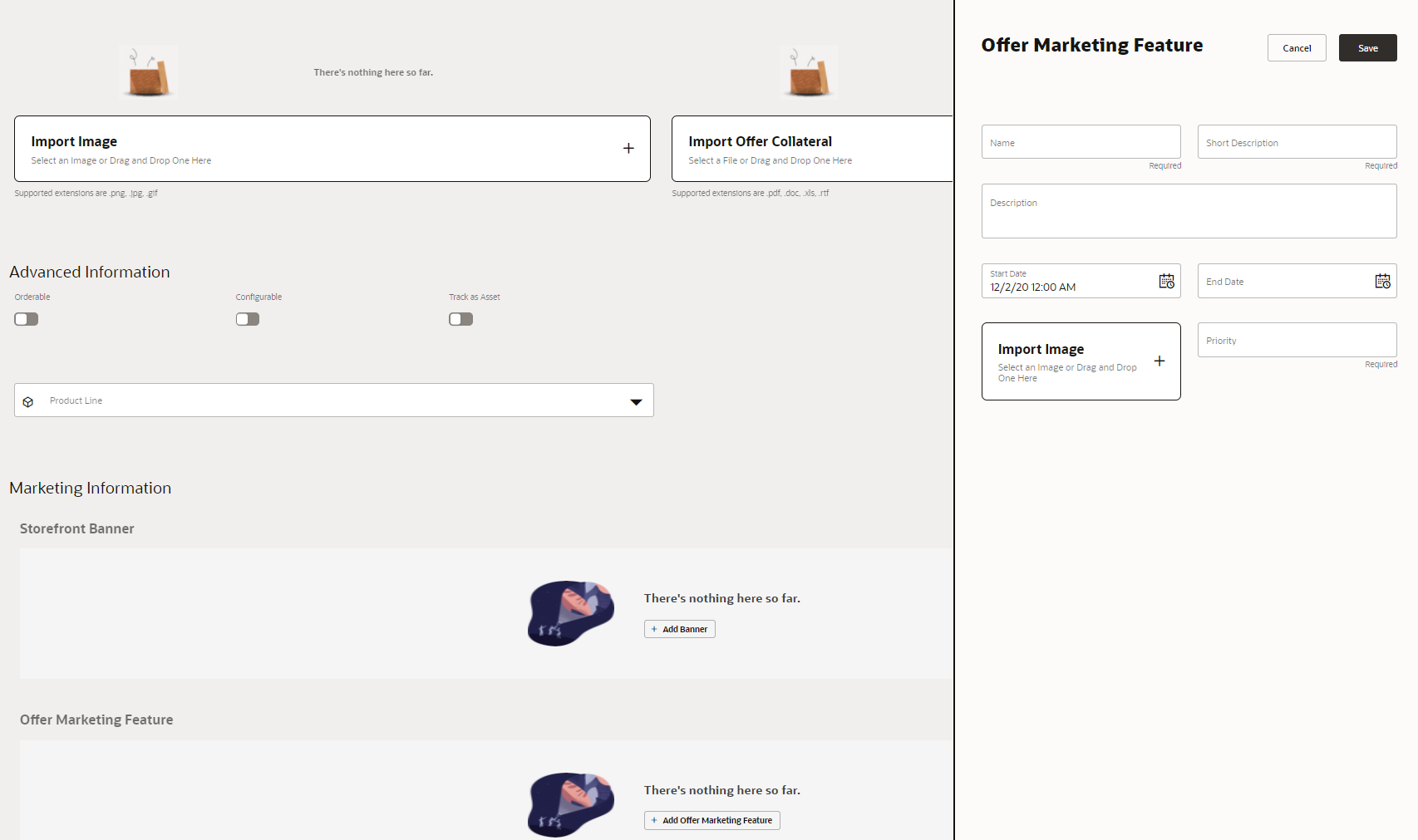
Offer Marketing Features
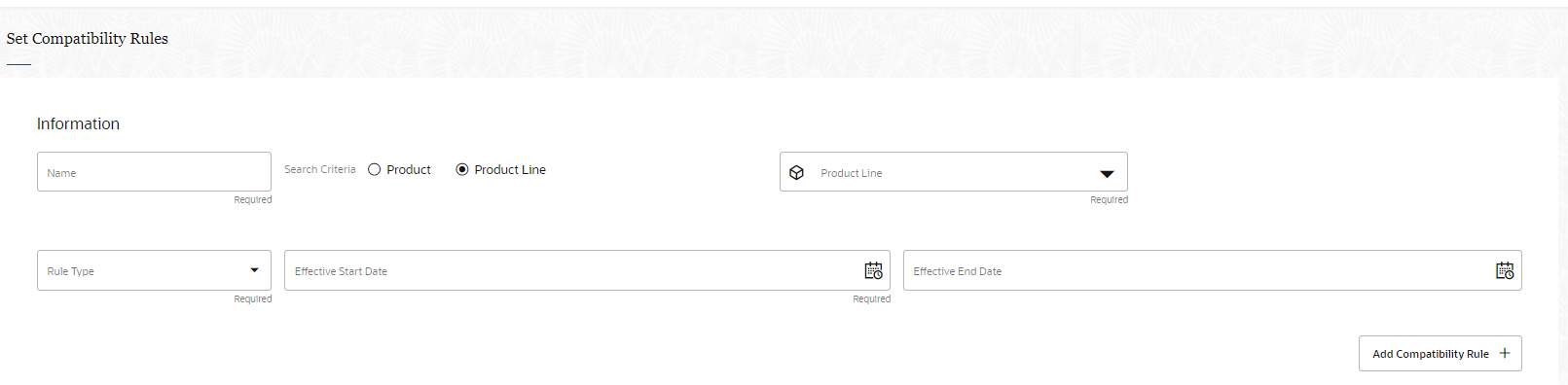
Product Lines
The business benefit of this feature is that it provides a shorter time-to-market with reduced operational costs in maintaining and managing offer definitions with all the value-added design time features.
Steps to Enable
You don't need to do anything to enable this feature.
Role Information
- Launch Experience Catalog Administrator
- Launch Experience Catalog Product Manager