
This document will continue to evolve as existing sections change and new information is added. All updates appear in the following table:
| Date | Module | Feature | Notes |
|---|---|---|---|
| 17 MAR 2023 | Created initial document. |
 HAVE AN IDEA?
We’re here and we’re listening. If you have a suggestion on how to make our cloud services even better then go ahead and tell us. There are several ways to submit your ideas, for example, through the Ideas Lab on Oracle Customer Connect. Wherever you see this icon after the feature name it means we delivered one of your ideas.
GIVE US FEEDBACK
We welcome your comments and suggestions to improve the content. Please send us your feedback at oracle_fusion_applications_help_ww_grp@oracle.com.
DISCLAIMER
The information contained in this document may include statements about Oracle’s product development plans. Many factors can materially affect Oracle’s product development plans and the nature and timing of future product releases. Accordingly, this Information is provided to you solely for information only, is not a commitment to deliver any material, code, or functionality, and should not be relied upon in making purchasing decisions. The development, release, and timing of any features or functionality described remains at the sole discretion of Oracle.
This information may not be incorporated into any contractual agreement with Oracle or its subsidiaries or affiliates. Oracle specifically disclaims any liability with respect to this information. Refer to the Legal Notices and Terms of Use for further information.
Column Definitions:
Report = New or modified, Oracle-delivered, ready to run reports.
UI or Process-Based: Small Scale = These UI or process-based features are typically comprised of minor field, validation, or program changes. Therefore, the potential impact to users is minimal.
UI or Process-Based: Larger Scale* = These UI or process-based features have more complex designs. Therefore, the potential impact to users is higher.
Features Delivered Disabled = Action is needed BEFORE these features can be used by END USERS. These features are delivered disabled and you choose if and when to enable them. For example, a) new or expanded BI subject areas need to first be incorporated into reports, b) Integration is required to utilize new web services, or c) features must be assigned to user roles before they can be accessed.
| Ready for Use by End Users Reports plus Small Scale UI or Process-Based new features will have minimal user impact after an update. Therefore, customer acceptance testing should focus on the Larger Scale UI or Process-Based* new features. |
Customer Must Take Action before Use by End Users Not disruptive as action is required to make these features ready to use. As you selectively choose to leverage, you set your test and roll out timing. |
|||||
|---|---|---|---|---|---|---|
| Feature |
Report |
UI or |
UI or |
|
||
Design Time Restrictions Supporting Run Time Capabilities Through User Interface |
||||||
CX Industries Framework serves as a platform for seamless integration of applications. You can use this platform to integrate your application with other Oracle applications and third-party applications, which includes cloud services and on-premise systems. In addition, you can leverage data from various sources, use TM Forum Open APIs and REST APIs to configure and extend tailored experiences.
CX Industries Framework supports both synchronous and asynchronous interactions between the integrated applications. It hosts all the TM Forum Open APIs on Oracle Cloud Infrastructure API Gateway to secure and optimize the API interactions. It also ensures high availability and resiliency by using the Oracle Cloud Infrastructure Load Balancing service.
Attachment Support in Fusion Adapter (TMF632)
You can now have attachments for Party objects with support for POST, PATCH, and GET operations.
- Use this feature to attach documents in the Party entity (TMF 632) to support the identification of users/individuals. These identification documents can be:
- Passport
- Driving License
- National Identity Card
- Birth Certificate
- Social Security Card
- Voter Registration Card
- Supported API operations are POST, PATCH and GET
- Validations must be included for document type and file format
- Personally Identifiable Information and compliance, and data-level entitlement
- Applicable to Subscriber, Support Specialist roles
Steps to Enable
You don't need to do anything to enable this feature.
Role And Privileges
- DX4C_System_Administrator
- DX4C_System_Configuration_Viewer
- DX4C_TMF_Specialist
Design Time Restrictions Supporting Run Time Capabilities Through User Interface
You can now configure design time restrictions on the entity's product offerings, product specification, service specification, device trade-in and entitlement through the Launch user interface. These restrictions would apply on the entities at design time .It's a good practice to create one rule with all applicable restrictions for an entity.
The following are the types of design-time restrictions you can configure:
- Entity restriction - Restrict the entity itself. Example:
- Restrict Device Trade in
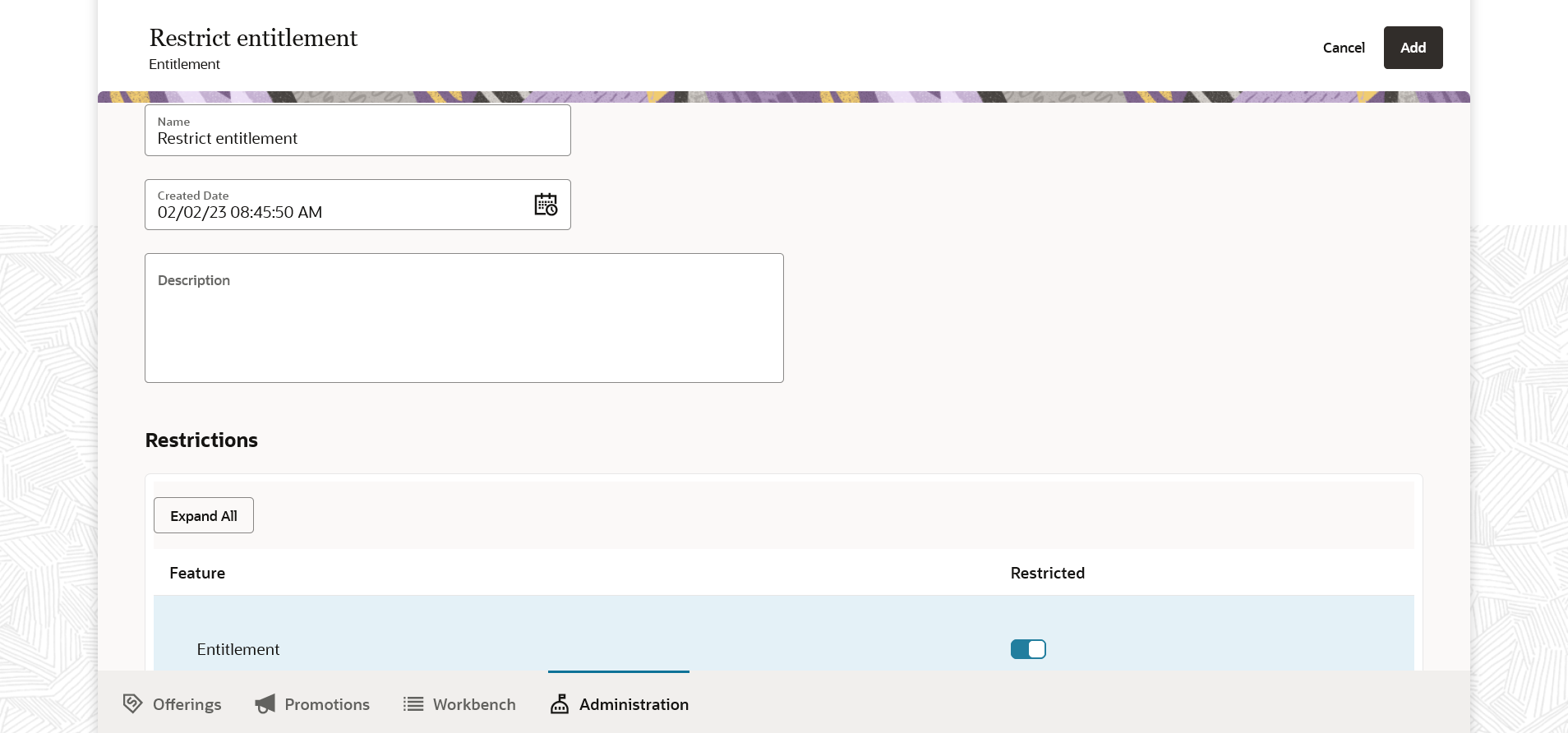
- Restrict Entitlements
- Feature restriction - Restrict certain capabilities for a given entity. Example:
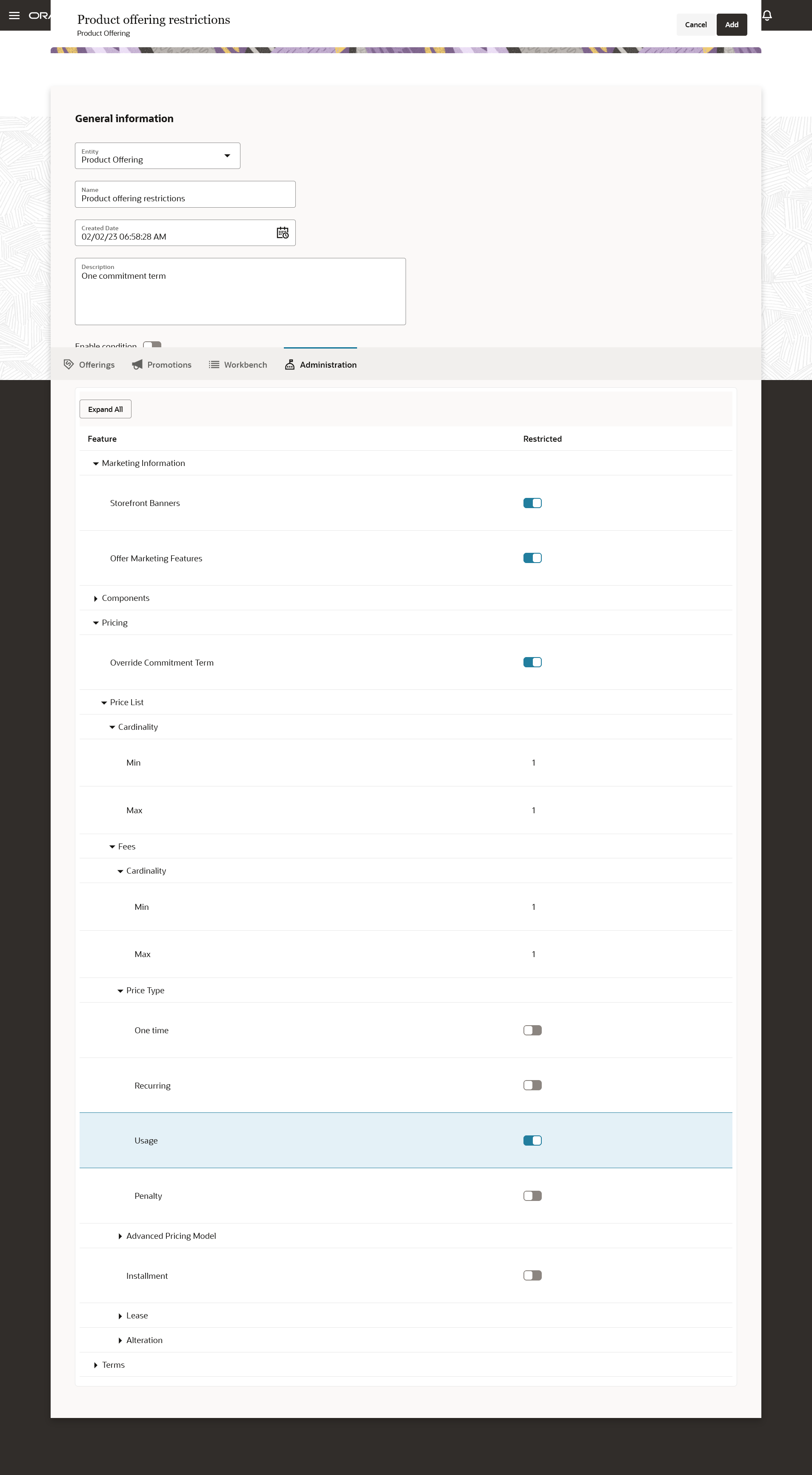
- Restriction for Product Offering entity could be restricting suspension terms, renewal terms, rules, usage price type, allowances and overages, lease plans and so on.
- Restriction for Product Specification entity could be restricting aggregate type attributes", usage Spec, customer profile and so on
- Setup conditions and cardinality. Example:
- Restrict no commitment terms for non-packages.
- Restrict only one price type for Product Offering entity.
- Restrict only one commitment term for Product Offering entity of package type.
- Restrict price type of usage for Product Offering entity.
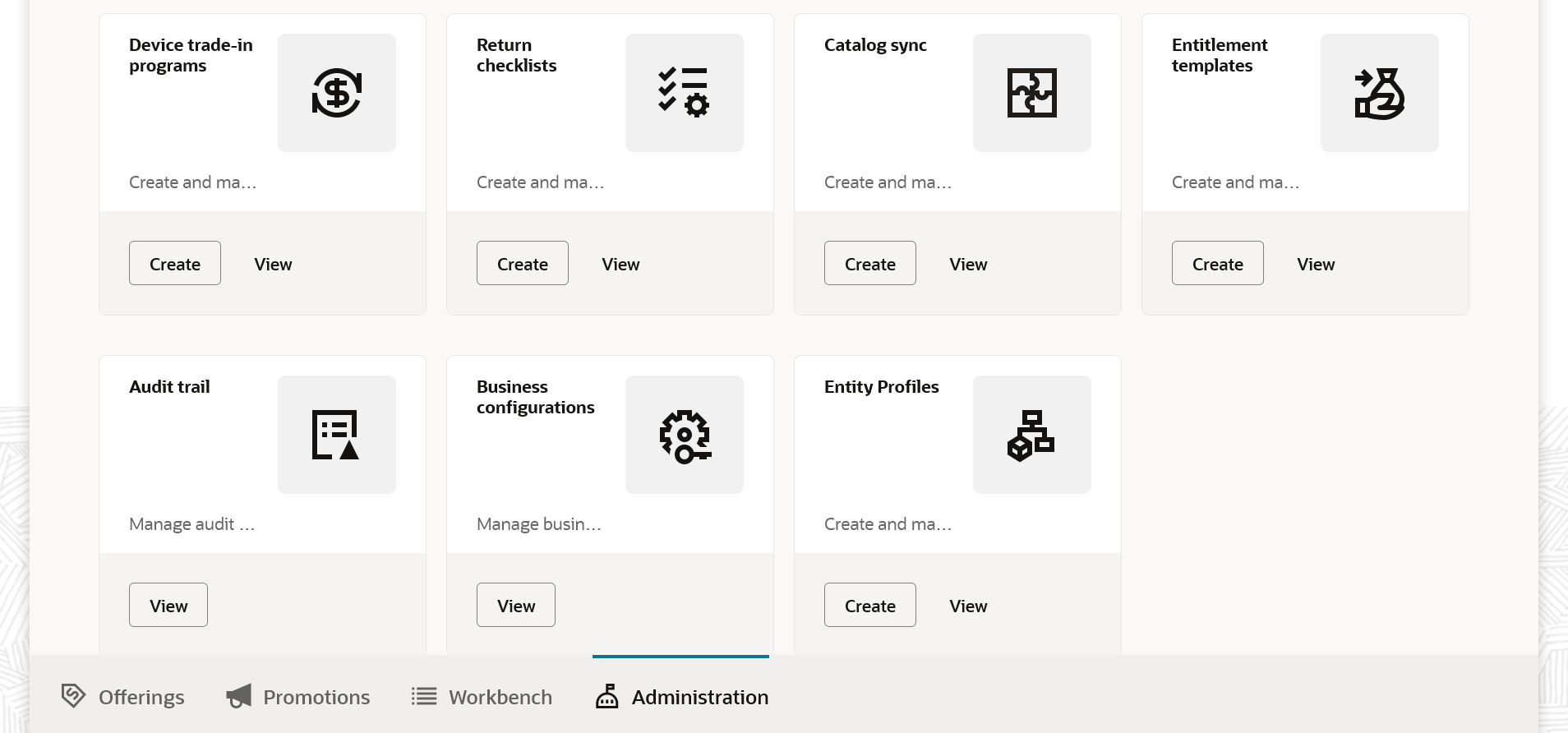
The following figure shows the entity profile card in the Administration section where you configure these design-time restrictions.
The following figure shows entity profile restriction for product offerings where store front banners, and marketing features are disabled, and one price list per product offering with usage price type is disabled.
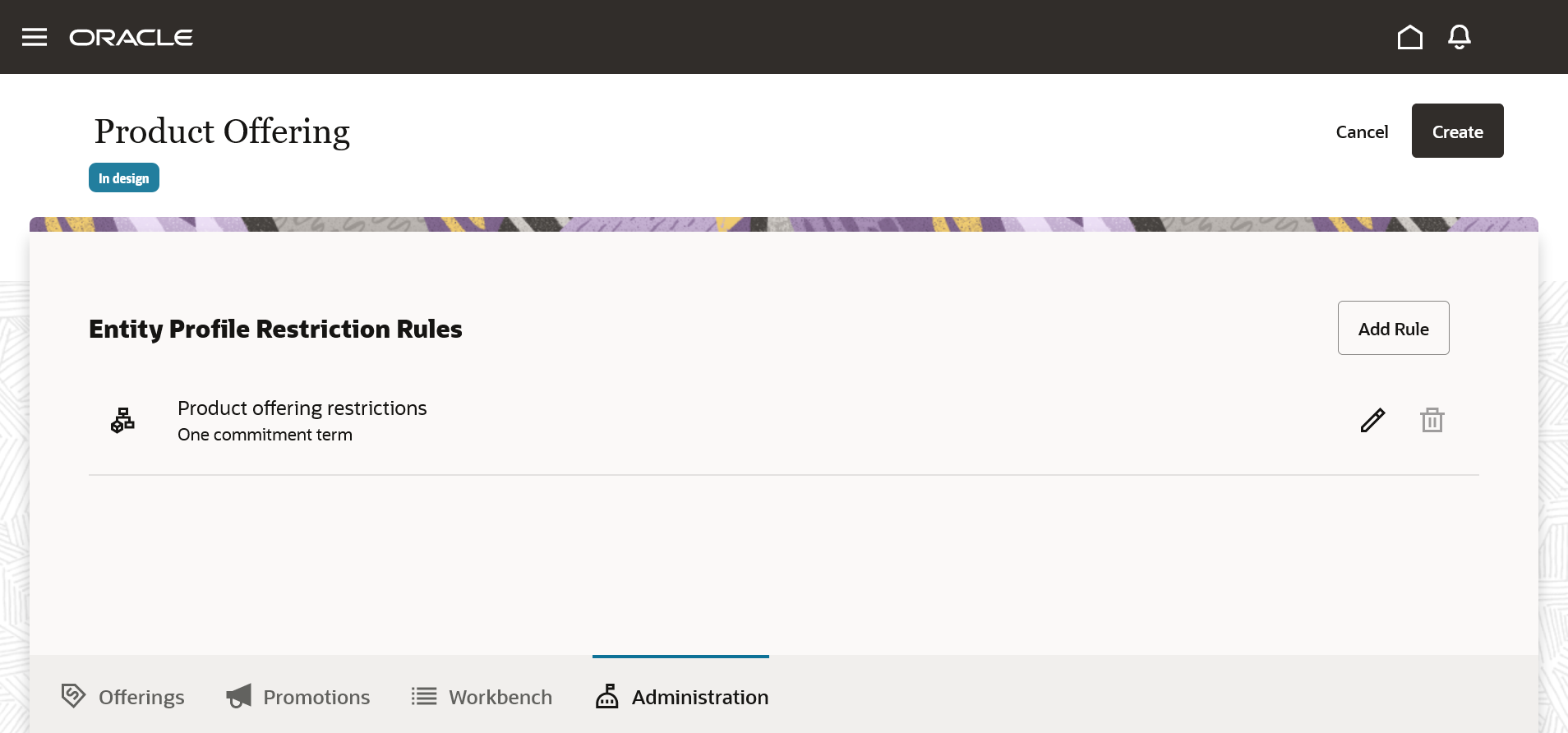
The following figure shows the rules created for the product offering entity.
The following figure shows the entitlement entity is restricted.
The business benefit of this feature is you would be able to set modeling rules around which design-time features are available for a service provider ensuring the design-time application respects and enforces any restrictions by runtime applications.
Steps to Enable
You don't need to do anything to enable this feature.
Tips And Considerations
Based on the communication service providers DX4C eco-system setup the design time restrictions in the Launch before you start modelling.
Role And Privileges
- Communications Catalog Administrator
Use Audit Trails and Logs for Product Specification
You can now record audit information on product specifications by enabling auditing on a product specification. Audit logs store detailed change history information and can also be downloaded. The audit log contains information about an action taken and the changes made to the specification. The date and time of the action, and the identity of the person taking the action.
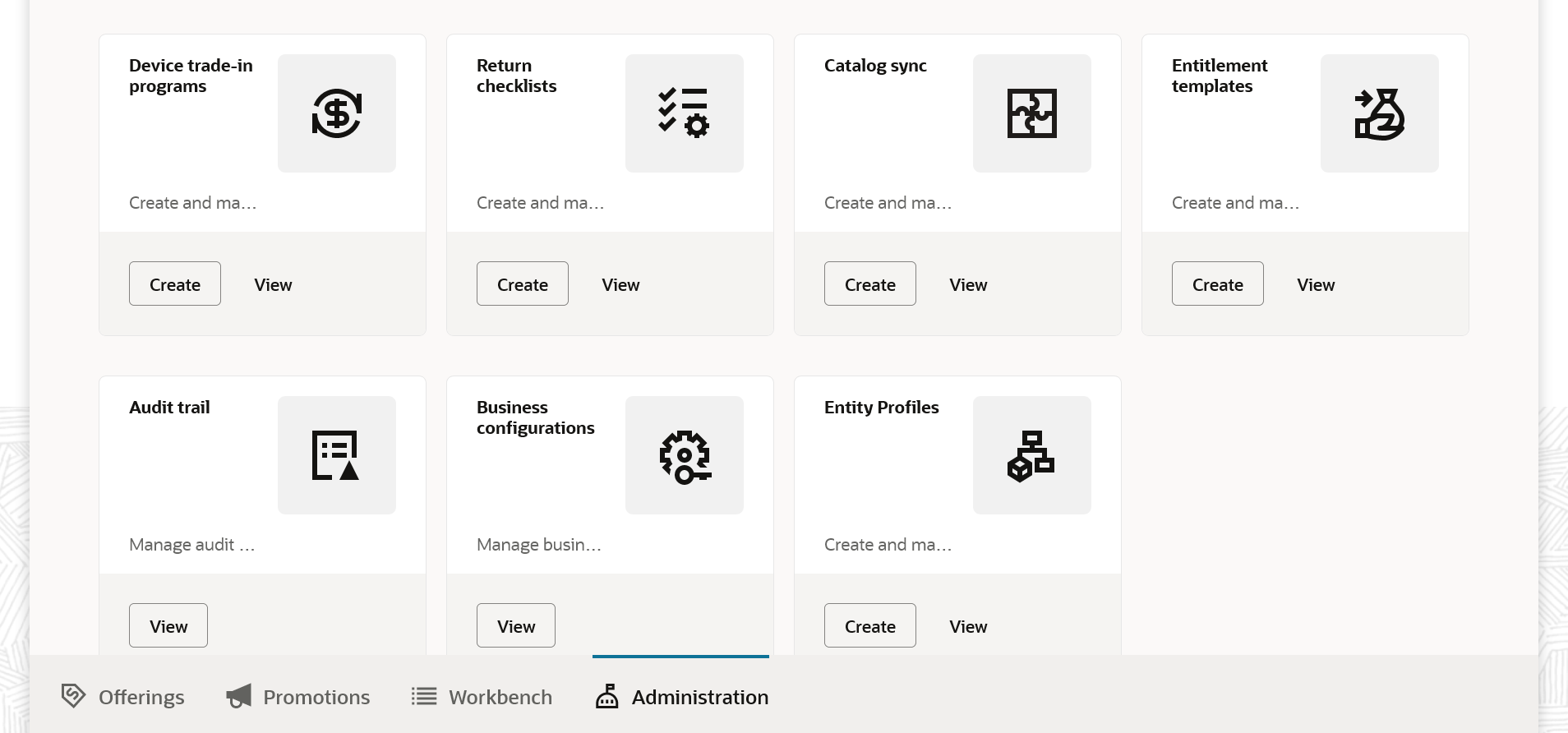
The following figure shows the audit trail card in the Administration section.
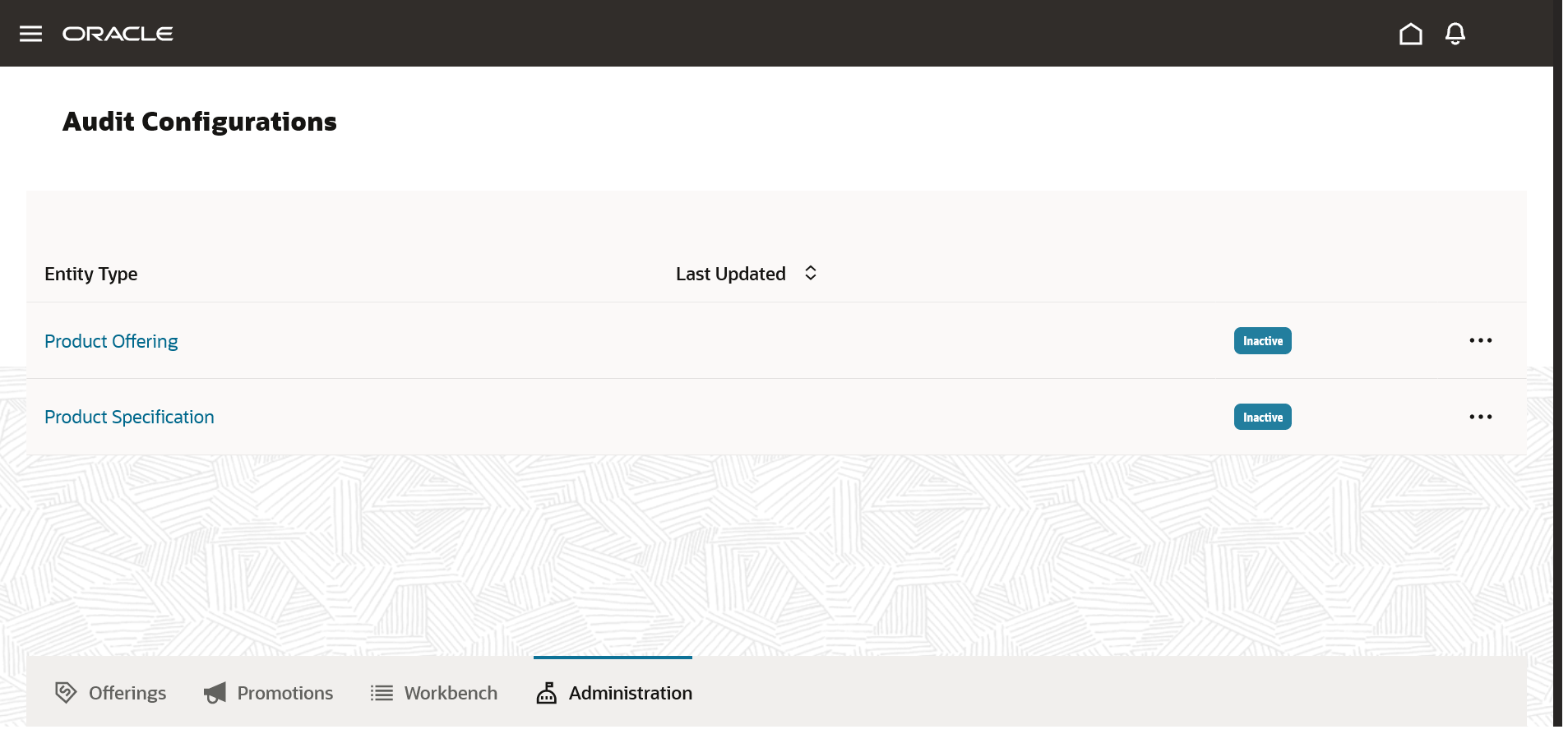
The following figure shows how to configure audits for a product specification.
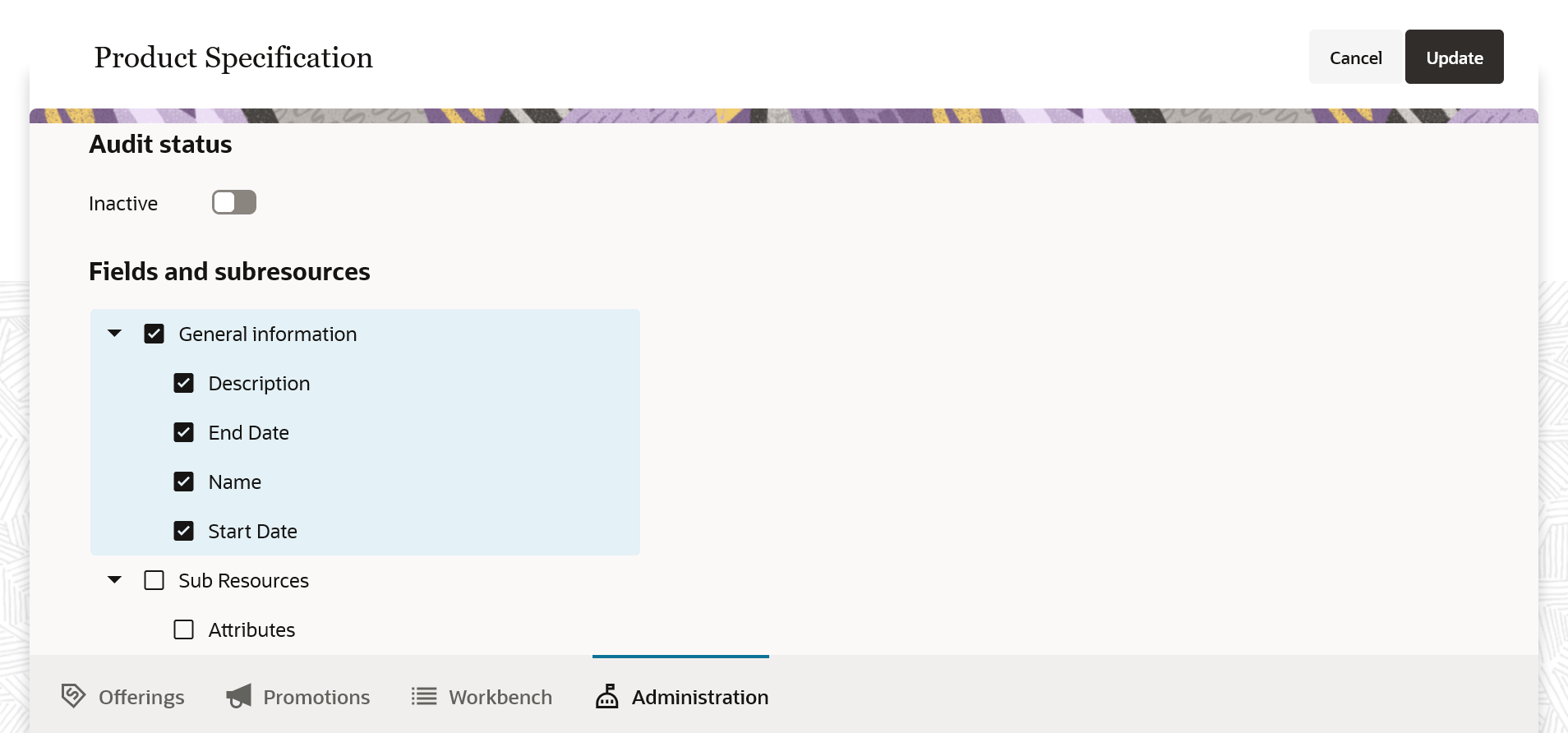
Audit logs enable you to identify the changes made to a specification by users' actions like create, update, delete, export, import, publish, setup and configuration.
Steps to Enable
You don't need to do anything to enable this feature.
Role And Privileges
- Communications Catalog Administrator