
This document will continue to evolve as existing sections change and new information is added. All updates appear in the following table:
| Date | Feature | Notes |
|---|---|---|
| 12 JUL 2019 | Created initial document. |
This guide outlines the information you need to know about new or improved functionality in this update, and describes any tasks you might need to perform for the update. Each section includes a brief description of the feature, the steps you need to take to enable or begin using the feature, any tips or considerations that you should keep in mind, and the resources available to help you.
GIVE US FEEDBACK
We welcome your comments and suggestions to improve the content. Please send us your feedback at oracle_fusion_applications_help_ww_grp@oracle.com.
Column Definitions:
Report = New or modified, Oracle-delivered, ready to run reports.
UI or Process-Based: Small Scale = These UI or process-based features are typically comprised of minor field, validation, or program changes. Therefore, the potential impact to users is minimal.
UI or Process-Based: Larger Scale* = These UI or process-based features have more complex designs. Therefore, the potential impact to users is higher.
Features Delivered Disabled = Action is needed BEFORE these features can be used by END USERS. These features are delivered disabled and you choose if and when to enable them. For example, a) new or expanded BI subject areas need to first be incorporated into reports, b) Integration is required to utilize new web services, or c) features must be assigned to user roles before they can be accessed.
| New Features Delivered Ready to Use Reports plus Small Scale UI or Process-Based new features will have minimal user impact after an update. Therefore, customer acceptance testing should focus on the Larger Scale UI or Process-Based* new features. |
New Features That Customer Must Take Action to Use (Delivered Disabled) Not disruptive as action is required to make these features ready to use. As you selectively choose to leverage, you set your test and roll out timing. |
|||||
|---|---|---|---|---|---|---|
| Feature |
Report |
UI or |
UI or |
|
||
During the subscription execution process, initiate credit memos, ad-hoc charges, or bill adjustments directly from Oracle Subscription Management Cloud. For example, you can issue credits to the customer as part of usage correction, customer appreciation, or reimbursement for non-usage of service, for a specific number of days, etc. You can create ad-hoc charges, such as a penalty for early termination of service. You can also discount future bill periods’ billable totals.
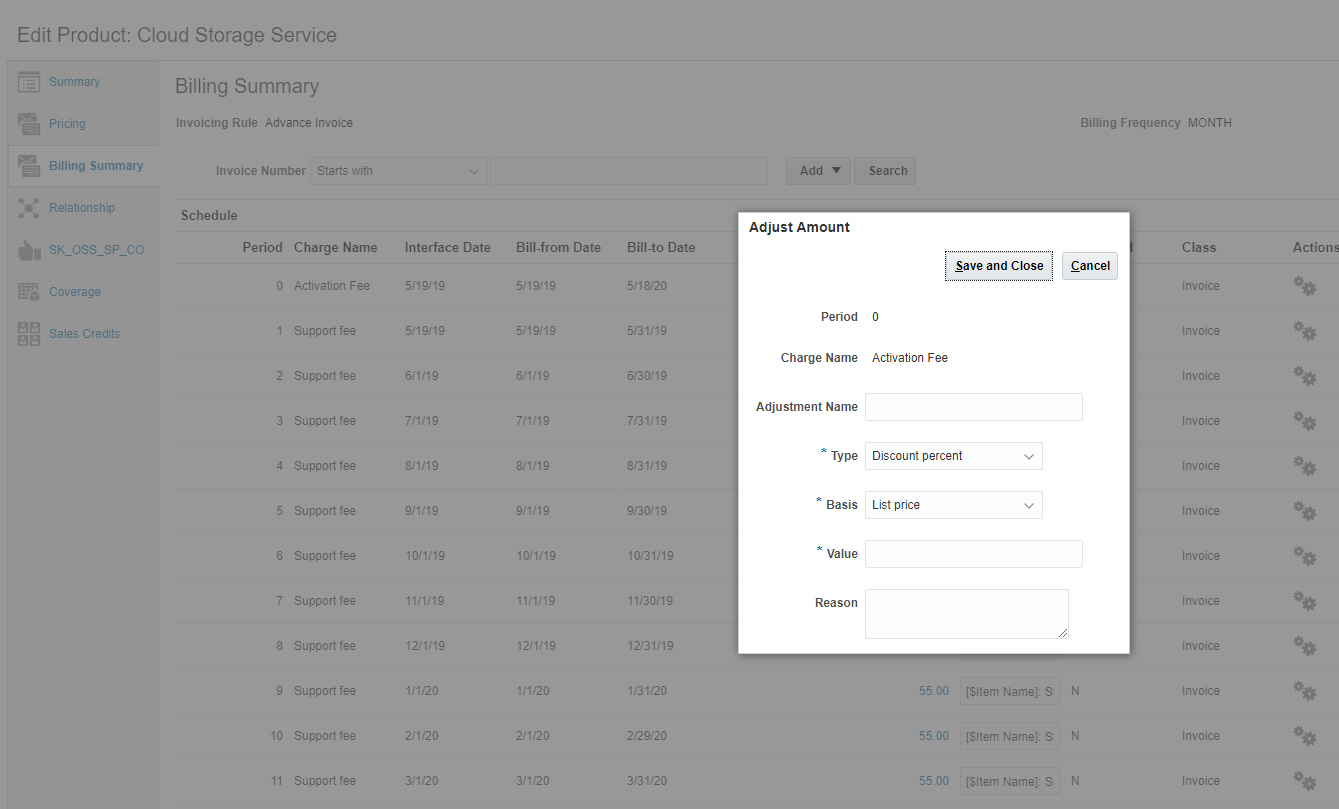
Bill Adjustments
Steps to Enable
You don't need to do anything to enable this feature.
Key Resources
See the Using Subscription Management guide on the Oracle Subscription Management Cloud Help Center.
Hold billing for a subscription, which you might want to do, for example, when a customer disputes an invoice. When you apply a hold, eligible records aren’t interfaced to Financials Cloud for invoicing until the hold is removed. On the date you remove the hold, all eligible billing records are automatically passed to Oracle ERP Financials Cloud for invoicing.
Steps to Enable
You don't need to do anything to enable this feature.
Key Resources
See the Using Subscription Management guide on the Oracle Subscription Management Cloud Help Center.
Define coverage offerings in Subscription Management Cloud. Coverage offerings determine the entitlements available to customers when a service request gets logged. Coverage definition includes days and times of coverage in multiple time zones, the reaction and resolution metrics, and their respective thresholds. You can define coverage offerings at the global, customer, or asset level.

Standard Coverage
Steps to Enable
You don't need to do anything to enable this feature.
Duplicate an existing subscription or subscription product. Using the subscriptions copy map, you can configure the mapping of standard or user-defined attributes, products, and covered levels.

Subscription Copy Map
Steps to Enable
You don't need to do anything to enable this feature.
Tips And Considerations
Instructions for setting up custom copy maps are included in the implementation guide.
Key Resources
See the Implementing Subscription Management guide on the Oracle Subscription Management Cloud Help Center.