- Revision History
- Overview
- Feature Summary
- Subscription Management
-
-
-
- Update Pricing Terms for Multiple Subscriptions
- Enable Proration of One-Time Charges
- Override Renewal Duration at Subscription and Subscription Product Levels
- View And Override Close Credit Amount
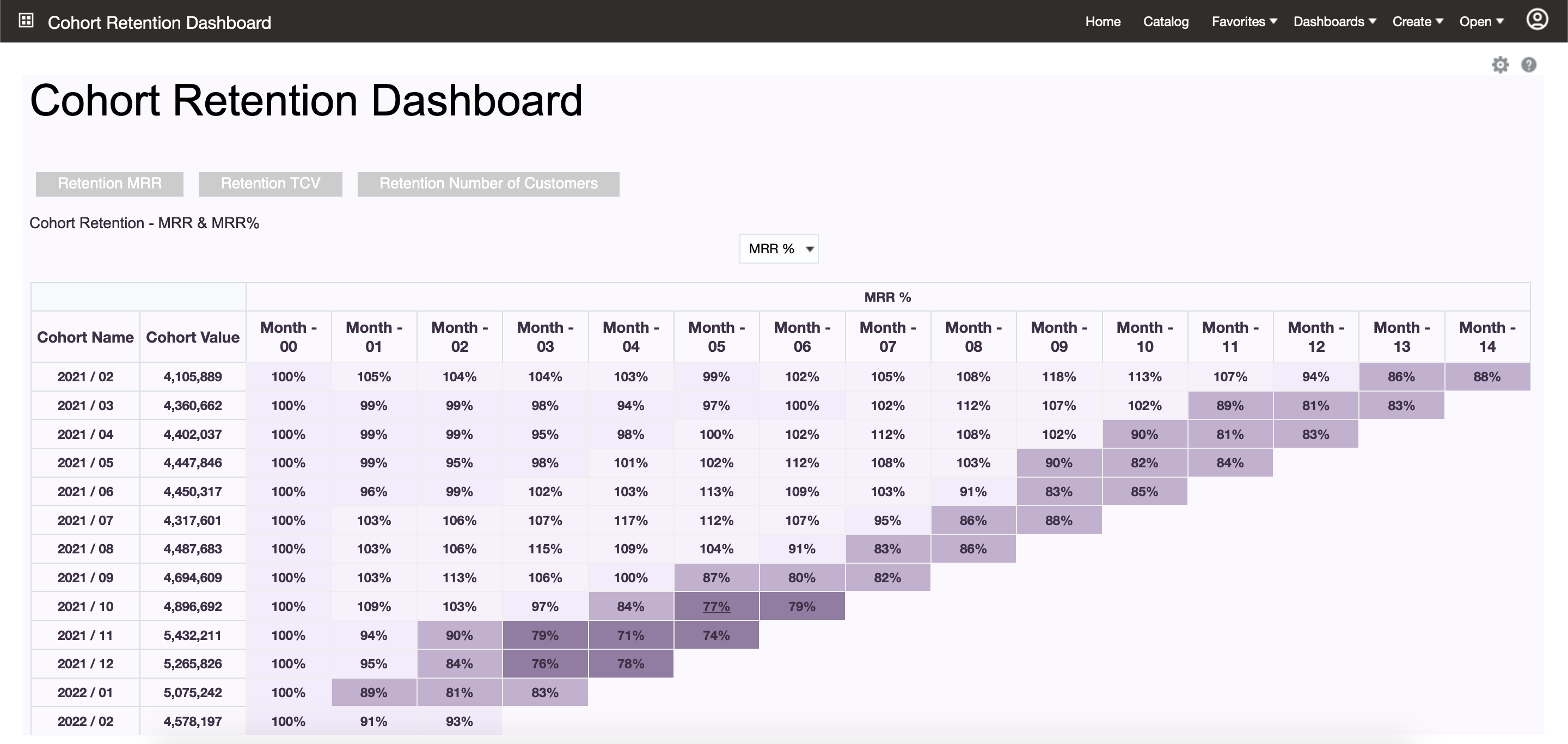
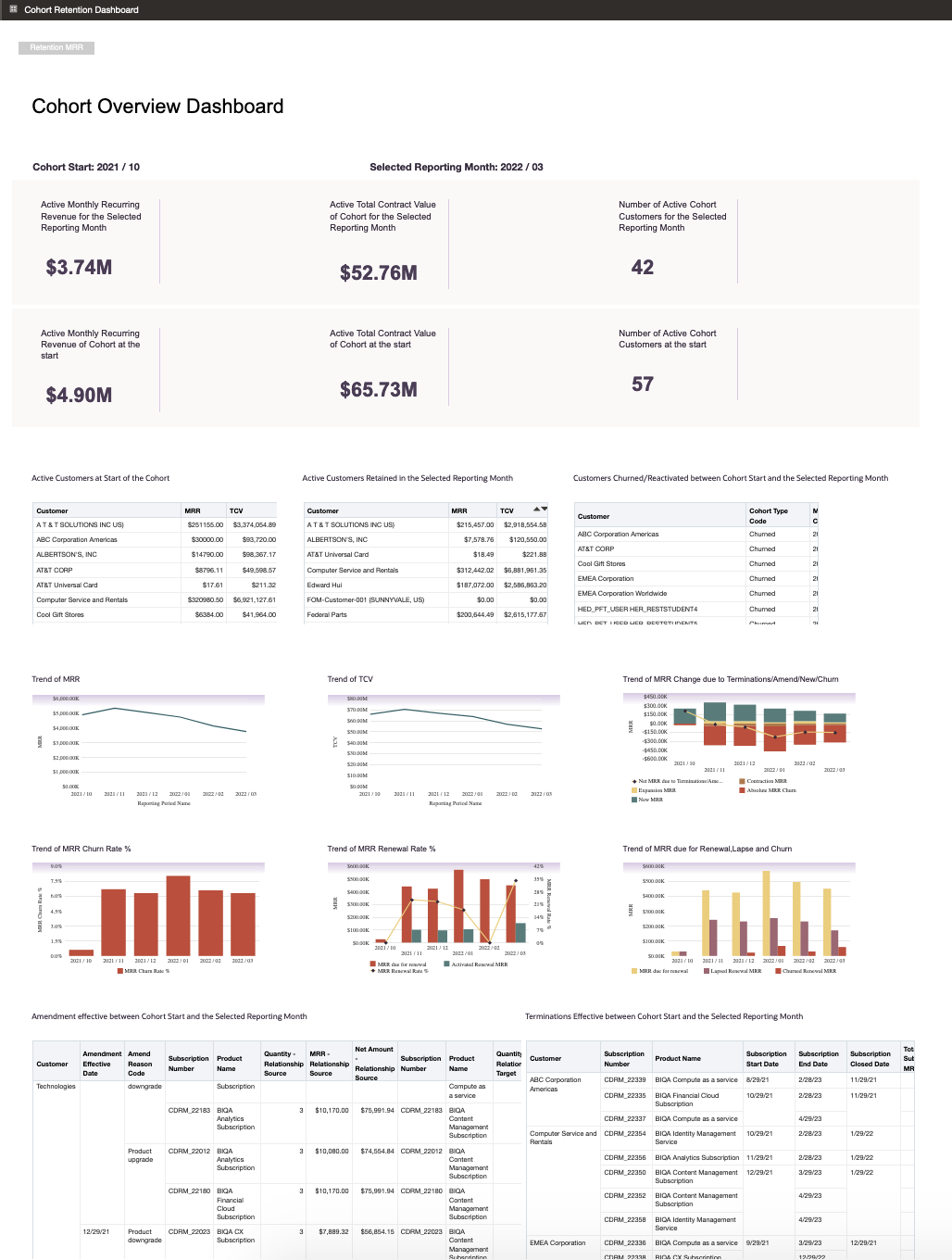
- Analyze Subscription Trends for a Cohort of Customers
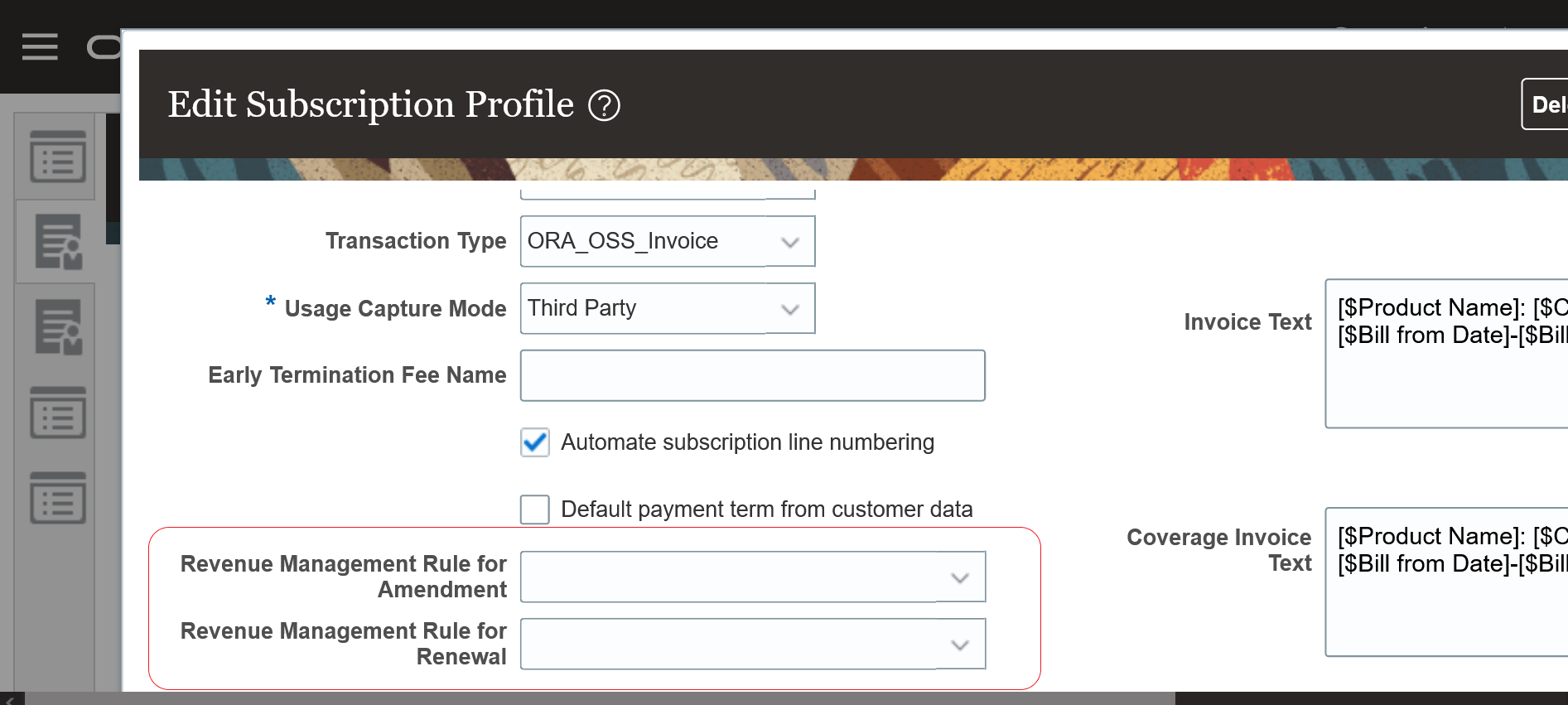
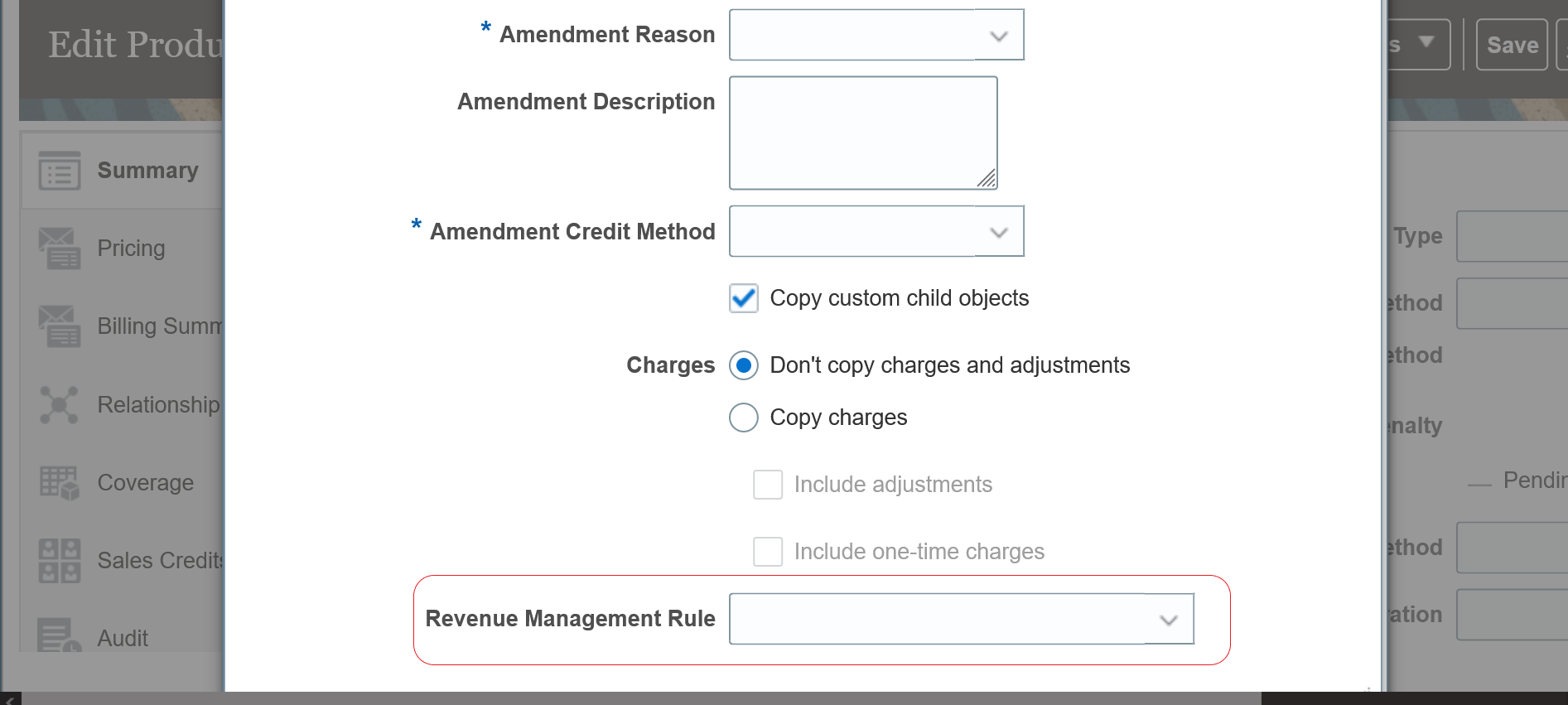
- Improve ASC606 Compliance During Subscription Life Cycle
- Analyze Coverage Entitlements and Adjustments
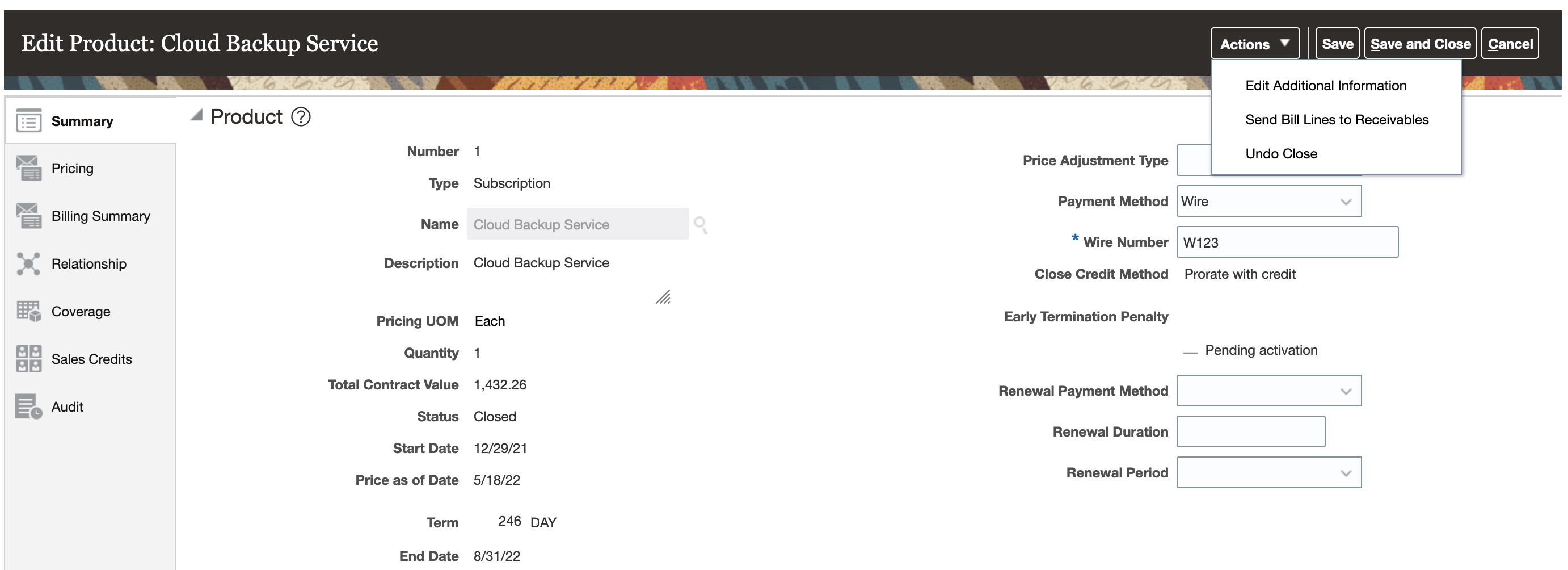
- Undo Close
-
-
This document will continue to evolve as existing sections change and new information is added. All updates appear in the following table:
| Date | Product | Feature | Notes |
|---|---|---|---|
| 17 JUN 2022 | Created initial document. |
 HAVE AN IDEA?
We’re here and we’re listening. If you have a suggestion on how to make our cloud services even better then go ahead and tell us. There are several ways to submit your ideas, for example, through the Ideas Lab on Oracle Customer Connect. Wherever you see this icon after the feature name it means we delivered one of your ideas.
GIVE US FEEDBACK
We welcome your comments and suggestions to improve the content. Please send us your feedback at oracle_fusion_applications_help_ww_grp@oracle.com.
DISCLAIMER
The information contained in this document may include statements about Oracle’s product development plans. Many factors can materially affect Oracle’s product development plans and the nature and timing of future product releases. Accordingly, this Information is provided to you solely for information only, is not a commitment to deliver any material, code, or functionality, and should not be relied upon in making purchasing decisions. The development, release, and timing of any features or functionality described remains at the sole discretion of Oracle.
This information may not be incorporated into any contractual agreement with Oracle or its subsidiaries or affiliates. Oracle specifically disclaims any liability with respect to this information. Refer to the Legal Notices and Terms of Use for further information.
Column Definitions:
Report = New or modified, Oracle-delivered, ready to run reports.
UI or Process-Based: Small Scale = These UI or process-based features are typically comprised of minor field, validation, or program changes. Therefore, the potential impact to users is minimal.
UI or Process-Based: Larger Scale* = These UI or process-based features have more complex designs. Therefore, the potential impact to users is higher.
Features Delivered Disabled = Action is needed BEFORE these features can be used by END USERS. These features are delivered disabled and you choose if and when to enable them. For example, a) new or expanded BI subject areas need to first be incorporated into reports, b) Integration is required to utilize new web services, or c) features must be assigned to user roles before they can be accessed.
| Ready for Use by End Users Reports plus Small Scale UI or Process-Based new features will have minimal user impact after an update. Therefore, customer acceptance testing should focus on the Larger Scale UI or Process-Based* new features. |
Customer Must Take Action before Use by End Users Not disruptive as action is required to make these features ready to use. As you selectively choose to leverage, you set your test and roll out timing. |
|||||
|---|---|---|---|---|---|---|
| Feature |
Report |
UI or |
UI or |
|
||
Override Renewal Duration at Subscription and Subscription Product Levels |
||||||
Update Pricing Terms for Multiple Subscriptions
You can update the pricing method and the percentage adjustment of the pricing term for multiple subscriptions at once.
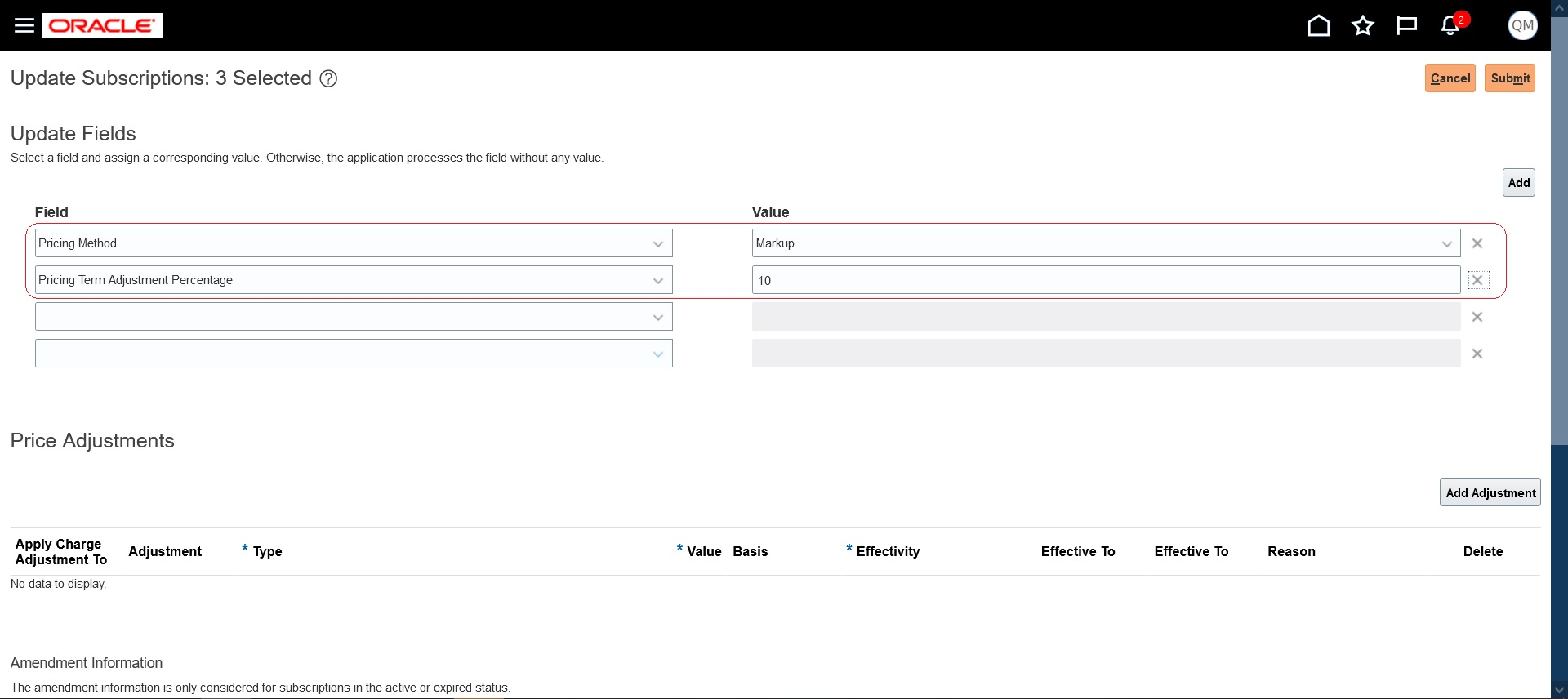
Update Pricing Terms for Multiple Subscriptions
Instead of updating pricing term information individually, this feature lets sales representatives update the same for multiple subscriptions at once.
Steps to Enable
You don't need to do anything to enable this feature.
Key Resources
- See the "Pricing Term" topic in the "Introduction to Subscriptions" chapter in the Using Oracle Subscription Management guide.
Enable Proration of One-Time Charges
Prorate one-time charges and return credit for one-time charges when a subscription product is closed. You can select the Enable Proration check box for a one-time charge on the Edit Product page. This lets you prorate and return credit for that one-time charge.
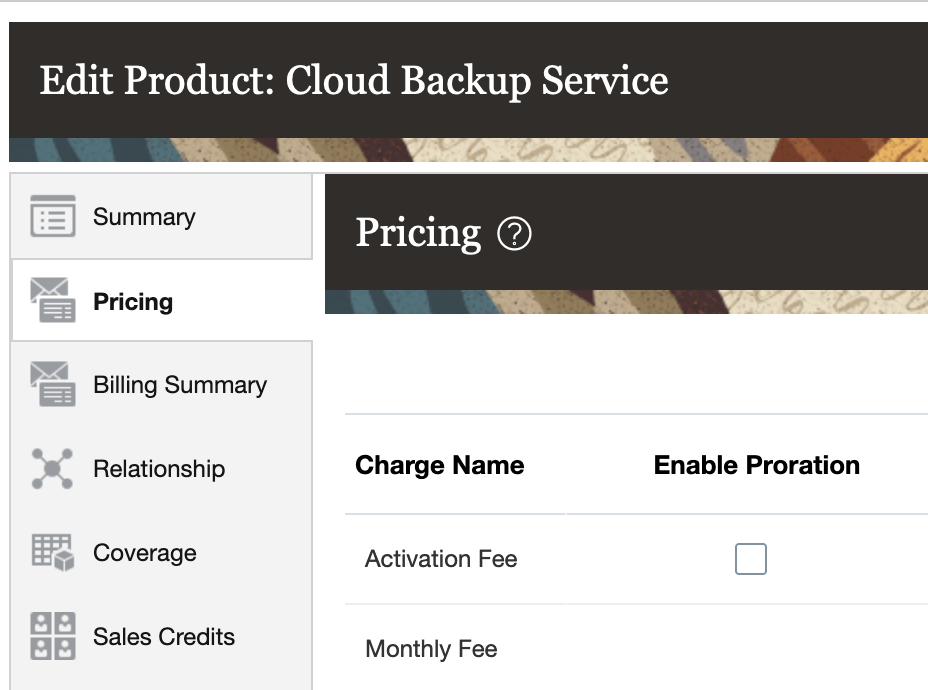
Enable Proration
To prorate one-time charges when closing, you can enable this check box and close a product using either the Prorate with credit or the Prorate without credit close credit methods. If the line has been interfaced to Receivables and you use Prorate with credit, the appropriate credit will be returned for one-time charges. If you use Prorate without credit, no credit will be issued for one-time charges. If the bill line hasn't been interfaced to Receivables, it will be prorated based on the Close date.
You can return credit for one-time charges when you close a subscription product. This gives you added flexibility in how you can bill your customers.
Steps to Enable
You don't need to do anything to enable this feature.
Tips And Considerations
- You can’t enable proration for one-time charges if the product doesn’t have an end date.
- If the one-time charge is recognized immediately in Revenue Management, the revenue contract is revised on close to reflect the prorated amount. If the one-time charge is recognized periodically, the revenue contract line is revised as it is for a recurring charge
Key Resources
See this content in the Using Oracle Subscription Management guide:
- "Subscription Termination" in the "Introduction to Subscriptions" chapter
- "Enable Proration of One-time Charges" in the "Subscription Pricing and Billing" chapter (topic available after Update 22C general availability on July 1)
Override Renewal Duration at Subscription and Subscription Product Levels
Specify an override for the renewal duration at the subscription level, as well as at the subscription-product level, and have the renewal consider that override. Automatic and manual renewals uniformly apply a rule-based renewal duration for all the eligible subscription or subscription products. This feature lets you override the renewal duration at the subscription and at the subscription product level.
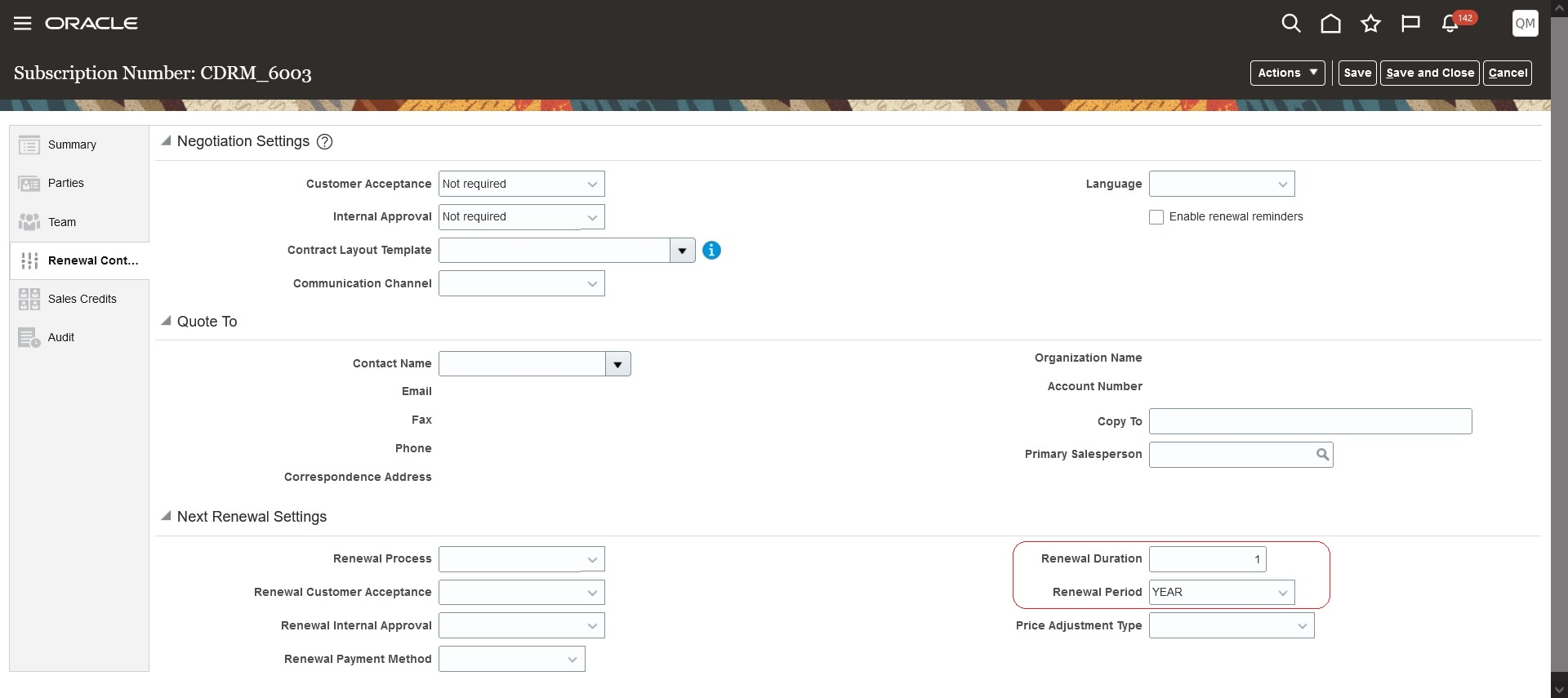
Subscription-Level Renewal Duration Override

Subscription Product-Level Renewal Override
This feature gives you the ability to handle special cases of different renewal durations.
Steps to Enable
You don't need to do anything to enable this feature.
Key Resources
- See "Renew Subscriptions" in the "Manage Subscriptions" chapter in the Using Oracle Subscription Management guide.
View And Override Close Credit Amount
View and override the credit provided when a subscription is closed. You can use the Calculated Credit Amount field to view the credit that will be issued as a part of close and override the credit using the Override Credit Amount field.
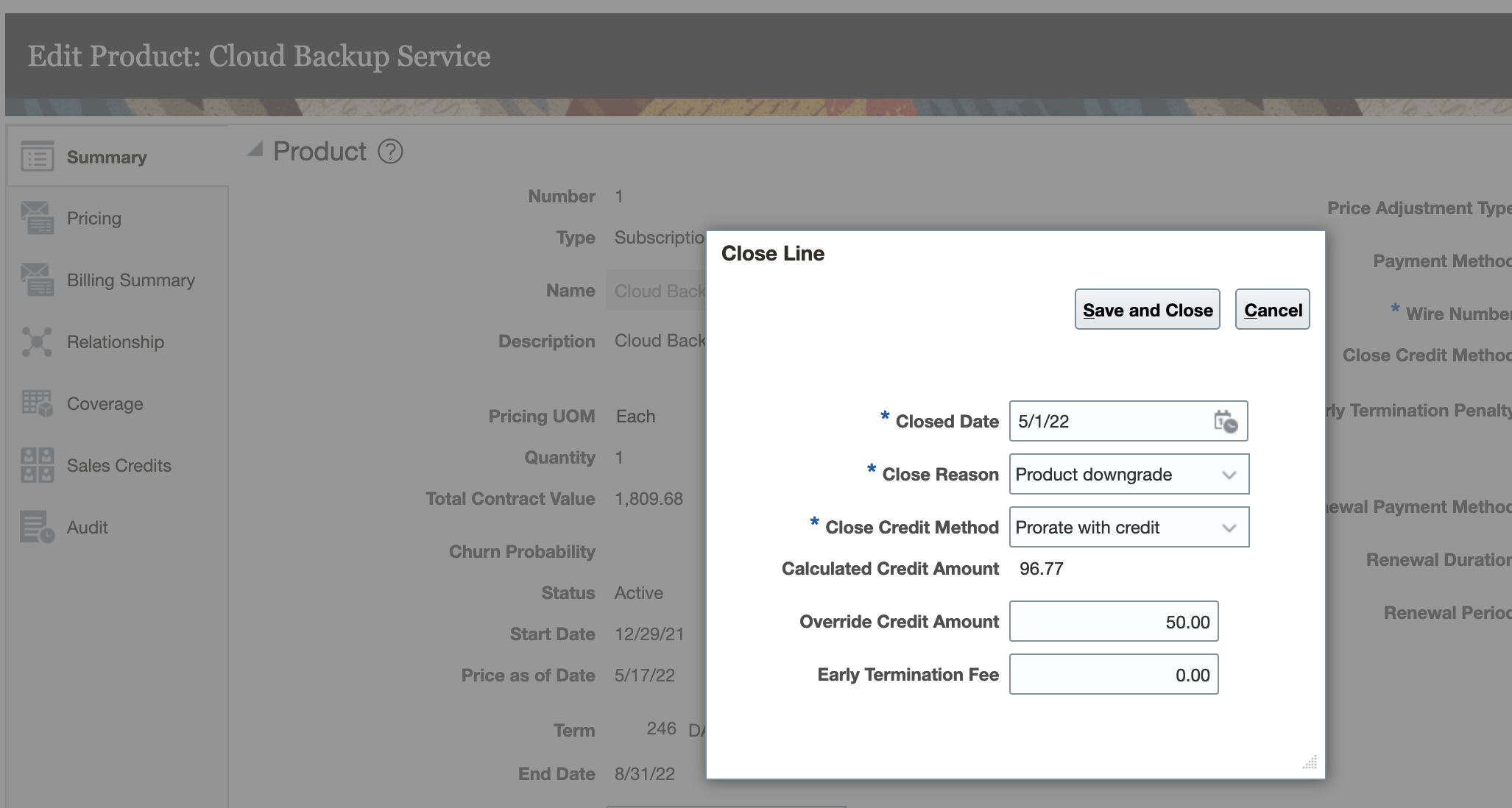
View and Override Close Credit
If you choose to override the credit amount, the amount for credit memo billing lines is computed as follows:
Overridden Credit Memo Bill line amount = Original Credit Line Amount x Overridden Credit Amount/Calculated Credit Amount
Let's consider a subscription product starting 1 Aug 2021 with a duration of 4 months and a $1000 monthly charge. Here's the billing summary
| Period | Charge | Bill-from Date | Bill-to Date | Amount | Interfaced |
|---|---|---|---|---|---|
| 1 | Monthly Fee | 1-Aug 21 | 31-Aug 21 | 1000 | Yes |
| 2 | Monthly Fee | 1-Sep 21 | 30-Sep 21 | 1000 | Yes |
| 3 | Monthly Fee | 1-Oct 21 | 31-Oct 21 | 1000 | Yes |
| 4 | Monthly Fee | 1-Nov 21 | 30-Nov 21 | 1000 | Yes |
If this product line is closed on 16-Oct 21 with Prorate with credit as the close credit method, credit memos would be created against two billing lines. The total credit issues would be $1516.13 in this case and the billing summary would be:
| Period | Charge | Bill-from Date | Bill-to Date | Amount | Interfaced |
|---|---|---|---|---|---|
| 1 | Monthly Fee | 1-Aug 21 | 31-Aug 21 | 1000 | Yes |
| 2 | Monthly Fee | 1-Sep 21 | 30-Sep 21 | 1000 | Yes |
| 3 | Monthly Fee | 1-Oct 21 | 31-Oct 21 | 1000 | Yes |
| 3 | Monthly Fee | 16-Oct 21 | 31-Oct 21 | -516.13 | |
| 4 | Monthly Fee | 1-Nov 21 | 30-Nov 21 | 1000 | Yes |
| 4 | Monthly Fee | 1-Nov 21 | 30-Nov 21 | -1000 |