
This document will continue to evolve as existing sections change and new information is added. All updates appear in the following table:
| Date | Product | Feature | Notes |
|---|---|---|---|
| 03 June 2022 | Created initial document. |
HCM Cloud applications have two types of patches you can receive that are documented in this What’s New:
- Release Updates (22A, 22B, 22C, and 22D)
- Optional Monthly Maintenance Packs to each update
It is important for you to know what Release Update your environment is on. You can find this in your Cloud Portal.
 HAVE AN IDEA?
We’re here and we’re listening. If you have a suggestion on how to make our products better, please let us know. To enter an idea go to the Ideas Lab on Oracle Customer Connect. In this document wherever you see the light bulb icon after the feature name it means we delivered one of your ideas.
Suggested Reading for all HCM Products
Human Resources What’s New – In the Global Human Resources section you will find features on the base application in which other application are built upon.
NOTE: Not all Global Human Resource features are available for Talent and Compensation products
Oracle Human Capital Management Cloud Functional Known Issues and Maintenance Packs (Document ID 1554838.1). These documents identify bug fixes and possible known issues. You will also need to review these documents based in the release update version you are currently on or will be moving to.
- Oracle Help Center – Here you will find guides, videos and searchable help.
- Release Readiness – New Feature Summary, What’s New, Feature Listing Spreadsheet, Spotlights and Release Training
GIVE US FEEDBACK
We welcome your comments and suggestions to improve the content. Please send us your feedback at oracle_fusion_applications_help_ww_grp@oracle.com. Indicate you are inquiring or providing feedback regarding the HCM Cloud What’s New in the body or title of the email.
DISCLAIMER
The information contained in this document may include statements about Oracle’s product development plans. Many factors can materially affect Oracle’s product development plans and the nature and timing of future product release updates. Accordingly, this Information is provided to you solely for information only, is not a commitment to deliver any material, code, or functionality, and should not be relied upon in making purchasing decisions. The development, release update, and timing of any features or functionality described remains at the sole discretion of Oracle.
This information may not be incorporated into any contractual agreement with Oracle or its subsidiaries or affiliates. Oracle specifically disclaims any liability with respect to this information. Refer to the Legal Notices and Terms of Use for further information.
Column Definitions:
Report = New or modified, Oracle-delivered, ready to run reports.
UI or Process-Based: Small Scale = These UI or process-based features are typically comprised of minor field, validation, or program changes. Therefore, the potential impact to users is minimal.
UI or Process-Based: Larger Scale* = These UI or process-based features have more complex designs. Therefore, the potential impact to users is higher.
Features Delivered Disabled = Action is needed BEFORE these features can be used by END USERS. These features are delivered disabled and you choose if and when to enable them. For example, a) new or expanded BI subject areas need to first be incorporated into reports, b) Integration is required to utilize new web services, or c) features must be assigned to user roles before they can be accessed.
| Ready for Use by End Users Reports plus Small Scale UI or Process-Based new features will have minimal user impact after an update. Therefore, customer acceptance testing should focus on the Larger Scale UI or Process-Based* new features. |
Customer Must Take Action before Use by End Users Not disruptive as action is required to make these features ready to use. As you selectively choose to leverage, you set your test and roll out timing. |
|||||
|---|---|---|---|---|---|---|
| Feature |
Report |
UI or |
UI or |
|
||
Support for Attachments and Dynamic Questions on the Health Survey Questionnaire |
||||||
Oracle Health and Safety supports corporate initiatives to track and improve health and safety in the workplace.
The vehicle owner can now capture vehicle insurance details and additional data for rental cars involved in the accident and rental vehicle used as a replacement:
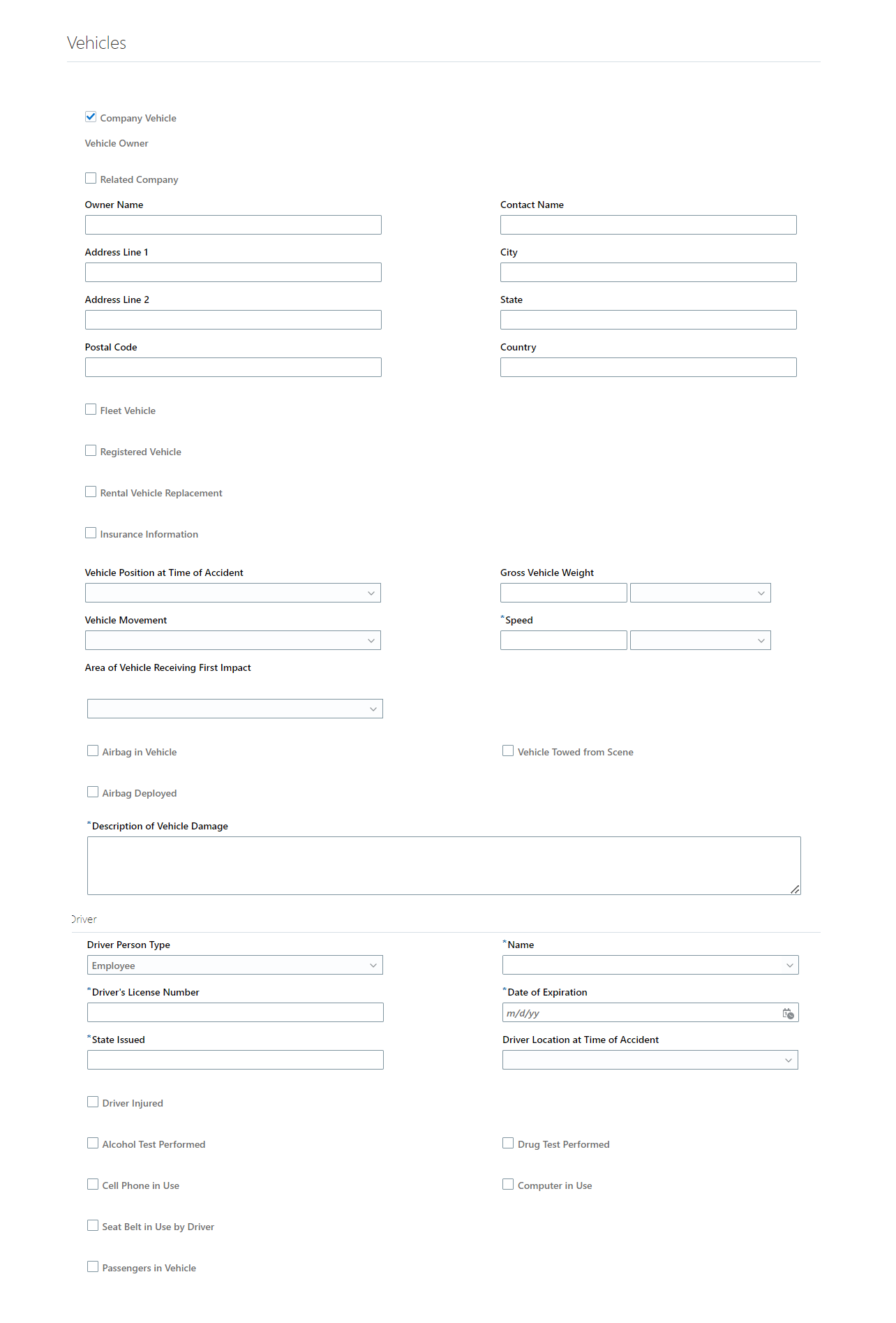
Additional details for vehicle events
This feature provides the ability to capture additional information for vehicle incidents
Steps to Enable
You don't need to do anything to enable this feature.
Support for Attachments and Dynamic Questions on the Health Survey Questionnaire
As an environment, health, and safety (EHS) manager, you can set up questionnaires where responders can add attachments to their responses in the questionnaire. For example, responders can attach a copy of the vaccination certification with their response to a question about their vaccination status.
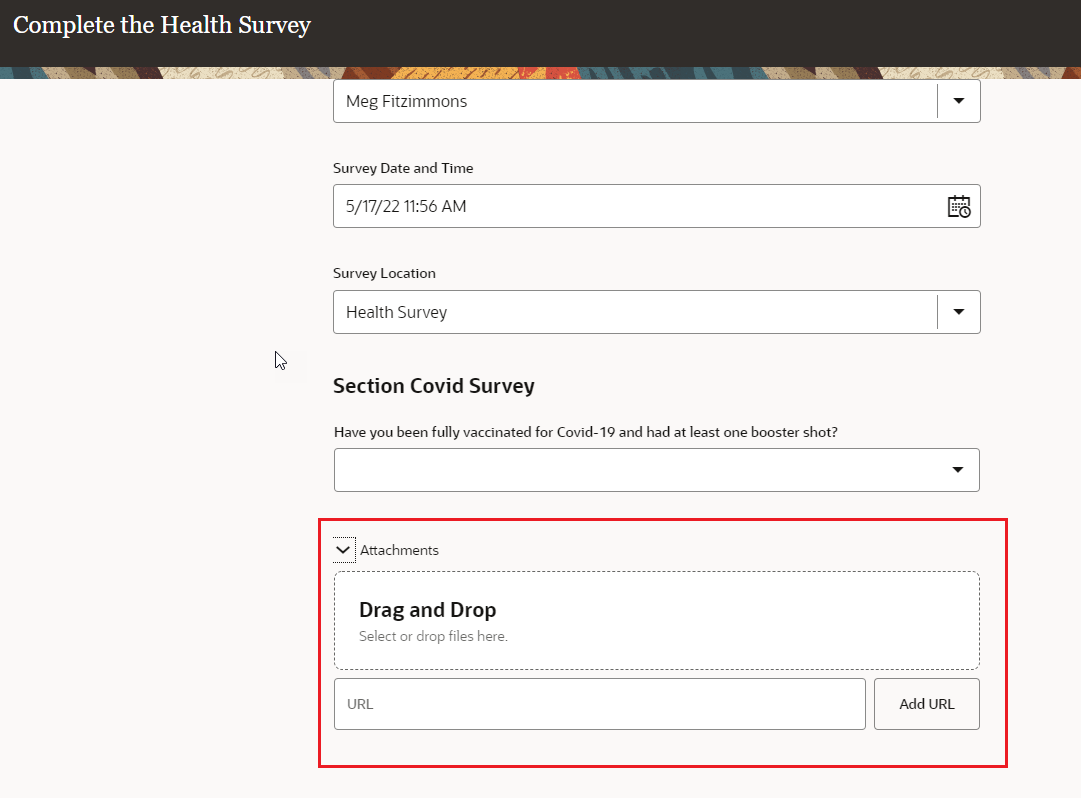
Add attachments to response in a questionnaire
As an EHS manager, you can set up a questionnaire where another question dynamically appears based on the response selected for a specific question. For example, if the responder selects Yes to a question about whether they have taken a booster shot, a question about how many booster shots the responder has taken dynamically comes up.
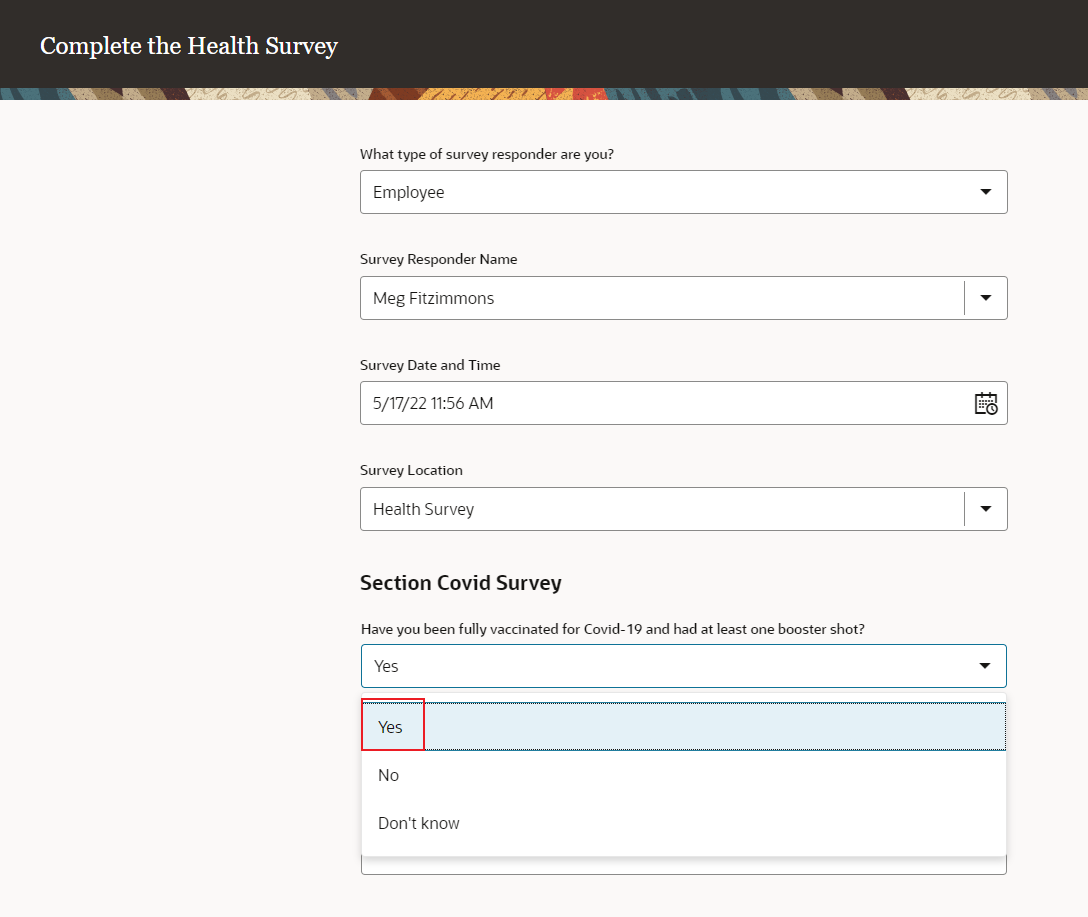
Add dynamic questions in a questionnaire
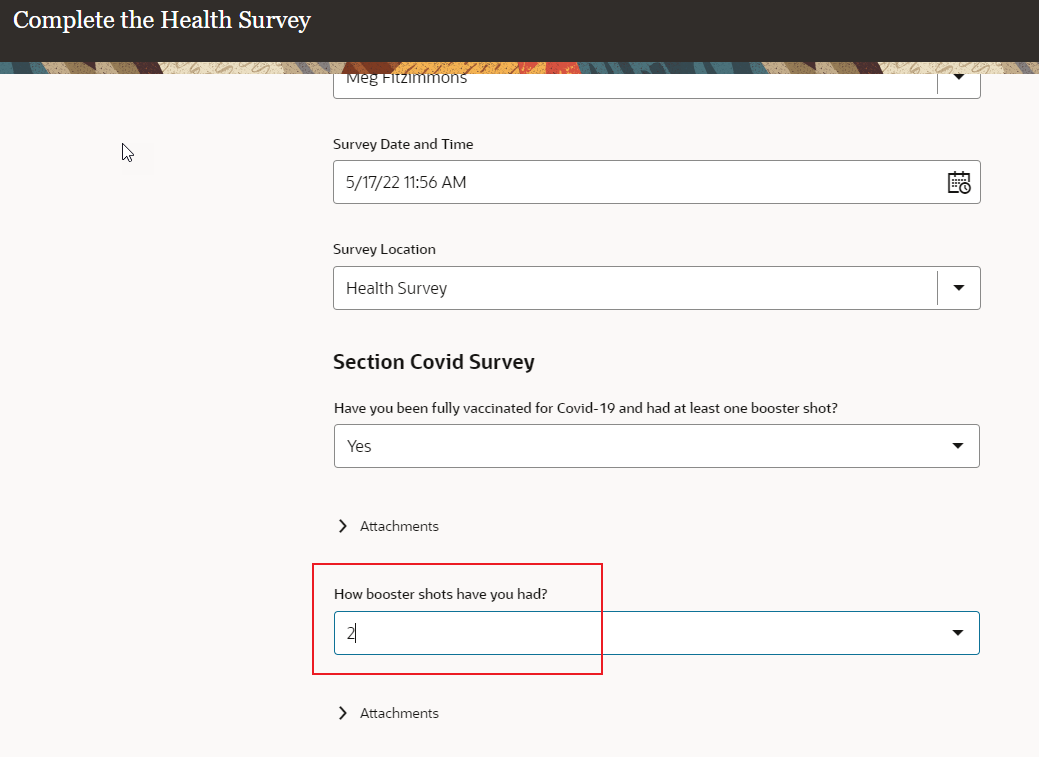
Dynamic question appears in a questionnaire
This features helps improve the quality of questions and responses in questionnaires.
Steps to Enable
You don't need to do anything to enable this feature.
As the environment, health, and safety (EHS) manager, you can order the events so that they appear in a set order on the Safety Incidents page for employees and the events list page for professional users. Note that the Health Survey option is always on top. Safety and cybersecurity events are separately ordered.
To order the events, search for and select the Manage Environment, Health and Safety Incidents task under Setup and Maintenance. You ca see the new Order column on the page and specify a number for each event indicating its order in the sequence.
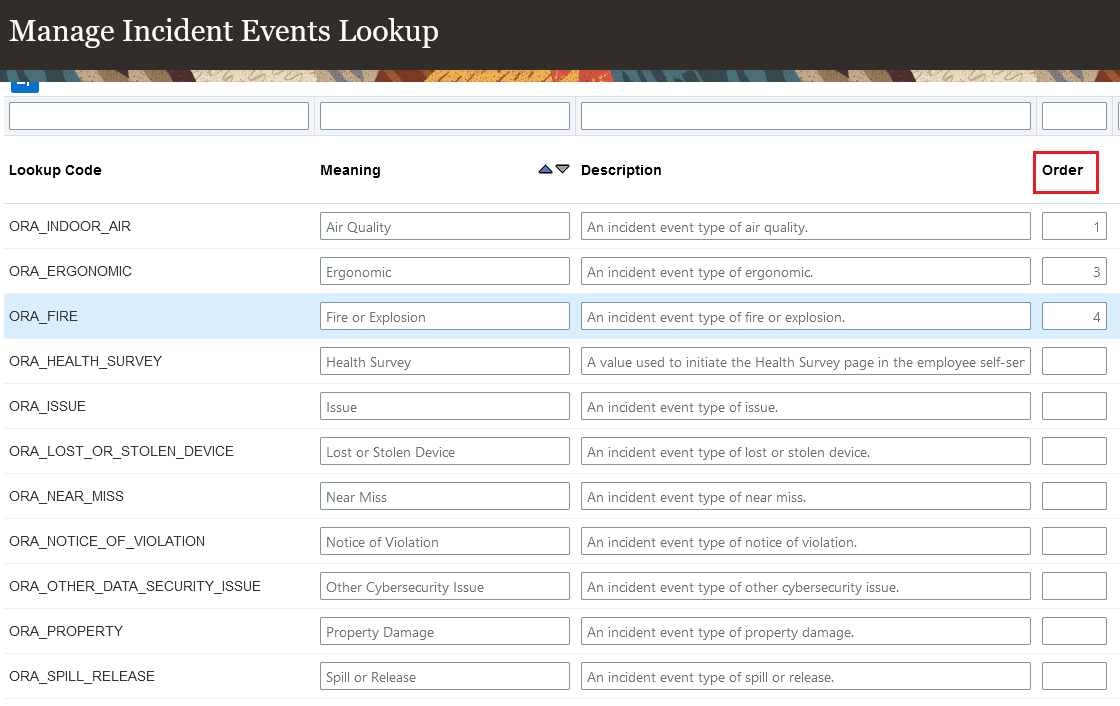
Reorder safety incident events
This feature enables better control on the display of events for end users and professional users.
Steps to Enable
You don't need to do anything to enable this feature.
IMPORTANT Actions and Considerations for Health & Safety
REPLACED OR REMOVED FEATURES
From time to time, Oracle replaces existing Cloud service features with new features or removes existing features. When a feature is replaced the older version may be removed immediately or at a future time. As a best practice, you should use the newer version of a replaced feature as soon as the newer version is available.
| Product | Removed Feature | Target Removal | Replacement Feature | Replaced In | Additional Information |
|---|---|---|---|---|---|
| Nothing at this time |
_________________________
KNOWN ISSUES / MAINTENANCE PACK SPREADSHEETS
Oracle publishes a Known Issues document for every Update to make customers are aware of potential problems they could run into and the document provides workarounds if they are available.
Oracle also publishes Maintenance Pack and Statutory Maintenance Pack documentation of bugs that are fixed in the monthly or statutory patching.
To review these documents you must have access to My Oracle Support:
Oracle Human Capital Management Cloud Functional Known Issues and Maintenance Packs (Document ID 1554838.1)