
This document will continue to evolve as existing sections change and new information is added. All updates appear in the following table:
| Date | Module | Feature | Notes |
|---|---|---|---|
| 01 SEP 2023 | Created initial document. |
HCM Cloud applications have two types of patches you can receive that are documented in this What’s New:
- Release Updates (23A, 23B, 23C, and 23D)
- Optional Monthly Maintenance Packs to each update
It is important for you to know what Release Update your environment is on. You can find this in your Cloud Portal.
____________________
 HAVE AN IDEA?
We’re here and we’re listening. If you have a suggestion on how to make our products better, please let us know. To enter an idea go to the Ideas Lab on Oracle Customer Connect. In this document wherever you see the light bulb icon after the feature name it means we delivered one of your ideas.
____________________
Suggested Reading for all HCM Products:
- HCM Common What's New - In this What's New you will find feature that are used across applications.
- Human Resources What’s New – In the Global Human Resources section you will find features on the base application in which other application are built upon.
NOTE: Not all Global Human Resource features are available for Talent and Compensation products.
- Oracle Human Capital Management Cloud Functional Known Issues and Maintenance Packs (Document ID 1554838.1). These documents identify bug fixes and possible known issues. You will also need to review these documents based in the release update version you are currently on or will be moving to.
- Oracle Help Center – Here you will find guides, videos and searchable help.
- Release Readiness – New Feature Summary, What’s New, Feature Listing Spreadsheet, Spotlights and Release Training.
GIVE US FEEDBACK
We welcome your comments and suggestions to improve the content. Please send us your feedback at oracle_fusion_applications_help_ww_grp@oracle.com. Indicate you are inquiring or providing feedback regarding the HCM Cloud What’s New in the body or title of the email.
Column Definitions:
Report = New or modified, Oracle-delivered, ready to run reports.
UI or Process-Based: Small Scale = These UI or process-based features are typically comprised of minor field, validation, or program changes. Therefore, the potential impact to users is minimal.
UI or Process-Based: Larger Scale* = These UI or process-based features have more complex designs. Therefore, the potential impact to users is higher.
Features Delivered Disabled = Action is needed BEFORE these features can be used by END USERS. These features are delivered disabled and you choose if and when to enable them. For example, a) new or expanded BI subject areas need to first be incorporated into reports, b) Integration is required to utilize new web services, or c) features must be assigned to user roles before they can be accessed.
| Ready for Use by End Users Reports plus Small Scale UI or Process-Based new features will have minimal user impact after an update. Therefore, customer acceptance testing should focus on the Larger Scale UI or Process-Based* new features. |
Customer Must Take Action before Use by End Users Not disruptive as action is required to make these features ready to use. As you selectively choose to leverage, you set your test and roll out timing. |
|||||
|---|---|---|---|---|---|---|
| Feature |
Report |
UI or |
UI or |
|
||
Oracle Wellness supports corporate initiatives to improve employee fitness and health through the use of opt-in wellness features. This application integrates with popular fitness tracking services to simplify and automate the acquisition of exercise data from a wide range of devices. Oracle Wellness supports corporate initiatives to improve employee fitness and health through the use of opt-in wellness features. This application integrates with popular fitness tracking services to simplify and automate the acquisition of exercise data from a wide range of devices.
Eligibility Profiles for Wellness
You can now use Eligibility Profiles to assign Wellness tasks, goals, and competitions to a specific set of employees. There is now an additional column called Participants in the Corporate Goals and Wellness Competition pages that displays the eligible participants for these events. Similarly Wellness Tasks table in Feature Settings tab will display the Participants under the task name.
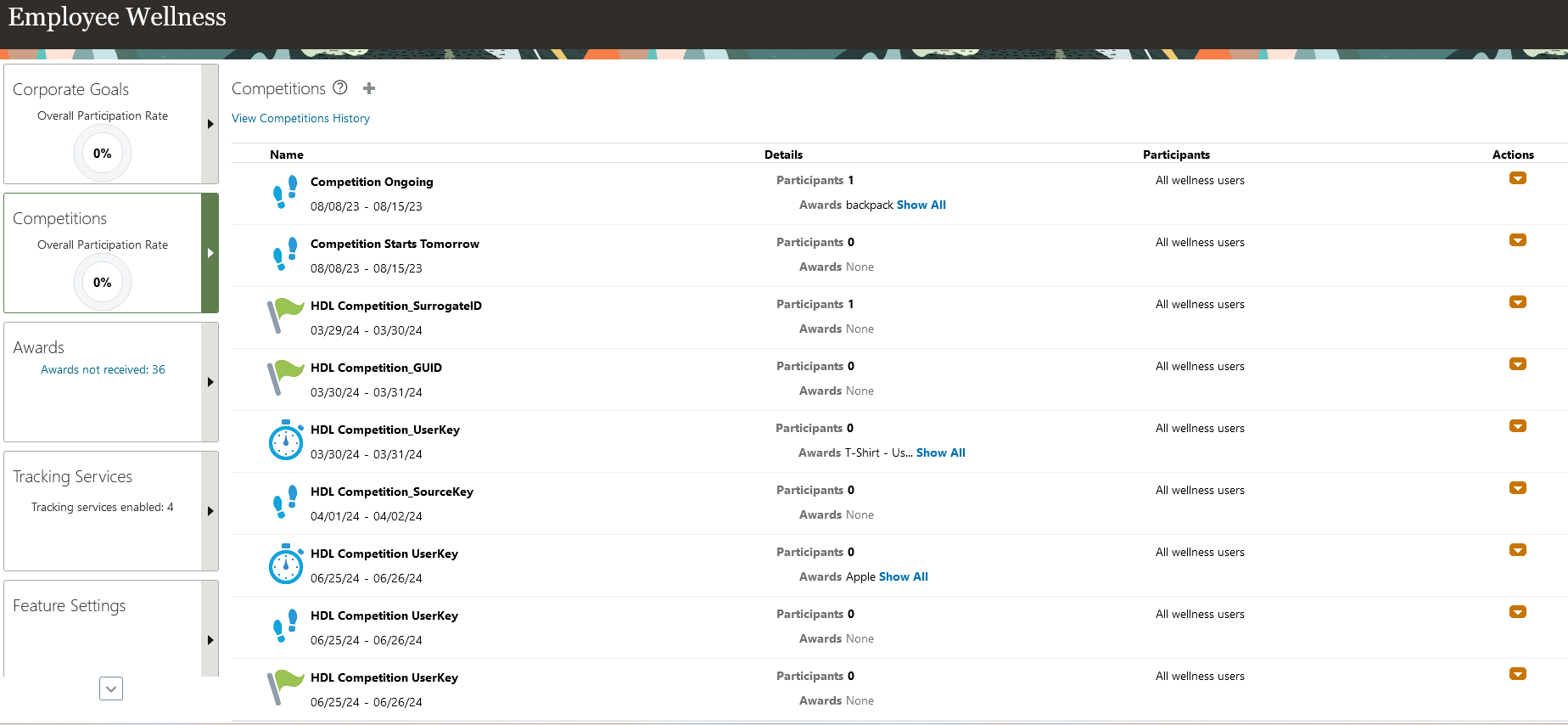
Wellness Competition page
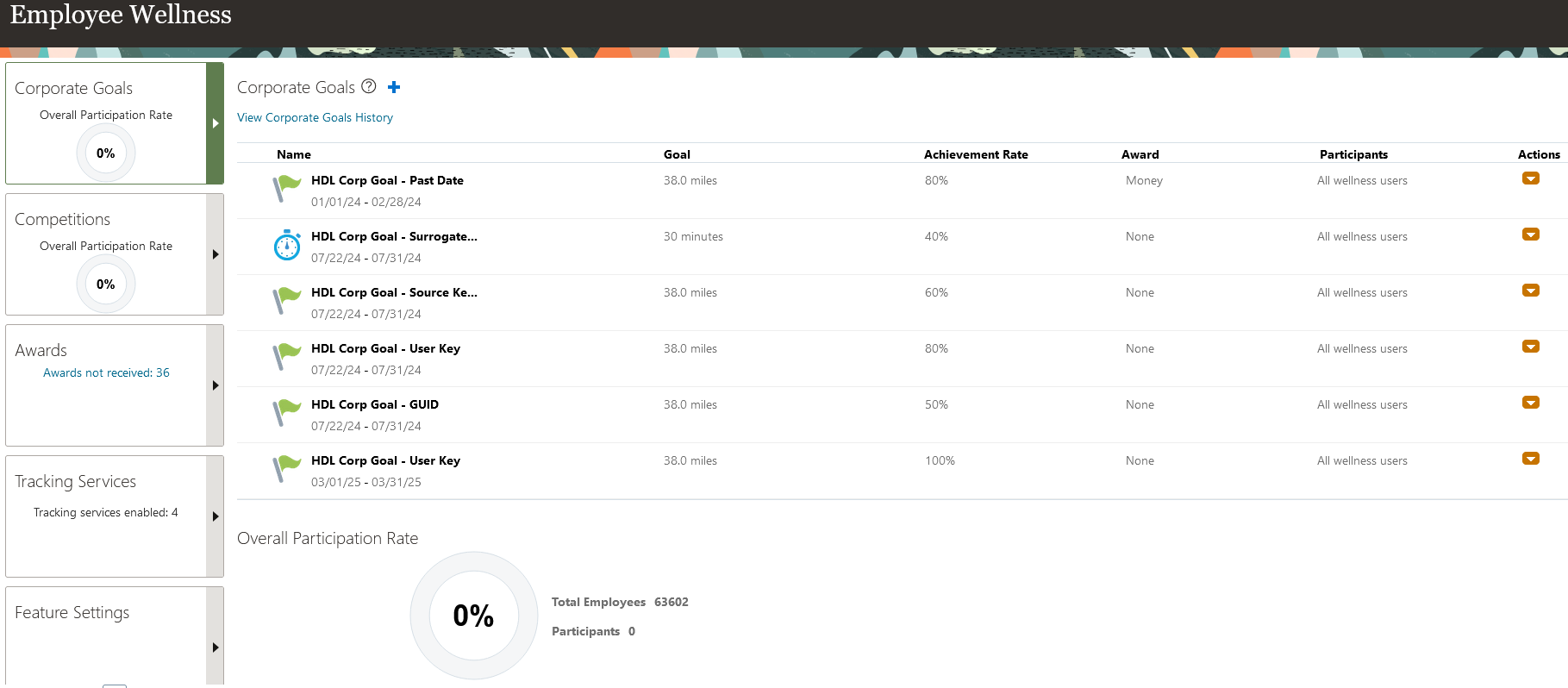
Corporate Goals page
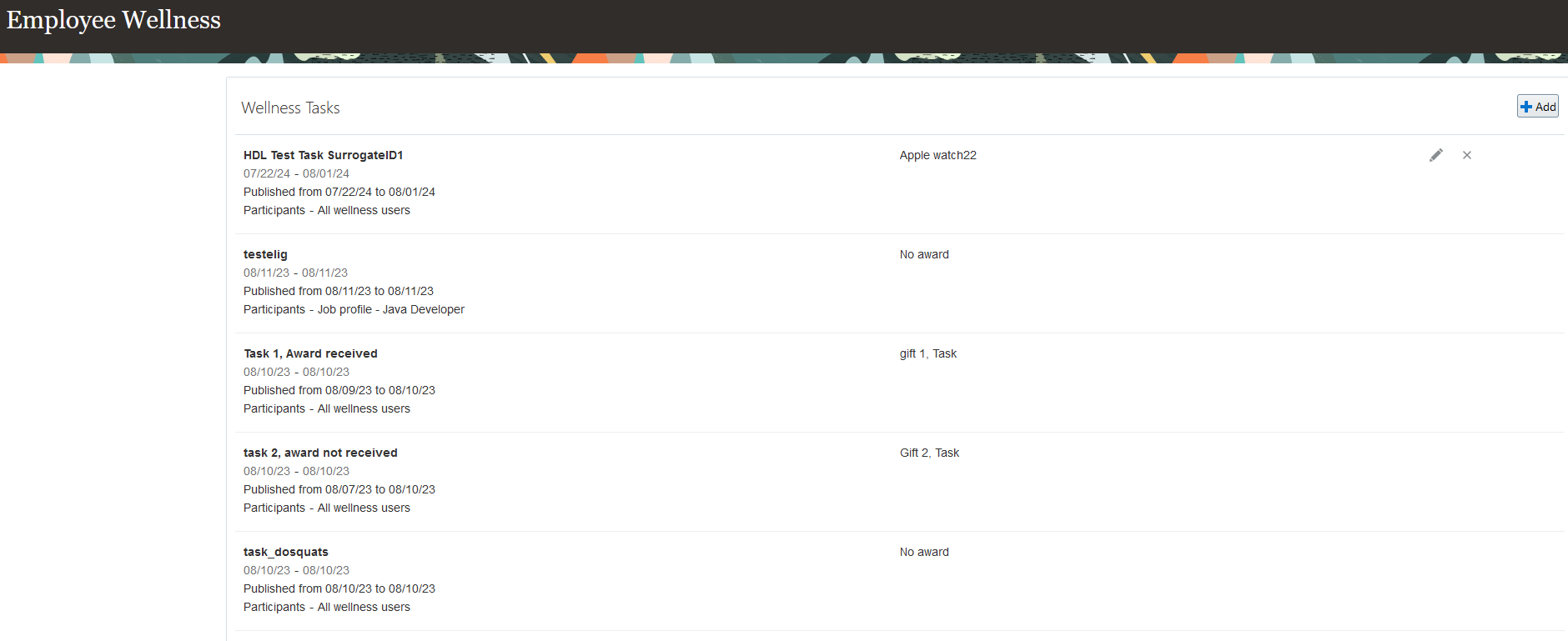
Wellness Tasks table in Feature Settings tab
When you create a Corporate Goal, Wellness Competition or Wellness Task, you have the option to select all wellness users or an eligibility profile using the Participants option to determine who can participate in the event. Select the Determined by eligibility profile option to enable the Eligibility Profile field. When you create a wellness event with an eligibility profile, the application sends a notification of the event to all applicable workers.
Create Competition page
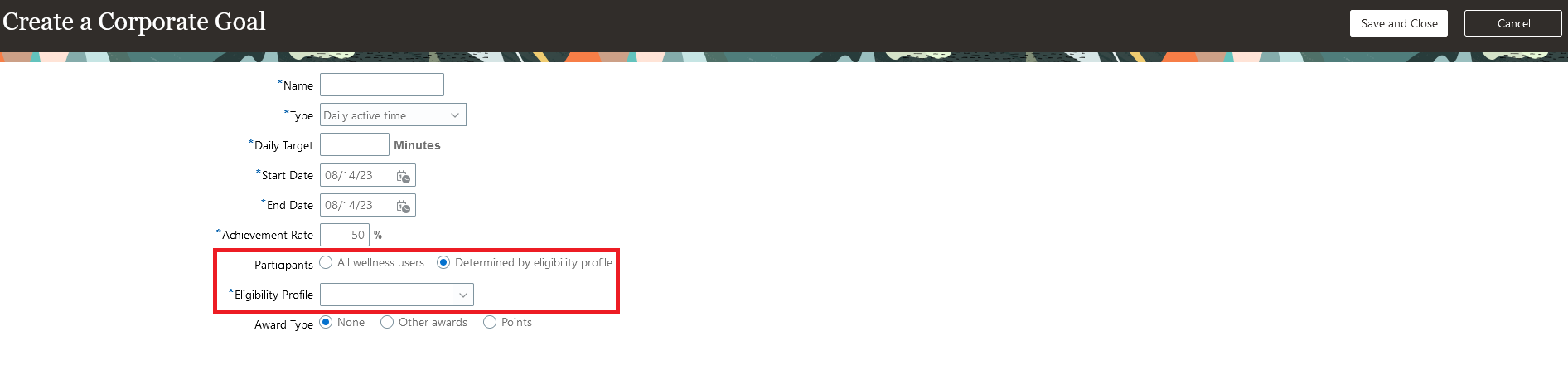
Create a Corporate Goal page
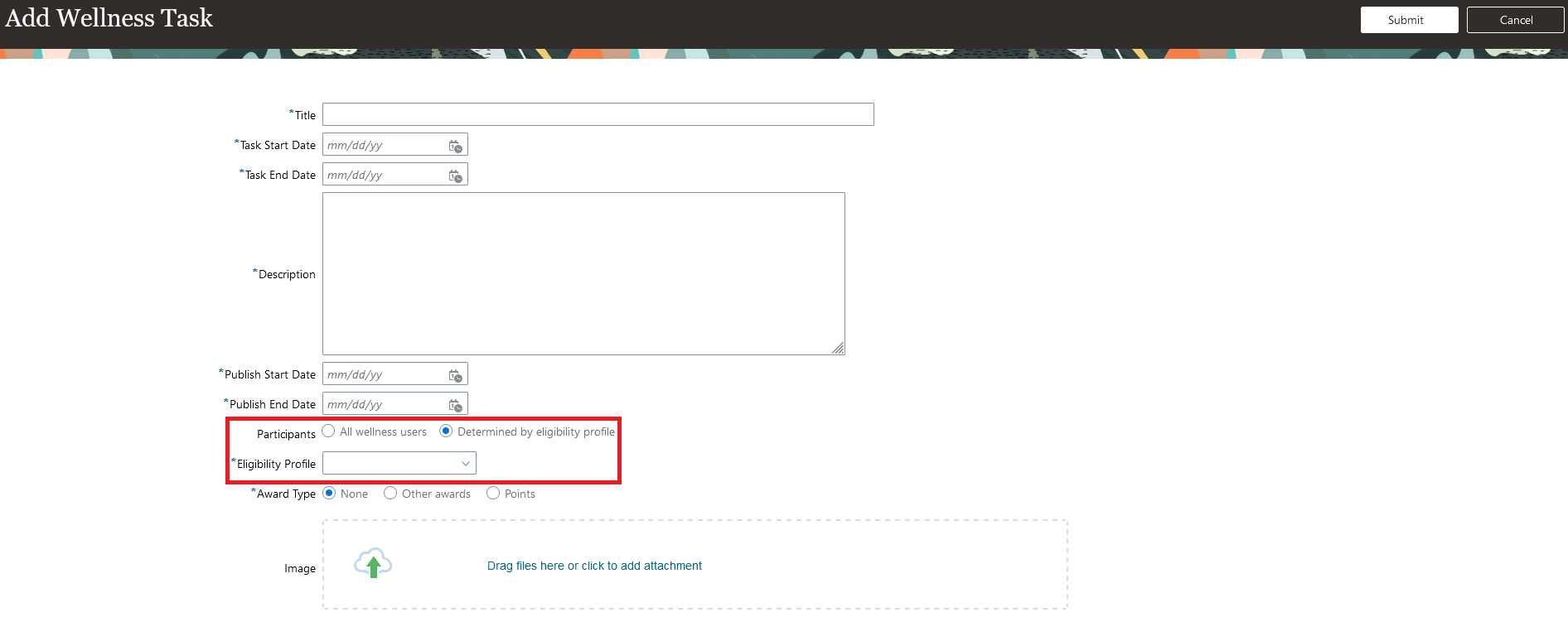
Add a Wellness Task page
The application also sends a notification to all the workers who enrolled in an event but aren't eligible for it any more, The notification informs them that they're not eligible anymore and won't receive any reward for it.
Create wellness goals, tasks, and competitions for specific section of people using the Eligibility Profiles tool. You can now direct specific events at specific set of employees.
Steps to Enable
You don't need to do anything to enable this feature.