

This document will continue to evolve as existing sections change and new information is added. All updates appear in the following table:
| Date |
Feature |
Notes |
|---|---|---|
| 22 DEC 2017 |
Created initial document. |
This guide outlines the information you need to know about new or improved functionality in Oracle Service Cloud Release December 2017 and describes any tasks you might need to perform for the update. Each section includes a brief description of the feature, the steps you need to take to enable to begin using the feature, any tips or considerations that you should keep in mind, and the resources available to help you.
For a listing of hardware and software requirements for Oracle products, log in to our support site and access Answer ID 31.
We would like to remind you if your system has modified security structures you may need to advise your security administrator of new features.
We welcome your comments and suggestions to improve the content. Please send us your feedback at http://documentation.custhelp.com/ci/documents/detail/5/4/12.
Multi-Edit Workspaces for Incidents
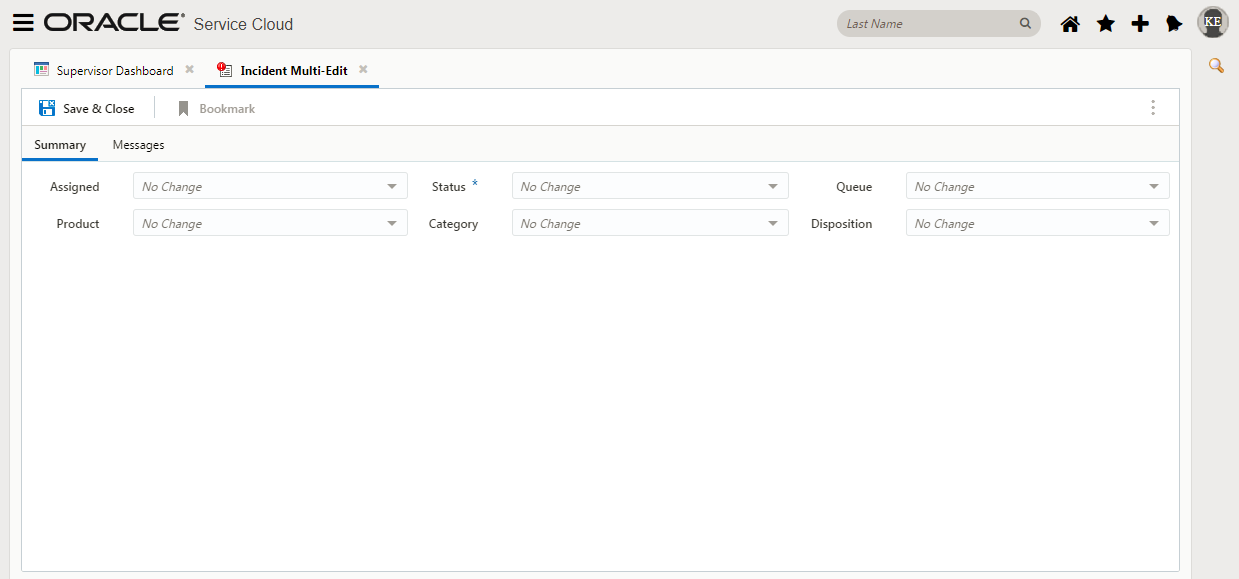
Multi-editing allows you to update more than one record in a single operation instead of performing the same action on each individual record. This feature saves time when you need to make the same change to several records. We now support multi-edit workspaces for the Agent Browser UI. This includes runtime support for Incident fields, controls and options configured using the Service Console Workspace Designer.
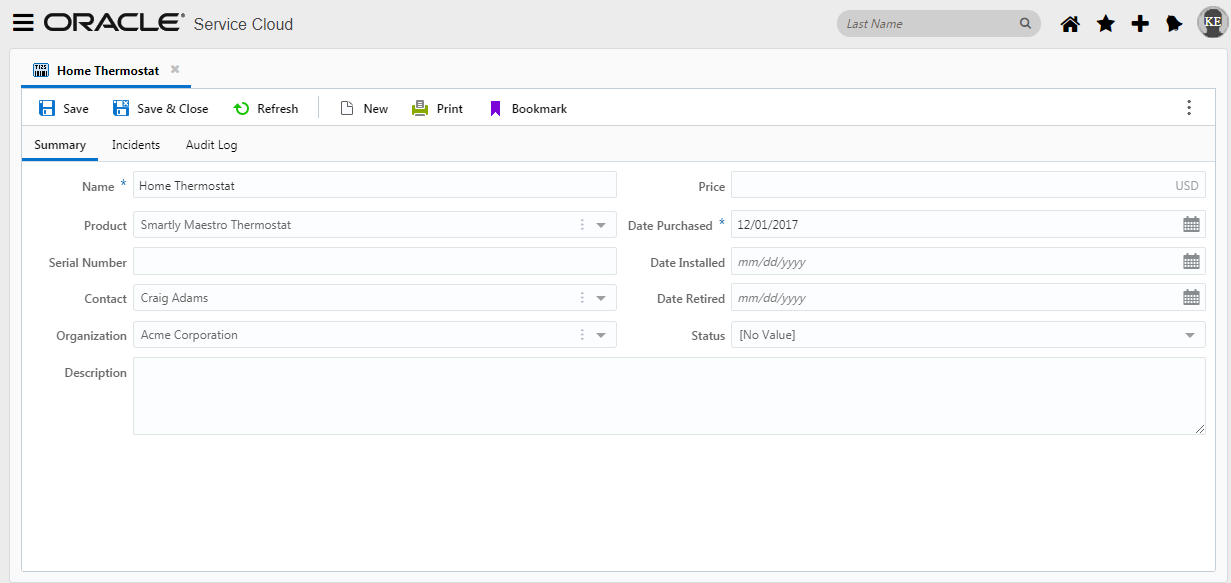
Knowing which products and services your customers are using helps you respond to their needs. For instance, an organization selling mobile phones can more quickly assist a customer if they know which model of phone the customer owns. Organizations can also proactively contact customers with information pertaining to the products they own.
Using Oracle Service Cloud, you can configure the assets you want to associate with your customers. The Agent Browser User Interface now supports OSvC Asset Management.
Agent Browser User Interface now includes support for the following workspace rules:
- The Workspace Rule condition if an object, such as radio button, list item or menu control, is hidden or visible
- The Workspace Rule condition if an object, such as radio button, list item or menu control, is editable or read only
- The Workspace Action Rule to make an object, such as Thread Control, Notes Control, Reports control and File Attachment control, editable
- The Workspace Action Rule to hide an object, including image, radio button, list box, menu, radio button, script, text, text box, title bar, banner, collaboration and guided assistance
Additional Desktop Workflow Support
Agent Browser User Interface now includes support for the following desktop workflow elements:
- The Workflow Script Element
- The Workflow connector of an input control, such as radio button, list item or menu control, has a certain value
- The Workflow connector event to Exit a Script
- The Workflow connector event to an input control such as radio button, list item or menu control
- The Workflow connector event for the Guide to Finish
Agent Browser User Interface now includes support for Agent Scripting.
Agent scripts in Oracle Service Cloud add powerful functionality to workspaces and workflows, leading staff members through a series of pages to help them enter information in a logical progression.
Script pages can contain most fields and controls available to workspaces, with the exception of relationship items. They can also include questions and branching logic, similar to guides, so you can create wizards to guide staff members to different pages based on the information entered or actions taken on a previous page. Combining branching logic with page layout capabilities, agent scripting provides your staff with a methodical, efficient interface for capturing information and resolving issues.
Split Window Orientation for Report Linking
When a report link or report drill down is created, it is applied to a specific column in the parent report. When you click the link in the column, the linked report opens on a new tab, an existing tab, or on the same tab as the parent report in a split window, depending on how the report link or drill down level is configured. The Agent Browser User Interface now supports opening the linked report as a split window report linking with the top, bottom, left and right orientation within the same tab as the parent report. The following screen shot shows the report link using a right orientation.
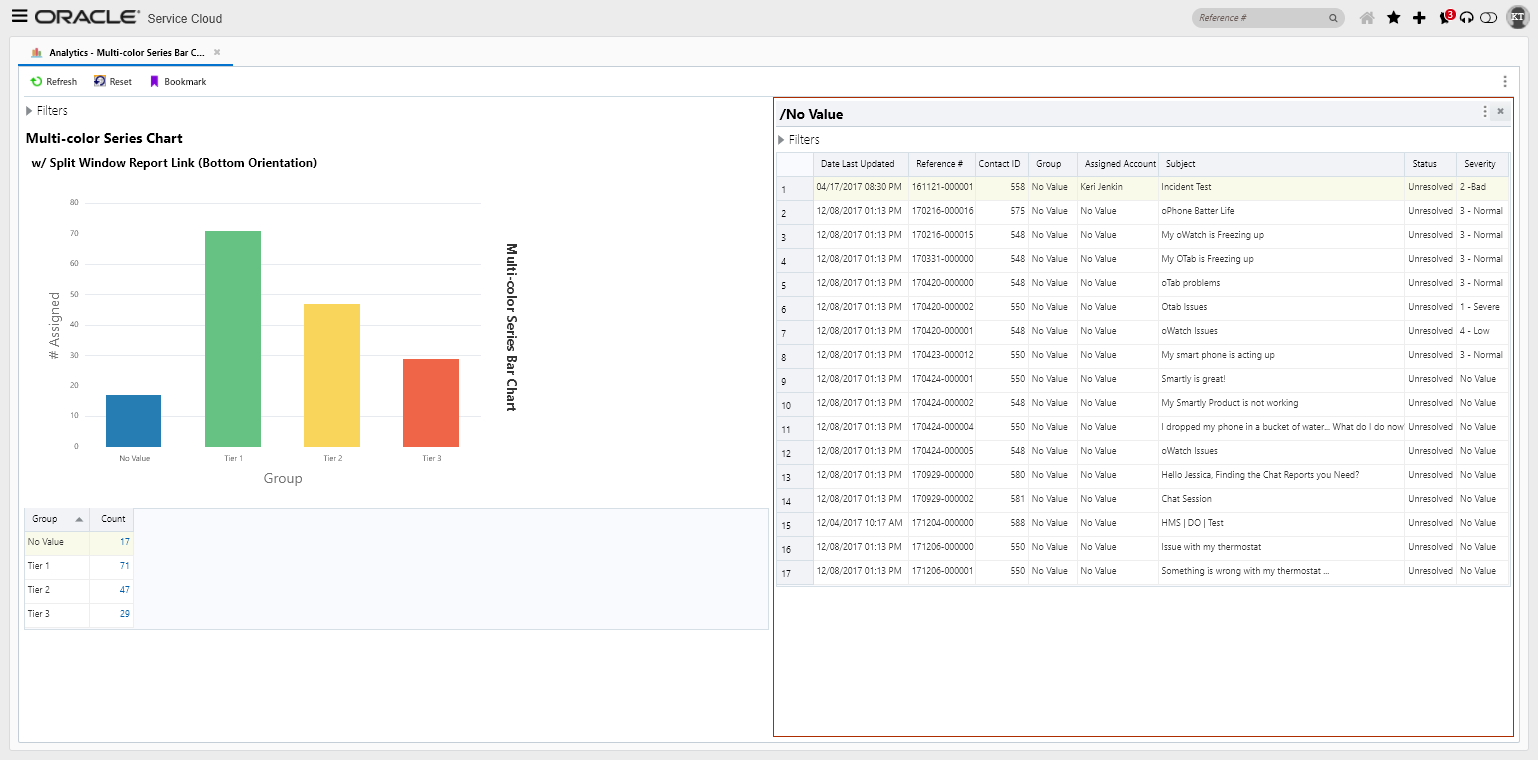
Selecting the Multicolor Series in the report designer for specific chart types will allow you to show charts where each bar or line is a different color. When this option is not enabled, the bars in different series are shown using the same set of colors. Support for the Multicolor Series display was added to reports within BUI. The previous screen shot shows a multicolor series bar chart on a Browser UI site.
Minimizing and Maximizing Individual Reports on Dashboards
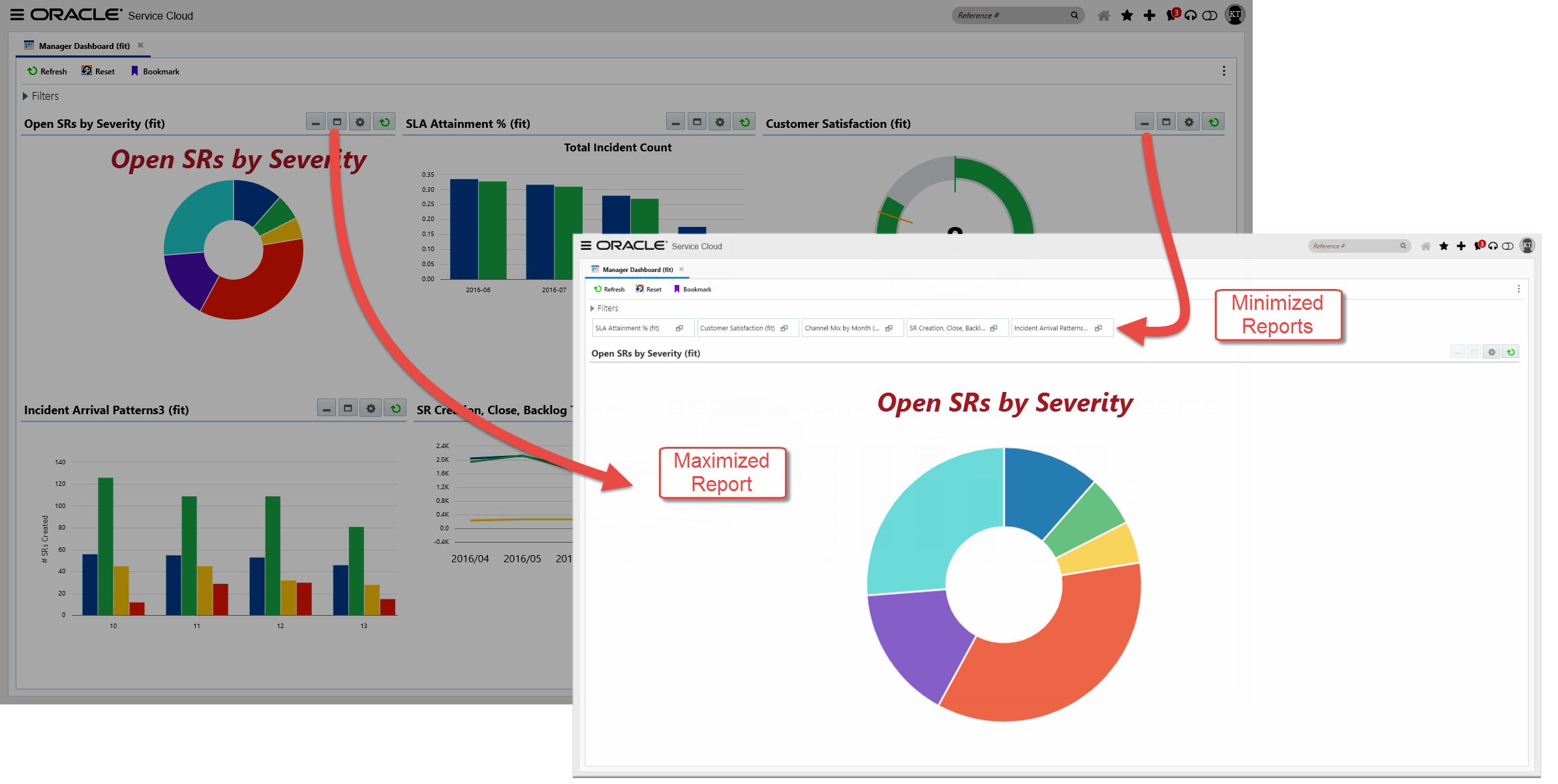
Dashboard users occasionally need to take a closer look at an individual report within a dashboard. Support was added to allow reports to be minimized/maximized to have a closer, larger look at a graph.
Users can add formatting (Font family, color, size, bold, italics, and underlined) to chart titles and labels for charts being used within the Brower UI. The screen shot above shows the chart title using a specific font family, size, color, bold and italic
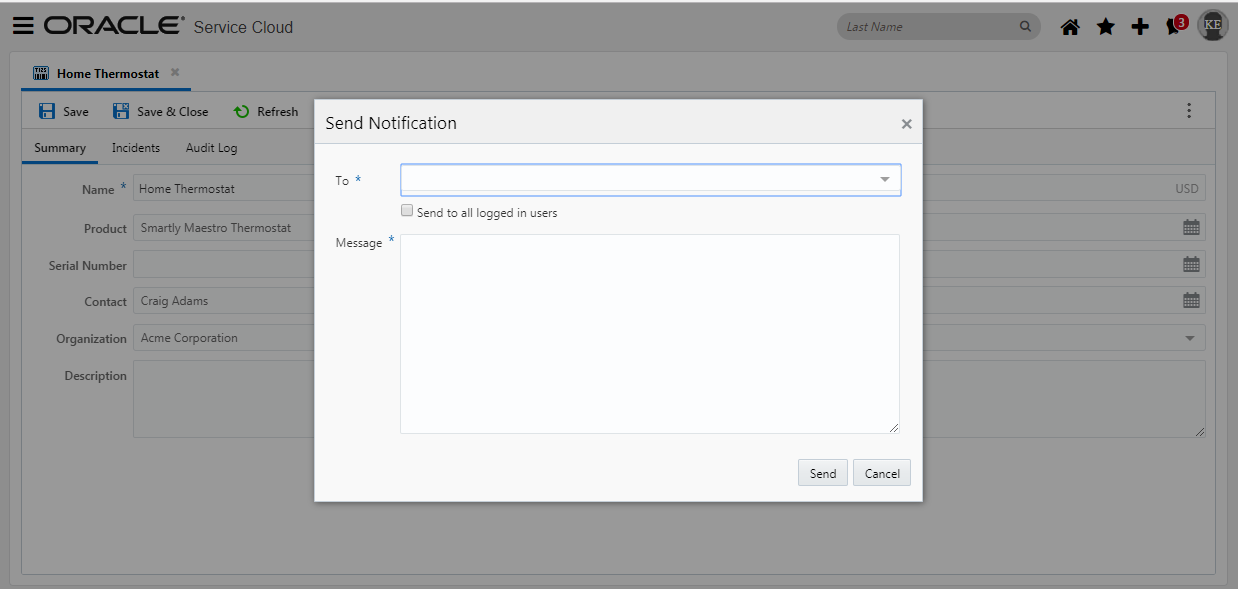
Staff members may be configured to to send notifications to other staff members. Agent Browser User Interface now supports the Broadcast Notification feature.
---

Copyright © 2017, Oracle and/or its affiliates. All rights reserved.
This document is provided for information purposes only, and the contents hereof are subject to change without notice. This document is not warranted to be error-free, nor subject to any other warranties or conditions, whether expressed orally or implied in law, including implied warranties and conditions of merchantability or fitness for a particular purpose. We specifically disclaim any liability with respect to this document, and no contractual obligations are formed either directly or indirectly by this document. This document may not be reproduced or transmitted in any form or by any means, electronic or mechanical, for any purpose, without our prior written permission.
Oracle and Java are registered trademarks of Oracle and/or its affiliates. Other names may be trademarks of their respective owners.
Intel and Intel Xeon are trademarks or registered trademarks of Intel Corporation. All SPARC trademarks are used under license and are trademarks or registered trademarks of SPARC International, Inc. AMD, Opteron, the AMD logo, and the AMD Opteron logo are trademarks or registered trademarks of Advanced Micro Devices. UNIX is a registered trademark of The Open Group.
