

This document will continue to evolve as existing sections change and new information is added. All updates appear in the following table:
| Date |
Feature |
Notes |
|---|---|---|
| 22 NOV 2017 |
Created initial document. |
This guide outlines the information you need to know about new or improved functionality in this release, and describes any tasks you might need to perform for the update. Each section includes a brief description of the feature, the steps you need to take to enable to begin using the feature, any tips or considerations that you should keep in mind, and the resources available to help you.
For a listing of hardware and software requirements for Oracle products, log in to our support site and access Answer ID 31.
We would like to remind you if your system has modified security structures you may need to advise your security administrator of new features.
We welcome your comments and suggestions to improve the content. Please send us your feedback at http://documentation.custhelp.com/ci/documents/detail/5/4/12.
Rowspan Workspace Designer Configuration Option
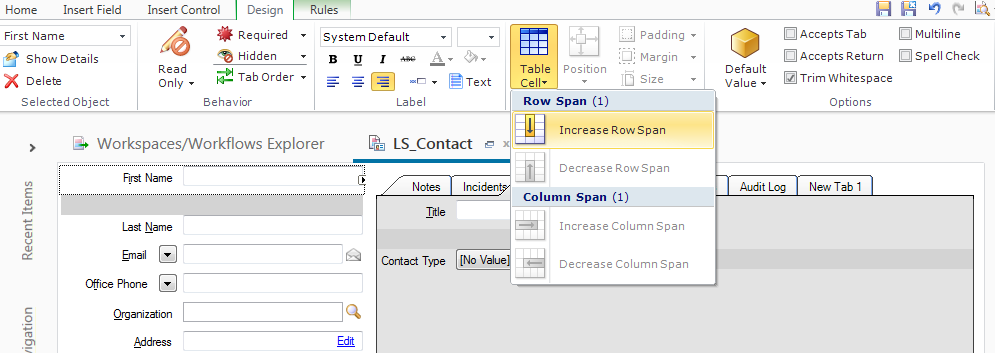
In some cases you may want a field or control to span more than one table cell. For example, if you add an incident subject line to a workspace with three columns in the table, the subject line will be only one column wide, too narrow to display much information. By spanning the field over multiple columns, you can expand the field to display the full content of the subject line. You can also span an item over multiple rows if you want it to expand vertically. The Agent Browser User Interface introduced support for expanding vertically in November. The Column Span capability had been introduced in an early version of the Agent Browser User Interface.
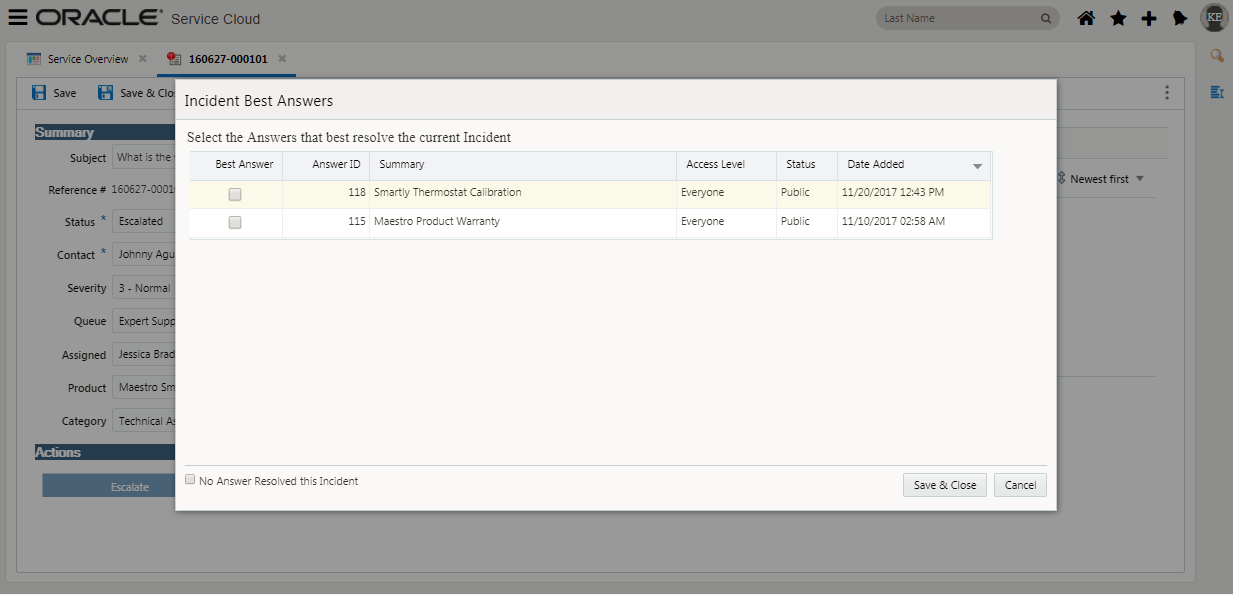
Allows the user to choose the best answer from a list of answers that have been added and committed to the incident thread is displayed with columns for ID, Summary, Access Level, Status, and Date Added.
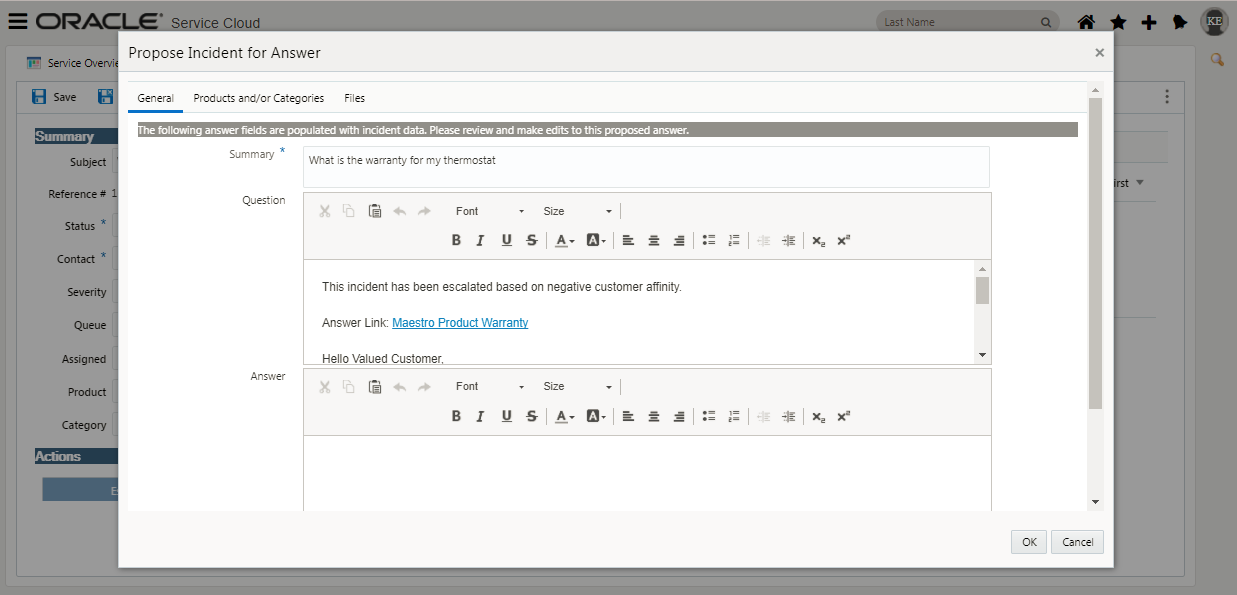
Propose an Answer From an Incident
Sometimes a customer’s question is common enough that you believe other customers should also have access to the answer. If you believe this information belongs in the knowledge base, you can propose the incident as a potential answer that customers can view without needing to submit an incident. This helps the knowledge base stay current with the information customers need.
When you propose an incident as an answer, a copy of the incident is submitted to a knowledge engineer, who determines whether it should become an answer.
Agent Guides Workspace Designer Options
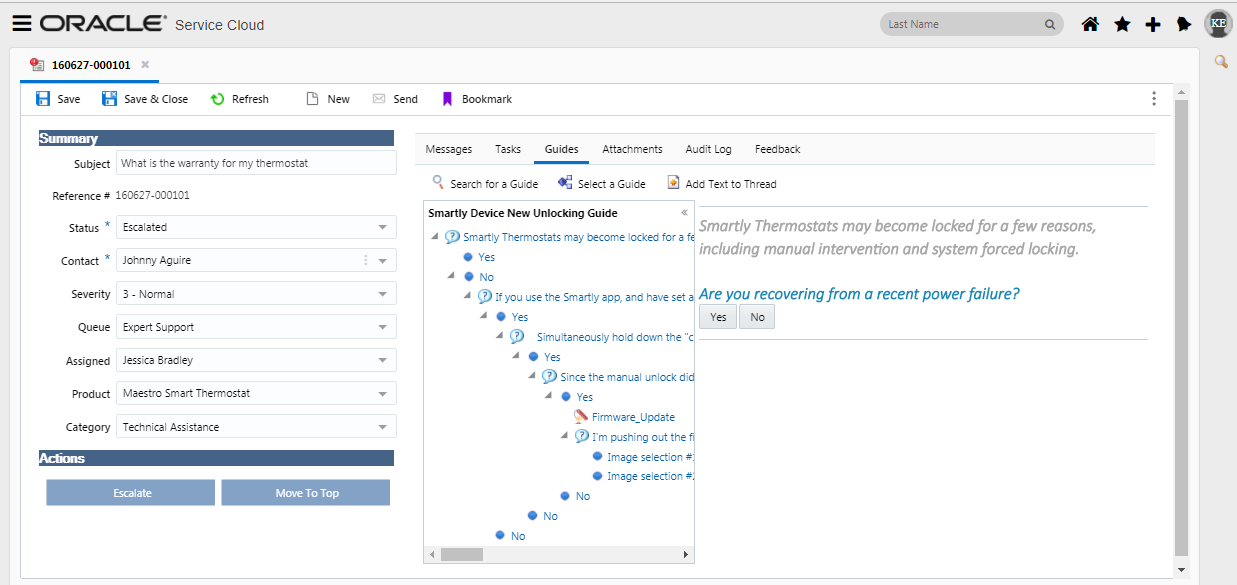
The following workspace designer options:
- Show Search Inline
- Show Search Button
- Show Select Button
- Show Navigation
These include but aren't limited to:
- Report linking and drill down shown in split window orientation (top, bottom, right, left)
- Show Slice as Links
- Trend and comparison computed columns
- Minimize/Maximize/Restore for individual reports within dashboards
If the application determines that a report will take an excessive amount of time to run, which can result in unnecessary load on your database, you are given the option to queue the report using the report’s current search parameters. If you choose not to queue the report, you can select more restrictive search parameters for your report and try to run it again. The Agent Browser User Interface supports native queuing to run reports via utility within BUI similar to what we see in the Service Console. The user can access the My Queue Reports report by either:
- Directly from a link within the queue dialog
- Have the report in their nav set
- A link in the notification that the user gets once the report is done queuing.
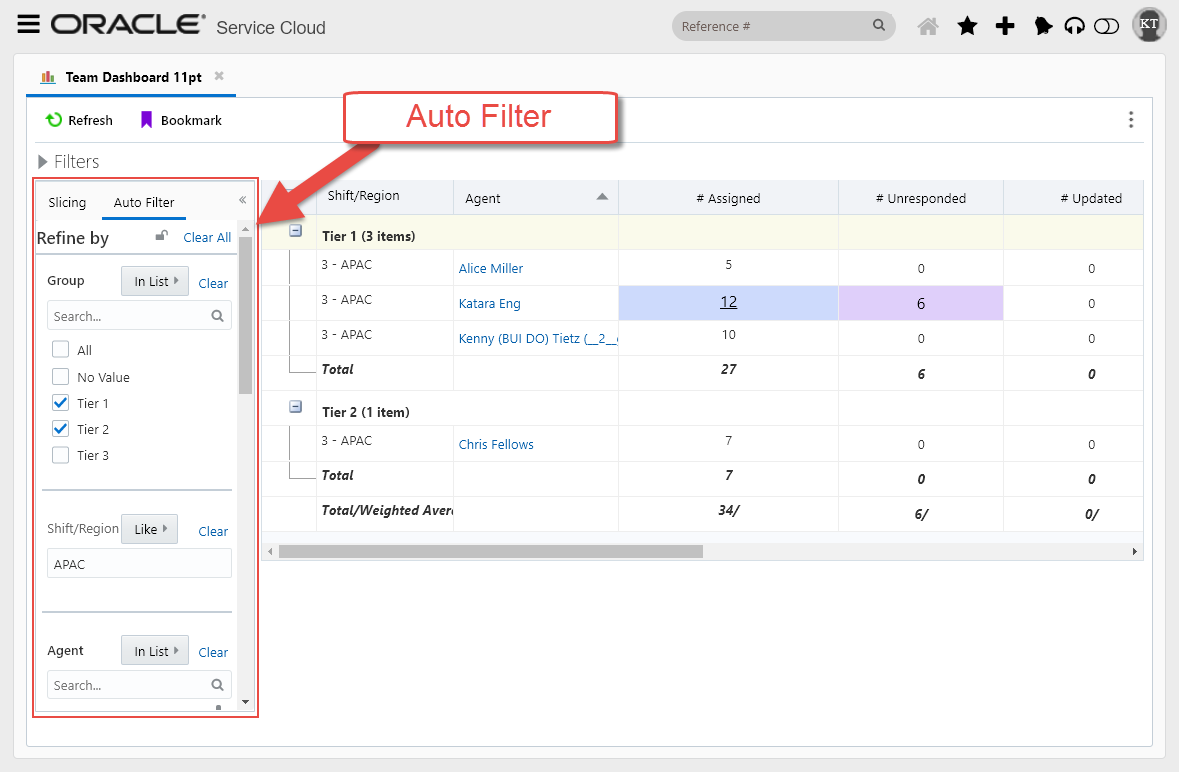
Within BUI we are adding support of faceted style auto-filtering that can be toggled on and off. The auto filter will allow users to limit data displayed in a report by incorporating familiar concepts of modern web design with a left hand list style panel with the ability to select ranges and/or individual data values across all visible columns within the report page. This allows users to quickly boil report data into the details they are interested in seeing.
Workspace Rules Support for Extension Framework
The following workspace rules are now supported within the Agent Browser User Interface:
- Execute an add-in workspace rules action
- An add-in control condition returns a certain value workspace rules condition
---

Copyright © 2017, Oracle and/or its affiliates. All rights reserved.
This document is provided for information purposes only, and the contents hereof are subject to change without notice. This document is not warranted to be error-free, nor subject to any other warranties or conditions, whether expressed orally or implied in law, including implied warranties and conditions of merchantability or fitness for a particular purpose. We specifically disclaim any liability with respect to this document, and no contractual obligations are formed either directly or indirectly by this document. This document may not be reproduced or transmitted in any form or by any means, electronic or mechanical, for any purpose, without our prior written permission.
Oracle and Java are registered trademarks of Oracle and/or its affiliates. Other names may be trademarks of their respective owners.
Intel and Intel Xeon are trademarks or registered trademarks of Intel Corporation. All SPARC trademarks are used under license and are trademarks or registered trademarks of SPARC International, Inc. AMD, Opteron, the AMD logo, and the AMD Opteron logo are trademarks or registered trademarks of Advanced Micro Devices. UNIX is a registered trademark of The Open Group.
