
This document will continue to evolve as existing sections change and new information is added. All updates are logged below, with the most recent updates at the top.
| Date |
What's Changed |
Notes |
|---|---|---|
| 24 JUN 2016 |
Initial Document Creation |
Oracle Taleo Learn Cloud Service is a comprehensive solution for delivering, tracking, managing, and reporting on all types of formal and informal learning. Users have easy access to learning through a single platform for online, classroom, virtual, and on-the-job training, as well as assessments, blended learning, social learning and self-reported training. Organizations can design a truly tailored user experience with complete control over all aspects of the user interface.
In 16B we will introduce Supervisor Roles to help Administrators manage ‘My Team’ permissions in a single place, reducing the administrator overhead of managing the permission on each supervisor.
The feature allows you to:
- Define as many roles as needed
- Define a default Supervisor Role and have it automatically applied on all newly created Supervisor Accounts
- Map Supervisors to multiple roles
Benefits:
- Centralized Supervisor permission management
- Reduced administration overhead
TBE/Learn User Sync (Learn REST API)
In 16B we will be further expanding our Suite with the delivery of a productized TBE (Taleo Business Edition) to Learn User Sync to manage creating and updating users in Learn.
With this integration you will be able to programmatically:
- Create new users in Learn
- Update existing users standard and custom fields
- Create organization structure with Supervisor to Subordinate mappings
Benefits:
- Substantial reduction of need for additional paid for technical services
- Streamlined sync of TBE employees into Learn with standardized API’s
A new Search widget provides a powerful tool enabling learners to quickly find and take action on training events. The Search widget includes the functionality of the current LearnCenter Search dynamic object plus support for additional filtering options and training types. A single search prompt, with support for Boolean statements is complimented with an advance search with simplified Boolean entry. Major features of the search widget include:
- Search for and return results for eight different Learn entities
- Classes
- Courses
- Enrollments
- External Trainings (new to the Search widget)
- ILT Sessions
- Learning Plans
- Training Offerings (new to the Search widget)
- Users
- Create a Search widget for all categories or limit it to a manually selected set of categories
- Facets for quick filtering to narrow search results
- Item Types
- Categories
- ILT Locations
- Review Ratings (new to the Search widget)
- Start Date
- Cost (new to the Search widget)
- Seat Availability (new to the Search widget)
- Assumed wildcard at the end of each search word for improved search results
- Option to launch Courses and Classes directly from the search results
- Option to self-map Learning Plans directly from the search results
A new Skills widget displays a Learner's Assigned and Acquired skills with an option to drill down to a new Skills Details page. The Skills widget feature set includes:
- A dashboard summary count of the Learner's mapped Skills by status
- Assigned
- Acquired
- Expired
- Total
- List and Card views of key skill information
- A drill down to a Skills detail page
- Detailed information for each skill, both standard and recurring
- Expandable Tasks Not Completed list to view skills tasks not completed
- Expandable Tasks Completed list to review skills tasks completed
- Expandable Where the Skill is Used list to see Learn entities that use the Skill
The My Task widget has been updated with a new setup option along with an update to the Enrollment content display. Enhancements include:
- A new display option to hide the percentage completed on the multi-row list.
- Removing the percentage completed provides a less cluttered look on smaller platforms.
- Enrollments support for the Associated Event Name.
- Enables Learners to view and drill down to an Enrollment's associated event and view that event's details.
The Learning Plan widget has been updated with a new setup option. The ILT Session Detail page has also been updated with additional information. Enhancements include:
- A new display option to hide the percentage completed on the multi-row list.
- Removing the percentage completed provides a less cluttered look on smaller platforms.
- The ILT Session detail page now includes the address of the training location, if an address has been created for the location.
With 16B the LearnCenter Course Player emerges from it’s BETA state and is now feature complete for SCORM 1.2 courses. The LearnCenter Course Player works exclusively with the Widgets and will support new HTML5, as well as legacy, content and deep linking to a course. The player will launch courses embedded (no pop-up’s) from the Learning Plan, Transcript, and My Task widgets as well as the new Search and Skills widgets. The LearnCenter Course Player uses “Responsive Design”, which we also used to develop the Widget feature. The term “Responsive Design” means that the player can easily scale to an appropriate size based on the viewing area of the device being used (PC monitor, laptop, tablet, or phone).
LearnCenter Course Player Enhancements include:
- Smart Navigation,
- This innovative feature will display to the user the player next and back buttons only when appropriate, keeping the user from being confused on when to use course navigation and player navigation.
- Deep linking to a course from external systems
- Updated user experience for content workflows:
- Multiple Attempts
- Expired Attempts
- Expired Completions
- eSignatures
- Pre-Test and Post-Test assessments
- Course Survey
- Credits display
- Course Certificate
- Feedback Form
- Course Completion page
- Updated preview mode that is configurable and clearly displays to the use when they are viewing the course in a non-tractable mode.
- Managing course with and height at the import and course properties.
NOTE: The Standard Course Player will continue to function and be supported for the foreseeable future.
Launching the New Course from a mobile device
The new LearnCenter Course Player is part of the overall Learn mobile strategy and supports next generation HTML5 content with responsive design and plays from mobile devices so the user is not limited to their desktop and can complete training anywhere.
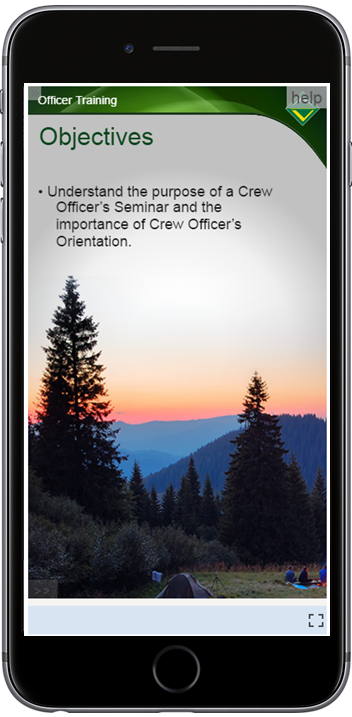
Launching the New Course Player
The new LearnCenter Course Player launches the SCORM 1.2 course from the Widget directly from List View to reduce mouse clicks for the user.
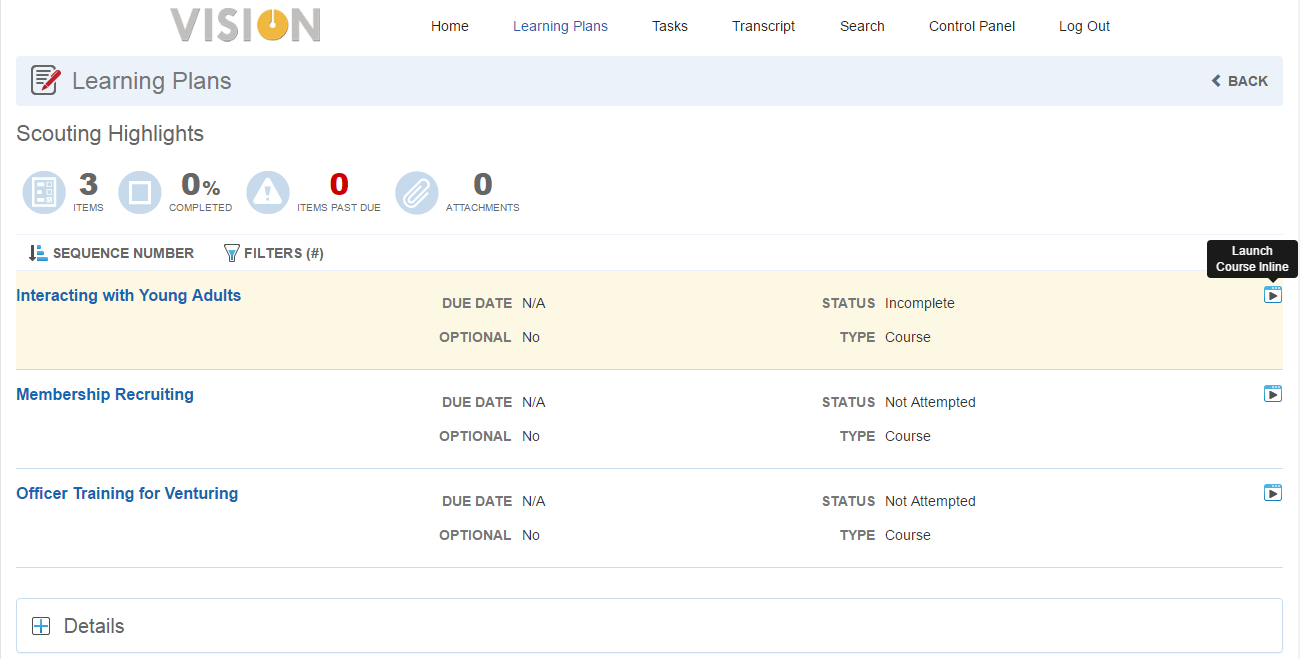
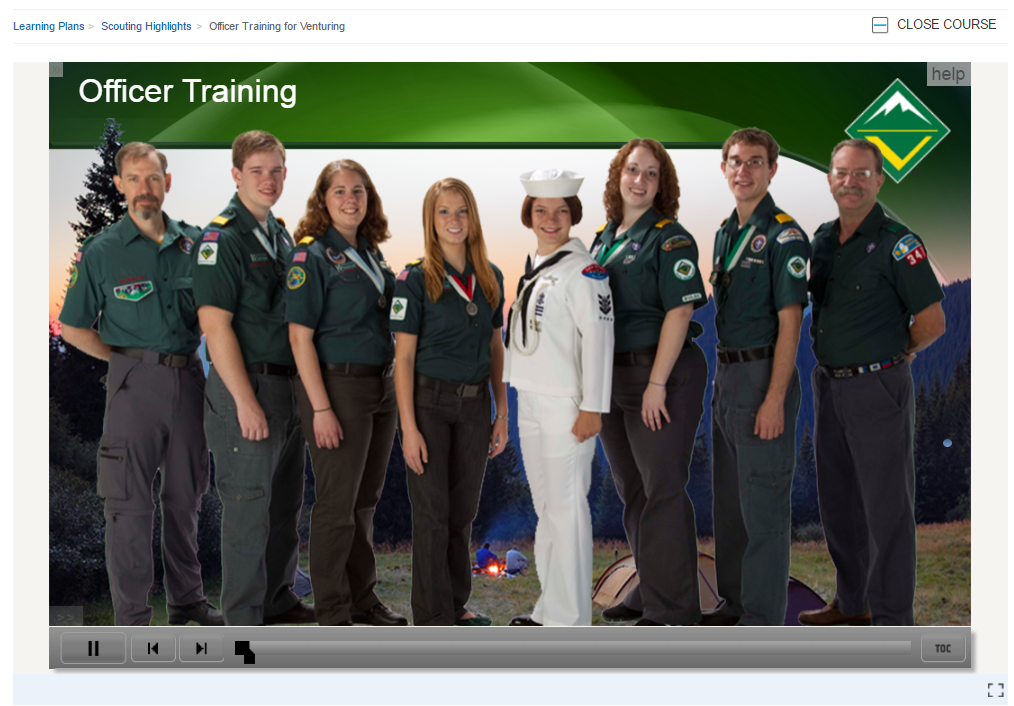
Click  to launch the LearnCenter Course Player, the course details page will open automatically with the course on the first page of the player workflow.
The content opens as embedded within the Widget, similar to other modern Internet video services like YouTube™ with the ability to view in full page mode.
Configuration Options
You can activate the LearnCenter Course Player in a new LearnCenter Course Player section of the Course Options page.
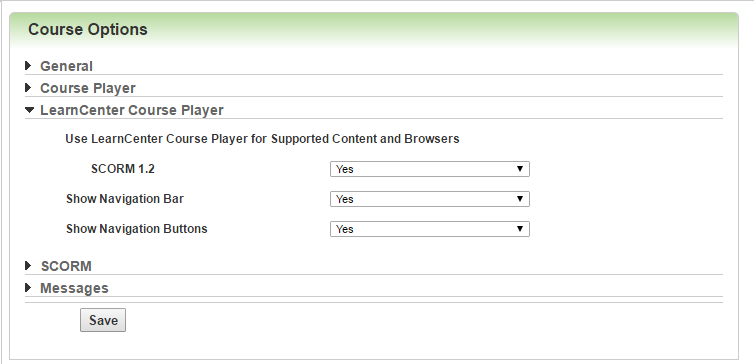
Select Yes to make it active for the current LearnCenter, No to deactivate it (use the standard player), or Inherited to inherit the setting of the parent LearnCenter. By default, No is selected for all LearnCenters.
---

Copyright © 2016, Oracle and/or its affiliates. All rights reserved.
This document is provided for information purposes only, and the contents hereof are subject to change without notice.This document is not warranted to be error-free, nor subject to any other warranties or conditions, whether expressed orally or implied in law, including implied warranties and conditions of merchantability or fitness for a particular purpose. We specifically disclaim any liability with respect to this document, and no contractual obligations are formed either directly or indirectly by this document. This document may not be reproduced ortransmitted in any form or by any means, electronic or mechanical, for any purpose, without our prior written permission.
Oracle and Java are registered trademarks of Oracle and/or its affiliates. Other names may be trademarks of their respective owners.
Intel and Intel Xeon are trademarks or registered trademarks of Intel Corporation.All SPARC trademarks are used under license and are trademarks or registered trademarks of SPARC International, Inc. AMD, Opteron, the AMD logo, and the AMD Opteron logo are trademarks or registered trademarks of Advanced Micro Devices. UNIX is a registered trademark of The Open Group.
