
This document will continue to evolve as existing sections change and new information is added. All updates appear in the following table:
| Date | Product | Feature | Notes |
|---|---|---|---|
| 24 FEB 2022 | Created initial document. |
 HAVE AN IDEA?
We’re here and we’re listening. If you have a suggestion on how to make our cloud services even better then go ahead and tell us. There are several ways to submit your ideas, for example, through the Ideas Lab on Oracle Customer Connect. Wherever you see this icon after the feature name it means we delivered one of your ideas.
GIVE US FEEDBACK
We welcome your comments and suggestions to improve the content. Please send us your feedback at omcdocumentation_ca@oracle.com.
DISCLAIMER
The information contained in this document may include statements about Oracle’s product development plans. Many factors can materially affect Oracle’s product development plans and the nature and timing of future product releases. Accordingly, this Information is provided to you solely for information only, is not a commitment to deliver any material, code, or functionality, and should not be relied upon in making purchasing decisions. The development, release, and timing of any features or functionality described remains at the sole discretion of Oracle.
This information may not be incorporated into any contractual agreement with Oracle or its subsidiaries or affiliates. Oracle specifically disclaims any liability with respect to this information. Refer to the Legal Notices and Terms of Use for further information.
Column Definitions:
Report = New or modified, Oracle-delivered, ready to run reports.
UI or Process-Based: Small Scale = These UI or process-based features are typically comprised of minor field, validation, or program changes. Therefore, the potential impact to users is minimal.
UI or Process-Based: Larger Scale* = These UI or process-based features have more complex designs. Therefore, the potential impact to users is higher.
Features Delivered Disabled = Action is needed BEFORE these features can be used by END USERS. These features are delivered disabled and you choose if and when to enable them. For example, a) new or expanded BI subject areas need to first be incorporated into reports, b) Integration is required to utilize new web services, or c) features must be assigned to user roles before they can be accessed.
| Ready for Use by End Users Reports plus Small Scale UI or Process-Based new features will have minimal user impact after an update. Therefore, customer acceptance testing should focus on the Larger Scale UI or Process-Based* new features. |
Customer Must Take Action before Use by End Users Not disruptive as action is required to make these features ready to use. As you selectively choose to leverage, you set your test and roll out timing. |
|||||
|---|---|---|---|---|---|---|
| Feature |
Report |
UI or |
UI or |
|
||
Normalization of Japanese Text in Segment Queries
When configuring conditions on the segmentation canvas, you have the option to normalize variants of Japanese characters.
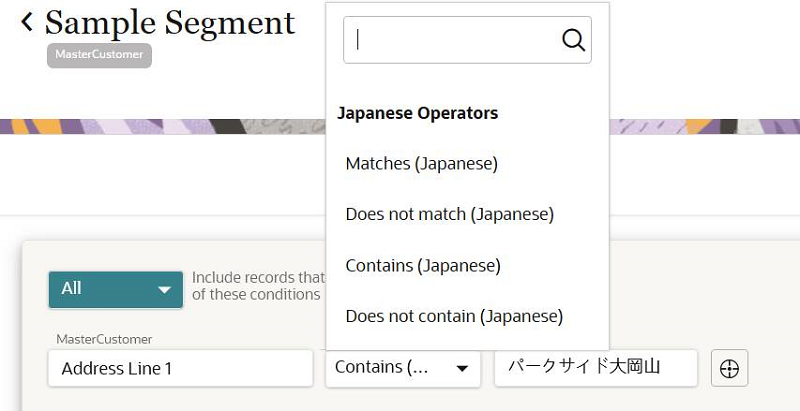
This ensures that queries on the segmentation canvas treat different forms of Japanese characters the same, so that relevant data is captured and conditions are configured correctly.
Steps to Enable
To enable this feature you need to log a Service Request (SR).
Key Resources
Role Information
This feature is available to Business users.
Save As Feature for Segments and Templates
You can use the Save As feature to save copies of segments and templates with different names.
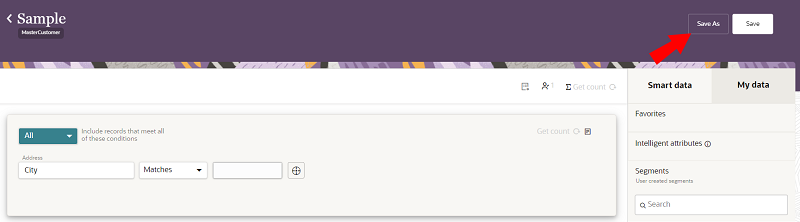
This allows you to reuse existing segments and templates to create new ones.
Steps to Enable
You don't need to do anything to enable this feature.
Key Resources
Role Information
This feature is available to Business users.
Data Deletion API Enhancements
The Data deletion API now has more options to complete data deletion tasks. You now have the additional option to delete all records from data objects. This option does not require ingesting data into a data deletion data object.
This allows you to efficiently address more use cases for deleting data, such as errors in data ingestion.
Steps to Enable
Review the REST service definition in the REST API guides, available from the Oracle Help Center > your apps service area of interest > REST API. If you're new to Oracle's REST services you may want to begin with the Quick Start section.
Key Resources
Role Information
This feature is available to Data engineers.
Data Deletion Job Available in Data Feeds and Jobs UI
You can navigate to Data Feeds and Jobs within the Unity platform to manage data deletion tasks for compliance and data hygiene use cases.
You have the following options to delete data:
-
Ingest data into a data object that is used for deleting data, such as the ready-to-use DataDeletionRequest data object.
-
Delete all records in a data object.
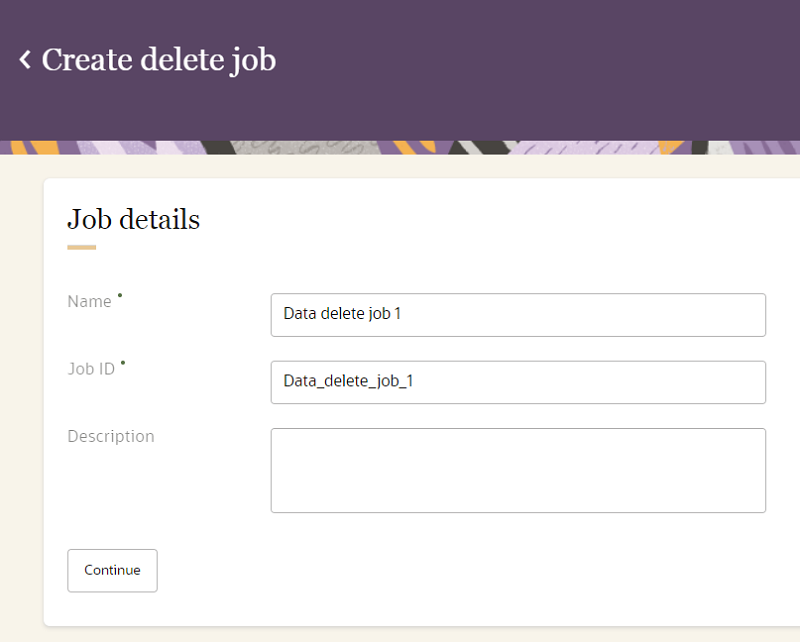
In addition to the Unity API, you can now leverage the Oracle Unity platform to manage data deletion tasks.
Steps to Enable
You don't need to do anything to enable this feature.
Key Resources
Role Information
This feature is available to Data engineers.
The overall stability of job sequence workflows are now improved by reducing failures.
Job sequences can now run more efficiently and effectively.
Steps to Enable
You don't need to do anything to enable this feature.
Key Resources
Role Information
This feature is available to Instance admins.
Salesforce CRM Outbound Connector
You can create a Salesforce CRM destination and corresponding campaign to export data directly into Salesforce.
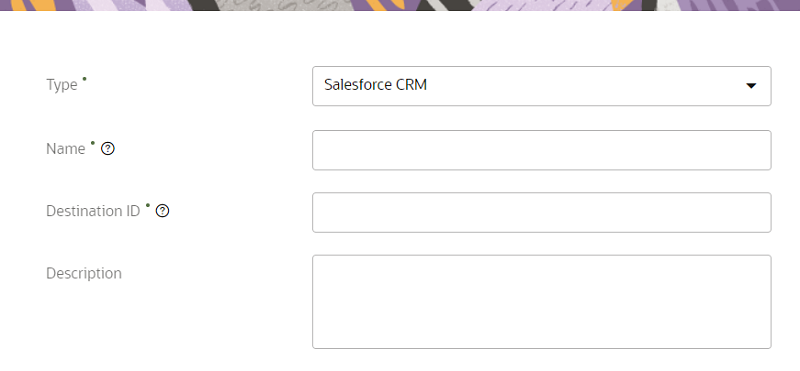
This provides a simple and seamless process to directly send data from Unity to Salesforce CRM.
Steps to Enable
You don't need to do anything to enable this feature.
Key Resources
Role Information
This feature is available to Data engineers.
Campaign Recommender Data Science Model
The Campaign Recommender model helps you identify the best campaign to send a customer based on:
- The customer's past engagement
- Conversion trends across different campaigns
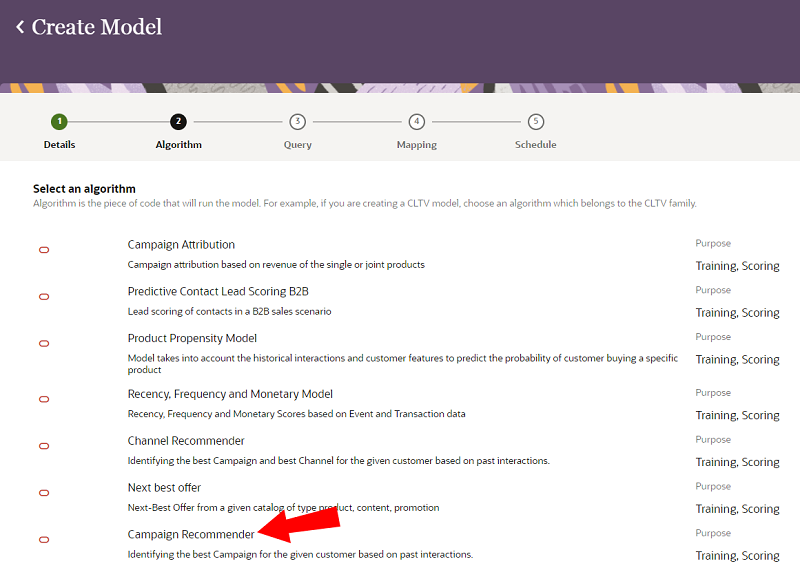
The model helps you improve:
- Customer engagement and conversion
- Return on investment through efficient campaign targeting
Steps to Enable
You don't need to do anything to enable this feature.
Key Resources
Role Information
This feature is available to Instance admins.
Fatigue Segmentation Data Science Model
The Fatigue Segmentation model helps identify fatigue for each customer in the recent past. Customers are classified into fatigue segments based on their engagement trends.
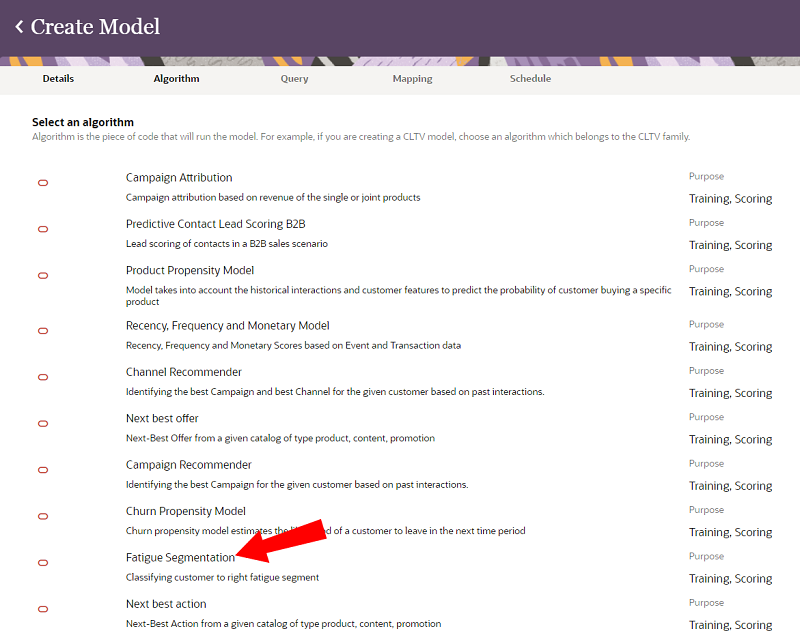
The model provides the following benefits:
-
Helps differentiate customers who are active and ready to engage from the ones who are fatigued.
-
Allows you to control the campaign outreach for every customer based on their fatigue level, and thereby increasing engagement/conversions and decreasing dropouts.
Steps to Enable
You don't need to do anything to enable this feature.
Key Resources
Role Information
This feature is available to Instance admins.
User Experience (UX) Improvements
The Oracle Unity user experience is improved with the following:
-
Page headers stay at the top when you scroll the pages
-
Screen resolution automatically adapts to the device you're using
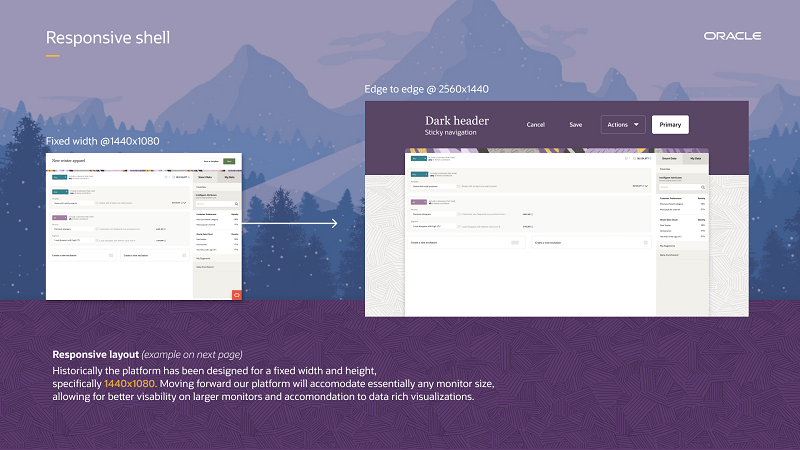
The new user experience:
- Provides a responsive layout
- Allows for more visible content and data on the screen
- Minimizes scrolling
- Accommodates for large monitors with different screen resolution sizes
Steps to Enable
You don't need to do anything to enable this feature.
Role Information
This update is available to all user roles.