
This document will continue to evolve as existing sections change and new information is added. All updates appear in the following table:
| Date | Product | Feature | Notes |
|---|---|---|---|
| 05 FEB 2021 | Enabling Customers | Language Support | Updated document. Revised feature information. |
| 29 JAN 2021 | Created initial document. |
This guide outlines the information you need to know about new or improved functionality in this update.
GIVE US FEEDBACK
We welcome your comments and suggestions to improve the content. Please send us your feedback at omcdocumentation_ca@oracle.com.
Column Definitions:
Report = New or modified, Oracle-delivered, ready to run reports.
UI or Process-Based: Small Scale = These UI or process-based features are typically comprised of minor field, validation, or program changes. Therefore, the potential impact to users is minimal.
UI or Process-Based: Larger Scale* = These UI or process-based features have more complex designs. Therefore, the potential impact to users is higher.
Features Delivered Disabled = Action is needed BEFORE these features can be used by END USERS. These features are delivered disabled and you choose if and when to enable them. For example, a) new or expanded BI subject areas need to first be incorporated into reports, b) Integration is required to utilize new web services, or c) features must be assigned to user roles before they can be accessed.
| Ready for Use by End Users Reports plus Small Scale UI or Process-Based new features will have minimal user impact after an update. Therefore, customer acceptance testing should focus on the Larger Scale UI or Process-Based* new features. |
Customer Must Take Action before Use by End Users Not disruptive as action is required to make these features ready to use. As you selectively choose to leverage, you set your test and roll out timing. |
|||||
|---|---|---|---|---|---|---|
| Feature |
Report |
UI or |
UI or |
|
||
Oracle Eloqua Performance Data Integration
Analytics now supports Oracle Eloqua campaign performance data in the dashboard, in campaign drill-downs, as well as in Campaign Analysis.
This allows for a seamless integration of Oracle Marketing products and provides benefits to customers using both Eloqua and Unity.
Steps to Enable
You don't need to do anything to enable this feature.
Key Resources
Visit our Help Center to learn more about:
Improved Query Performance for Segments
Query performance on the segmentation canvas has been optimized to provide faster segment counts.
This reduces the time needed to retrieve real-time counts for the number of records within conditions, enclosures, and segments.
Steps to Enable
You don't need to do anything to enable this feature.
Key Resources
- Visit our Help Center to learn more.
Show Additional Attributes in Segmentation UI
All attributes from data objects, except Tenant ID, are now available on the segmentation canvas to create segments.
Therefore, you can create segments using all the available data in the platform.
Steps to Enable
You don't need to do anything to enable this feature.
Key Resources
- Visit our Help Center to learn more.
You can now add commonly used attributes to the Favorites section.
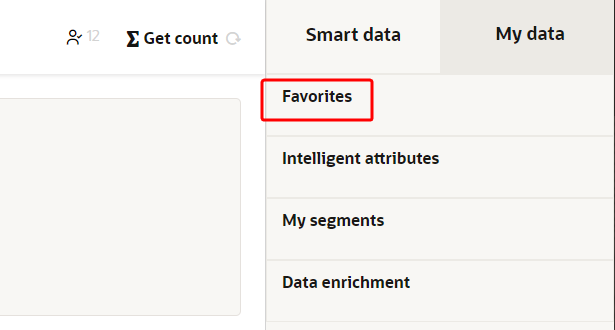
This feature helps business users create a segment more easily by accessing commonly used attributes directly in the Favorites section, instead of searching through all attributes.
Steps to Enable
You don't need to do anything to enable this feature.
Key Resources
- Visit our Help Center to learn more.
Granular Metrics and Logs for Ingest Jobs
We now provide more detailed metrics for ingestion jobs both at the job level as well as the individual CSV file level. The metrics show how many records were read, ingested, and failed from each CSV file.
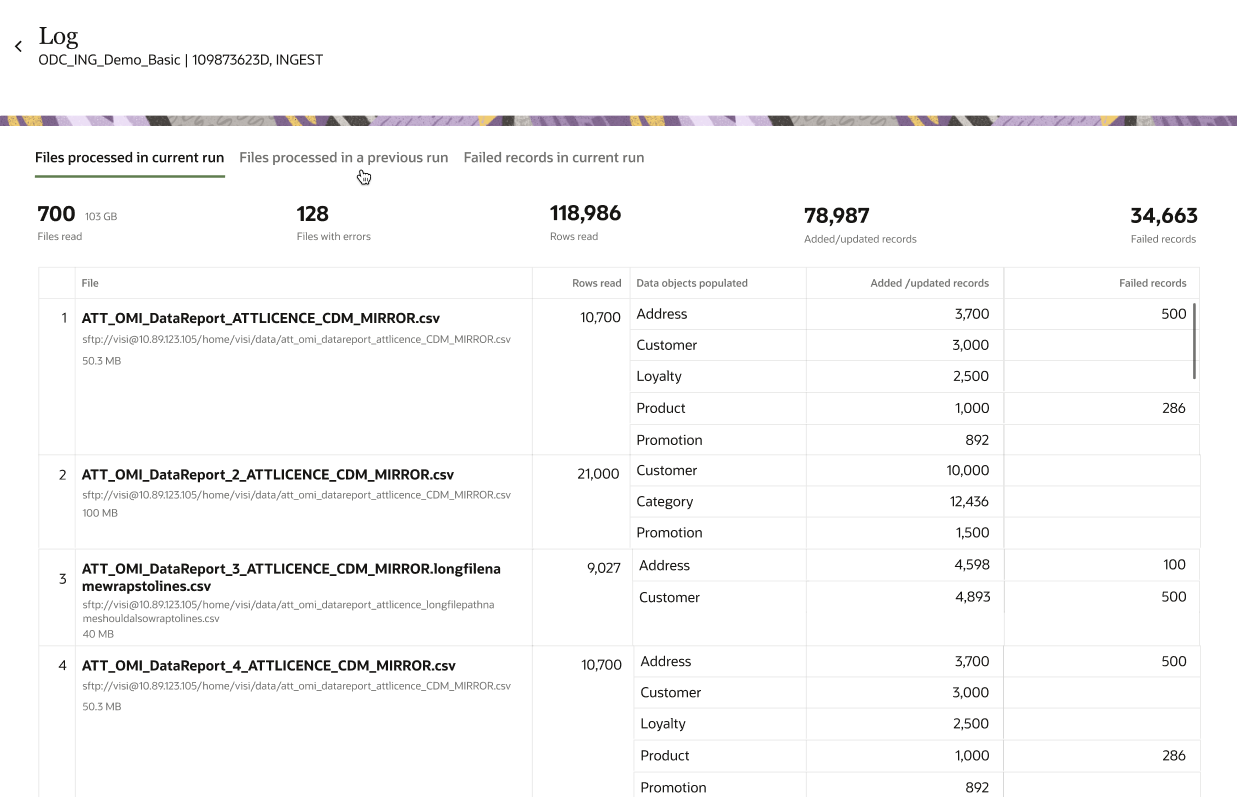
These more detailed metrics help to quickly spot-check and troubleshoot issues with ingestion jobs. You can also quickly get a sense of the magnitude of failures at a granular level.
Steps to Enable
You don't need to do anything to enable this feature.
Key Resources
- Visit our Help Center to learn more.
The Unity platform interface is now translated based on your browser locale or user preference.
The following languages are supported:
- Chinese - Simplified
- Chinese - Traditional
- French - France
- German
- Italian
- Japanese
- Korean
- Portuguese - Brazil
- Russian
- Spanish - Worldwide
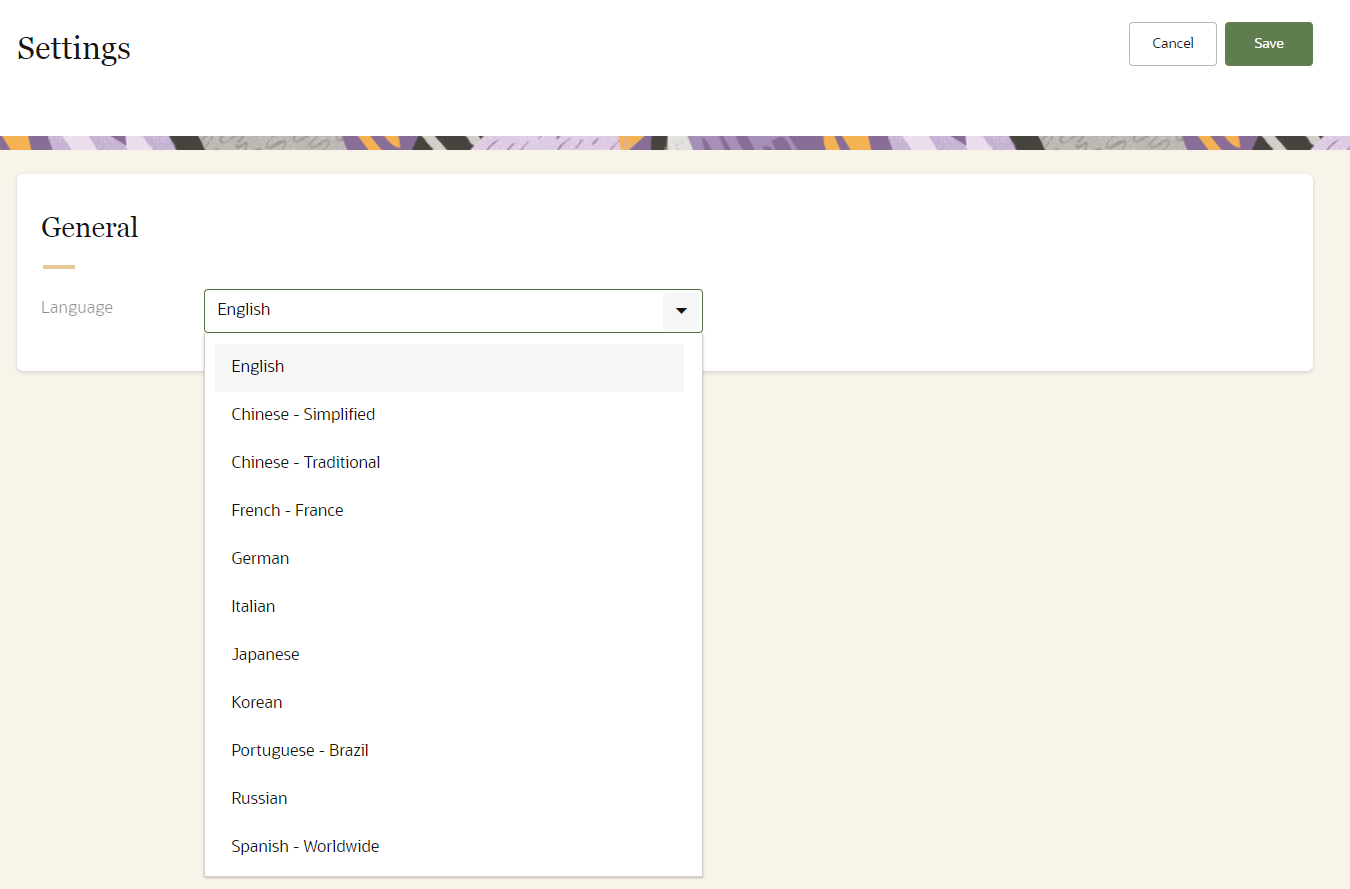
This enables you to use Unity in your preferred language.
Steps to Enable
You don't need to do anything to enable this feature.
Key Resources
- Visit our Help Center to learn more.